
Updated: May 6, 2026
Cybersecurity best practices are a set of controls covering backups, access management, employee training, and incident response that reduce the risk of a breach and limit the damage if one occurs. Although these controls are not complicated, they are consistently under-implemented, which is exactly what attackers are counting on.
The thing about cybersecurity that trips up a lot of businesses is that the technology part, which is often the easier part, is only part of the picture. You can have a well-configured network, solid endpoint protection, and a decent firewall. Yet, when someone on your team gets a convincing phishing email, clicks a link, and hands over their credentials, and six months later, you find out. That’s the actual threat model for most small businesses, and no amount of hardware fixes it.
We work with startups and growing companies across the San Francisco Bay Area, and the security gaps we encounter most often are not exotic. They’re the basics left unaddressed. Below are the six practices we come back to with many clients.
Why Small Businesses Are a Primary Target for Cybercriminals
A lot of small business owners carry a quiet assumption that they’re not worth attacking. Too small. Not enough data. Nothing interesting enough to bother with. I understand the logic, but the numbers don’t support it. According to Verizon’s Data Breach Investigations Report, 43% of all cyberattacks target small businesses. In 2025, SMBs accounted for 70.5% of data breaches globally.
The reason is not that attackers are specifically obsessed with small businesses. It’s that automation has made it easy to target thousands of organizations at once, and smaller businesses tend to have fewer defenses. You’re not being singled out. You’re in the net.
What are they looking for? The targets vary, but they typically include:
Credit card and financial account information;
Medical records and insurance data that can be used for identity theft;
Email credentials for sending spam, spoofed emails, or resetting linked accounts;
Computer resources for crypto mining or launching further attacks; and
Customer data that can be sold or held for ransom.
No business is too small to be a target. The question is whether you’re making yourself an easy one.
How Often Are Small Businesses Hit by Cyberattacks?
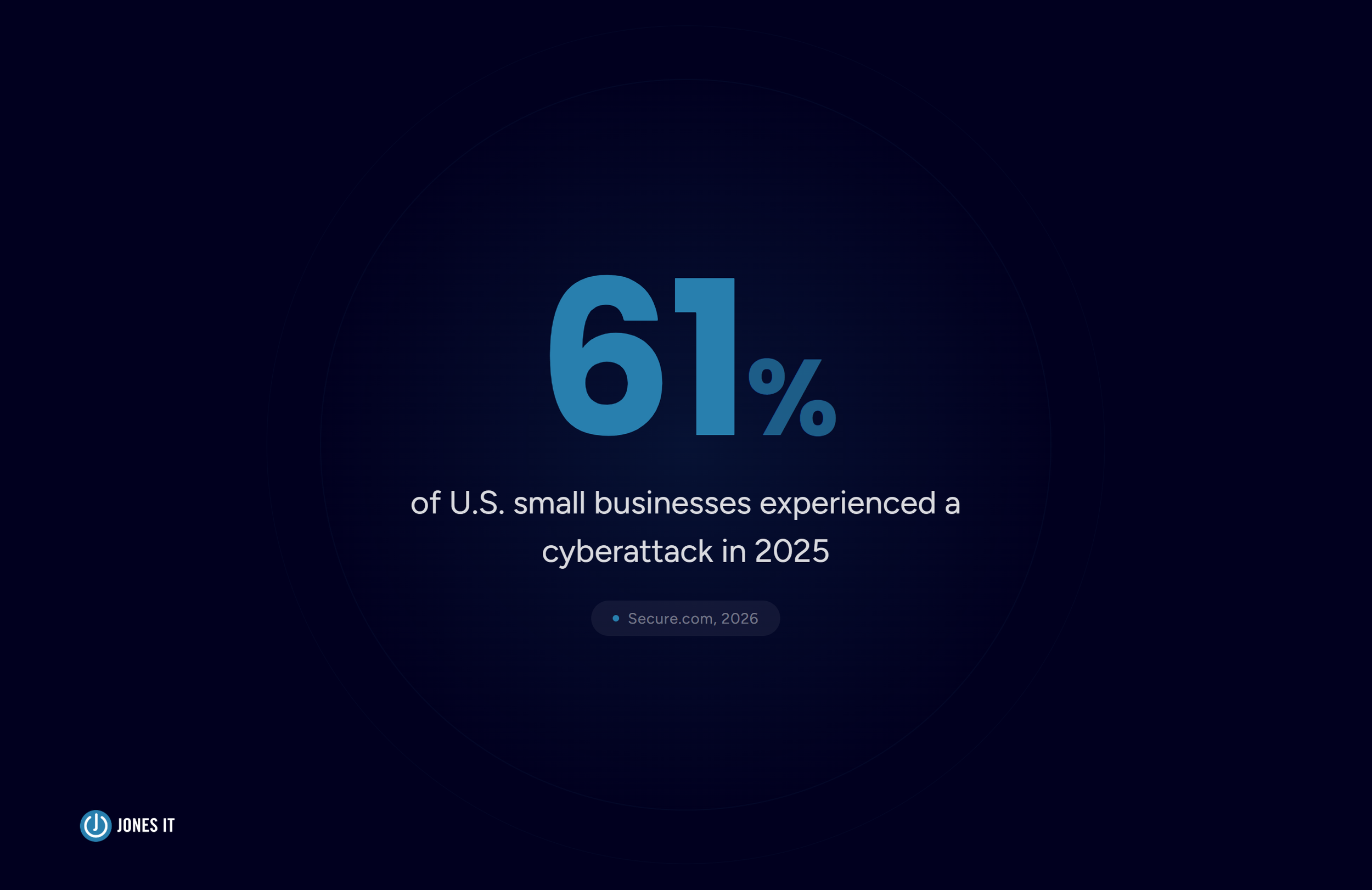
In 2025, 61% of U.S. small businesses experienced a cyberattack. Just sit with that for a second. That’s not a worst-case projection. That’s the majority. And when a breach happens, the average cost globally hit $4.88 million in 2025, which for a small business is not a number you absorb and move on from.
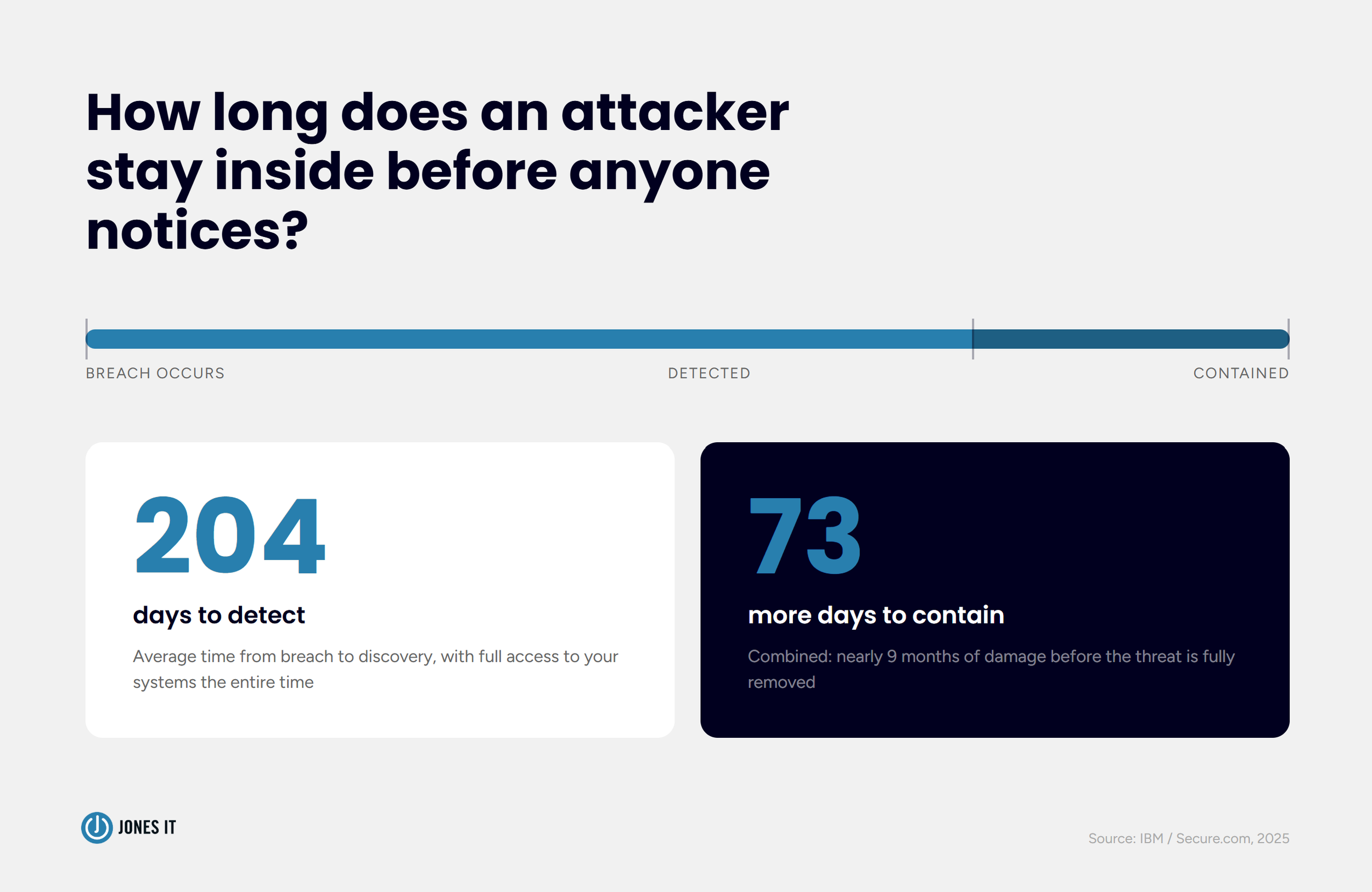
What makes the economics even worse is the detection gap. The average breach takes 204 days to detect and another 73 days to contain. That’s close to nine months of an attacker sitting inside your systems before anyone notices. For a business without dedicated security monitoring, that window is usually catastrophic.
The somewhat reassuring counterpoint: the majority of successful attacks exploit the same short list of vulnerabilities. Weak credentials. Unpatched software. Undertrained employees. Missing backups. Fix those, and you’ve addressed most of your real-world risks. That’s what the six practices below are built around.
6 Cybersecurity Best Practices for Small Businesses
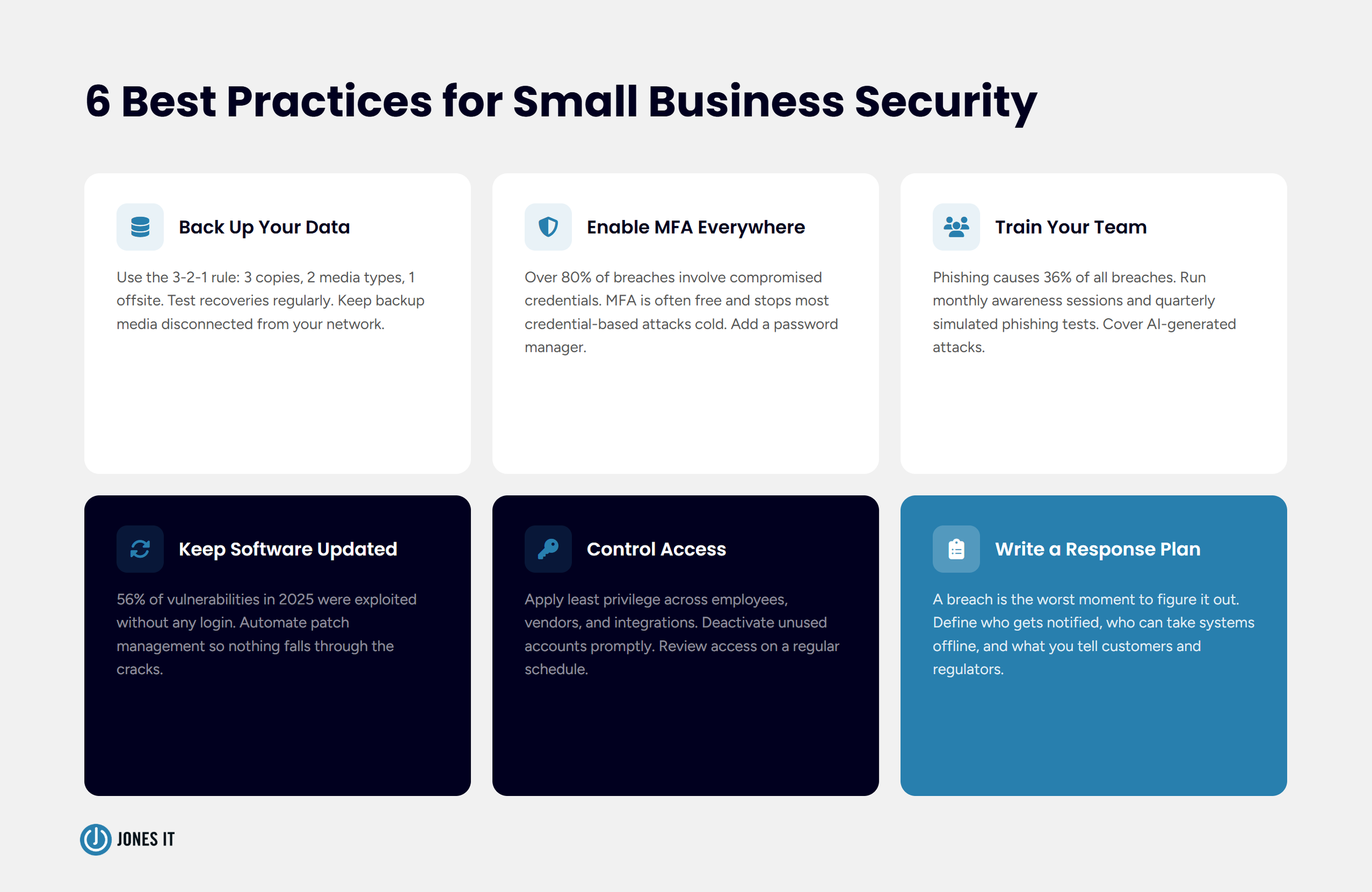
1. Back Up Your Data, and Test the Backups
Ransomware is specifically designed to make you pay. Attackers encrypt your files, lock you out, and wait. Your only leverage is a clean backup they cannot touch. Without one, you are choosing between paying the ransom and losing your data. 60% of companies that experience major data loss close within six months.
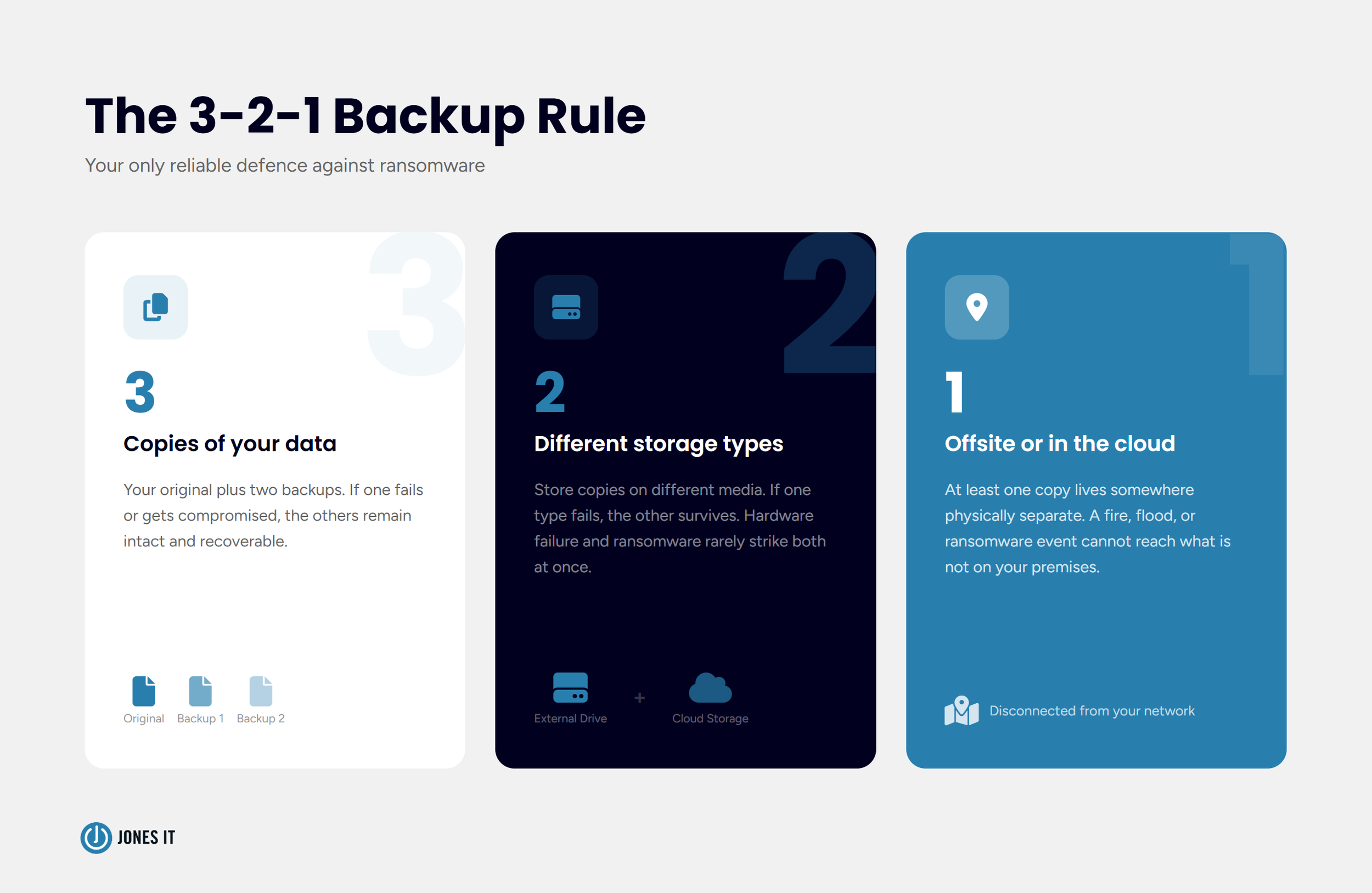
The framework we recommend is the 3-2-1 rule: three copies of your data, on two different storage types, one of them off-site or in the cloud. Simple enough. The part that actually trips people up:
Keep backup media disconnected from the network when not in use. A permanently connected backup can get encrypted alongside everything else.
Test your backups by running actual recoveries. An untested backup is not a backup; it’s an optimistic assumption.
Automate the schedule. Backups that depend on someone remembering to run them will eventually not run.
Backups do not stop an attack. They give you a path out that doesn’t involve wiring money to strangers.
2. Turn On Multi-Factor Authentication
More than 80% of hacking-related breaches involve compromised credentials, according to Verizon’s DBIR. That figure has been stubbornly consistent for years. People reuse passwords. They choose predictable ones. They fall for phishing emails that harvest credentials at scale. And once an attacker has a valid username and password, your perimeter means nothing.
Multi-factor authentication (MFA) is the most effective single control available, and for most platforms, it costs nothing to enable. Microsoft 365, Google Workspace, and the majority of SaaS tools your team uses already have it built in. Enabling it takes an afternoon. There is really no good reason not to, and yet we still find businesses running without it.
Pair MFA with a business-grade password manager. Password reuse is the most exploitable habit in cybersecurity, and a password manager eliminates it. Between these two controls, you knock out the root cause of most credential-based breaches.
3. Train Your Team to Recognize Phishing
Phishing is the number one entry point for breaches. Verizon’s DBIR puts it at 36% of all incidents. You can have excellent technology in place, and one employee clicking the wrong link undoes it. That’s the uncomfortable reality of security, and it’s why training matters as much as tooling.
Annual training is better than nothing, but not by much. What actually moves the needle is continuous training: short monthly awareness sessions, quarterly simulated phishing tests, and role-specific training for the people in your organization who are most likely to be targeted (finance, IT, executive assistants). Organizations that run ongoing training programs see significantly fewer successful phishing attacks than those that do it once a year and call it done.
There’s a newer wrinkle worth addressing specifically. Attackers are now using AI to craft spear-phishing emails that are hard to distinguish from legitimate ones, voice clones that impersonate executives on phone calls, and deepfake videos for more elaborate fraud. The obvious scam email with bad grammar and a suspicious link is still out there, but it’s no longer the main event. Your training content needs to reflect what attacks look like now, not what they looked like in 2019.
4. Keep Software and Systems Updated
IBM found in 2025 that 56% of tracked vulnerabilities were exploited without any login required. No stolen credentials. No phishing. Just an unpatched system with a known hole, and an attacker who knew where to find it. That is a completely preventable category of breach.
Updates apply to everything: operating systems, applications, firmware on routers and switches, and third-party software. The cadence varies by system, but the principle doesn’t. Known vulnerabilities should be patched before they can be exploited. Sounds obvious, but most businesses have at least a few systems running behind, usually because no one owns the task.
For businesses without dedicated IT staff, automated patch management is worth every penny. The failure mode of not patching is silent right up until the moment it isn’t.
5. Control Who Has Access
Access control sounds like an IT concept, but what it really describes is permission creep, and it happens at every company we’ve worked with. Former employees whose accounts were never deactivated. Contractors still able to log in to systems they finished working on six months ago. Admin privileges that got handed out during a stressful launch and were never reviewed afterward. Each one of those is an open door.
The principle to operate by is least privilege: every person, every vendor, every integration gets the minimum access required to do their job, nothing more. Apply it to employee accounts, API keys, and service accounts. Eliminate shared admin credentials. Build a regular review into your schedule, even quarterly, so access levels stay current rather than accumulating over time.
Supply chain attacks are worth flagging here specifically. Attackers increasingly compromise smaller vendors to get a foothold in their customers’ systems. If a vendor has access to your network or data, their security posture is part of your risk profile, whether you think about it that way or not. Ask your critical vendors about their practices. Request SOC 2 reports where the relationship warrants it. Their breach can become your breach very quickly.
6. Write an Incident Response Plan Before You Need One
Most small businesses don’t have an incident response plan. Most assume they’ll figure it out when something happens. Here is the problem with that: a breach is the worst possible moment to start making decisions from scratch. Systems are down. Data may be compromised. Employees are panicking. Customers are asking questions. Every hour of confusion is expanding the blast radius.
The plan does not need to be long. It needs to answer a handful of questions clearly: Who gets notified first when something looks wrong? Who has the authority to take systems offline? What do you tell customers and regulators if data is breached? Who is your external security contact if you need help you can’t provide internally? Write down the answers. Put them somewhere people can find them without logging into the systems that are potentially down.
For Bay Area companies in fintech, SaaS, or healthcare, your incident response plan also ties directly to compliance. SOC 2, HIPAA, and CCPA each have specific breach notification requirements with timelines attached. Having a plan in place before something happens is the only realistic way to meet those timelines under pressure. Trying to reconstruct your response after the fact, for an audit or a regulator, is an experience worth avoiding.
New Cybersecurity Threats Small Businesses Face in 2026
The six practices above cover the fundamentals. The threat landscape has also shifted in ways that are worth understanding separately, because a few of them require updating assumptions your team may have held for a while.
AI-generated phishing and social engineering. Attackers are using AI to write convincing spear-phishing emails tailored to specific recipients, generate voice clones that sound like your executives on a phone call, and produce deepfake videos for more elaborate fraud. The grammar is good. The context is specific. These are not easy to catch, and training that only covers the obvious red flags is no longer enough.
MFA fatigue attacks. If an attacker gets hold of a password but can’t get past MFA, one approach is to bombard the user with authentication requests until they approve one just to make it stop. It works more often than you’d expect. Train your team that an MFA prompt they didn’t initiate is always suspicious and should always be reported.
Supply chain compromise. Attackers target smaller vendors to get into their customers’ systems. If your business relies on third-party software integrations or managed service providers, those relationships carry risk that needs to be assessed, not just assumed away.
SaaS credential theft. A compromised Google Workspace or Microsoft 365 account is no longer just an email problem. It’s a key to documents, communication history, connected integrations, and potentially your financial systems. Treat cloud platform credentials with the same seriousness as network access credentials.
How Jones IT Helps Bay Area Businesses Stay Secure
We’ve been doing this for over 20 years with startups and growing companies across San Francisco and the Bay Area, from early-stage teams in SoMa and Mission Bay to scaling organizations in the Financial District and South San Francisco. Cybersecurity is woven into how we manage IT for every client, not treated as a separate conversation.
Our cybersecurity and compliance management service covers the full range of controls in this post: backup configuration and testing, MFA deployment, patch management, access control reviews, employee security training, and incident response planning. For companies on a path to SOC 2, HIPAA, or CCPA compliance, our Compliance Kickstarter Program gives you a structured route to audit-readiness without having to build a compliance program from the ground up.
Cybersecurity is not a project you finish. The threat landscape shifts, your systems change, your team grows, and your compliance requirements evolve with your business. What we do is help you stay ahead of that rather than catch up to it after something goes wrong. Reach out, and we’ll talk through where you stand and what a realistic path forward looks like.




Your team can complete security training and still fail a SOC 2 control. Learn the five evidence artifacts auditors require and how to close the gap.