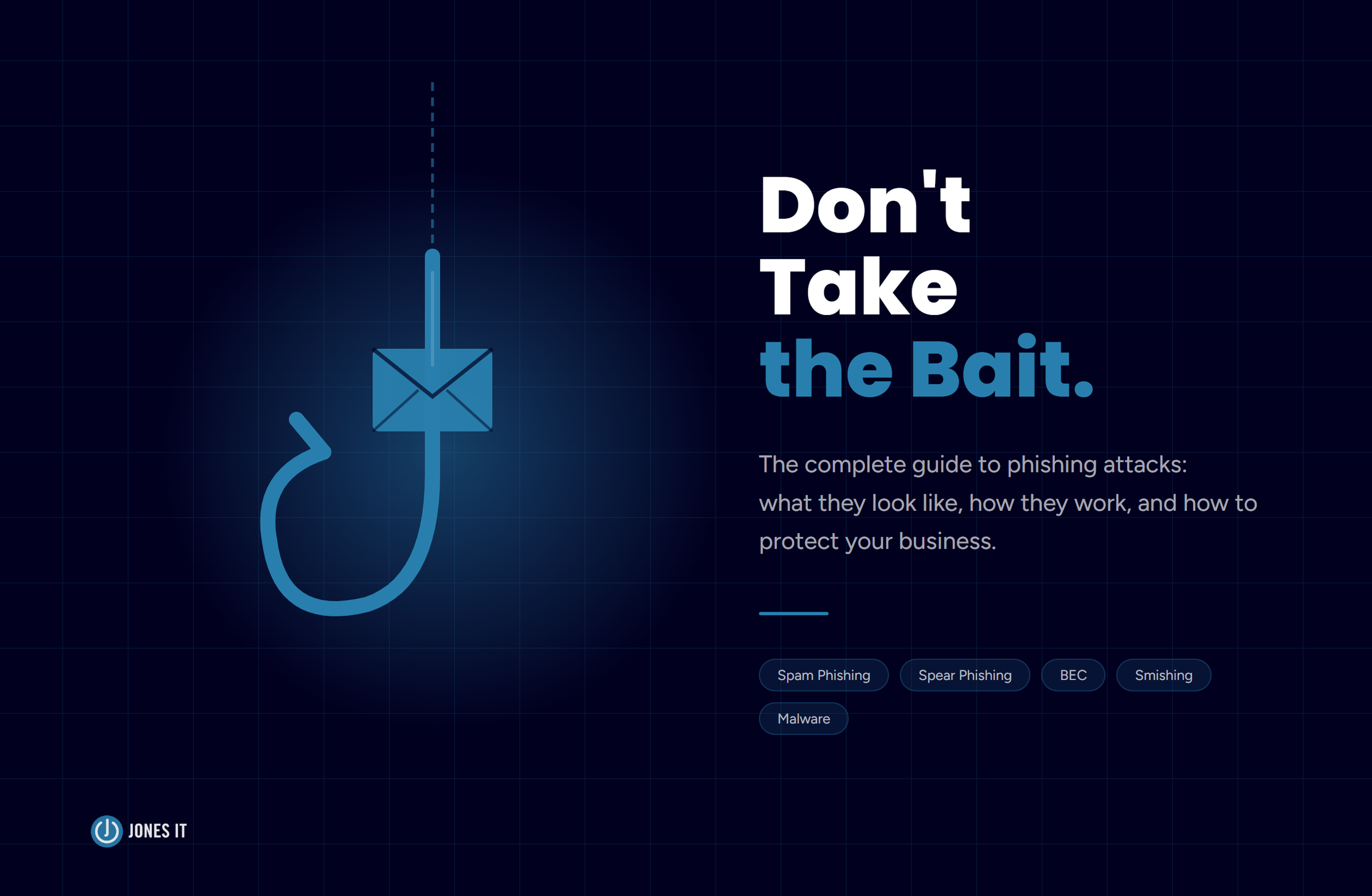
Types of Phishing Attacks: The Complete Guide for Small Businesses
What phishing attacks look like today, and the practical steps every startup and small business needs to protect itself.
If you’ve ever received a text from your “CEO” asking for gift cards, you’ve already met phishing. Welcome to the complete guide. IT security is one of the most important things we help our clients with, and phishing is the threat that shows up most often, so consider this your starting point to cybersecurity.
The scary thing about the different types of phishing attacks is that they work because they don't rely on technical sophistication; they just trick people by playing on human nature. They rely on you being busy, slightly distracted, and inclined to trust a message that looks like it came from someone you know. The good news is that once your team knows the playbook, these attacks get a lot harder to pull off.
We’ve helped dozens of Bay Area startups and small businesses deal with the aftermath of phishing attacks, and the pattern is almost always the same: the attack wasn’t particularly clever, it just caught someone at the wrong moment. This guide is our attempt to help you make sure that moment never comes.
What Is Phishing?
Phishing is a cyberattack in which someone impersonates a trusted person, company, or institution to trick you into handing over sensitive information, transferring money, or installing malware. The name comes from “fishing” for victims, and the bait is almost always a convincing message that creates some kind of urgency.
These attacks can arrive via email, text, phone call, or social media. Most people picture the classic “Nigerian prince” email and assume they’d never fall for it. The modern versions are considerably more convincing. According to the FBI’s Internet Crime Complaint Center, phishing is consistently one of the most reported cybercrime types in the US. It costs businesses billions of dollars every year, and small businesses get hit disproportionately, often because they’re less likely to have security training in place.
Prevention is always better than cure. And when it comes to phishing, knowledge really is power. So let’s learn more about the phishing menace.
Types of Phishing Attacks Your Team Will Actually Encounter
Phishing comes in more flavors than most people realize. Here are the ones we see most often in small business environments.
1. Spam Phishing
Spam phishing is the “spray and pray” approach, where the same malicious email is sent to millions of people at once. These messages typically impersonate banks, government agencies, or well-known services like PayPal or Microsoft. The goal is to get you to click a link, enter your credentials on a fake website, or open an attachment that installs malware.
Gmail reportedly blocks around 18 million malicious emails a day. Even at a 99.9% catch rate, the remaining 0.1% is still an enormous volume. So don’t rely on your spam filter to do all the work.
What to do: Mark suspicious emails as spam rather than just deleting them, so your email client gets smarter. Never click links in emails asking you to “confirm your account” or “verify your information.” Open a new browser tab and go directly to the site instead.
2. Spear Phishing
Spear phishing is targeted. Instead of casting a wide net, attackers research a specific person or company, then craft a message that feels personal and credible. They might reference your company name, your role, a deal you’re working on, or even a colleague by name, all gathered from LinkedIn, company websites, and public social media.
Because spear phishing emails look so legitimate, they’re significantly harder to detect than generic spam. This is also the technique behind the more targeted threats we’ll cover below, BEC and smishing. Worth paying attention to.
What to do: Any email creating sudden urgency around a financial transaction or sensitive data should be treated as suspicious, even if it appears to come from a colleague or manager. Verify unexpected requests through a separate channel before acting.
3. Man-in-the-Middle Phishing
In a man-in-the-middle attack, the attacker inserts themselves between you and a legitimate website. You think you’re logging into your bank or email provider, but your credentials pass through the attacker’s system first. Some of these attacks can even bypass basic two-factor authentication, because the attacker relays your session in real time.
This one is harder to spot because the website you land on can look completely identical to the real thing. The difference is in the URL, if you look closely.
What to do: Use a hardware security key or an authenticator app for two-factor authentication rather than SMS codes. Always check the domain before entering credentials. And use a password manager, which will refuse to autofill on a spoofed domain, a small but genuinely useful safety net.
4. Link Manipulation
Many phishing attacks rely on links that look legitimate at a glance but point somewhere else entirely. Common tricks: misspelled domains (paypa1.com, micros0ft.com), subdomains designed to mislead (apple.com.malicious-site.com), and URL shorteners that hide the true destination. The substitution of a zero for the letter “o” is a classic, and it still works.
What to do: Hover your cursor (mouse pointer) over links before clicking to preview the actual URL. On mobile, where hovering isn’t an option, go directly to the website rather than tapping any link in a message.
5. Malware Delivery: Keyloggers and Trojans
Some attacks skip the fake login page entirely. Instead, they get you to open an attachment or download a file that installs malware, such as keyloggers, Trojans, or ransomware, on your device. A keylogger silently records everything you type, including passwords, while a Trojan disguises itself as legitimate software while giving an attacker backdoor access to your system.
If ransomware ends up on your network, it most likely started as someone opening an email attachment they shouldn’t have. This is one of those cases where the consequence is wildly disproportionate to the action.
What to do: Never open attachments from unexpected senders, even if the email looks official. Keep your operating system and software updated, since most malware exploits known vulnerabilities that already have patches available. A network-level firewall can also stop keyloggers from transmitting data out.
Business Email Compromise: The Expensive One
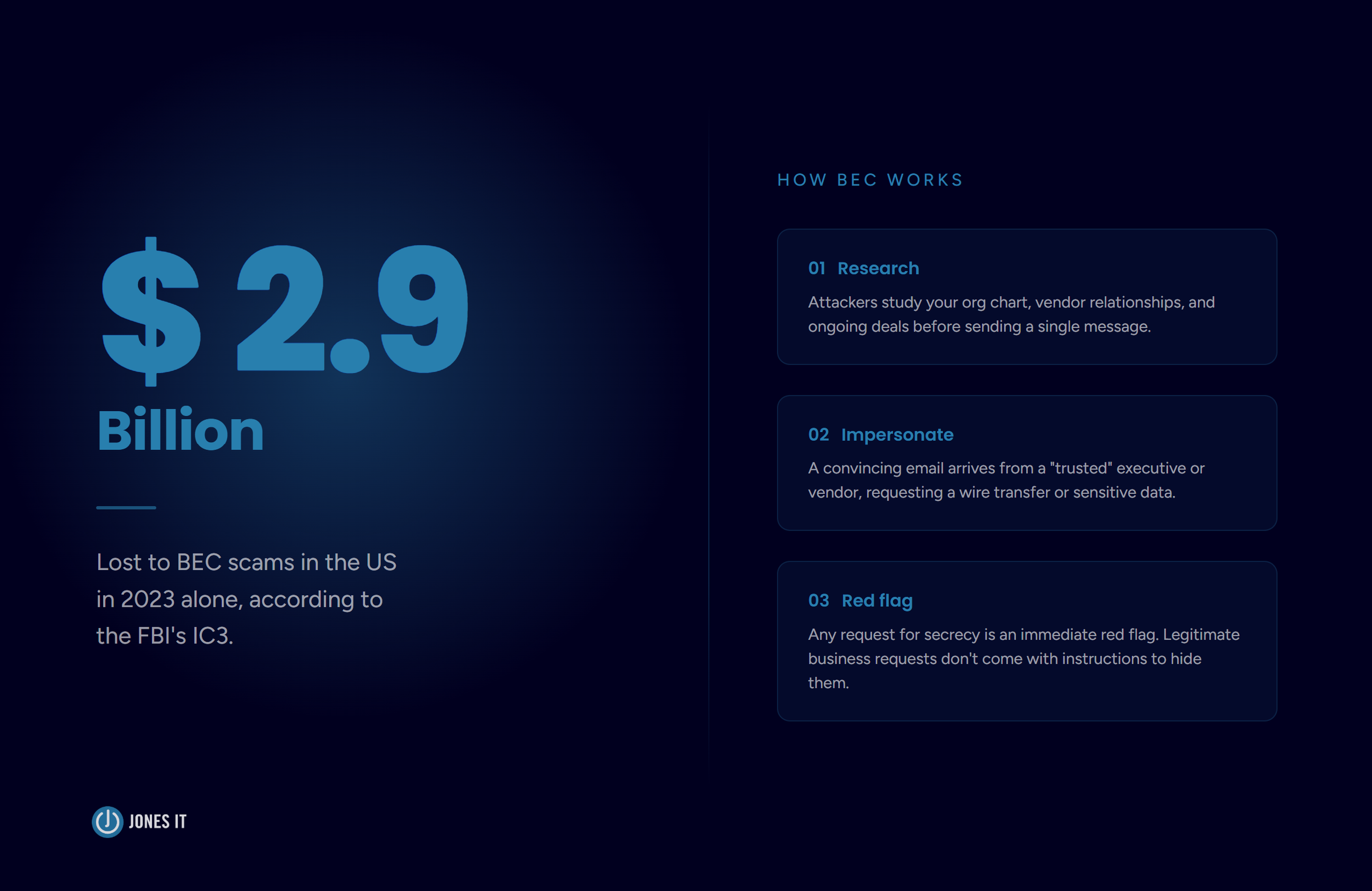
Business Email Compromise (BEC) is a form of spear phishing that specifically targets businesses, specifically employees with financial access. In a BEC attack, attackers impersonate a company executive, a vendor, or an IT administrator to trick someone into making an unauthorized wire transfer or handing over payroll data or credentials.
What sets BEC attacks apart is the research behind them. Attackers study the target organization’s structure, communication style, and ongoing projects before crafting their message. The email might reference a real vendor relationship, an actual deal in progress, or a specific employee by name. It doesn’t feel like a scam. That’s the point. The FBI reported that BEC scams cost US businesses over $2.9 billion in 2023 alone.
The classic BEC red flags: an out-of-the-blue wire transfer request from a senior executive, a vendor “updating their bank details,” or an urgent request to keep something confidential from the rest of the team. That last one especially. Legitimate business requests don’t come with instructions to hide them.
BEC attacks have also gotten harder to detect as AI has improved. Deepfakes and audio cloning are now part of the toolkit. For a closer look at where this is heading, see our post on AI, Deepfakes, and the Evolution of CEO Fraud.
Smishing: When Phishing Moves to Your Phone
Smishing (SMS phishing) is a phishing attack delivered via text message. Same playbook as email phishing, different channel: impersonate a trusted source, create urgency, get the recipient to click a link or hand over information.
The reason smishing works so well is that people trust texts more than emails. Most of us have been trained to be skeptical of suspicious emails. That skepticism tends not to follow us to our phones. Add in the fact that we’re often reading texts while distracted or on the move, and you end up with a surprisingly high success rate for a pretty low-effort attack.
We’ve seen a significant uptick in smishing targeting Bay Area startup employees over the past few years, particularly around delivery notifications, payroll alerts, and messages impersonating the CEO. If you haven’t briefed your team on this one specifically, it’s worth adding to your next security training session.
Common Smishing Scenarios
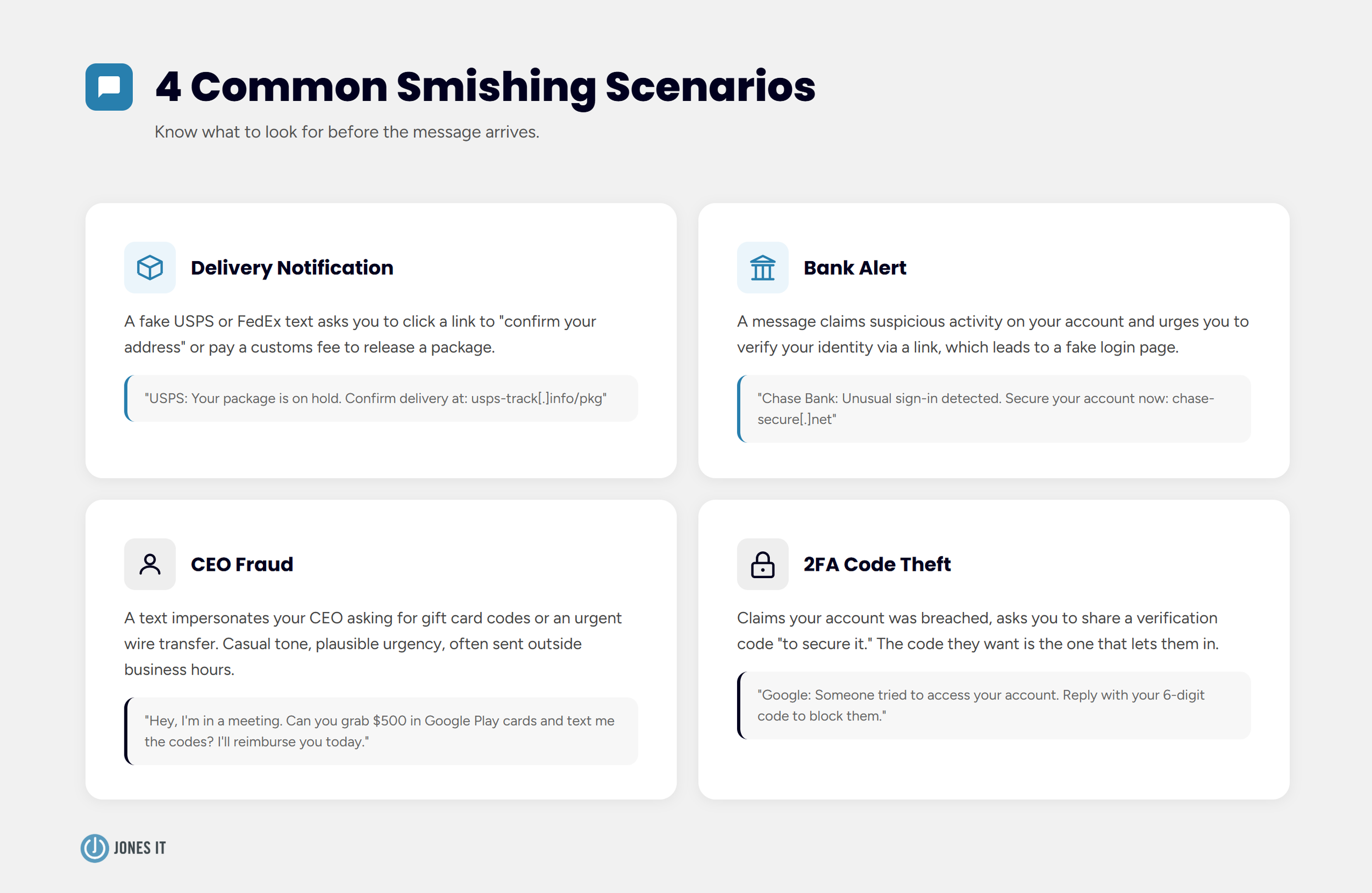
The smishing attacks we see most often fall into a few categories:
Delivery notifications: A fake USPS or FedEx text asking you to click a link to “confirm your address” or “pay a customs fee” to release a package.
Bank alerts: A message claiming suspicious activity on your account, with a link to “verify your identity.”
CEO fraud: A text impersonating your CEO or a senior leader asking for gift card codes or an urgent wire transfer. Casual tone, plausible urgency, usually sent outside business hours.
2FA code theft: A message claiming your account was breached, asking you to share the verification code you just received “to secure your account.” The code they want is the one that lets them in.
How to Protect Against Smishing
The core rule: do not engage with messages you weren’t expecting, especially ones asking you to click, call, or respond. If a text appears to come from your bank, carrier, or a government agency, contact the organization directly using a number you look up yourself, not one in the message.
Beyond that core rule, a few habits make a real difference:
Use authenticator apps for 2FA rather than SMS codes. SMS-based 2FA can be intercepted; app-based authentication is significantly harder to compromise.
Never share a verification code via text, regardless of who is asking.
Install a reputable mobile security app that flags known malicious URLs.
Report smishing to the FTC at reportfraud.ftc.gov and to your carrier by forwarding the message to 7726 (SPAM).
How to Identify a Phishing Attempt
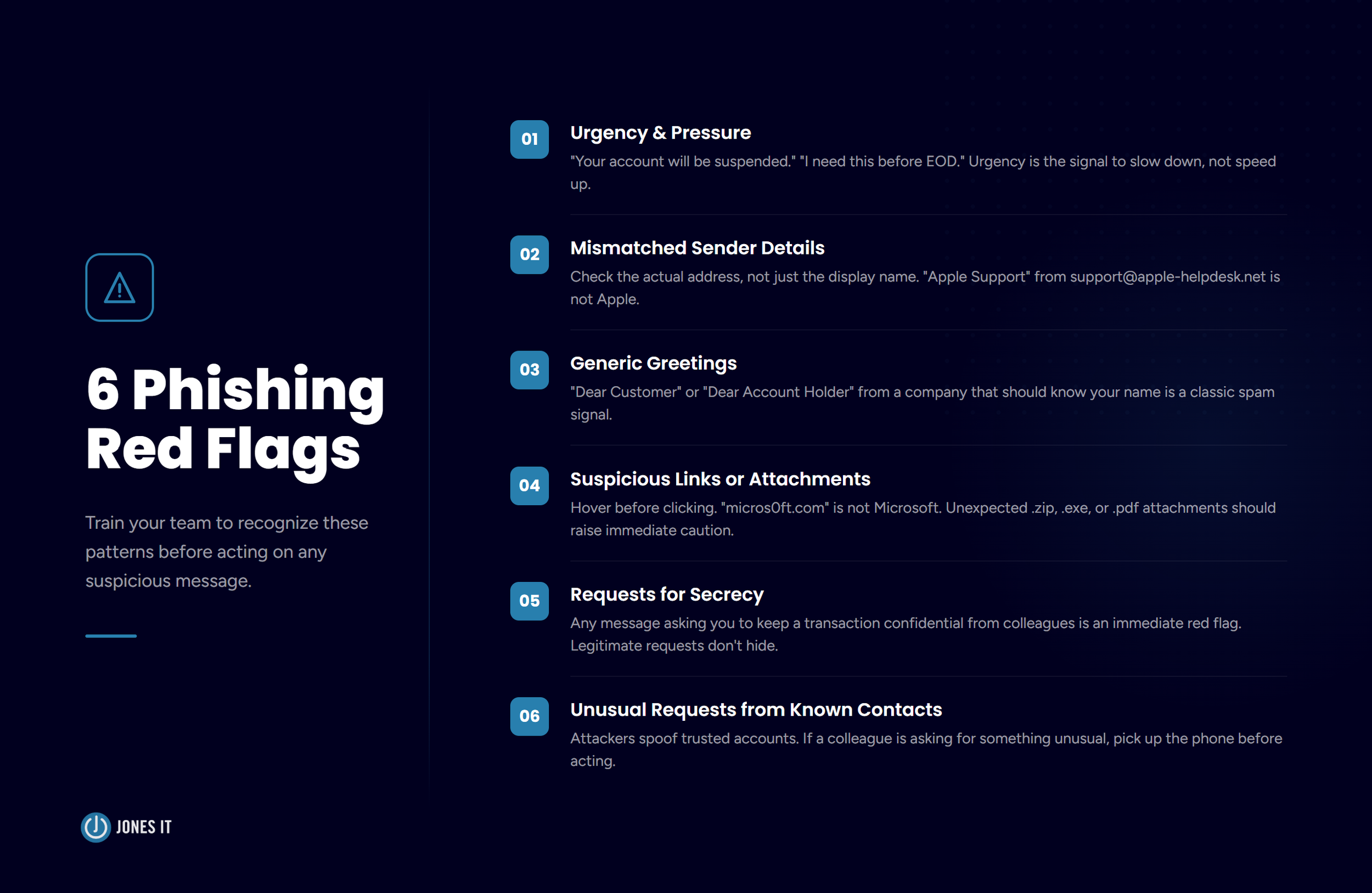
Whether it arrives via email or text, phishing attacks tend to follow a recognizable pattern. Here’s what to train your team to look for:
Urgency and pressure. “Your account will be suspended in 24 hours.” “I need this done before EOD.” Urgency is the signal to slow down, not speed up.
Mismatched sender details. Check the actual email address, not just the display name. An email that says “Apple Support” but comes from support@apple-helpdesk.net is not from Apple.
Generic greetings. “Dear Customer” or “Dear Account Holder” from a company that should know your name is a classic spam signal.
Suspicious links or attachments. Hover over links before clicking. A URL that looks almost right, like “micros0ft.com” or “paypa1.com,” is a spoofed domain. Unexpected attachments, especially .zip, .exe, or .pdf files, should be treated with real caution.
Requests for secrecy. Any message asking you to keep a transaction confidential from colleagues should raise an immediate red flag. Legitimate business requests don’t come with instructions to hide them.
Unusual requests from known contacts. Attackers frequently compromise or spoof trusted email accounts. If a colleague or vendor is asking for something out of the ordinary, pick up the phone before acting.
How to Protect Your Business from Phishing Attacks
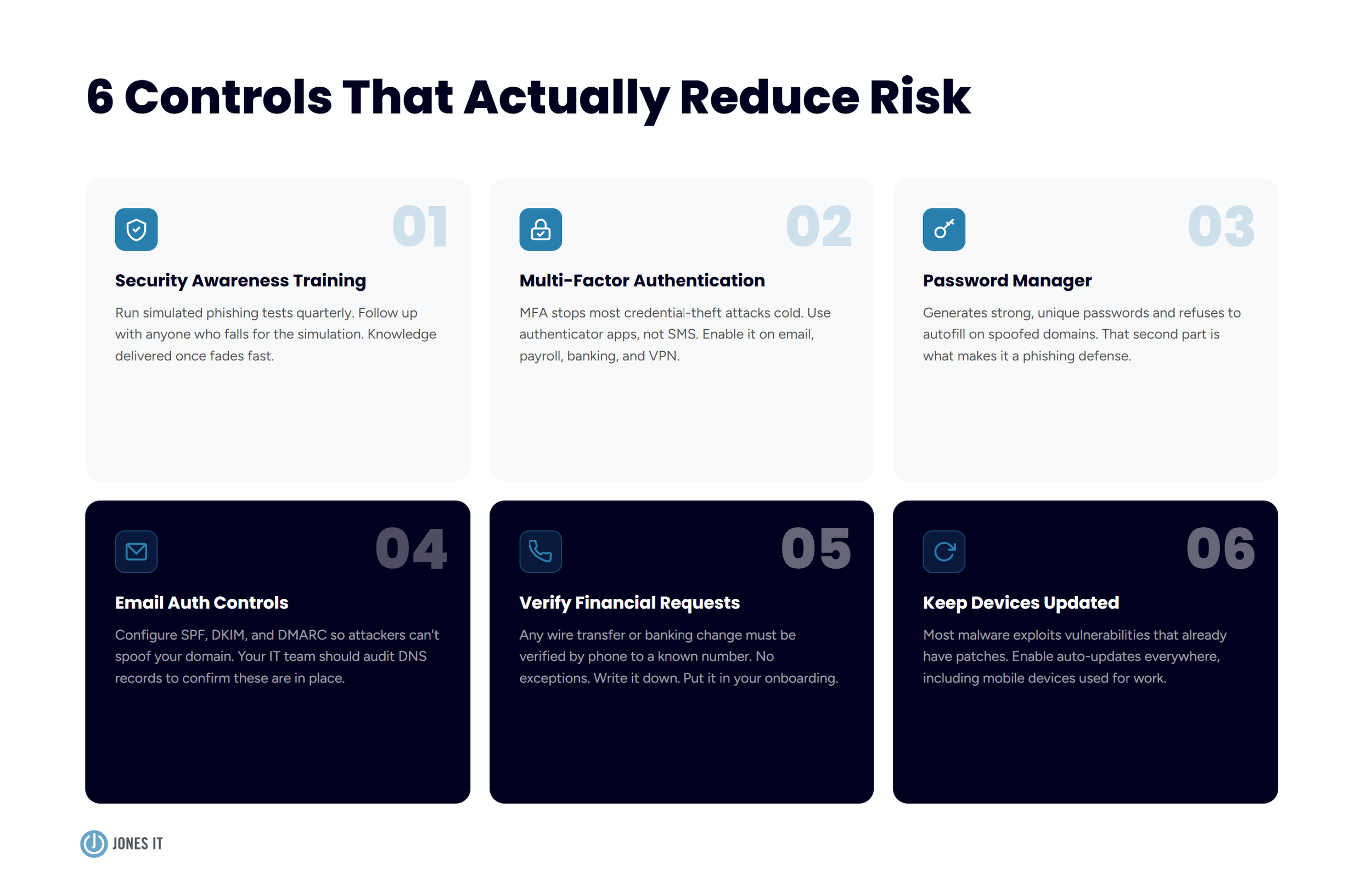
Awareness is the foundation, but awareness alone isn’t enough. Here are the controls that actually reduce risk:
1. Run Regular Security Awareness Training
When it comes to phishing, your employees decide whether the attack succeeds or fails. Regular phishing simulations and security awareness training dramatically reduce the click rate on real attacks. We recommend running simulated tests at least quarterly, with targeted follow-up training for anyone who falls for the simulation.
Knowledge delivered once fades fast. Attackers know this and time their campaigns accordingly.
2. Enable Multi-Factor Authentication Everywhere
Multi-factor authentication (MFA) stops most credential-theft attacks cold: even with a stolen password, an attacker can’t get into the account without the second factor. Use authenticator apps (Google Authenticator, Duo, Microsoft Authenticator) rather than SMS codes wherever possible, and enable MFA on every business-critical system: email, cloud storage, payroll, banking, VPN.
If you’re not running MFA on your email accounts yet, that’s the place to start. Email is the gateway to everything else.
3. Use a Password Manager
A password manager like 1Password or Bitwarden does two things well: it generates strong, unique passwords for every account, and it refuses to autofill credentials on spoofed domains. That second part is underrated. Navigate to a convincing fake login page and the password manager won’t recognize the URL. Nothing fills in. That small friction point can save you when everything else looks right.
4. Set Up Email Authentication Controls
SPF, DKIM, and DMARC are email authentication protocols that make it significantly harder for attackers to send emails that appear to come from your domain. If these aren’t configured, anyone can send an email that looks like it came from yourcompany.com. Your IT team or MSP should audit your DNS records to confirm they’re in place. It’s one of the more invisible controls, but the absence of it is one of the main reasons spear phishing and BEC attacks land so well.
5. Set a Verification Protocol for Financial Requests
Write this one down and put it in your onboarding: any wire transfer, change of banking details, or unusual financial request must be verified via a phone call to a known number before anyone acts on it. No exceptions, regardless of how senior or urgent the requester seems. This single policy would have stopped the majority of BEC attacks we’ve seen.
6. Keep Software and Devices Updated
Most malware delivered via phishing exploits known vulnerabilities that already have patches available. Keeping devices updated is one of the lowest-effort controls you have. Enable automatic updates wherever possible, and make sure mobile devices used for work fall under the same policy, since phones are increasingly in the crosshairs.
What to Do If You’ve Been Phished
Speed matters here. If you or someone on your team realizes they’ve fallen for an attack, here’s the sequence:
Disconnect the device from the network immediately if you suspect malware was installed. This limits what an attacker can access or exfiltrate.
Change your passwords for any accounts that may have been compromised, starting with your email. Do this from a clean, trusted device.
Notify your IT team or MSP immediately. The sooner they know, the faster they can contain the damage and investigate the scope of the breach.
Report the incident to the FBI at ic3.gov and to the FTC at reportfraud.ftc.gov. If money moved, call your bank immediately. Some transfers can be recalled if you’re fast enough.
Don’t stay quiet about it. Internal shame around phishing incidents is one of the biggest obstacles to a fast response. The culture you want is one where people feel safe raising their hand without fear of judgment. The incident only gets worse if it sits unreported.
Phishing attacks succeed because they exploit human psychology, not technical vulnerabilities. No spam filter catches everything, which is why your team’s awareness and judgment are the most important security controls you have. The businesses we see get hit hardest are the ones that treated security as a one-time setup task.
The good news is that a few consistent habits close the vast majority of risk: verifying unexpected requests, enabling MFA, using a password manager, and running regular training. You don’t need to be a security expert. You just need a team that knows what to look for and feels comfortable saying something when it does.
If you’d like help assessing your current phishing exposure, running simulated phishing tests, or building out a broader cybersecurity program for your business, reach out. It’s one of the things we do best. Learn about Jones IT’s Cybersecurity and Compliance services