
A growing startup in SoMa signed its new lease on a Thursday. The team was buzzing. A bigger space, a better neighborhood, room to grow. They set the move date for six weeks out and handed the project to their office manager, who handed the IT piece to an engineer who was also mid-sprint on a product release.
Move day arrived. The furniture showed up on time. The coffee machine was in place by 9 AM. By 10 AM, half the team could not connect to the network. The phone system had never been configured for the new building. Three engineers spent the entire day troubleshooting instead of working. Client calls got rescheduled. A key hire who had joined that same week sat at an empty desk for four hours waiting for credentials that had not been provisioned to the new environment.
That engineer quit two weeks later. He told his manager the move had felt chaotic and that he had started to wonder whether the company had its act together.
The furniture arrived on time. The IT did not.
An office move IT checklist is not a nice-to-have. It is the document that determines whether your employees walk into the new space ready to work or spend their first week in survival mode.
Why IT Is the First Thing Employees Notice in a New Office
When employees arrive at a new office, they are not evaluating the paint color or the standing desk situation. They are asking one question: Can I do my job?
That question gets answered in the first hour. Wi-Fi connects, or it does not. Credentials work or they do not. The printer is findable on the network, or someone is walking USB drives across the floor. Every friction point in that first hour lands differently than it would in the usual office, because the move has already created uncertainty. Employees are in a new environment, following new routines, and their tolerance for technical problems is lower than usual.
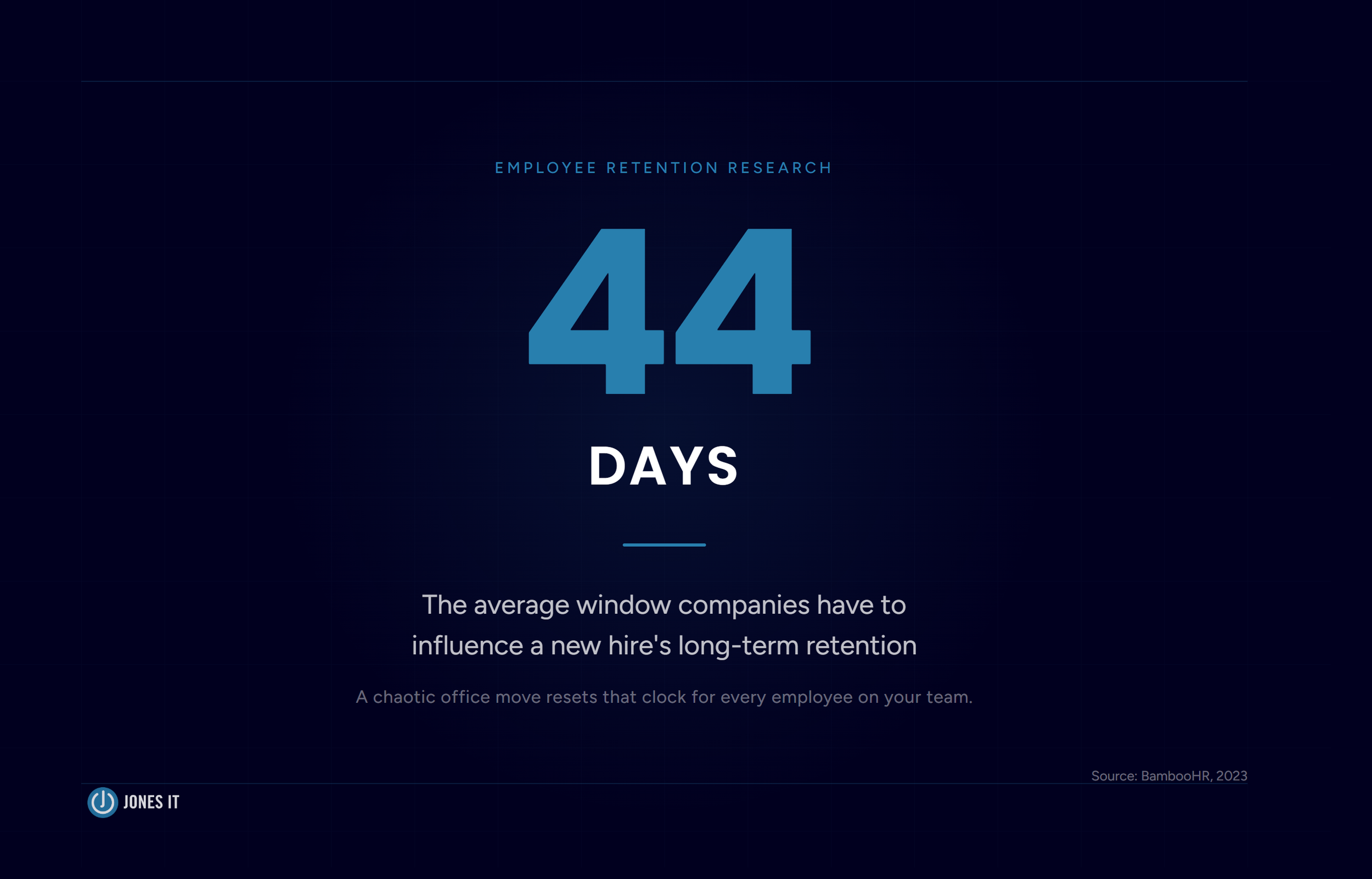
Research from BambooHR found that companies have an average of 44 days to influence a new hire's long-term retention. For employees going through an office move, that window applies too. A chaotic first week in a new space gives people permission to revisit decisions they had already made.
We have seen this play out in Bay Area companies at every stage, from 30-person seed-stage startups relocating from a WeWork in the Financial District to a proper lease in Mission Bay, to 200-person Series C companies moving from SoMa to a purpose-built space in Potrero Hill. If the IT setup is not ready on Day One of the office move, people notice. And some of them start looking.
The Real Cost of IT Downtime During an Office Move
IT downtime during an office move tends to get rationalized as a one-time cost. The move took a week, things are settled now, and we can move on. But the actual cost of a failed office move IT setup is harder to see.
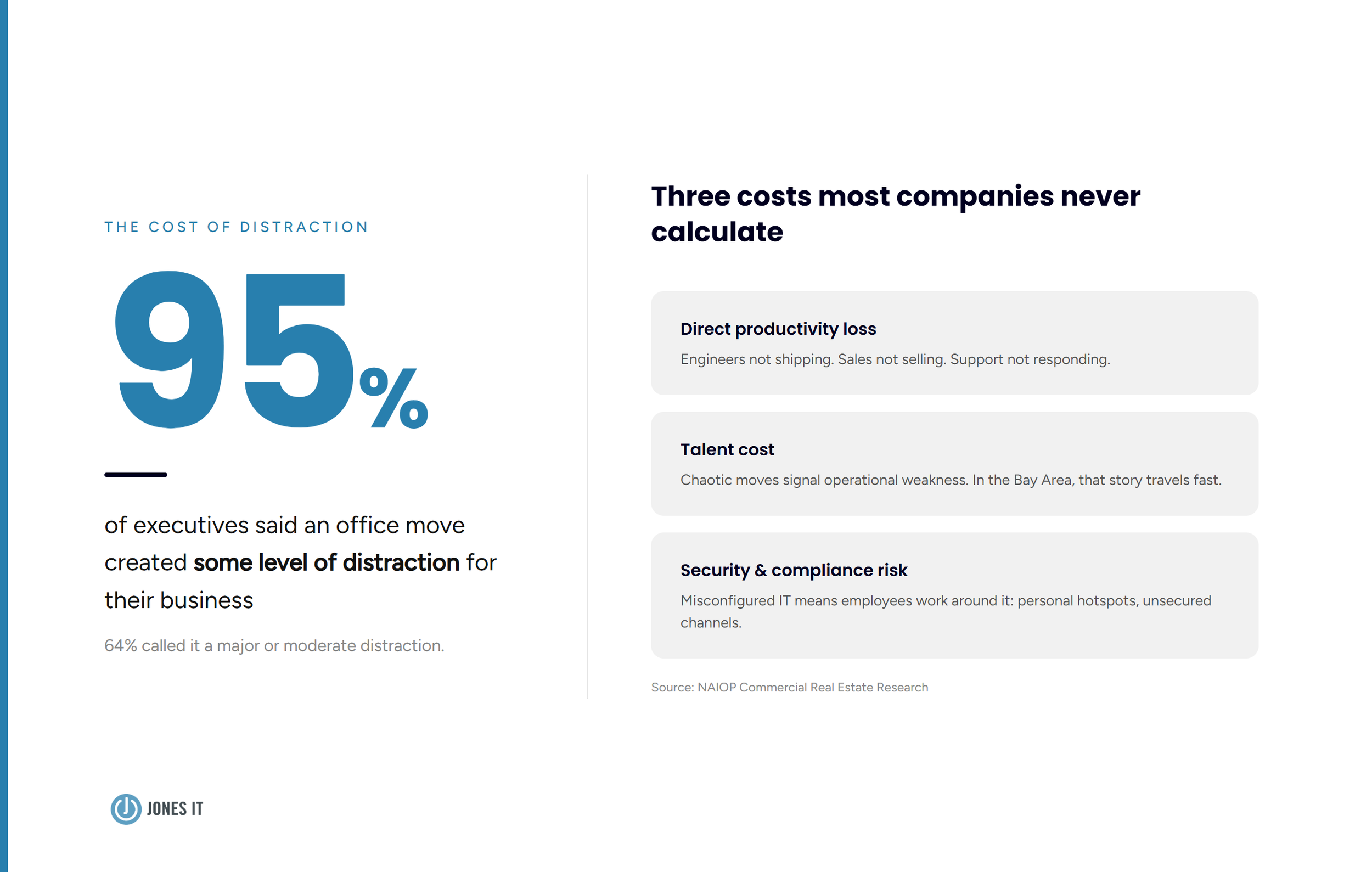
There is the direct cost in engineers not engineering, sales reps not selling, and customer success teams not responding. NAIOP research found that 95% of executives said office moves created some level of distraction, and 64% labeled the move as either a major or moderate distraction. That distraction has a dollar value, and most companies never calculate it.
Then there is the talent cost. An office move is a high-visibility event. An office move is one of the moments when your company's operational competence is fully on display to your employees. A move that goes smoothly tells people the organization has its act together. A move where IT fails for three days tells a different story, and that story travels. In the Bay Area, where your engineers are talking to other engineers at competing companies, that kind of signal matters more than most founders realize.
Finally, there is the security cost that nobody talks about. When the IT infrastructure is not properly configured in a new space, employees work around it. They use personal hotspots. They share credentials. They move files through unsecured channels. The move creates a gap, and gaps invite risk. For companies working toward SOC 2, ISO 27001, or HIPAA compliance, a poorly managed office move IT transition can introduce audit findings that take months to remediate.
Your Office Move IT Checklist for Employees
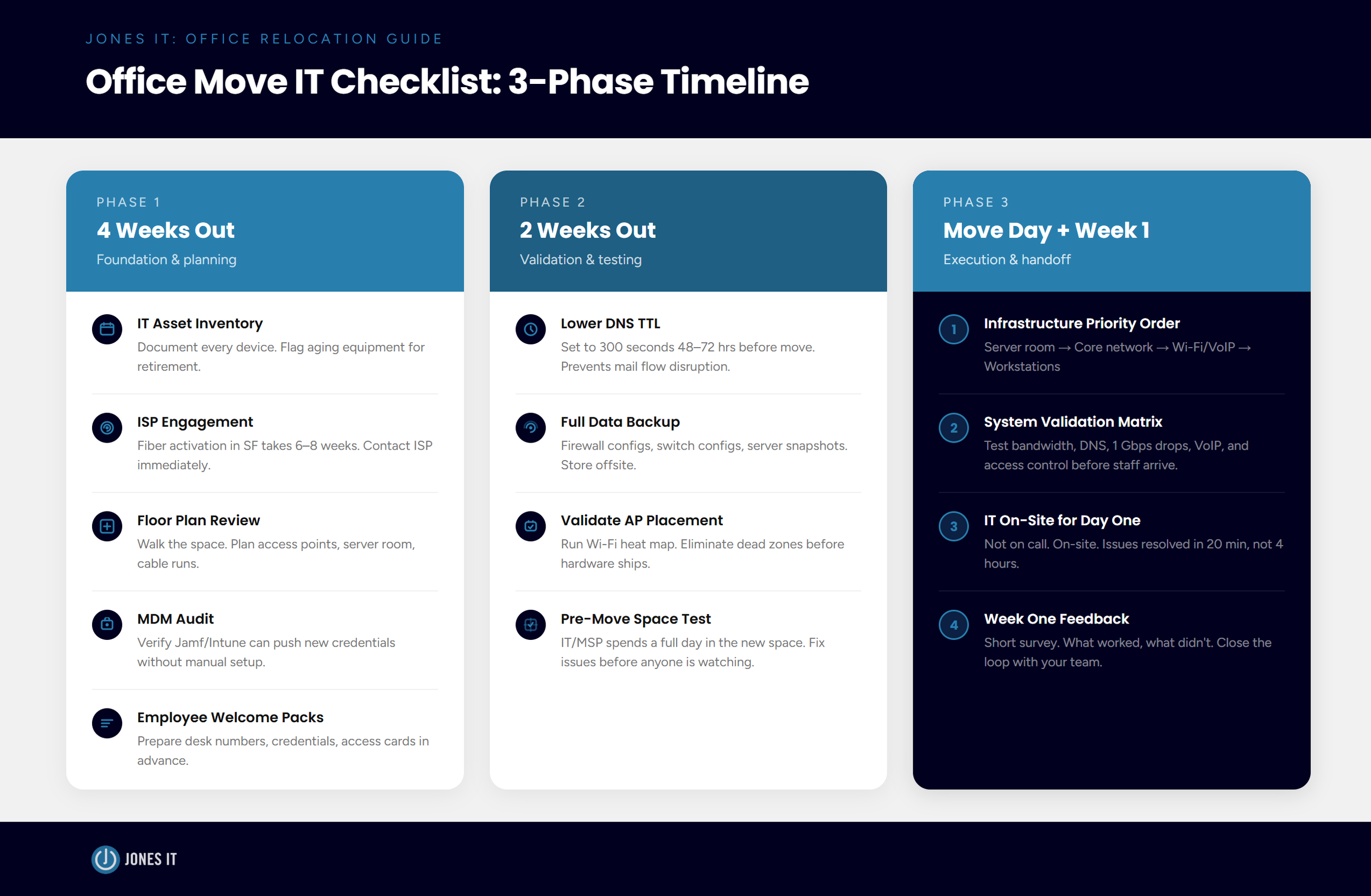
An office move IT checklist for employees covers three phases: preparation four weeks out, final validation two weeks out, and Day One execution. Each phase targets a different failure point. The goal is for every person on your team to sit down on Day One and work without having to call IT.
Four Weeks Before the Move
Conduct a full IT asset inventory. Document every device, peripheral, server, and piece of network hardware. Flag anything past its useful life. The office move is the right moment to retire aging equipment rather than pay movers to transport it. We cover this in more detail in our post on managing technical debt in your IT infrastructure.
Engage your ISP early. Fiber installation and circuit activation in San Francisco can take six to eight weeks. Contact your ISP the moment the lease is signed. Do not wait until the build-out is done.
Review the floor plan for IT. Walk the new space with your network diagram in hand. Identify where access points need to go, where the server room or network closet will live, and whether the existing cable runs support your layout. If they do not, this is when you plan remediation.
Audit your MDM configuration. If you use Jamf, Intune, or another MDM platform, verify that your new Wi-Fi network credentials, VPN configurations, and security policies can be pushed to devices without manual intervention. The goal is for employees to connect to the new network on Day One without an IT ticket.
Build your employee IT welcome pack. Every employee should receive their desk number, new network credentials, access card information, and any login procedures for updated systems. Prepare this in advance so it can be distributed on move day, not after.
Two Weeks Before the Move
Lower your DNS TTL. Set your DNS Time-to-Live to 300 seconds (five minutes) at least 48 to 72 hours before the move. This ensures that email and web services propagate quickly when you cut over to the new IP addresses, preventing days of mail flow disruption.
Create a full data and configuration backup. This includes firewall configs, switch configs, server snapshots, and cloud environment settings. Store copies offsite or in a secure cloud environment that will not be affected by the physical move.
Validate AP placement. Run a Wi-Fi heat map of the new space. Identify dead zones, particularly in conference rooms and collaborative areas where connectivity is critical. Plan access point placement before the hardware ships.
Test the new space before employees arrive. If at all possible, have your IT team or MSP spend a full day in the new space before move day, running the validation tests below. Problems caught then are solved before anyone’s work is disrupted.
Move Day and Week One
Follow the infrastructure priority order. Bring up the server room and core networking first. Then connectivity (Wi-Fi and VoIP). Then workstations. Employee-facing hardware is last, not first.
Run the system validation matrix. Before employees arrive, test internet bandwidth against the contracted speed, confirm DNS and mail flow with send/receive tests, verify 1 Gbps link speed on all labeled network drops, test all VoIP lines for clear audio and correct DDI (Direct Dial-In) forwarding, and confirm access control systems for all restricted areas.
Have IT or your MSP on-site for Day One. Have your IT team or MSP not on call but on-site. Issues that take 20 minutes to resolve with someone in the building take four hours over a support ticket.
Collect feedback at the end of Week One. A short survey asking what worked and what did not gives you actionable data and signals to your team that you are paying attention.
The Office Move as a Technical Debt Reset
One of the most valuable things an office move can do for your IT environment is give you a forcing function to clear accumulated technical debt. Equipment that has been grandfathered in because nobody wanted to deal with the migration, software licenses for tools three people use, network switches that are two generations behind, and printers that only work on one operating system version.
The move makes the decision for you. If a piece of equipment is not worth the cost and effort of moving and reconfiguring, it is probably not worth keeping. We work with companies that have used office moves to cut their hardware footprint significantly and come out the other side with a cleaner, faster, easier-to-manage environment.
We have written in more detail about how to identify and manage technical debt in your IT infrastructure. The short version for an office move IT context: before you pack a single box, run an inventory and ask whether each piece of equipment would be worth purchasing new today. If the answer is no, the move is your exit ramp.
How to Make Sure IT Is Ready Before Move Day
The single biggest reason an office move IT setup fails is that IT gets looped in too late. The lease gets signed, the build-out starts, and IT does not get the call until two weeks before move day. At that point, ISP lead times are already a problem, floor plan decisions have been made without network input, and the timeline is compressed.
The fix is simple in principle: treat IT as a stakeholder in the move from the day the lease is signed. The critical window for IT planning begins no later than four months out. ISP coordination needs to start at 60 days minimum. Neither of those milestones is reachable if IT finds out about the move at the same time as the moving company.
For growing companies without a dedicated IT team, this is where an MSP earns its fee. We have managed office moves for companies across SoMa, Mission Bay, the Financial District, and South San Francisco, and the ones that go smoothly are the ones where we are in the room early. We review floor plans, advise on ISP selection, plan access point placement, build the employee welcome packs, and put people on-site for Day One.
If you are planning a move and want to understand what professional IT support looks like for an office relocation, our Short-Term IT Projects service is built for exactly this. And if you are earlier in the process and want a framework for the full relocation, our New Office IT Setup guide and Office Relocation Checklist cover the broader process.
Get Your Office Move IT Right Before Day One
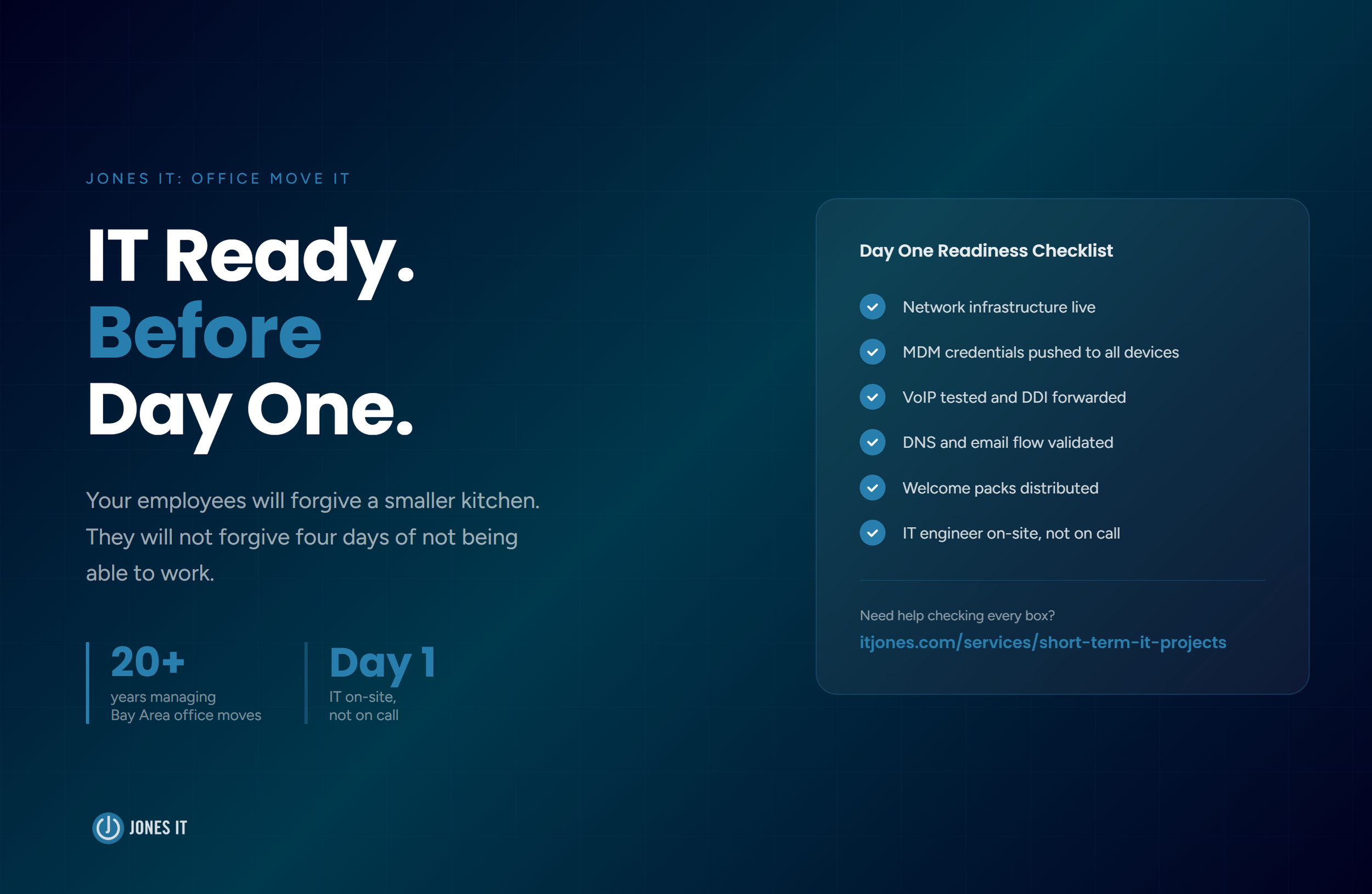
Your employees will forgive a lot about an office move. They will forgive the fact that the kitchen is smaller than the old one. They will forgive that the commute changed. They will forgive that the coffee is different.
They will not forgive four days of not being able to work.
An office move IT checklist is not a technical document. An office move IT checklist is an employee experience document that happens to be written by IT. Get it right, and the move becomes a signal that the company is growing with intention. Get it wrong, and it becomes the reason someone updates their LinkedIn profile.
We have helped Bay Area companies get it right for over 20 years. If you are planning a move and want to talk through the IT side, reach out to us. We are happy to take a look at your timeline and tell you where the risks are before they become problems.


About The Author

Hari SubediMarketing Manager at Jones IT
Hari is an online marketing professional with a focus on content marketing. He writes on topics related to IT, Security, and Small Business. He is also the founder and managing director of Girivar Kft., a business services company located in Budapest, Hungary.

Learn how to hand off Level 1 support to a co-managed IT help desk without losing control or dip in quality, and free up your team for strategic IT projects.