
IT Asset Management: Everything You Need To Know
Updated: April 29, 2026
A new engineer joins your team on Monday. By Tuesday, they need a laptop, their accounts provisioned, their apps configured, and their device enrolled in your security tools. Your IT team scrambles, cobbles something together, and the engineer is up and running by Wednesday afternoon. But the laptop came from a closet nobody has a proper record of, the MDM enrollment got skipped because nobody had time, and when the engineer eventually leaves the company, there is no process to wipe the device and recover it. Multiply that by twenty hires a year and you have a quiet disaster building in the background.
This is the IT asset management problem, and it is one of the most common gaps we see in growing businesses. The good news is that there is a clear, structured way to address it. A well-run IT asset management program gives you visibility into what you own, control over how your devices are configured and secured, and a reliable process for every transition point in a device's life.
In this guide, we cover everything you need to know about IT asset management, including what it is, how it works, how device lifecycle management and mobile device management fit in, what changes for remote and hybrid teams, and how to build the asset management practice at your company.
What Is IT Asset Management?
IT asset management (ITAM) is a system used to track, manage, and optimize IT assets across their entire lifecycle. The goal of IT asset management is to ensure the efficient use of IT assets while helping organizations reduce costs by optimizing the total number of assets in use, extending the useful life of devices, and timing technology upgrades well.
IT asset management is an end-to-end solution covering procurement planning, inventory management, maintenance, and disposal. The concept central to any effective ITAM program is the total cost of ownership (TCO); i.e., the real cost of an asset is not just its purchase price but includes the full cost of operation, maintenance, and disposal over its useful life. ITAM gives you the data you need to make those decisions strategically rather than reactively.
What Is an IT Asset?
An IT asset is any piece of hardware, software, or data that an organization uses in the course of operating its business. In practice, that breaks down into three categories:
Hardware assets: servers, network equipment, desktop computers, laptops, tablets, smartphones, printers;
Software assets: licensed software, cloud-based tools, SaaS applications, operating systems; and
Data assets: documents, databases, proprietary information, source code, customer data.

How Does an IT Asset Management System Work?
An IT asset management system works by bringing together the processes, data, and tooling needed to manage assets from acquisition to retirement. Most ITAM systems operate across five core functions.
1. Asset Discovery and Inventory
An ITAM system starts with a complete picture of what you own. Many solutions can scan your organization's network, automatically identify connected devices, and add them to the asset inventory. For organizations with remote employees, cloud-based and agent-based tools can discover assets regardless of physical location.
2. Asset Tracking and Documentation
Inventory alone is not enough. Each asset entry should capture serial numbers, specifications, configurations, warranties, installed software, assigned user, location, and value. All of this lives in a centralized, accessible database that your IT, finance, and HR teams can query when they need it.
3. Asset Lifecycle Management
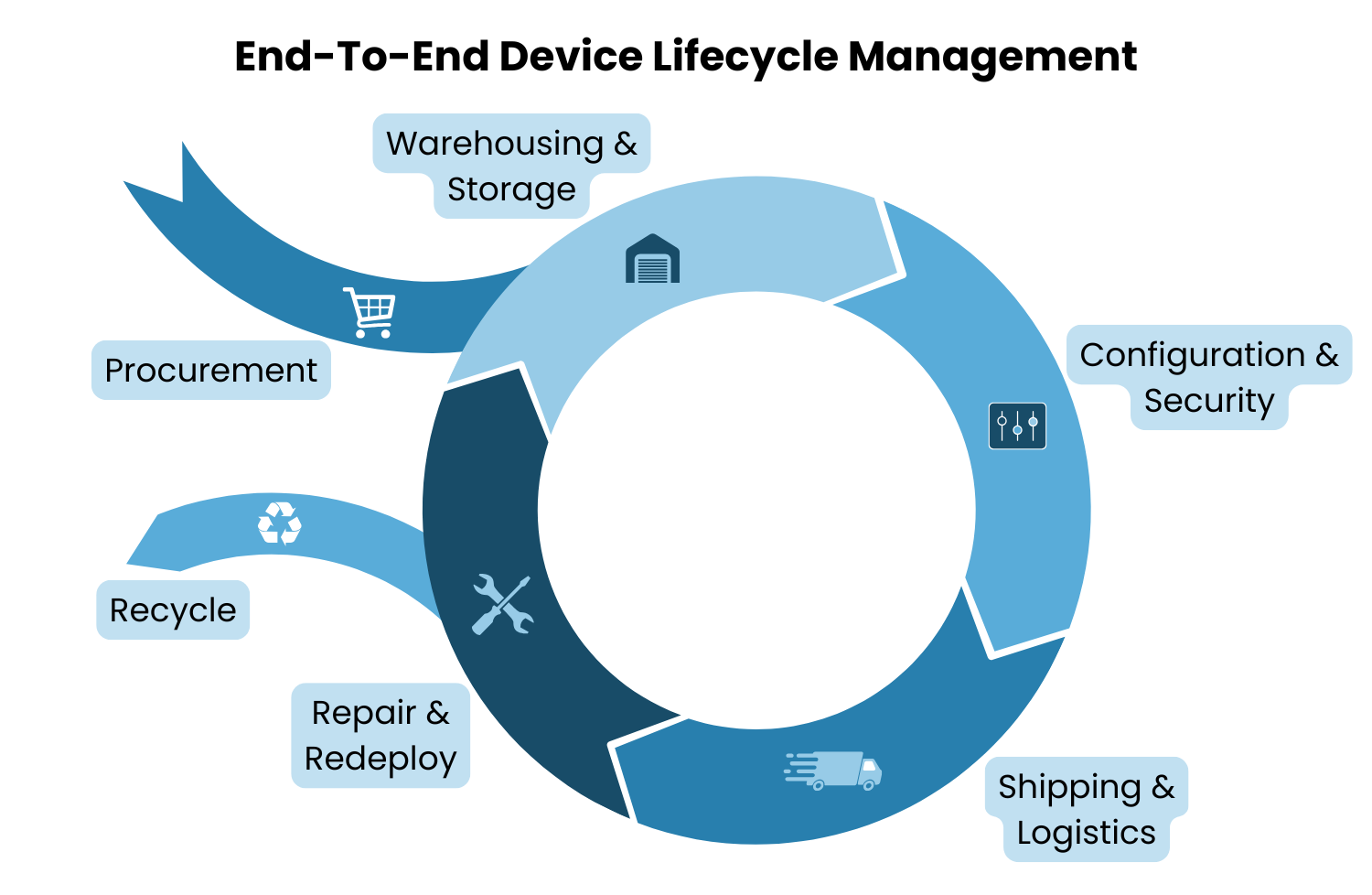
Asset lifecycle management involves managing devices at every stage of their life, from procurement and deployment through maintenance and eventual disposal. We cover this in more depth in the device lifecycle management section below, but in the context of an ITAM system, lifecycle tracking enables organizations to optimize asset utilization, prevent over-provisioning, and schedule upgrades without service interruptions.
4. License Management
ITAM systems track software licenses and subscriptions alongside hardware. This helps organizations cancel unused licenses, stay compliant with licensing agreements, and avoid the audit exposure that comes with either under-licensing or paying for seats nobody is using.
5. Reporting and Analytics
Ultimately, an ITAM system is only as valuable as the decisions it enables. Reporting and analytics give your team real-time visibility into the current state of assets, usage patterns, and future needs, which feeds directly into procurement planning, budgeting, and compliance documentation.

The IT Asset Lifecycle: From Procurement to Retirement
Every IT asset moves through a predictable set of stages. Understanding each one is the foundation of a well-run IT asset management program.
Planning
Planning covers decisions about which devices, technologies, and applications to acquire. A good IT asset management program evaluates alternatives against total cost of ownership, not just sticker price, and aligns procurement decisions with where the business is heading in the next 12 to 24 months.
Procurement
IT assets are procured by purchasing, leasing (common for mobile devices), building (in the case of servers or custom applications), or subscribing (for software and SaaS tools). The procurement stage is also where vendor relationships, warranties, and support contracts are established.
Deployment
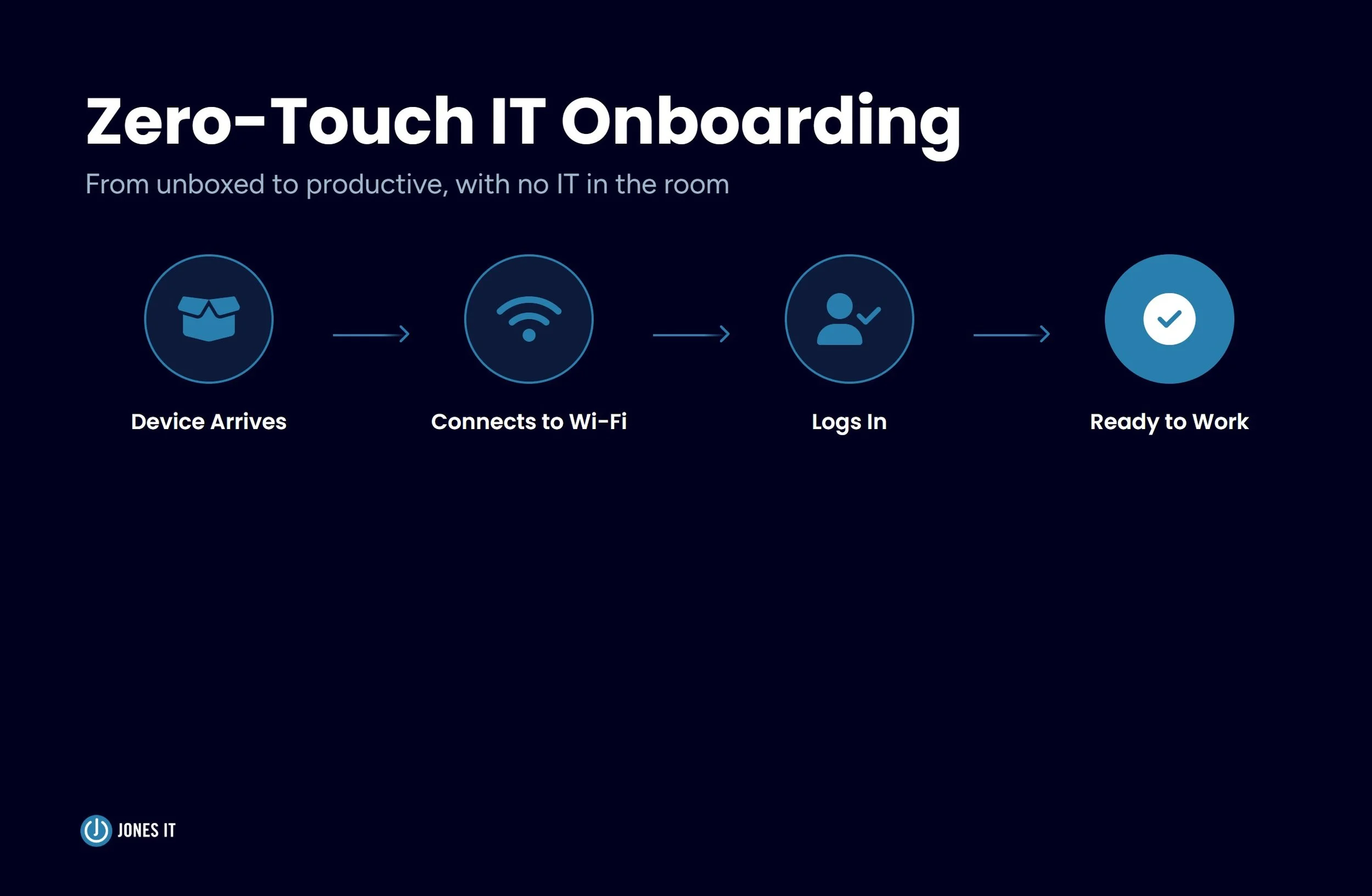
Deployment covers everything between a device arriving in your warehouse and landing in a user's hands. For a laptop, that means configuring security settings, installing required software, creating accounts, assigning access rights, enrolling the device in your mobile device management (MDM) platform, and shipping it to the employee. Getting this stage right is where most organizations struggle, particularly at scale.
Maintenance
Once deployed, the goal is to maximize the useful life of each asset. Maintenance activities include software updates, patches, hardware repairs, and periodic security reviews. An ITAM system tracks maintenance history so nothing falls through the cracks and warranty coverage is used before it expires.
Retirement
When a device reaches the end of its useful life, retirement needs to be handled carefully. The process involves decommissioning the device, wiping data to NIST 800-88 standards, terminating licenses and access rights, and disposing of the hardware in a way that meets your compliance requirements. This stage is where a surprising number of companies have gaps, and where those gaps create real security exposure.
Device Lifecycle Management and Mobile Device Management
Two terms come up frequently in the context of IT asset management that are worth distinguishing: device lifecycle management (DLM) and mobile device management (MDM). They are related but serve different purposes.
What Is Device Lifecycle Management?
Device lifecycle management (DLM) is IT asset management applied specifically to devices, with added emphasis on the operational steps between procurement and retirement: enrollment, configuration, delivery, recovery, refurbishment, and secure disposal. Where general ITAM covers all asset types including software and data, DLM focuses on the physical and mobile devices that move with your employees.
Mobile device lifecycle management (MDLM) takes this further by covering the apps, firmware, configurations, and access policies on mobile devices throughout their entire lifespan. The distinction matters because mobile devices, such as laptops, smartphones, and tablets, move around, connect to unfamiliar networks, and are significantly more likely to be lost or stolen than static office equipment.
Where MDM Fits In
Mobile device management (MDM) is the technology layer that handles the security and operational management of devices during their active deployment. Think of it this way: device lifecycle management is the full program; MDM is the tool that keeps everything running securely in the middle of that program, between the moment a device reaches an employee and the moment it is recovered.
The core functions of an MDM solution include:
Enforcing security configurations and policies across every enrolled device;
Pushing software updates, patches, and application changes centrally and at scale;
Monitoring device performance and security posture across the entire fleet; and
Remote diagnostics, troubleshooting, and remote wipe when a device is lost or stolen.
For compliance-focused organizations, MDM is not optional. Frameworks like SOC 2, ISO 27001, and HIPAA all include controls around device management and endpoint security. Without MDM, demonstrating compliance with those controls becomes a manual, error-prone exercise that auditors will flag.
IT Asset Management for Remote and Hybrid Teams
Managing IT assets across a distributed team introduces complications that simply do not exist in a traditional office environment. We have worked with enough Bay Area startups to know that this is where otherwise well-run companies start to feel the pressure.
Asset Tracking Across Locations
Tracking physical assets when they travel with employees is genuinely difficult. Cloud-based and agent-based asset tracking solutions can monitor remote devices in real time, but they come with their own challenges around employee privacy, consent, and jurisdiction-specific monitoring laws, especially for global teams. BYOD (Bring Your Own Device) policies add another layer: when employees use personal devices for work, your IT asset management process needs to clearly define what the organization can and cannot manage.
Security and Compliance at Home
For companies relying on mobile device management (MDM) for remote teams, consistent enrollment and policy enforcement are the primary line of defense. Home network security is typically not maintained at the same standard as office network security, and an unenrolled device connecting to residential Wi-Fi is an endpoint your security controls cannot reach. For companies pursuing a SOC 2 audit, unmanaged remote devices are one of the most common findings auditors flag.
Onboarding and Offboarding at a Distance
Remote onboarding requires your MDM enrollment, configuration, and provisioning processes to be airtight before the device leaves the warehouse, because there is no in-person handoff where IT can catch problems. Offboarding is where organizations are most exposed. Recovering a device from a remote employee requires a clear return process, pre-paid shipping, and a documented procedure covering inspection, data wipe, and re-enrollment or retirement. Without all three, devices disappear and data lingers on hardware you have lost track of.
Building an IT Asset Management Program: Where to Start
When we think about IT asset management for small businesses and growing startups, it comes down to three things, namely, a clear process, the right tools, and someone accountable for owning it. Here is what that looks like in practice.
Build a Source of Truth for Your Inventory
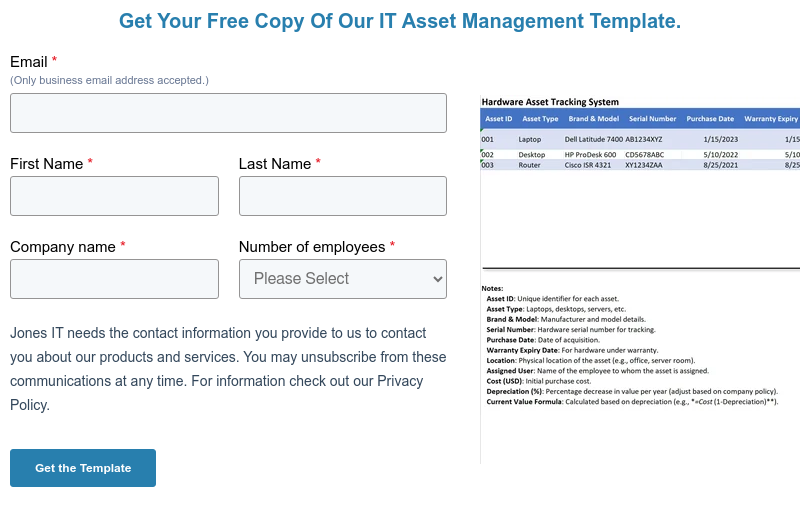
Before anything else, audit what you own. Build a record that captures device type, serial number, assigned user, purchase date, and current status, and keep it current. A spreadsheet works at a very small scale, but purpose-built ITAM tools or MDM platforms with built-in inventory features give you real-time visibility without the manual overhead.
Document Your Lifecycle Stages
Define what happens at each lifecycle stage, who is responsible, and what the handoff criteria are. This does not need to be a lengthy policy document. It needs to be clear enough that a new IT hire could follow it on their first day.
Deploy MDM Before You Think You Need It
MDM feels like overkill at 15 people. By the time you have 50 people, a mixed Mac and Windows environment, several remote employees, and a compliance audit on the horizon, you will wish you had set it up earlier. The cost of retrofitting MDM onto an unmanaged fleet is dramatically higher than deploying it from the start.
Connect IT Asset Management to HR Workflows
Device provisioning and recovery should be explicit steps in your HR onboarding and offboarding checklists, not IT tasks that happen on an ad hoc basis. When a new hire starts, IT receives a trigger. When an employee leaves, IT receives a trigger and a return deadline. Closing this loop eliminates the single largest source of device loss.
Build for Compliance from Day One
If you are on any compliance roadmap (SOC 2, ISO 27001, HIPAA, or another framework), your IT asset management program is not separate from that effort. Asset inventory, MDM enrollment rates, device encryption status, and secure disposal records are all evidence that auditors will ask for. Our Compliance Kickstarter Program is built around exactly this kind of groundwork. Building your IT asset management practice with compliance documentation in mind from the start is far easier than reconstructing it under audit pressure.
IT Asset Management Is an Operational Foundation
The onboarding scenario we opened with is not a failure of intent. It is a failure of process. The people involved were not careless. They just did not have a system in place, and that is the IT asset management problem in a nutshell.
A well-run IT asset management program gives you visibility into what you own, control over how your devices are configured and secured, and a reliable process for every transition point in a device's life. That matters when your team is in one office. It matters even more when they are spread across home offices, co-working spaces, and different time zones.
If you are building your IT asset management process, trying to get MDM deployed across a growing remote team, or preparing for a compliance audit, we have helped a lot of Bay Area companies work through exactly this. Reach out and we can talk through where you are and how we can help you build a reliable, compliant IT asset management program for your team.

About The Author

Hari SubediMarketing Manager at Jones IT
Hari is an online marketing professional with a focus on content marketing. He writes on topics related to IT, Security, and Small Business. He is also the founder and managing director of Girivar Kft., a business services company located in Budapest, Hungary.

Mac vs. PC for startups isn't a company-wide choice; it’s a per-role one. Use this framework to match hardware to software needs and efficiently manage a mixed fleet.