
Updated: June 23, 2026
Imagine a new hire at a 60-person fintech startup. It’s her first day. She needs access to a payment tool, so she Slacks her manager. Her manager pings someone in IT, who says that they need a ticket in Jira, but nobody told her what Jira is or how to use it. Fast forward three days. She still can’t do her job. Her manager’s annoyed, IT is swamped, and she’s already second-guessing joining the company. It’s a mess!
Now imagine the same scenario with a proper IT Service Management system in place. She fills out a service request form. The system routes it to the right person, tracks its progress, and closes it with a confirmation email, all within four hours. No Slack threads. No dropped balls.
That difference, mundane as it sounds, is what good IT service management delivers every single day.
What Is IT Service Management (ITSM)?
IT Service Management (ITSM) is the set of policies, processes, and tools that IT teams use to plan, deliver, and continually improve IT services for their organization. ITSM covers the full lifecycle of every IT service, from the moment it is designed and deployed to the ongoing work of keeping it running and improving it over time.
Think of it this way: IT isn’t just a checklist of technical chores. It’s the engine your business runs on. And like any service, it’s much smoother when it’s organized, documented, and actually built around the people using it.
While IT support deals with fixing problems as they arise, ITSM is the broader discipline that governs how all IT activities are structured, including support, asset management, change control, and more.
Why ITSM Matters for Growing Businesses
Let’s be honest. Small teams usually fly by the seat of their pants. When you’ve only got a dozen people in an office, you just shout questions over your shoulder. Someone always knows where the "stuff" is. The process lives in people's heads. It’s easy. It’s fast.
Until it isn’t. Once you hit 30 employees, or face your first real audit, that "informal" approach falls apart. The person who knows everything leaves. A major incident exposes a massive gap. Suddenly, an auditor asks for documentation, and you’ve got nothing. Zero. That’s when the stress kicks in.
ITSM provides the structure to prevent that from happening. It formalizes the processes that were previously running on tribal knowledge, and it creates a record of what was done, when, and by whom.
The business benefits are real and measurable. According to the AXELOS Global Best Practice research, organizations with mature ITSM practices report significantly faster incident resolution, lower IT operating costs, and higher end-user satisfaction scores. The structure is not bureaucracy for its own sake. It is the foundation that makes IT scale.
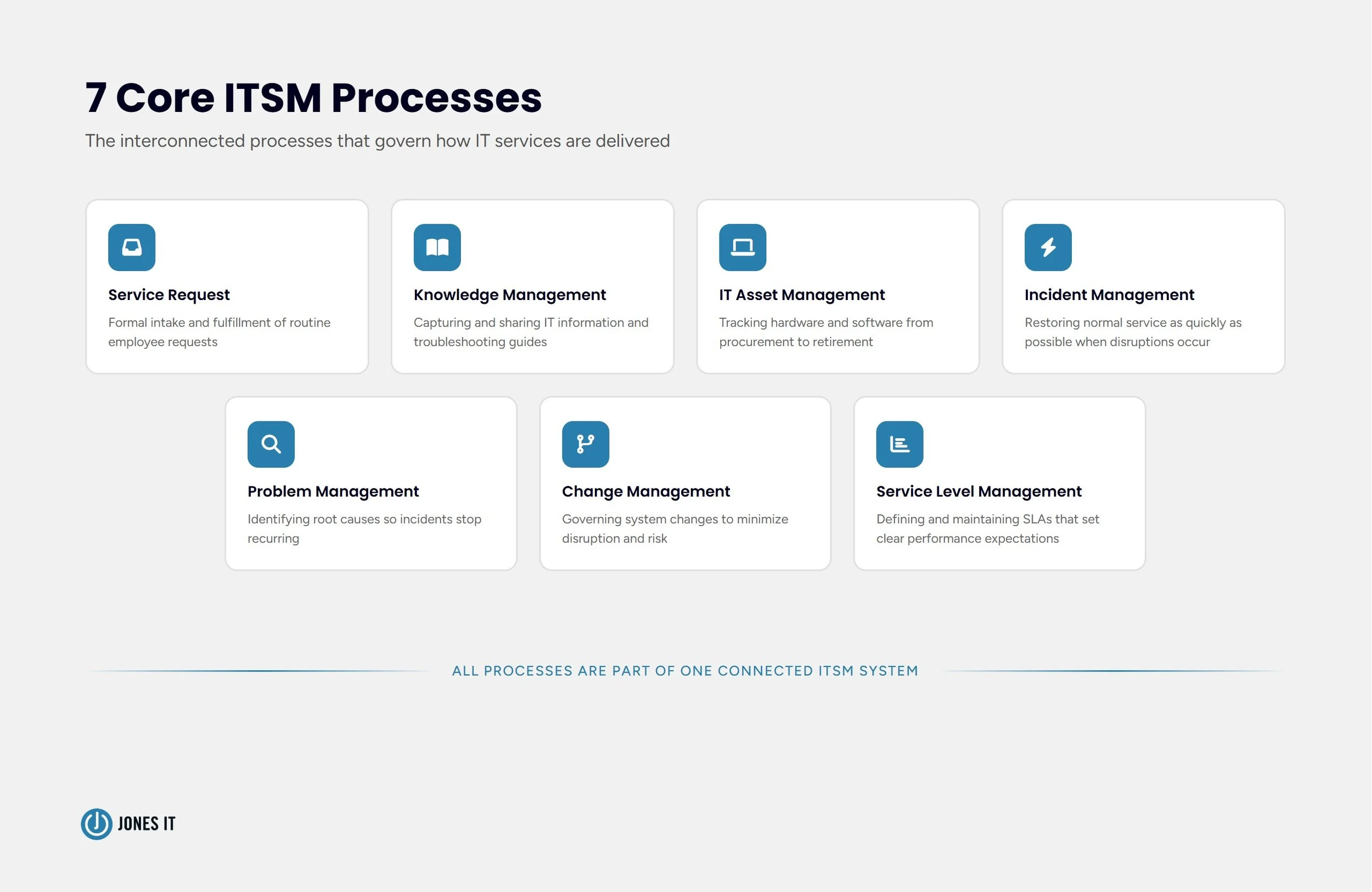
What Processes Does ITSM Include?
The specific processes a given organization implements depend on its size, complexity, and maturity; however, the core processes are well-established.
Service Request Management
Service Request Management handles the formal intake and fulfillment of routine requests from employees. These are not incidents or emergencies. They are predictable, repeatable requests such as grant software access, provision a new laptop, reset a password, add someone to a distribution list.
A well-run service request process means employees know exactly how to ask for things, IT knows exactly what is being asked, and everyone can see where a request stands. It replaces the ad-hoc Slack message approach with something that can be tracked, measured, and improved. When an auditor asks who had access to what and when, the answer lives in your service request history.
Knowledge Management
Knowledge Management is the practice of capturing, organizing, and maintaining the information your IT team generates. Troubleshooting guides, how-to articles, documented workarounds, configuration notes, FAQs: these are all knowledge assets, and most organizations let them disappear when the person who figured them out moves on or moves teams.
A knowledge base does two things. First, it lets employees self-serve on common issues before they ever contact IT. Second, it gives IT technicians a reference they can actually trust rather than reconstructing solutions from memory each time.
Building a knowledge base requires discipline. It needs someone responsible for keeping it current, a format that is easy to search, and a culture that treats documentation as part of the job rather than an afterthought.
IT Asset Management
IT Asset Management (ITAM) tracks every hardware and software asset your organization owns, from procurement through retirement. At any point, you should be able to answer what devices do we have, where are they, who is using them, what software is installed, and when do they need to be replaced or renewed?
Without ITAM, organizations routinely overpay for software licenses, miss hardware refresh cycles, and fail security audits because nobody can produce an accurate device inventory. With ITAM, those same organizations can optimize spending, plan replacements proactively, and demonstrate compliance.
ITAM also supports employee lifecycle management. When someone joins, ITAM ensures their device and software access are provisioned correctly. When they leave, it ensures devices are recovered and access is revoked.
Incident Management
Incident Management is the process for restoring normal service as quickly as possible when something goes wrong. An incident is any unplanned interruption or degradation of an IT service, whether that is a single user who cannot log in or a company-wide outage.
Good incident management means restoring service fast and doing so in a structured way: logging the incident, categorizing it by severity, routing it to the right team, communicating with affected users, and documenting the resolution. That documentation becomes the raw material for the next process.
The difference between a company that handles incidents well and one that does not is usually not technical skill. It is process. Teams that respond to incidents without a clear playbook waste time on coordination instead of resolution.
Problem Management
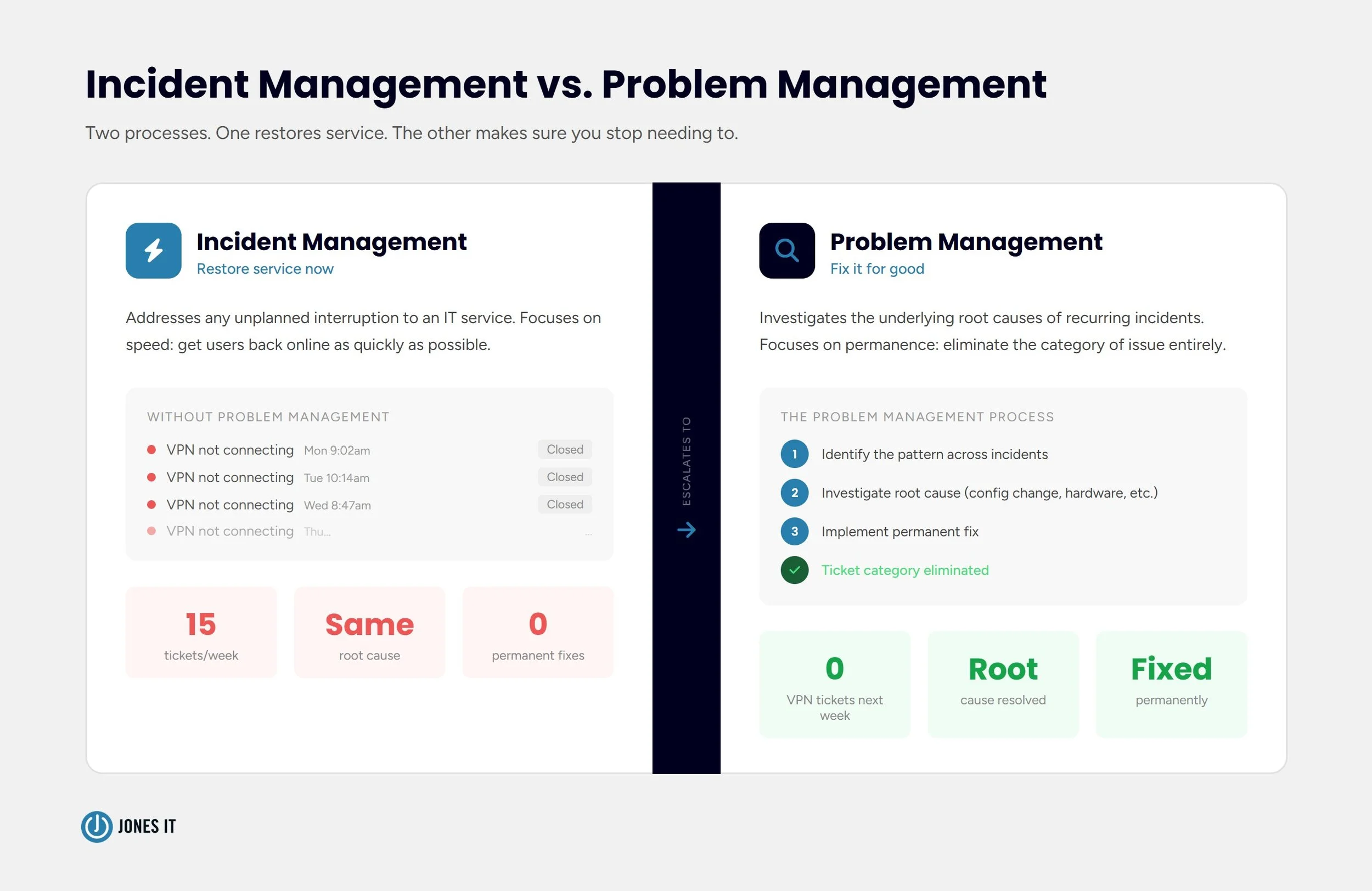
Incident management and problem management are closely related, which is probably why they are so often confused. But the distinction is where most organizations get stuck. Where incident management asks how to restore service right now, problem management asks why this keeps happening and how to fix it for good.
Organizations that only practice incident management end up on a treadmill, fixing the same issues repeatedly without ever getting ahead of them. Problem management breaks that cycle by investigating root causes and driving permanent improvements.
Here’s an example of what it looks like in practice: If your helpdesk handles fifteen "cannot connect to VPN" tickets per week, incident management closes each one individually. Problem management investigates the pattern, finds that a configuration change caused compatibility issues with a certain device type, and implements a fix that eliminates the ticket category entirely.
Change Management
Change Management governs how modifications to IT systems, infrastructure, and services are planned, approved, tested, and implemented. Its purpose is to minimize the risk that a change causes a new incident.
Many organizations discover they need change management after a painful experience: a routine update deployed on a Friday afternoon that takes down a production system, or a configuration change that nobody documented and nobody can reverse. Change management prevents those scenarios by requiring that changes go through a defined review and approval process before they touch production systems.
We have written a detailed guide to IT change management best practices that is worth reading if you want to go deeper on this topic.
Service Level Management
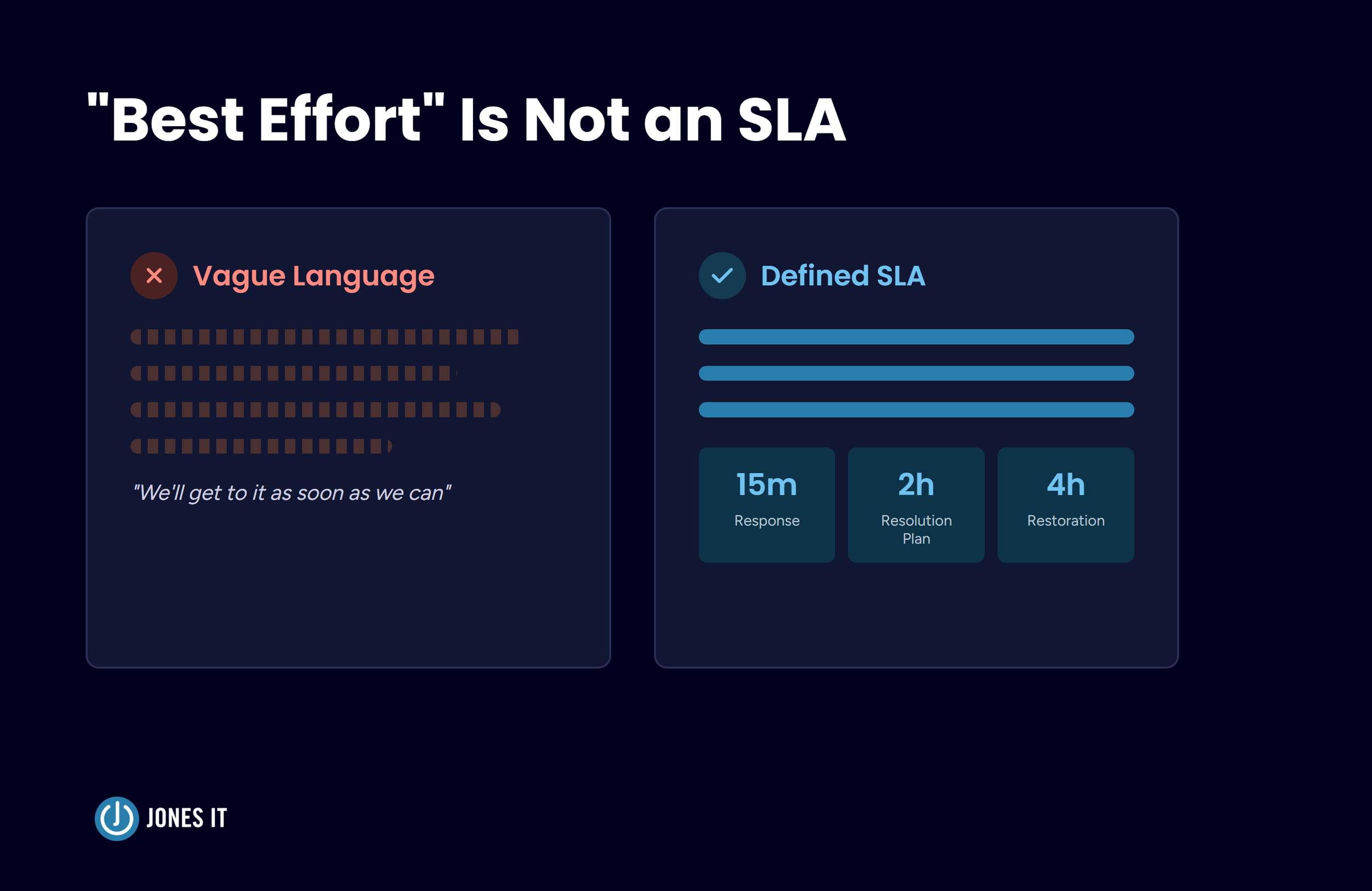
Service Level Management establishes and maintains the agreements between IT and the business about what level of service users can expect. These Service-Level Agreements (SLAs) define things like: how quickly a P1 incident will be acknowledged, what the target resolution time is for different ticket categories, and what constitutes acceptable system uptime.
SLAs matter because they create accountability and set clear expectations on both sides. Without them, IT has no defined standard to meet, and business stakeholders have no agreed basis for evaluating IT performance. With them, everyone knows what good looks like.
ITSM Frameworks: ITIL and Beyond
ITSM does not exist in a vacuum. Several frameworks are now established blueprints for implementing it. The most widely adopted is ITIL (Information Technology Infrastructure Library), a set of best practices originally developed by the UK government and now maintained by AXELOS. ITIL 4, the current version, organizes ITSM around a Service Value System that emphasizes flexibility, collaboration, and continual improvement.
ITIL is not the only option. Agile ITSM applies agile principles to service management and prioritizes iteration and responsiveness over rigid process adherence. COBIT focuses more heavily on IT governance and risk. ISO/IEC 20000 is a formal certification standard.
For most small and mid-sized businesses, ITIL provides the right level of structure without requiring the overhead of full certification. The goal is not to implement every ITIL process perfectly. It is to adopt the practices that solve your actual problems and build from there.
ITSM Tools: What to Look For
ITSM processes need a platform to run on. The market spans a wide range: enterprise platforms like ServiceNow are built for large organizations with dedicated IT admins and complex workflows; mid-market tools like Freshservice and Zendesk suit companies in the 50-500 employee range and can be configured without specialist help; and lightweight options like Jira Service Management work well for technical teams already inside the Atlassian ecosystem. For most Jones IT clients in the 15-150 employee range, a mid-market tool is the right starting point.
Whatever the platform, the right questions when evaluating are:
Does it support the specific processes you need now, with room to grow?
Can your IT team configure and manage it without dedicated admin resources?
Does it integrate with your existing stack, particularly your identity provider, device management, and ticketing tools?
Does it produce the reporting and audit trails your compliance requirements demand?
The best tool is the one your team will actually use. A sophisticated platform that requires six months to configure and a dedicated admin to maintain is less useful in practice than a simpler one that gets adopted and used consistently.
How to Get Started with ITSM
Most people treat ITSM like a software project. Buy the tool, click install, and you're done, right? Not even close. The tool is the easy part. The real work is changing habits and getting your team to actually use the thing.
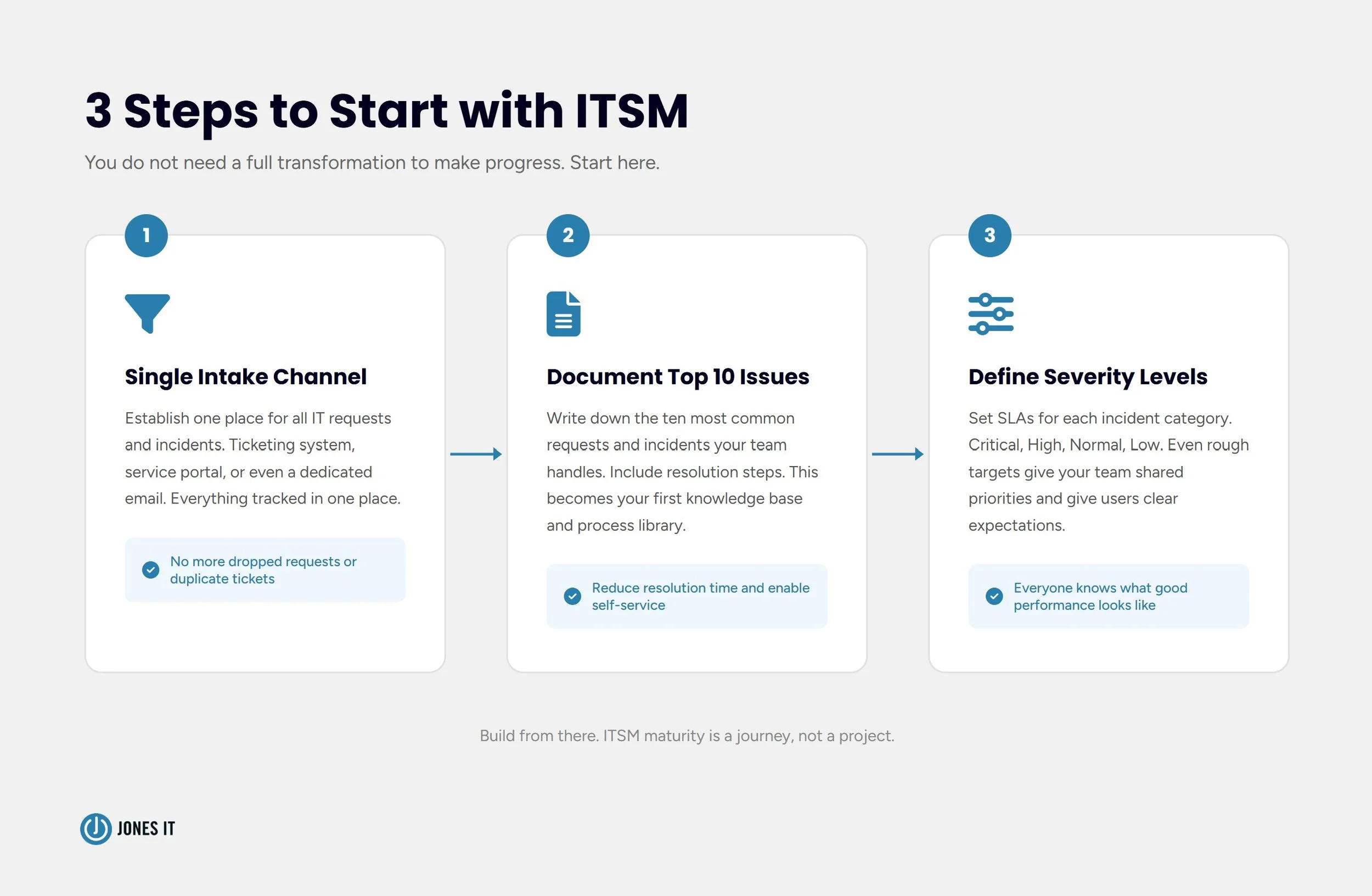
If you’re starting from scratch, don’t overthink it. Just do these three things:
First, establish a single intake channel for IT requests and incidents. This alone eliminates a significant amount of chaos. Whether that is a ticketing system, a service portal, or even a dedicated email address, the goal is to get everything into one place where it can be tracked.
Second, document the ten most common requests and incidents your team handles. Write down the steps to resolve each one. This is the beginning of your knowledge base and your process library.
Third, define your severity levels and SLAs for incidents. Even simple categories (critical, high, normal, low) with rough response and resolution targets give your team clarity about priorities.
Build from there. ITSM maturity is a journey, not a project. Organizations that approach it incrementally, improving one process at a time, consistently outperform those that try to implement everything at once and end up with a partial system nobody trusts.
Key Takeaways
ITSM is the set of processes and tools that governs how IT services are planned, delivered, and improved, not just how tickets get resolved.
The inflection point for most businesses is somewhere between 30 and 100 employees, a compliance audit, or a significant incident. Informal IT processes work until they do not.
The core ITSM processes are: service request management, knowledge management, IT asset management, incident management, problem management, change management, and service level management.
ITIL 4 is the most practical framework for small and mid-sized businesses. Full certification is not required to benefit from its structure.
For companies with 15-150 employees, mid-market tools like Freshservice or Zendesk are typically the right fit. Start simple and grow the system as your processes mature.
A note on related disciplines: ITSM governs how IT services are delivered to users. IT Operations Management (ITOM) governs the underlying infrastructure that keeps those services running. The two are complementary. ITOM focuses on the underlying infrastructure and health of the systems themselves.
The Bottom Line
IT service management is not about adding process for the sake of process. It is about making IT reliable, visible, and accountable at the level your business actually needs.
The new hire who cannot access her tools on day one is a small story, but it adds up. It adds up in productivity lost, in frustration accrued, in compliance gaps that only become visible at the worst possible moment. ITSM is how organizations get ahead of those costs instead of paying them reactively.
If your IT environment is running on informal processes and shared memory, now is a good time to start building structure. You do not need a full ITSM transformation to make progress. You need a clear picture of where the gaps are and a practical plan for closing them.
Jones IT helps Bay Area companies implement and manage IT service management practices that fit their size and stage. If you want to understand what a more structured approach could look like for your organization, reach out for a free IT assessment.




Master the device reassignment process. Learn how to securely reset, verify, and reissue Mac and Windows company laptops while meeting compliance standards.