
How To Switch To A New Managed IT Services Provider
Updated: March 20, 2026
We got a call on a Tuesday afternoon from a controller at a fintech company in SoMa. Her team had been locked out of their cloud environment since the previous morning. Eighteen hours. Her MSP had acknowledged the ticket, promised an update, and gone quiet. The company had an investor meeting the following day, and she had run out of patience waiting for someone to pick up the phone.
We hear variations of this story more than you might expect. The details change, but the shape of it is always the same: a company that has been tolerating slow response times, vague SLAs, and providers who are hard to reach finally hits a moment where tolerating it is no longer an option. If you need to switch to a new managed IT services provider, you already know what broke down. The harder question is how to make the move without adding more disruption to a situation that is already disruptive enough.
Here is what we have learned after helping hundreds of Bay Area companies through this process. The transition is far less complicated than most people fear, provided you follow the steps in the right order.
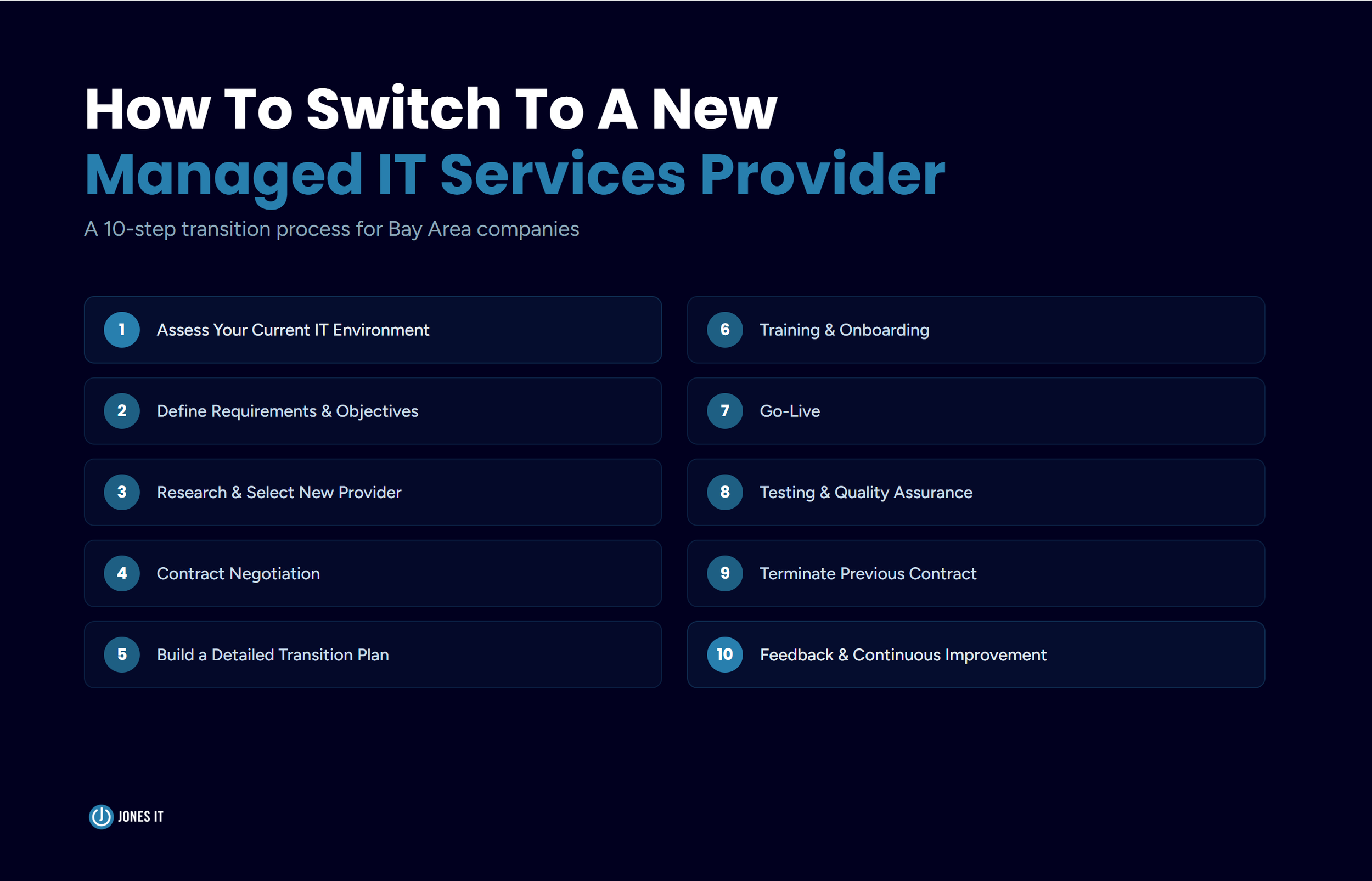
The 10-Step MSP Transition Process
Step 1: Assess Your Current IT Environment
Before you start talking to new providers, get a clear and documented picture of where things stand today. This is the step most companies skip or rush, and it tends to cause problems later. A thorough assessment gives your incoming provider the context they need from day one, and it gives you a benchmark to measure against once the transition is complete.
A complete IT environment assessment should cover:
A full inventory of hardware, software, licenses, and peripherals.
All existing documentation on IT policies, configurations, and historical performance.
Your network topology, bandwidth, and current connectivity performance.
Installed software, versions, and license status.
Cloud services in use: SaaS applications, IaaS infrastructure, and PaaS platforms.
Current security controls and any known compliance gaps.
Data protection measures: backup processes, encryption, access controls, and disaster recovery plans.
Your current MSP should hand over most of this documentation without resistance. If they are slow to cooperate or make the process difficult, take note because such behavior often continues through the handover period, and it is worth factoring into your transition planning.
Once you have the full picture, gather direct input from your team. Talk to IT staff, department heads, and end-users. Ask them specifically where service has fallen short and what they would most like to see improve. That feedback shapes your requirements for the next provider.
Step 2: Define What You Need from the MSP Transition
With your current state documented, define what you actually need from a new provider. Use the gaps you identified in Step 1 as your foundation, then layer in your growth plans, compliance requirements, and anything your current MSP has consistently failed to deliver.
The output of this step should be a written document specifying the services you need (network monitoring, helpdesk support, cybersecurity management, compliance support, data backup), the SLAs (Service Level Agreements) and response times you expect, and any industry-specific compliance frameworks your new MSP will need to support, whether that is SOC 2, HIPAA, CCPA, or something else.
Having this document ready before you start talking to providers keeps every conversation focused. It also makes contract negotiations considerably cleaner.
Step 3: Research and Select Your New Managed IT Services Provider
With your requirements in hand, build a shortlist of potential providers based on their expertise, industry experience, and fit with your business stage. Not every MSP is built for every type of company, and a provider that works well for a 200-person professional services firm may be entirely wrong for a 40-person fintech startup heading toward a SOC 2 audit.
We have covered the selection process in detail in two earlier posts:
How To Choose The Right IT Service Provider For Your Business, and
Comprehensive Guide to Managed IT Services Pricing, Plans, And ROI.
If you are still in the evaluation phase, those are worth reading before you narrow down your list. For a broader framework, Gartner's managed services evaluation criteria is also a useful reference.
Step 4: Contract Negotiation
Once you have chosen a provider, the contract is where things can go sideways. Take your time here, and have legal counsel review the agreement before you sign. The terms you agree to now will shape the relationship for years.
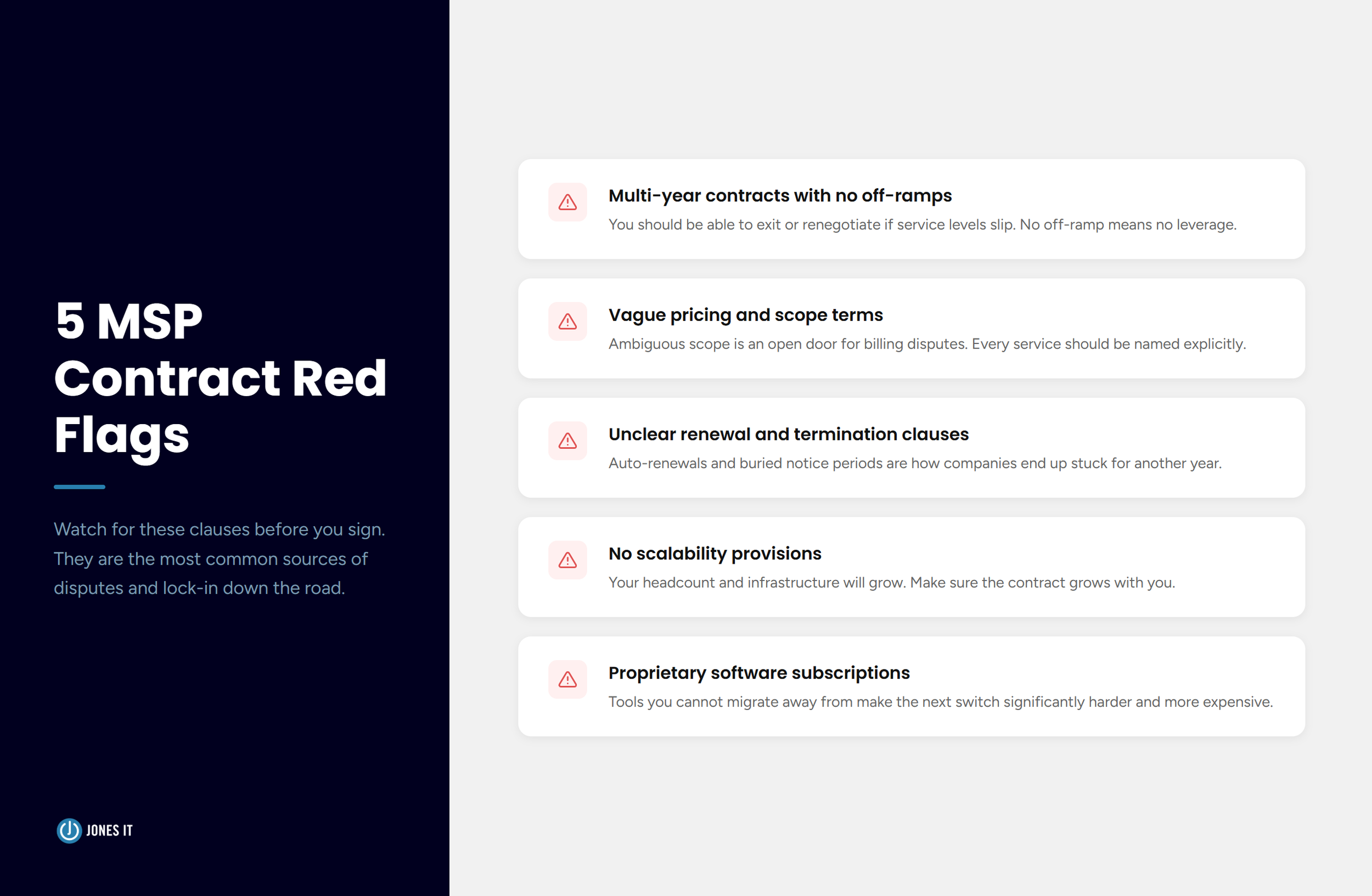
A few things to watch for and avoid:
Multi-year contracts with no review periods or off-ramps.
Vague pricing and scope terms that leave room for disputes later.
Unclear renewal, notice period, and termination clauses.
No scalability provisions as your headcount or infrastructure grows.
Subscriptions to proprietary software that would be difficult to migrate away from.
A well-written MSP contract is specific about what is included, what triggers additional charges, and how either party can exit. If a provider resists that specificity, that tells you something worth knowing before you commit.
Step 5: Build a Detailed MSP Transition Plan
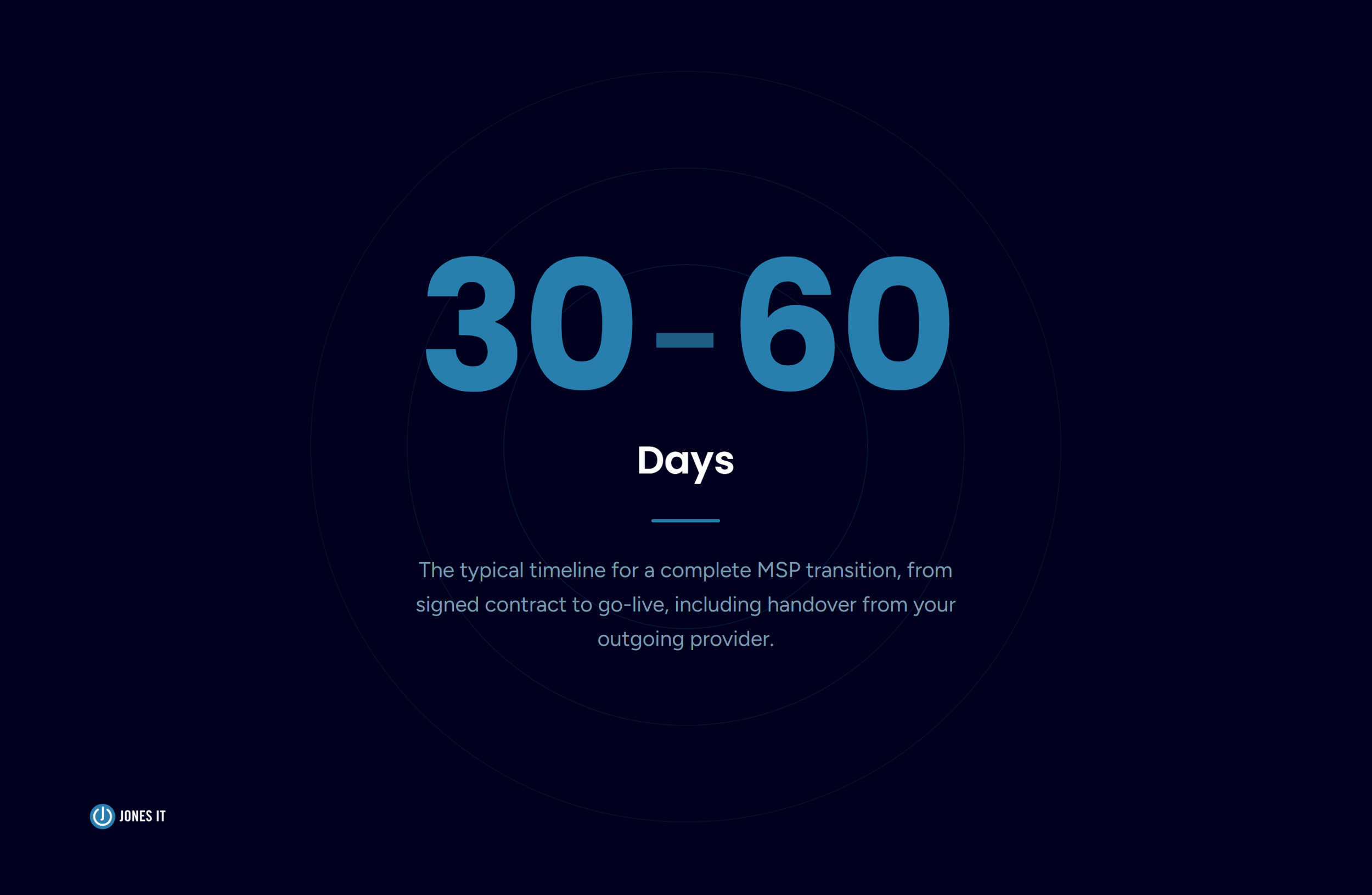
After signing, you and your new provider need to develop a transition plan with clear timelines, responsibilities, and milestones. The complete process typically takes 30 to 60 days, and there will be an overlap period where both your outgoing and incoming providers are involved at the same time.
Work out exactly how that overlap will be managed before it begins. Who handles ticket routing during the handover? What is the escalation path if your outgoing MSP is slow to cooperate? Establish a dedicated communication channel with your new provider and schedule regular check-ins throughout the transition.
If your current MSP holds credentials, access, or documentation that the transition depends on, confirm that your contract with them includes clear handover obligations. This is the most common friction point in any MSP switch, and catching it early prevents it from becoming a serious problem.
Step 6: Training and Onboarding
Most MSP transitions do not require major changes to your core IT systems. What does change is how your team interacts with the new provider, i.e., the ticketing system, the contact procedures, and the escalation process. Your new MSP should provide clear training on all of this as part of onboarding.
The onboarding process runs in both directions. Your new provider also needs to learn your environment, your team's working patterns, and your business priorities. The more grounded they are in your specific context from the start, the better their service will be. Schedule dedicated sessions for this, and treat it as time well spent.
Step 7: Go-Live
If the previous steps have been handled carefully, go-live should feel unremarkable to your end-users. Coordinate with your new provider to activate services on the agreed date, brief your team on the new procedures in advance, and make sure nobody is caught off guard by the change.
Monitor your systems closely in the first days and weeks after go-live. Even well-planned transitions can surface unexpected issues, and catching them early prevents them from compounding.
Step 8: Testing and Quality Assurance
After go-live, run a structured review of all IT systems and applications to confirm everything is functioning as expected. Verify that your new provider is meeting the SLAs in your contract and compare their performance against the benchmarks you established in Step 1.
This is also the right moment to confirm that no credentials, licenses, or configurations were lost in the handover. It happens more often than it should. Catching it here is a minor fix; catching it six months later is a much bigger one.
Step 9: Formally Terminate Your Previous MSP Contract
Notify your outgoing provider of the termination in accordance with the notice period and terms you agreed to. This date should align with the transition timeline from Step 5 so neither party is surprised.
Confirm in writing that all credentials, documentation, and assets belonging to your company have been fully returned or transferred. Keep a record of that confirmation somewhere accessible.
Step 10: Feedback and Continuous Improvement
The transition is complete, but the work of building a productive MSP relationship is not. Within the first 90 days, conduct a post-transition review with your key stakeholders. Ask your team what has improved, what still feels rough, and what they need that they are not yet getting.
Share that feedback directly with your new provider. A good MSP treats it as useful information. Set up a regular cadence for performance reviews so issues get addressed before they grow into the same frustrations that prompted this switch in the first place.
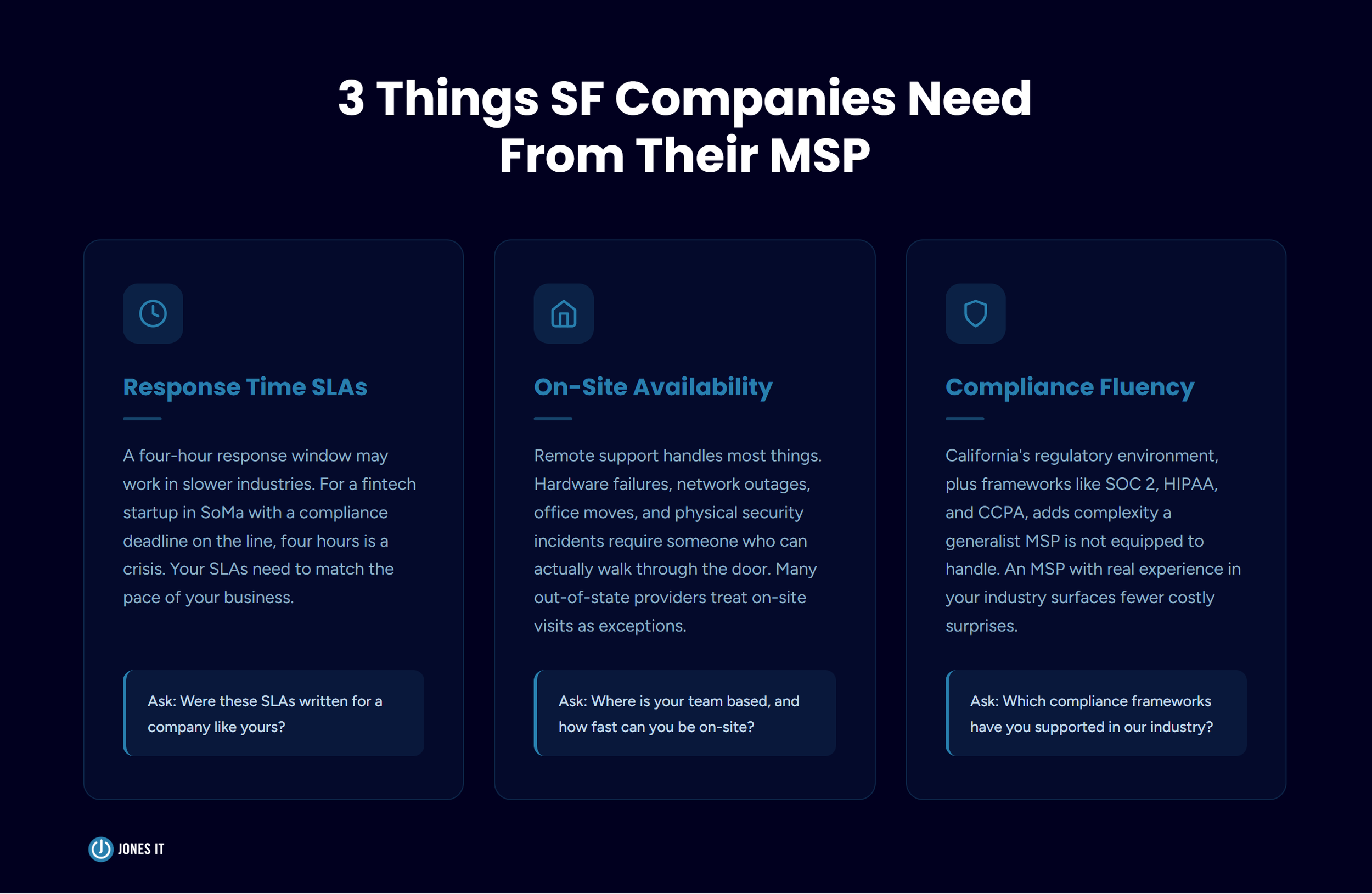
What to Look for in an MSP Before You Switch
The 10-step process above applies regardless of which provider you are moving to. But for Bay Area companies, particularly those in fintech, SaaS, AI, or biotech, there are a few things that matter beyond the standard MSP checklist.
Response time SLAs need to match the pace of your business. A four-hour response window might be reasonable in a slower-moving industry, but for a startup where a compliance deadline or product demo is on the line, four hours can be genuinely damaging. When you review an MSP's SLAs, ask whether those commitments were written for a company like yours, or written for someone else.
On-site availability is not a bonus feature. Remote support handles a great deal, but hardware failures, network outages, physical security incidents, and office moves require someone who can actually walk through the door. Many providers serving San Francisco businesses are based out of state or across the Bay, which means on-site visits become exceptions rather than standard service. We have been showing up in person for Bay Area clients for over 20 years, and we have seen firsthand how much that matters when something goes wrong.
Compliance fluency is a real differentiator. California's regulatory environment, combined with the compliance frameworks common in SF's tech industries, adds layers that a generalist MSP is not equipped to handle well. An MSP with direct experience in your industry and your compliance landscape will make better recommendations, move faster, and surface fewer costly surprises.
Making the Switch to a New MSP
We understand why switching MSPs feels like a big lift. IT is the infrastructure everything else runs on, and the idea of touching it during an already-stressful period is not appealing. But in our experience, the disruption of a well-managed transition is far smaller than the ongoing cost of staying with a provider that is not doing the job.
Follow the process above, document everything at each step, and hold your new provider to the commitments you agreed to in writing. If you do those things, the transition will go smoothly. Most of our clients tell us afterward that they wish they had made the move sooner.
If you are ready to make the switch, we handle MSP transitions end to end for Bay Area companies. We communicate with your outgoing provider, manage the migration, and make sure your team does not feel a thing. Reach out to Jones IT and we will walk you through what the transition would look like for your specific environment.

About The Author

Hari SubediMarketing Manager at Jones IT
Hari is an online marketing professional with a focus on content marketing. He writes on topics related to IT, Security, and Small Business. He is also the founder and managing director of Girivar Kft., a business services company located in Budapest, Hungary.

Managed IT services for pre-IPO companies look different once SOX auditors get involved. Here's what to require from your MSP before they arrive.