
Updated: May 5, 2026
A fast-growing Series A fintech company in SoMa with 40 employees uses 18 SaaS tools. Six months ago, they offboarded a senior engineer, but nobody remembered to revoke his access to the production database. He left on good terms, so there was no incident, and everything was fine until an enterprise prospect sent over a security questionnaire. Question 14: "Describe your IAM (identity and access management) controls." The founder opens a new browser tab and Googles "what is IAM". That’s when panic hits.
We have seen this exact scenario more times than we can count, and honestly it still surprises us how often the access review conversation happens only after something close to a disaster. Identity and access management for startups is one of those foundational layers that everyone knows they need and almost nobody builds until something forces their hand: a compliance deadline, an enterprise prospect with a demanding InfoSec team, or a near-miss that does not make it into the incident log but absolutely should have.
The good news is that getting IAM right is not the months-long infrastructure project founders tend to imagine. The harder part is understanding what it actually covers, which pieces matter most at your stage, and why waiting until your Series B to sort it out is a much worse idea than it sounds.
What Is Identity and Access Management (IAM) and Why Do Startups Need It?
Identity and access management (IAM) is the framework that controls who can access which systems, applications, and data inside your company, and under what conditions that access is granted, modified, or revoked. IAM combines policies, processes, and technology to ensure that every person, device, and service touching your infrastructure has exactly the access it needs, and nothing more.
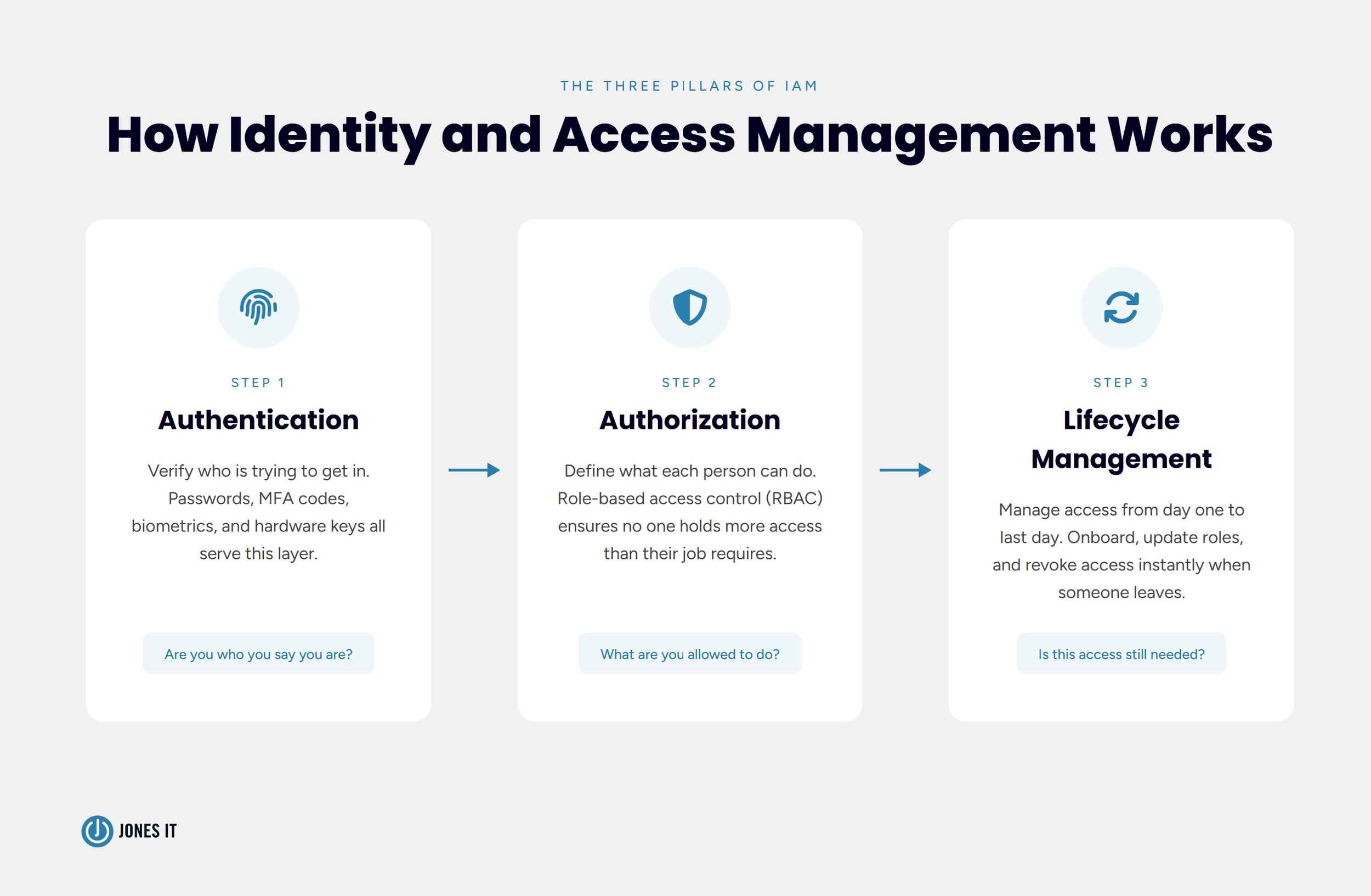
The core logic is straightforward: the right people get to the right resources at the right time, and everyone else is kept out. In practice, IAM covers three things: authentication (verifying that someone is who they claim to be), authorization (determining what that person is allowed to do), and user lifecycle management (creating, modifying, and revoking access as people join, change roles, or leave).
For most early-stage Bay Area startups, the practical starting point is a cloud-based identity provider integrated with single sign-on (SSO). Okta, Microsoft Entra ID, and Google Workspace all serve this role. You do not need enterprise-grade infrastructure on day one. But you do need a plan, because retroactively untangling access permissions across 20 SaaS tools at 60 employees is substantially more painful than building a clean system at 20.
Why Startups Can't Afford to Skip IAM
The standard assumption is that IAM is an enterprise problem, something you tackle once you have a dedicated security team and a real IT budget. We get it. When you are racing toward a product milestone, "access governance" sounds like a problem for future you.
Those costs show up in very specific and very inconvenient ways, though. Let us walk through the three we see most often.
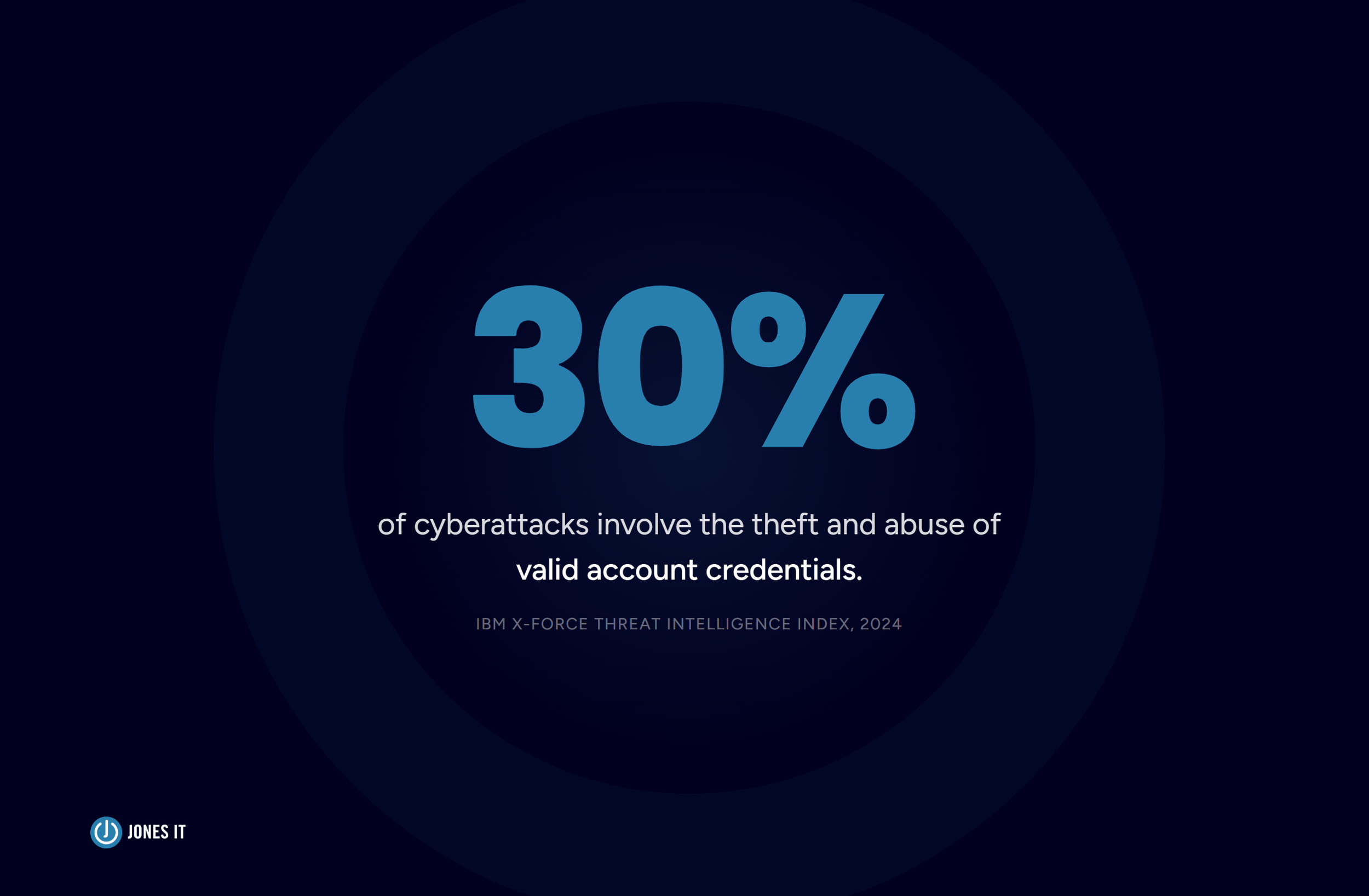
Orphaned accounts are the most common. When someone leaves and their access is not immediately revoked, their credentials stay live in your systems with nobody watching them. According to the IBM X-Force Threat Intelligence Index, 30% of cyberattacks in 2024 involved the theft and abuse of valid account credentials. An orphaned account is an unlocked door. The fact that most former employees do not try the handle does not make it a sound security strategy.
Then there is the compliance problem. If your startup handles customer data, processes payments, or operates in a regulated industry, access control requirements are almost certainly baked into the frameworks you need to satisfy. SOC 2, HIPAA, and CCPA all have explicit rules around who can access what data and how that access is governed and documented. A spreadsheet and good intentions will not get you through an audit.
And then there is the enterprise customer problem, which tends to be the one that actually moves the needle for founders. The moment you start selling to companies with real InfoSec teams, they will ask about your IAM controls. We have seen startups lose deals not because of their product but because they could not answer basic questions about how they manage access to customer data. IAM is not just a security practice. It is a sales asset, and treating it as one from early on pays off in ways that go well beyond avoiding breaches.
The Core Components of an IAM System
IAM is not a single tool. IAM is a set of interlocking capabilities, and understanding what each one does makes it a lot easier to know where to start. Here is the breakdown.
Authentication and Multi-Factor Authentication (MFA)
Authentication is the process of verifying that someone is who they claim to be. Passwords alone have not been a sufficient answer for years. Password reuse is endemic, phishing attacks are increasingly convincing, and data breaches routinely surface credentials in bulk across the dark web. Multi-factor authentication (MFA) adds a second verification step: typically a time-based code from an authenticator app, a hardware security key, or a push notification to a trusted device.
The NIST guidance on IAM for small businesses is clear on this: MFA should be enabled on all critical systems, not just email. That means your cloud infrastructure, your code repositories, your financial tools, and your customer data platforms. SSO tied to MFA lets your team authenticate once and move across all your connected applications without re-entering credentials. That combination improves the day-to-day experience for employees while making the overall posture significantly harder to compromise. Security and convenience pulling in the same direction is rarer than it sounds, and when you are making the internal case for IAM for startups, this is the argument that tends to land.
Authorization and Role-Based Access Control (RBAC)
Authorization determines what an authenticated user is allowed to do once they are in. Role-based access control (RBAC) is the most common approach: you define roles based on job function, then assign permissions to those roles rather than to individuals. An engineer on the infrastructure team gets access to AWS. A sales rep gets access to the CRM. Neither touches the other's systems without a documented reason.
The principle behind RBAC is called least privilege, and it is worth taking seriously. Every user should have the minimum access required to do their job. That scoping limits the blast radius if an account is compromised. If an attacker takes over a marketing coordinator's credentials, they should not be able to reach production. RBAC is what makes that boundary real rather than theoretical.
For startups, RBAC is also where we see the most drift over time. Early on, it is faster to give everyone admin access. We understand the impulse. But by the time you have 60 people and an auditor asking for a formal access review, untangling years of permission sprawl is painful work, and the exercise almost always surfaces access that nobody can justify anymore. Starting with defined roles at 15 people is dramatically cheaper than retrofitting them at 60.
User Lifecycle Management
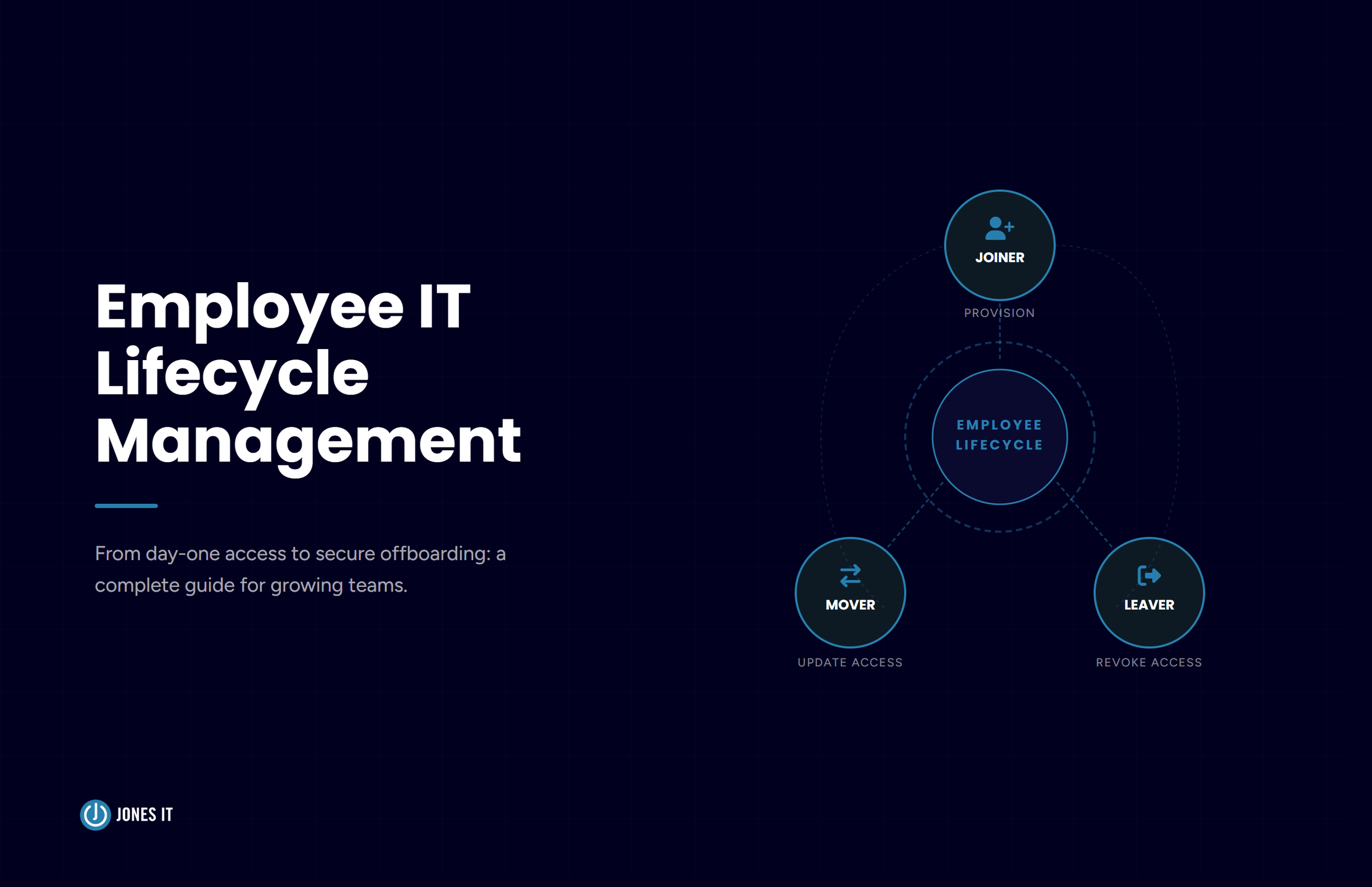
User lifecycle management covers the full arc of a person's access inside your company, from the moment they join to the moment they leave. Onboarding means provisioning the right access on day one, tied to their role, without requiring IT to manually configure each application one by one. Offboarding means revoking all of that access immediately when they depart, across every system, not just the ones someone happens to remember.
Offboarding is where startups consistently drop the ball, and it is not because anyone is careless. The process in most early-stage companies is entirely manual and entirely dependent on someone remembering to do it. HR tells the manager. The manager maybe tells IT. IT gets to it when they get to it. Meanwhile, a former employee's credentials may still be live in Slack, GitHub, your cloud provider, and your customer data platform for days or weeks. A properly configured IAM system with SSO collapses offboarding to a single action: disable the account in the identity provider and access disappears everywhere at once.
Lifecycle management also covers the middle, the moves and promotions and project changes that happen constantly in a growing company. When someone shifts teams, their access should update to match the new role, and the old permissions should go away. Without a system tracking this, you accumulate permission creep, where individuals end up holding access from every role they have ever touched. That is exactly the kind of sprawl that makes access reviews painful and auditors skeptical.
IAM and SOC 2: Why They Go Hand in Hand
SOC 2 compliance and identity and access management are inseparable, and this is worth saying plainly because we still talk to founders who treat them as separate workstreams. The SOC 2 framework, developed by the AICPA, is built around five Trust Services Criteria. Security is the mandatory baseline, and it covers exactly the territory that IAM governs: access controls, authentication, and the protection of systems from unauthorized access. You cannot get through a SOC 2 audit without a functioning IAM program. Our complete SOC 2 guide for startups goes deep on the full journey, but here is how IAM feeds directly into your audit readiness.
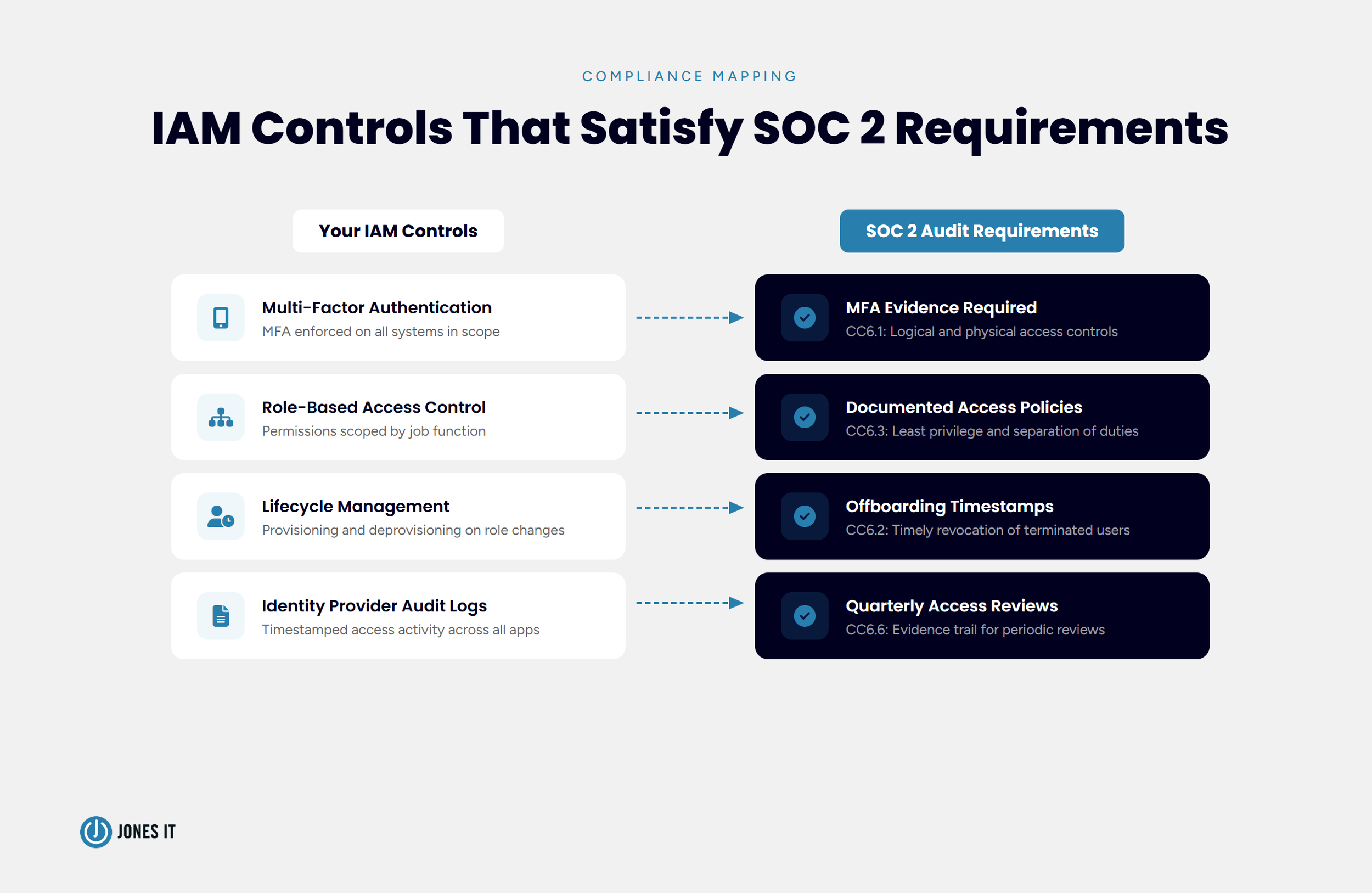
SOC 2 auditors will look for documented access control policies that define how access is granted, reviewed, and revoked. They will want to see evidence that MFA is enforced across systems in scope. Quarterly access reviews are required too: documented evidence that someone verified who has access to what and confirmed it still makes sense. Auditors will also check your offboarding records, and they want timestamps, not assurances.
Every one of those requirements maps directly to an IAM capability. Authentication controls address the MFA requirement. RBAC provides the structure behind your access control policies. Lifecycle management covers provisioning and deprovisioning. Audit logs from your identity provider become the evidence trail for quarterly reviews. When your IAM program is solid, the compliance documentation largely writes itself. When it is not, you spend the months before your audit frantically trying to reconstruct controls that should have been in place from the start.
For Bay Area SaaS and fintech companies selling to enterprise customers, SOC 2 Type 2 has become table stakes. The companies we work with that build their IAM foundation before they engage an auditor consistently have a smoother, faster, and less expensive compliance journey. The ones who try to retrofit controls under audit pressure do not.
How to Get Started With Identity and Access Management at Your Startup
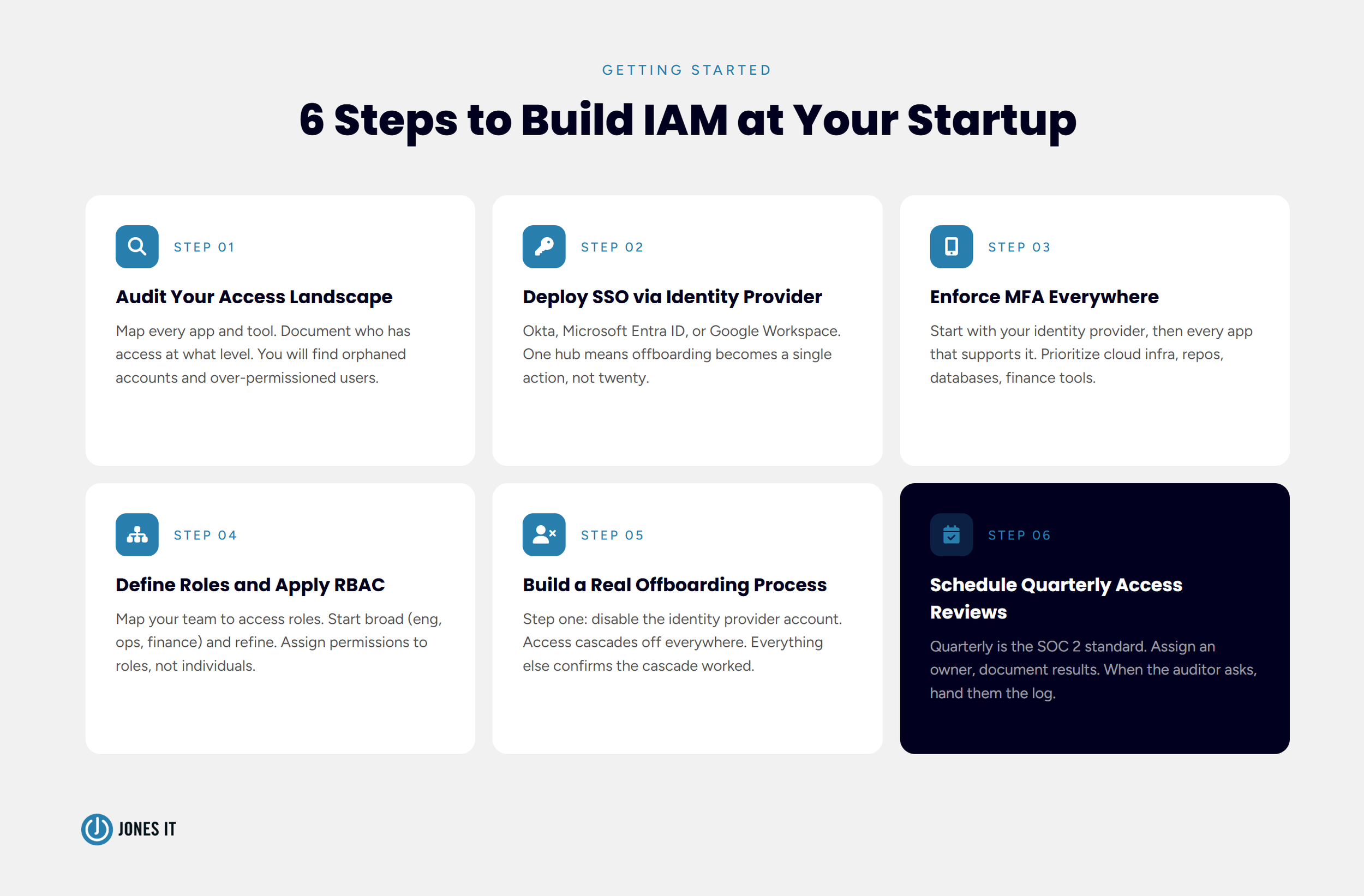
IAM does not have to be an overnight overhaul, and for most startups it should not be. A phased approach works well. Here is where we recommend starting, roughly in order.
Audit your current access landscape. Before you can fix anything, you need to know what exists. Map every application, system, and tool in use. For each one, document who has access and at what permission level. You will almost certainly find orphaned accounts, over-permissioned users, and shared credentials that should not exist. This inventory is also the foundation for your first SOC 2 access review.
Deploy a cloud identity provider with SSO. Okta, Microsoft Entra ID, and Google Workspace all support SSO and can serve as your central identity hub. Once you have a single identity provider, you control access to every connected application from one place. Offboarding becomes one action instead of twenty.
Enforce MFA everywhere. Start with your identity provider, then extend MFA to every application that supports it. Prioritize systems that hold sensitive data: cloud infrastructure, code repositories, databases, and financial platforms. If an application does not support MFA natively, that is a signal worth paying attention to.
Define your roles and apply RBAC. Map your team structure to a set of access roles. Start broad (engineering, operations, finance, marketing) and refine from there. Assign permissions to roles, not to individuals. Document the rationale so access reviews are not guesswork six months later.
Build a real offboarding process. Define a checklist that triggers the moment an employee gives notice or is terminated. Step one should be disabling the identity provider account, which cascades revocation across every connected application. Everything else on the checklist confirms the cascade worked.
Set a schedule for access reviews. Quarterly is the SOC 2 standard. Put it on the calendar now, assign an owner, and document the results each time: who reviewed, what was confirmed, what changed. When an auditor asks for evidence, you hand them the log.
If you are preparing for a SOC 2 audit or want to get your access controls in order before they become urgent, our Compliance Kickstarter Program is designed for exactly this stage. We work alongside your team to assess your current posture, deploy the right tooling, write the policies, and get your controls audit-ready without the overhead of a full-time compliance hire. We have also helped a number of Bay Area companies stand up IAM programs as part of broader cybersecurity and compliance engagements when the scope goes beyond access management alone.
The Moment to Get This Right Is Now
The SoMa fintech in our opening story was lucky. The former engineer had no reason to do anything with that database access, and he did not. But luck is not a security posture, and neither enterprise customers nor SOC 2 auditors will accept it as one.
Identity and access management for startups does not require a massive investment or a dedicated security team. Getting there requires a clear framework, the right tooling, and the discipline to apply it consistently from your first hire to your fiftieth. The companies that build that foundation early find that SOC 2, enterprise sales, and Series B due diligence all go substantially smoother, because the work is already done.
We have helped Bay Area companies in SoMa, Mission Bay, the Financial District, and South San Francisco build IAM programs that hold up under audit and scale with their growth. If you want to talk through where your company stands, reach out to us and we will start with a straightforward assessment of your current access controls. No questionnaire, no sales deck. Just an honest look at what you have and what needs to change.




About The Author

Hari SubediMarketing Manager at Jones IT
Hari is an online marketing professional with a focus on content marketing. He writes on topics related to IT, Security, and Small Business. He is also the founder and managing director of Girivar Kft., a business services company located in Budapest, Hungary.

Learn how to establish an AI tool approval process for startups with this 5-step workflow, vendor review checklist, and data loss prevention controls.