
Updated: June 22, 2026
A few months ago, we were helping a Series B SaaS company in SoMa prepare for their SOC 2 Type II audit. They had recently signed up with us but already had a clean infrastructure, solid MDM, and well-documented access controls. So it came as a surprise when our audit found 340 applications in active use across the company when their IT-sanctioned list had only 47.
Nobody was being reckless. Engineers were using AI coding assistants. Marketing had adopted a handful of project management and analytics tools. Customer success was running a third-party messaging platform a client had asked them to use. All of it made sense in isolation, but none of it was visible to IT.
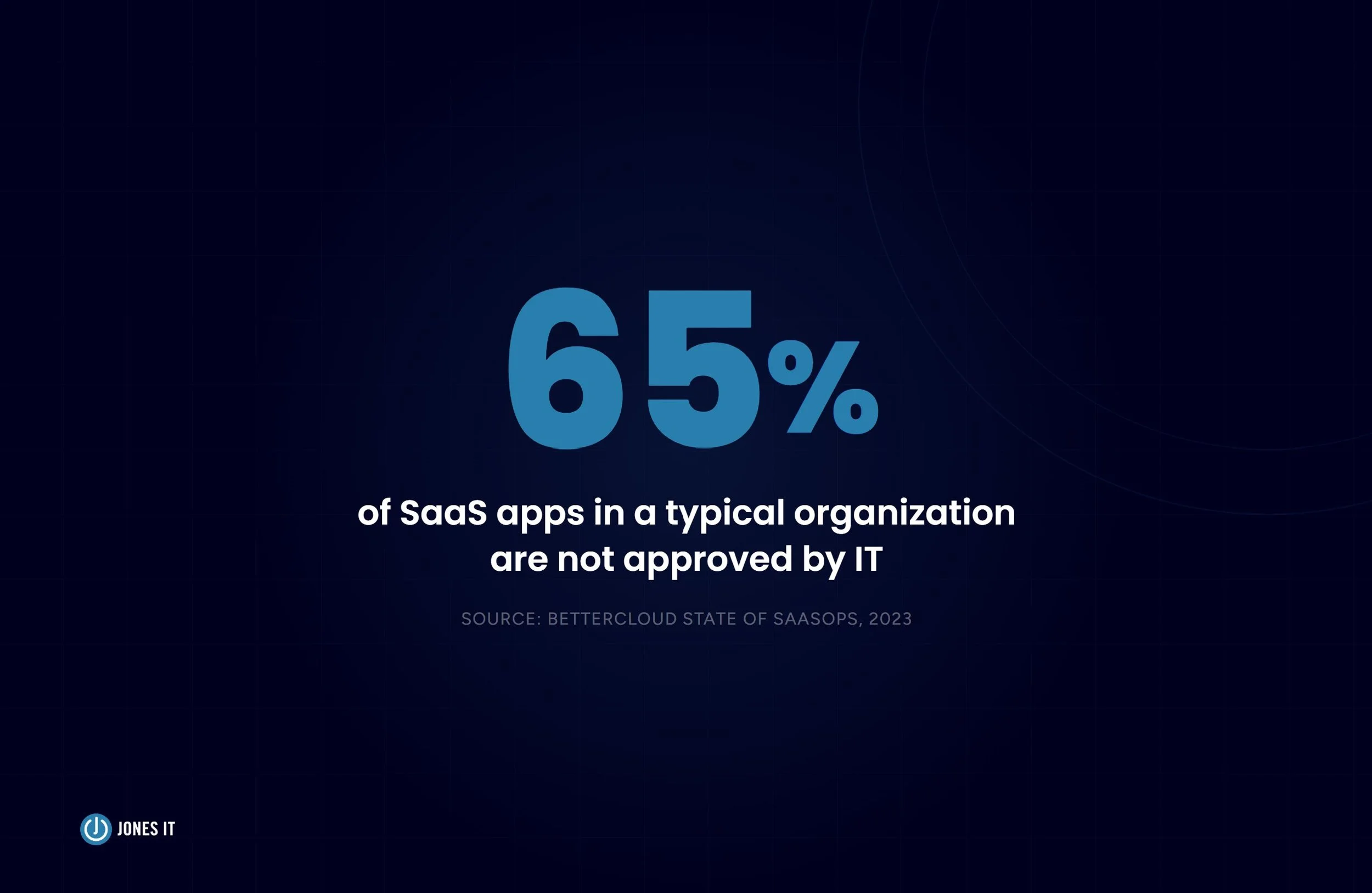
That gap between what IT knows about and what employees are actually running is shadow IT. And for most startups, it is far wider than anyone realizes. According to a 2023 BetterCloud survey of IT professionals, 65% of SaaS applications in use at a typical organization are not approved by IT. The tools exist, employees depend on them, and the risks those tools carry go unmanaged.
Here is what shadow IT is, why it keeps happening despite every policy designed to stop it, what it costs you when it goes wrong, and how growing startups can get it under control.
What Is Shadow IT?
Shadow IT is any hardware, software, application, or cloud service used within a company’s network without the knowledge or approval of the IT department. The term covers a wide range of assets: personal devices, browser extensions, SaaS subscriptions, cloud storage accounts, and messaging apps that employees adopt independently and IT never sees.
Shadow IT is not inherently malicious. In most cases, it is the opposite: employees reaching for tools they know and trust to get work done faster. But the security implications are the same regardless of intent. IT cannot monitor assets it does not know exist, cannot patch vulnerabilities in software it has not catalogued, and cannot enforce data handling policies on platforms that were never reviewed.
For startups in regulated industries, that visibility gap is particularly dangerous. SOC 2, HIPAA, and CCPA all impose requirements around data handling and access control that extend to every system where company or customer data lives, whether IT sanctioned it or not.
Examples Of Shadow IT
Shadow IT covers a wider surface than most people expect. The obvious examples are personal devices and consumer file-sharing apps. The less obvious ones are the tools your most productive employees are quietly depending on.
Common examples include:
Personal devices used for work when no formal BYOD policy is in place.
USB drives and external storage.
Messaging apps such as WhatsApp, Signal, and Telegram used for client or internal communication.
Productivity and project management tools such as Trello, Asana, and Notion.
Cloud storage and collaboration platforms such as Dropbox, Google Drive, and Microsoft OneDrive when used outside sanctioned accounts.
AI tools, including ChatGPT, Claude, GitHub Copilot, and other large language model assistants employees use to draft content, write code, or process data.
Browser extensions that access or process company data.
Excel macros and spreadsheets used to store or manipulate sensitive data outside approved systems.
Employees bring these tools to work for a few consistent reasons: familiarity, speed, and the fact that the sanctioned alternatives often do not do what they need. Clients and partners also push shadow IT into organizations from the outside, asking teams to adopt specific platforms for communication or file sharing that IT has never reviewed.
Why Employees Use Shadow IT
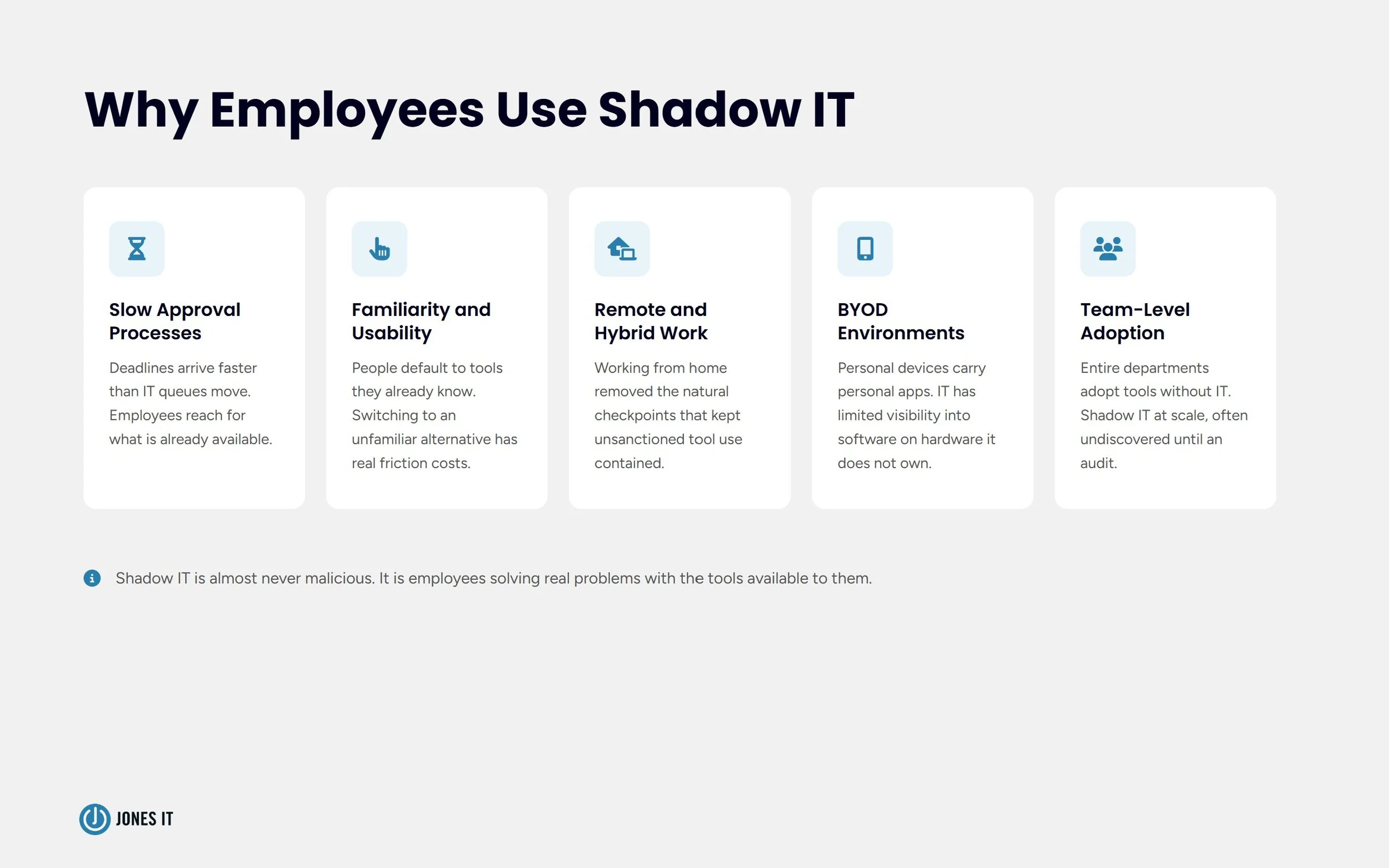
Shadow IT persists not because employees are careless but because the conditions that create it are structural. Understanding why it happens is the first step toward managing it effectively.
Slow IT Approval Processes
IT approval backlogs are a core driver of shadow IT. When employees face a deadline, and the official channel takes days or weeks to respond, they reach for whatever is already available. Slow IT response times push 38% of employees toward shadow IT, according to JumpCloud's research, and that pressure only compounds as organizations grow.
Familiarity and Usability
People default to tools they already know. An engineer who has used a particular code review tool for three years is not going to switch to an unfamiliar alternative just because it was the one IT approved. The friction of learning something new, especially when deadlines are real, makes shadow IT the path of least resistance.
Remote Work and Cloud Accessibility
Remote and hybrid work removed many of the natural checkpoints that kept shadow IT contained. When employees work from home on personal networks, the pull toward cloud-based tools they can access anywhere without IT involvement intensifies. The proliferation of free-tier SaaS products has made this easier than ever.
BYOD Environments
Organizations that allow employees to use personal devices for work face compounded shadow IT risk. IT has limited visibility into what software runs on hardware the company does not own. The shadow IT footprint on personal devices is largely invisible.
Team-Level Adoption
Shadow IT is not always an individual choice. Entire teams adopt tools without going through IT, often because the formal procurement process is slow and the team is under pressure to ship. A marketing team that signs up for a new analytics platform to hit a quarterly target is creating shadow IT at scale, and IT may not find out until an auditor does.
The Benefits Organizations Actually Get From Shadow IT
Most shadow IT conversations focus on risk, and rightly so. But it is worth being clear-eyed about why shadow IT happens in the first place: it frequently works. Teams that adopt unsanctioned tools often do so because those tools make a real difference to how they work.
Organizations that take a measured approach to shadow IT can capture real advantages:
Faster adaptation to new tools and workflows without waiting on formal procurement cycles.
Improved productivity when employees use tools suited to how they actually work rather than what IT assigned them.
Lower licensing costs when shadow IT surfaces redundant or underused sanctioned tools that can be cut.
The 77% of IT professionals in a BetterCloud survey who said there would be benefits to embracing shadow IT are not wrong. The challenge is capturing those benefits without accepting the risks that come with unmanaged tools.
The Risks You Cannot Afford to Ignore
Lack of Visibility and Control
IT cannot protect what it cannot see. Unsanctioned tools do not get patched on the company’s schedule, do not have access controls reviewed during quarterly audits, and do not appear in incident response runbooks. When something goes wrong with a shadow IT asset, IT is starting from zero.
Increased Attack Surface
Every unsanctioned application that touches company data or the company network is a potential entry point. Consumer-grade tools are not built to the same security standards as enterprise software, are less likely to have MFA enforced, and are more likely to have misconfigured permissions. Attackers actively look for this kind of exposure.
Data Exposure
When employees use personal cloud storage to share work files, or paste customer data into an AI tool to speed up a task, that data leaves the controlled environment. It may be stored on third-party servers with different retention policies, shared with unintended recipients, or processed by models trained on user input. The data exposure risk is real even when no breach occurs.
Compliance Violations
Regulations like HIPAA, PCI-DSS, SOC 2, and CCPA require organizations to demonstrate control over where data lives and who can access it. Shadow IT assets are almost never compliant with these requirements. An auditor scan finding 300 unauthorized applications is not an IT problem in isolation: it is a compliance problem with real financial exposure attached to it.
Operational Inefficiency
Unsanctioned tools create silos. Data lives in platforms only part of the team uses. Integrations break because IT did not know a tool existed and a routine update severed its connection. And when something goes wrong with a shadow IT application, IT cannot help because they have no access to it, no documentation, and no relationship with the vendor.
Shadow AI: The Newest Front
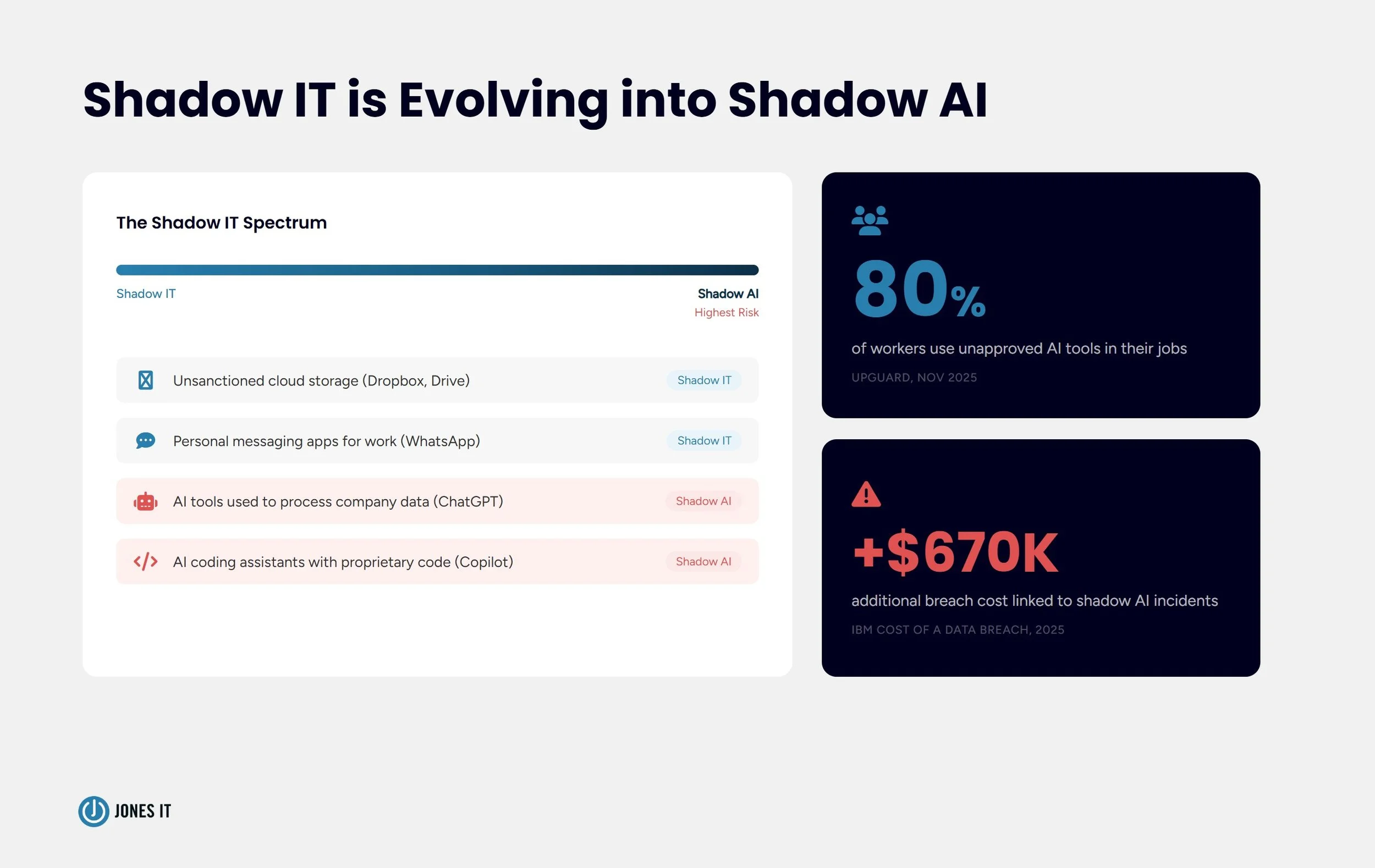
Shadow IT has always included unauthorized software. What has changed in the last two years is the category of software creating the most acute risk. Shadow AI, the use of unauthorized AI tools in the workplace, has become the fastest-growing and most consequential subset of shadow IT.
The scale is striking. A November 2025 UpGuard report surveying 1,500 security leaders and employees across seven countries found that more than 80% of workers use unapproved AI tools in their jobs. Nearly 90% of security professionals do the same. Half of all workers use these tools regularly, and less than 20% use only company-approved AI.
What makes shadow AI different from earlier forms of shadow IT is the nature of what employees put into these tools. Marketing teams paste customer lists into ChatGPT to draft personalized emails. Engineers share proprietary code with AI coding assistants. Finance teams run sensitive forecasting data through third-party models. None of this is malicious. All of it carries significant exposure.
IBM’s 2025 Cost of a Data Breach Report found that organizations with high levels of shadow AI paid an average of $670,000 more per breach than those with governance controls in place. That is not a theoretical number: it reflects what happens when AI-related incidents meet inadequate access controls and no formal AI policy.
Managing shadow AI requires everything that applies to shadow IT generally, plus an additional layer specific to AI: a clear policy on approved tools, training on what data is and is not appropriate to share with AI systems, and visibility into which AI applications are in use across the organization. We cover this in detail in our piece on the $670K shadow AI problem your board doesn’t know about.
How To Manage Shadow IT
Complete elimination of shadow IT is not a realistic goal. The tools are too accessible, the approval processes too slow, and the employee incentives too strong. The organizations that handle shadow IT well do not try to shut it down entirely: they build systems to discover it, assess it, and bring the useful parts of it into governance while managing the risk the rest introduces.
1. Determine Your Risk Tolerance
Before building a shadow IT policy, your organization needs to be honest about where it sits on the risk spectrum. A healthcare company handling protected health information under HIPAA has a fundamentally different risk profile than an early-stage SaaS startup that has not yet begun its SOC 2 journey. Your shadow IT policy should reflect that reality.
Most organizations land in one of three positions:
Strict: rigorous firewall enforcement, regular software audits, and clear consequences for policy violations. This approach tightens security but can push employees toward workarounds rather than official channels.
Lenient: a lighter-touch approach, supported by baseline security controls like data encryption and role-based access control (RBAC), that allows teams more flexibility in the tools they adopt.
Middle ground: an annually published list of IT-vetted tools gives employees real choices while maintaining visibility and oversight. This is often the most practical approach for growing startups.
2. Establish a Faster Procurement Process
Most shadow IT happens because the official channel is too slow. If an employee can deploy a new SaaS tool in five minutes but getting IT approval takes two weeks, the outcome is predictable. A streamlined procurement process with clear criteria, fast review timelines, and a lightweight request form removes the friction that drives people around IT rather than through it.
3. Educate Your Team
Most employees who create shadow IT have no idea they are doing anything problematic. They are not hiding from IT: they are solving a problem with the tools available to them. Regular training that explains why certain tools create risk, what data should never leave sanctioned systems, and how to request a new tool quickly goes a long way. The goal is not compliance enforcement through fear: it is building a team that understands the stakes well enough to make better decisions without being policed.
4. Use the Right Discovery and Management Tools
Traditional asset management systems were not built to find shadow IT. Cloud access security brokers (CASBs) are specifically designed for this: they sit between your users and cloud services, discover unsanctioned applications, enforce data policies, and provide the visibility IT needs to assess and act on what they find. SaaS management platforms offer similar visibility at the application layer, helping IT understand what is in use, how heavily it is being used, and what data it touches.
For Bay Area startups preparing for SOC 2 or operating under HIPAA, getting this discovery infrastructure in place early prevents the audit-day surprise of finding hundreds of applications nobody authorized.
Conclusion
Shadow IT is not a problem you solve once. It is a condition of how modern organizations work: employees will always find tools that help them move faster, and the gap between what IT sanctions and what employees actually use will always exist to some degree. The question is whether that gap is managed or invisible.
With the right discovery tools, a realistic policy calibrated to your risk tolerance, and a procurement process employees can actually use, shadow IT shifts from an uncontrolled liability into something you can see and make informed decisions about. That is what good IT governance looks like in practice.
If your organization is trying to get a handle on shadow IT, or if an upcoming audit has made the problem suddenly urgent, we can help. Reach out to the Jones IT team to talk through what a shadow IT assessment and management program looks like for a company at your stage.
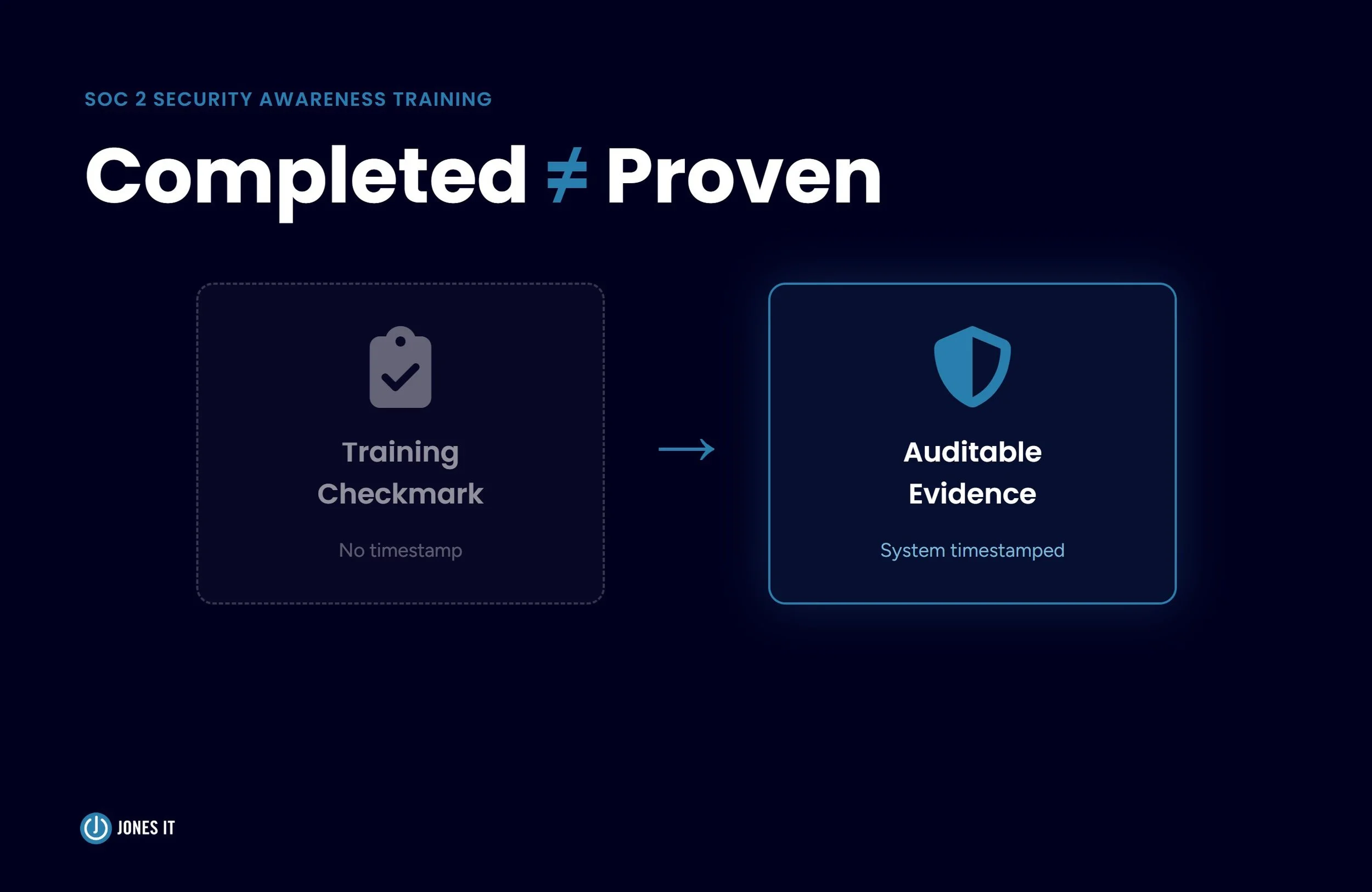




Learn how to establish an AI tool approval process for startups with this 5-step workflow, vendor review checklist, and data loss prevention controls.