
Last year, a COO at a 65-person fintech in the Financial District sent us a message I've seen in different forms many times: 'We have a great IT manager. Smart, fast, good at the job. I just never see him anymore; he's always somewhere putting out a fire.' The company had grown from 20 people to 65 in under two years and needed to augment its internal IT team, but hadn’t yet. Their IT manager had grown with them, handling everything from Okta administration to SOC 2 evidence collection to onboarding laptops for new hires. He was capable. He was also, by any reasonable measure, running on fumes.
The COO wasn’t questioning whether to keep him. She was questioning whether she’d built a structure that was quietly setting him up to fail. When your internal IT team is stretched too thin, the first thing that goes isn’t performance. It’s headroom. The ability to plan ahead, to cover for each other, to escalate complex problems to a specialist, to actually take a week off without everything wobbling. And by the time leadership notices the problem, it’s usually been there for months.
I’ve seen this pattern many times across Bay Area companies at the Series A and B stage. The internal IT function is competent but structurally underpowered for what the business now needs. The right answer for most of these companies is to augment their internal IT team with targeted external support rather than replace it or wait six months to hire. Here’s what those gaps actually look like, what they cost, and how to close them without giving up the control your internal team has earned.

When Your Internal IT Team Is Stretched Too Thin
The companies that get the most out of augmenting their internal IT team aren't struggling. They have someone good on staff, often someone who built the function from scratch and knows the environment deeply. But the demands on that function have outpaced its capacity.
This happens for predictable reasons. Headcount growth is non-linear. Going from 20 to 65 people doesn’t create three times as much IT work; it creates six or eight times as much. The nature of the work shifts too, from generalist to specialist, because the environment has become too varied and too technical for any one person to cover well. And a team of one or two has no redundancy. There is no backup when someone is out, no escalation path when an issue exceeds their depth, and no capacity buffer when the business throws an unexpected project at them.
There are signs that the job has grown faster than the team.
The Four IT Support Gaps Growing Companies Miss
When we work with COOs and ops leaders at growing Bay Area companies, the problems they describe tend to cluster around four specific gaps.
1. Coverage gaps
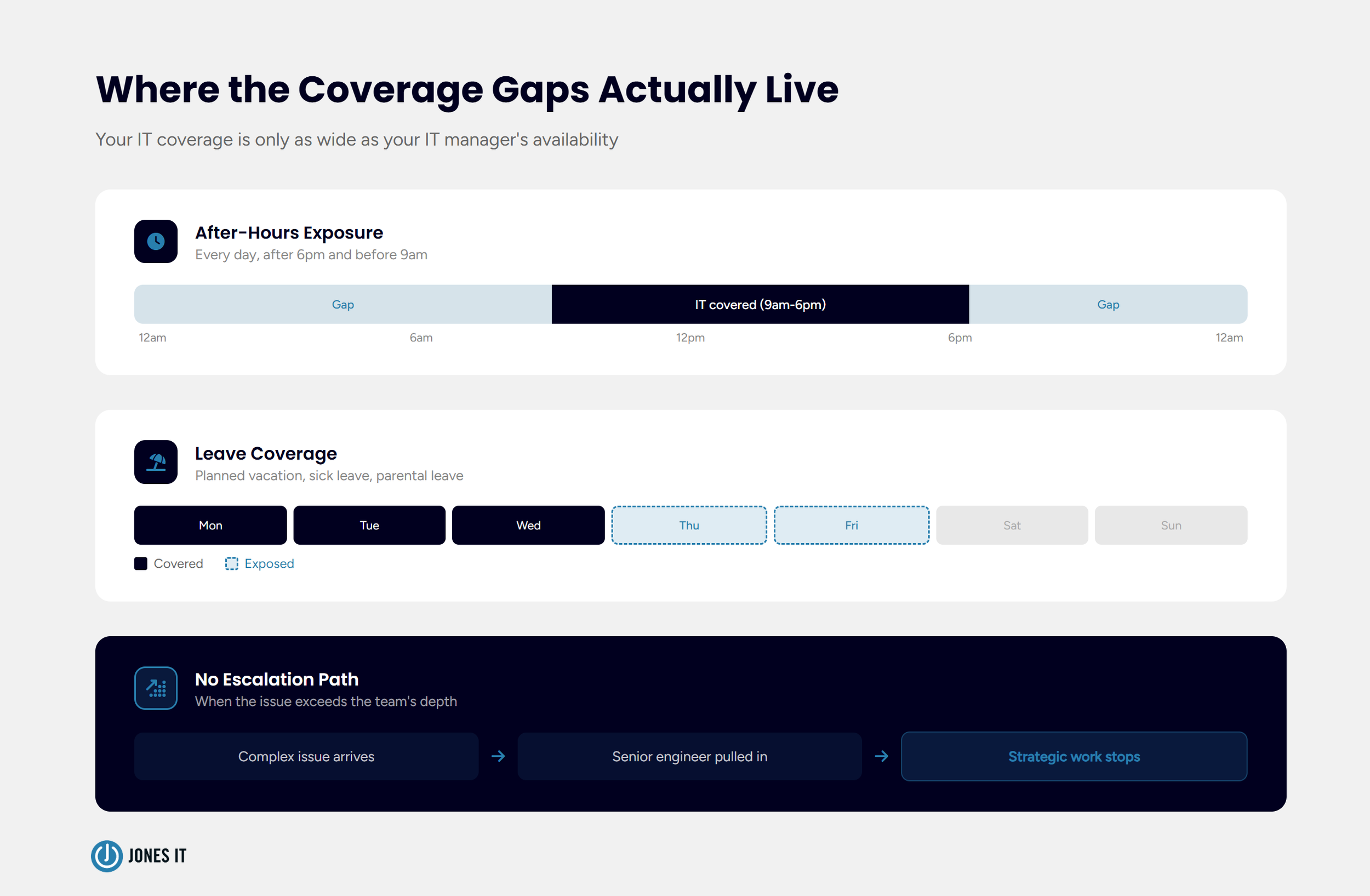
A coverage gap is what happens when your IT function depends on the physical presence or availability of one or two people. If your IT manager is the only person who can approve access requests, handle a network outage, or reset an MFA token, then your IT coverage is only as wide as that person’s working hours and availability.
For most companies at the 50 to 100-person stage, this is a structural risk they’ve accepted without fully accounting for it. When the IT manager is in a meeting, users wait. When they’re traveling, non-urgent issues pile up. When something goes wrong at 6 pm on a Friday, the question of who handles it becomes uncomfortable. A co-managed IT partner extends coverage hours and provides a real escalation path for issues that arise outside normal working hours, without requiring your internal team to be on call indefinitely.
2. Escalation capacity
Without escalation capacity, complex issues either sit unresolved or get worked on by the most senior person available, which is almost always your IT manager, pulling them away from everything else.
The practical effect is that your highest-value IT resource spends a disproportionate amount of time on problems that shouldn’t require their attention, while problems that do require deep expertise get resolved more slowly than they should. Tier 1 user support goes to the partner. Anything that requires architecture-level judgment or specialized expertise gets routed to the right person immediately, whether that’s internal or external. A well-structured co-managed IT arrangement defines escalation paths from day one.
3. Leave coverage
This one is underestimated consistently. Your IT manager has earned their vacation. Your IT manager also carries more institutional knowledge about your environment than almost anyone else at the company. When they’re out for two weeks, what actually happens to IT operations?
For most companies at this stage, the honest answer is: it depends on whether anything breaks. If nothing breaks, things limp along. If something breaks, someone panics. That’s not a coverage model; it’s a gamble. An external co-managed IT partner that knows your environment, your tooling, and your escalation paths provides genuine continuity during planned leave. A co-managed IT partner also handles the unplanned kind: the sick days, the family emergencies, the moments when your IT manager is simply not available, and the business doesn’t stop moving.
When your IT manager knows that coverage exists, they actually take the leave they need. IT burnout is a real and expensive problem. Replacing a mid-level IT engineer typically costs 50 to 75 percent of their annual salary once you account for recruiting, onboarding, and the productivity gap during the transition. Proper leave coverage isn’t just an operational nicety; it protects a significant investment.
4. Specialized engineering bandwidth
General IT competence and specialized engineering depth are not the same thing, and most internal IT teams at the Series A or B stage were built for the former. When your company needs to implement a SOC 2 Type II control framework, migrate to a new cloud infrastructure, roll out a compliant MDM stack across a distributed workforce, or stand up a new office in Mission Bay, you’re asking for specialized expertise that your IT manager almost certainly hasn't had reason to develop.
The options when this gap appears are narrow. You can hire a specialist, which is slow and expensive and often overkill for a project-scoped need. You can ask your IT manager to figure it out, which works sometimes and costs you weeks of their time learning on the job. Or you can bring in external depth on demand, through a co-managed partner that already has engineers with those specific specializations ready to work alongside your team. For most companies at this stage, the third path is the only one that makes business sense.
What IT Coverage Gaps Actually Cost the Business
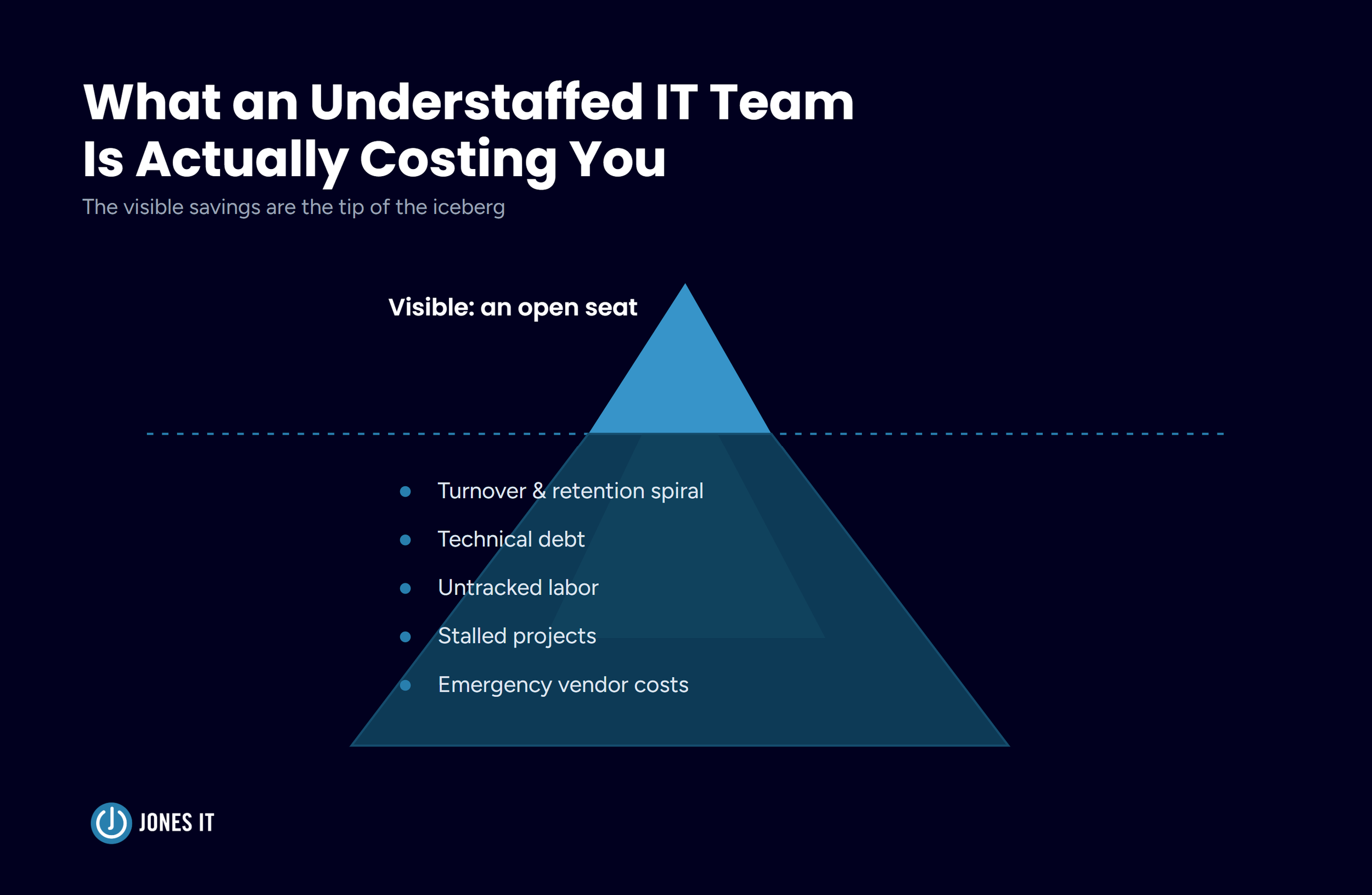
COOs tend to think about IT costs in terms of headcount and tooling spend. IT coverage gaps, escalation failures, and leave continuity problems don’t show up on a budget line until something goes wrong, and by then they’re hard to reverse.
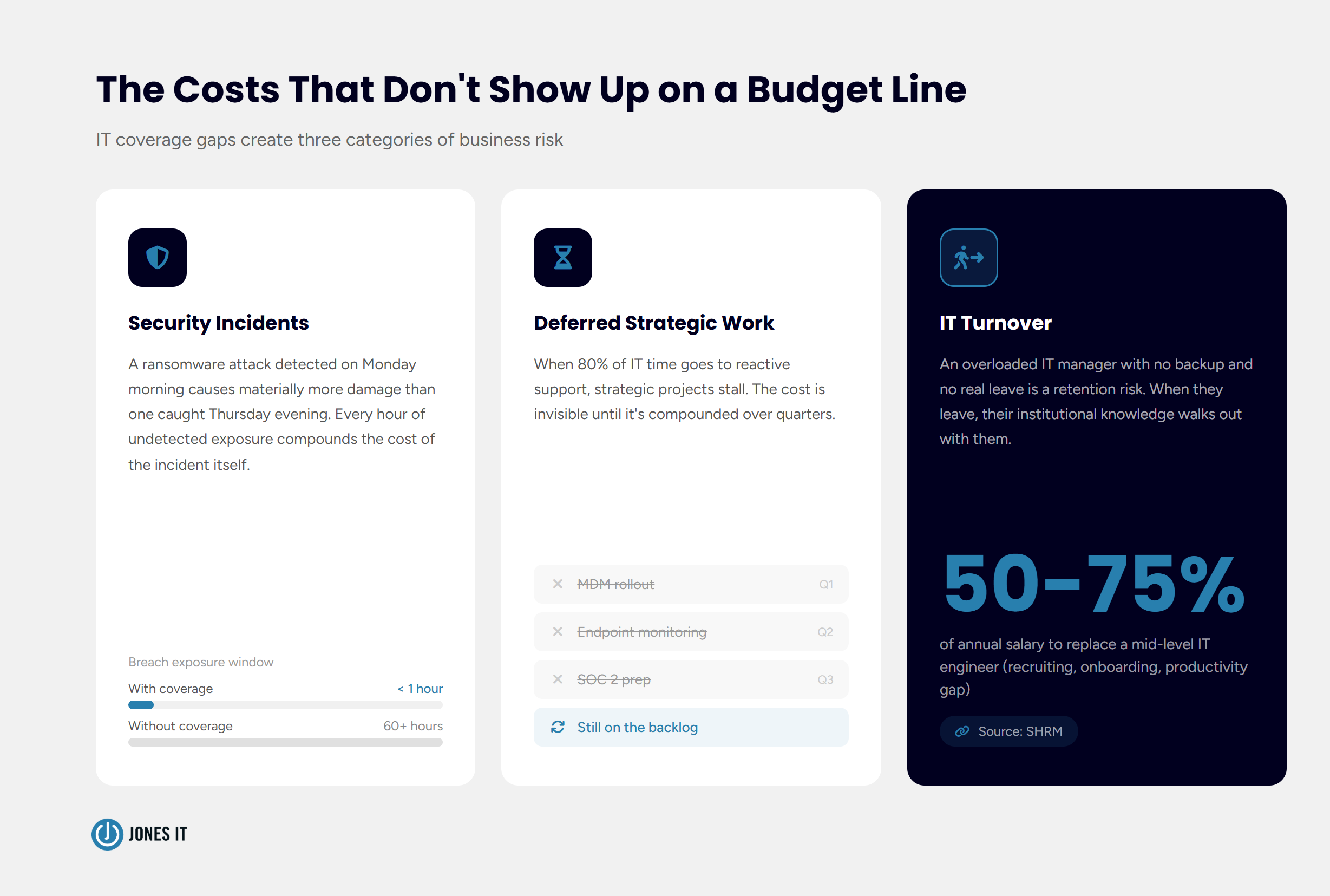
Security incidents during coverage gaps are the most acute risk. A ransomware attack that triggers on a Thursday evening and goes undetected until Monday morning causes materially more damage than one caught within an hour. Extended response windows aren’t just inconvenient; they compound the cost of the incident itself. For a fintech or SaaS company with compliance obligations, the regulatory exposure during a coverage gap compounds further.
Deferred strategic work is a slower and less visible cost. When your IT manager is spending 80 percent of their time on reactive support and 20 percent on everything else, the projects that drive the business forward get pushed indefinitely. The MDM rollout, which would reduce onboarding time from three days to one, gets shelved. So does the endpoint monitoring that would give you real-time visibility into your security posture. While the documentation, which would let someone else cover effectively during leave, isn’t even started. These things keep getting deferred because there’s always something more urgent.
Turnover is the cost that tends to surprise leadership most. An IT manager who is consistently overloaded, with no escalation path, no backup, and no real leave, is a retention risk. When they leave, the institutional knowledge they’ve built about your environment, your vendors, your edge cases, and your team walks out with them, leaving behind a massive knowledge tacit knowledge vacuum and the gaping productivity gap. Proper coverage doesn’t just reduce operational risk; it protects that investment.
We’ve covered the actual costs of IT coverage gaps in greater detail in our blog post: What an Understaffed IT Team Is Actually Costing You.
How to Augment Your Internal IT Team Without Losing Control
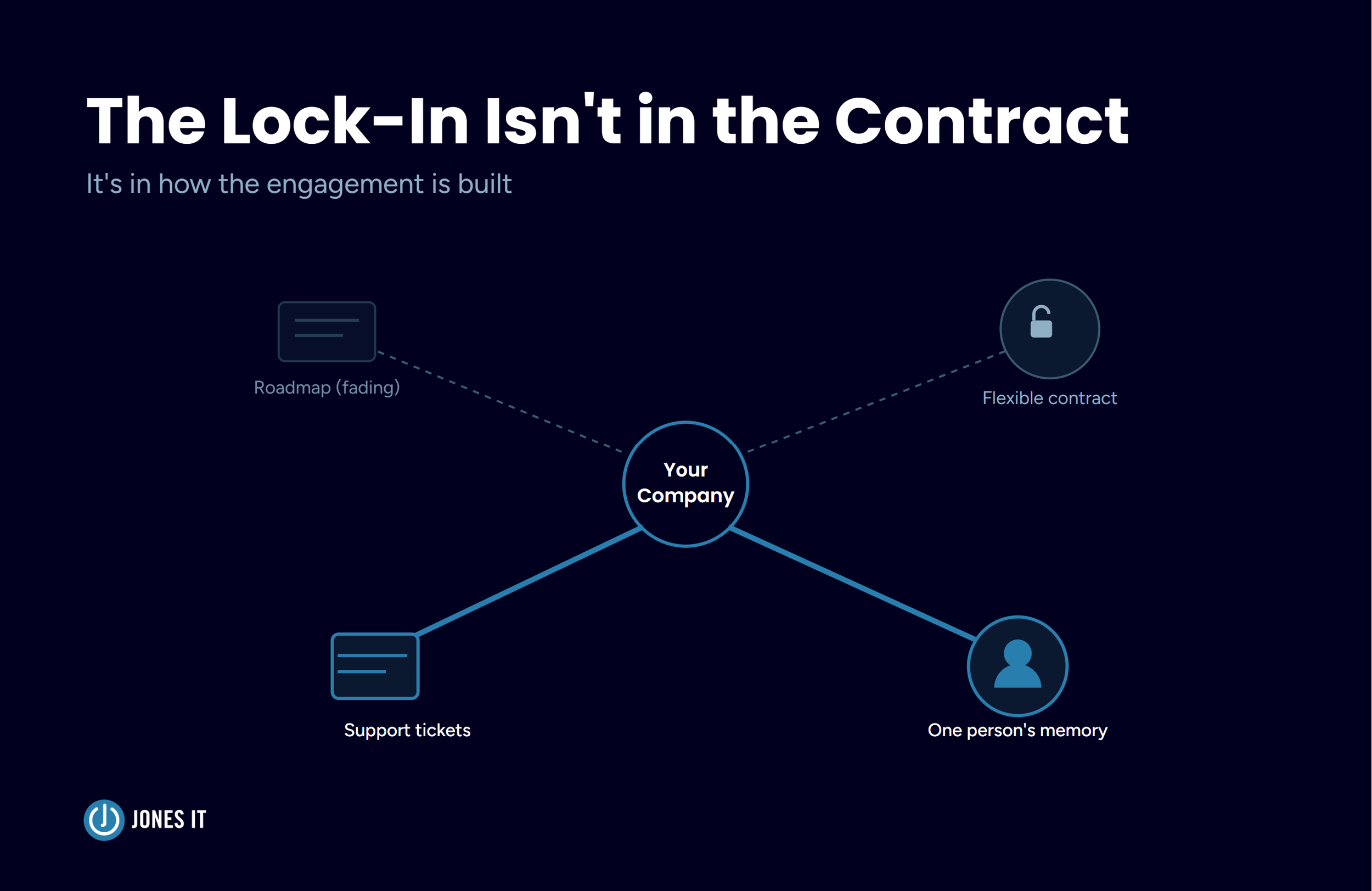
The phrase “outsourcing IT” makes COOs and IT managers uncomfortable, for good reason. Handing over your IT function to an external provider means giving up context, control, and institutional knowledge your team has built over the years. Augmenting your internal IT team is a different proposition entirely.
In a co-managed IT arrangement, your internal team stays in place. Your internal team retains ownership of the IT roadmap, the vendor relationships, and the decisions that require deep knowledge of your company. What changes is that they now have a defined partner for the gaps: coverage hours, escalation paths, specialist work, and leave continuity. The external partner operates as an extension of the internal team, not a replacement for it.
Before any co-managed engagement starts, the division of responsibilities needs to be explicit. Which tickets route to the internal team? Which go to the partner? Who owns endpoint security? Who handles compliance evidence collection? Who is the point of contact during the IT manager’s leave? These questions feel administrative, but they’re where co-managed arrangements either work or quietly fall apart.
At Jones IT, we spend real time on this at the start of every co-managed engagement. We document the environment, map the existing processes, establish shared tooling, and define escalation paths before we handle a single ticket. The upfront investment in clarity is what makes the ongoing relationship quiet in the right way: your internal team does their work, we do ours, and nothing falls through the gap between.
Is Co-Managed IT Support Right for Your Team?
Co-managed IT support works best for specific company profiles. If you recognize most of the following in your situation, it’s worth exploring seriously.
You have one to three internal IT staff members who are competent and engaged, and you want them to stay that way.
Your company has between 40 and 150 employees and is growing faster than your IT headcount.
You have compliance requirements (SOC 2, HIPAA, SOX) that are outpacing your internal team’s bandwidth to address them.
Your IT coverage drops meaningfully when someone is out, and you’ve had at least one uncomfortable moment because of it.
You have project-scoped engineering needs (office buildouts, MDM rollouts, cloud migrations) that don’t justify a full-time specialist hire.
You’re not ready to outsource IT entirely, and you don’t want to.
If the last point resonates, hold onto it. Co-managed IT is built for companies that value the internal IT relationship and want to strengthen it. A well-structured arrangement gives your team the support structure to do their best work without replacing the people who make it work.
What to Look for in a Co-Managed IT Partner
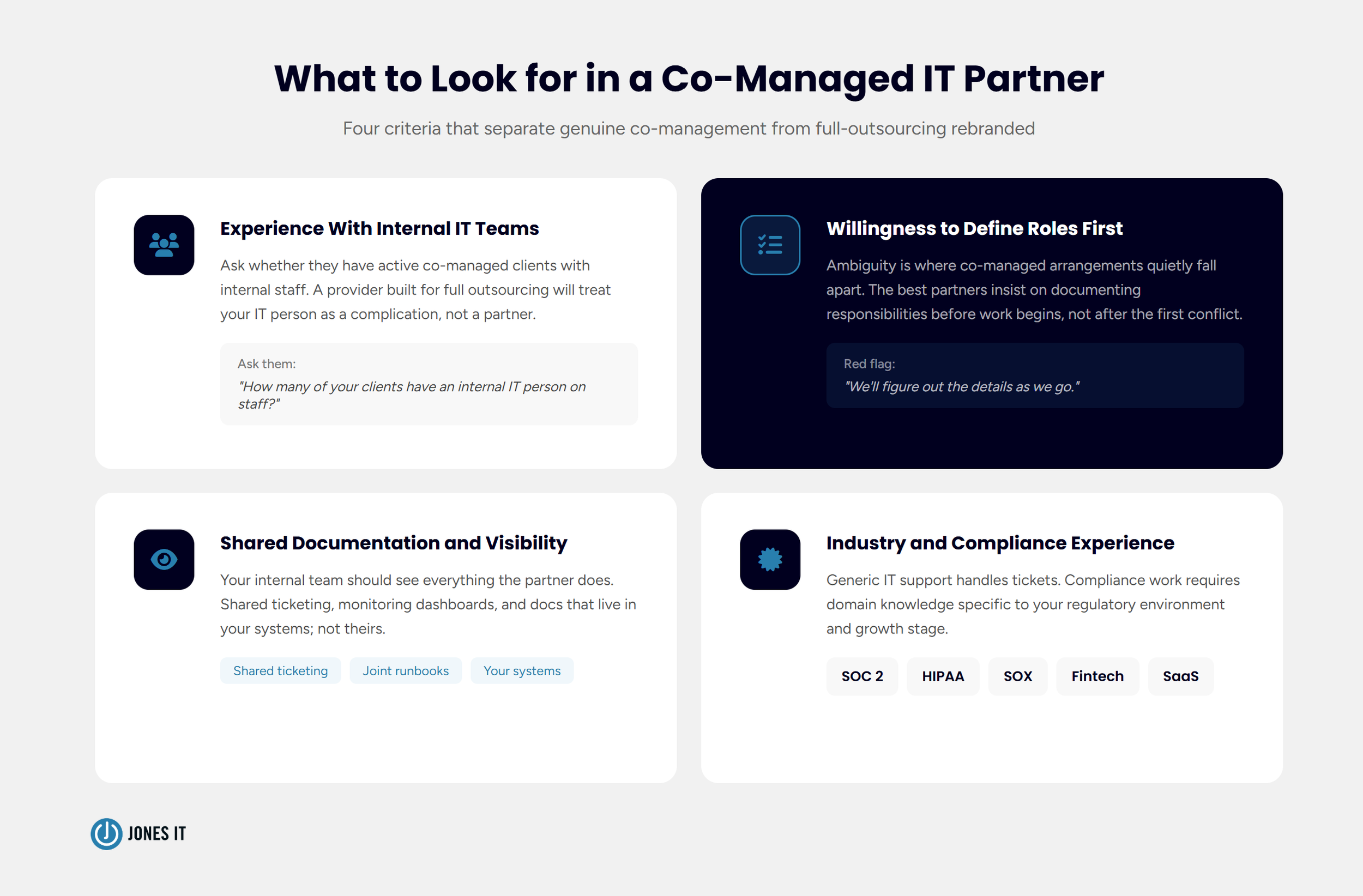
Not every managed service provider (MSP) is built to work alongside an internal IT team. Some are structured for full outsourcing and treat co-managed IT as a reduced version of their standard model. That approach tends to create friction rather than resolve it. A few things separate partners who are built for genuine co-management from those who are not.
Experience with internal IT teams
Ask whether the partner has active co-managed clients with internal IT staff, and how they structure those relationships. A provider who primarily works with companies that have no internal IT function will approach your situation very differently from one who has built their model around shared responsibility.
Willingness to define responsibilities before starting
A partner who is vague about role boundaries during the sales process will be vague about them during the engagement. The best co-managed providers will insist on defining responsibilities before work begins, because they know that ambiguity is where things break down.
Shared documentation and visibility
Your internal team should have full visibility into everything the co-managed partner is doing. Shared ticketing systems, shared monitoring dashboards, and documentation that lives in your systems rather than theirs ensure that your team stays informed and that knowledge accumulates on both sides of the relationship. If a provider resists transparency about their work, that’s a signal worth paying attention to.
Relevant industry and compliance experience
If you’re a fintech company with SOC 2 obligations, your co-managed IT partner needs to understand that context. Generic IT support can handle tickets; compliance-related work requires domain knowledge specific to your regulatory environment. Ask for examples of work they’ve done with companies at your stage and in your industry.
The Bottom Line
Coming back to that COO in the Financial District: after six months working with Jones IT in a co-managed arrangement, her IT manager had closed his SOC 2 evidence backlog, was actually taking his vacation days, and had a defined escalation path for the first time. His ticket queue was under control. The company had set up a new office in SoMa without the buildout consuming his entire quarter. He was, in her words, “finally doing the job I hired him to do”.
If any of these maps onto your situation, we’re happy to talk through whether a co-managed model makes sense for your team. To learn more about how Jones IT’s co-managed IT services work, simply reach out to schedule a call.


About The Author

Evan JonesFounder and CEO of Jones IT
With over two decades of IT experience in San Francisco, Evan guides Jones IT's long-term strategy, finances, and culture, with a vision of building the city's highest-rated IT services firm. Outside of work, you'll find him on the golf course or running Bay Area Warriors, his non-profit connecting Bay Area kids to college through basketball.
Learn how to hand off Level 1 support to a co-managed IT help desk without losing control or dip in quality, and free up your team for strategic IT projects.