
Startup IT Budget Planning: How Much to Spend at Every Stage
A founder we worked with came to us a few weeks after closing his seed round. He had just landed a meeting with a Fortune 500 company, a potential anchor customer that would have changed the trajectory of his business. The deal stalled when their security team asked for a SOC 2 report. He didn’t have one. He hadn’t budgeted for one. And he had no idea that enterprise procurement would ask for it this early.
Startup IT budget planning gets treated as something to figure out later, after product-market fit, after the first real hire, after the next round. But IT isn’t just infrastructure. At a startup, it’s the foundation on which your sales, security, compliance, and operational credibility are built. What you spend on it, and when, determines whether you can close certain customers, pass investor due diligence, and scale without rebuilding everything from scratch.
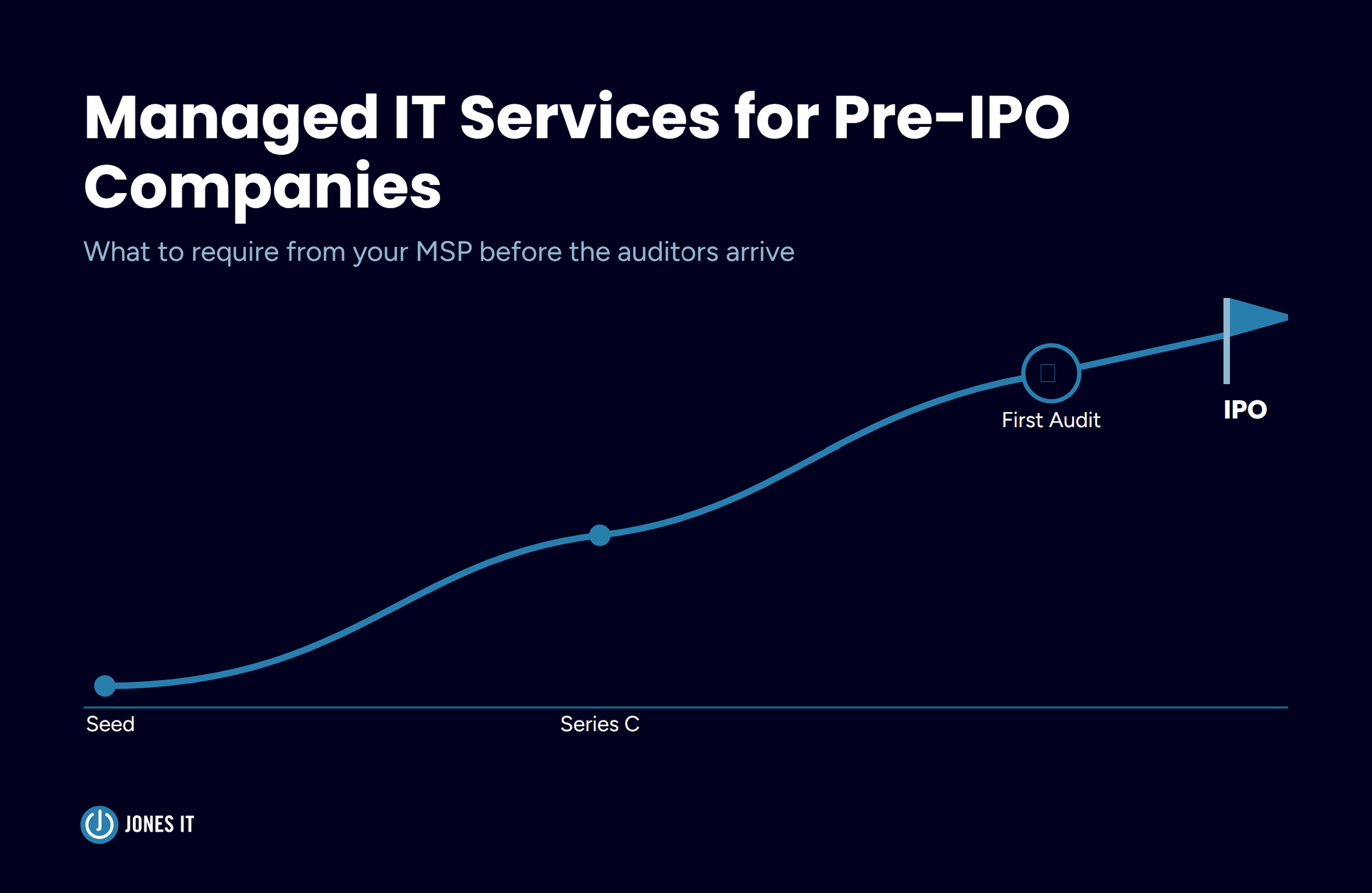
This guide covers startup IT budget planning at the seed, Series A, and Series B stages. The framework isn’t based on a fixed percentage of revenue, because revenue at a seed-stage startup is often close to zero, which makes percentages nearly useless. Instead, we frame IT budget decisions around the specific capabilities you need at each stage and the real cost of getting caught without them. The governing principle throughout is to budget for where you need to be in 12 to 18 months, not just where you are today.
Seed Stage: Building the Foundation Without Overspending
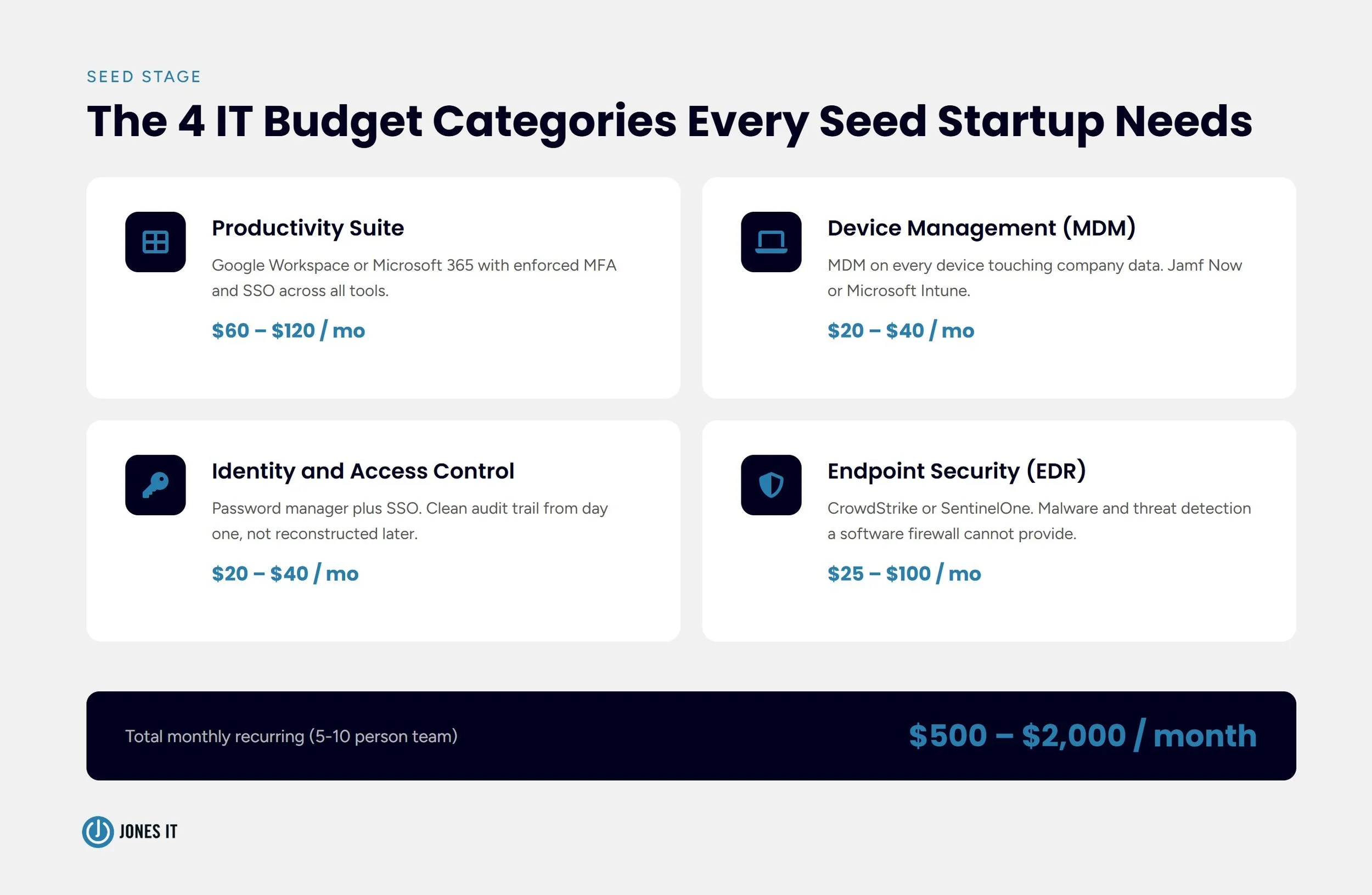
At the seed stage, every dollar matters and enterprise-grade IT sprawl is the wrong move. The seed stage IT budget covers four categories: core productivity software, device management, basic security, and access control.
Core Productivity and Collaboration
The most important decision at the seed stage is which productivity suite to standardize on. For most early-stage SaaS startups in San Francisco, the default is Google Workspace since it offers native collaboration features, straightforward admin controls, and lower overhead for a small team. Google Workspace Business Standard runs $12 per user per month. The configuration matters as much as the license. Domain-wide security policies, enforced multi-factor authentication, and proper admin controls from day one create a much cleaner foundation than retrofitting them later.
Device Management and Access Control
Most seed-stage startups let people use their own devices, which means company data and code repositories sit on personal machines with no visibility or control. At minimum, deploy a mobile device management (MDM) solution on any device that touches company data. Jamf Now runs $2 to $4 per device per month. Microsoft Intune is included in certain Microsoft 365 Business plans.
Access control is the most underinvested area in early-stage startup IT. The pattern is constant: everyone has admin rights, passwords are shared over Slack, no audit trail exists. Deploy a password manager (1Password Teams or Bitwarden Business run $3 to $8 per user per month) and enforce SSO through your productivity suite for every SaaS tool you add. When you eventually pursue SOC 2 compliance, the auditor will look at how you manage access. Clean records from day one versus reconstructed records is a material difference in time and cost.
Basic Security
Endpoint detection and response (EDR) is non-negotiable. Products like CrowdStrike Falcon Go or SentinelOne Core run $5 to $10 per endpoint per month and provide malware and threat detection that a software firewall alone does not. Pair this with enforced MFA on all accounts and encrypted storage on all company devices.
Seed-Stage IT Budget Snapshot
For a team of five to ten people, recurring software costs run $500 to $2,000 per month:
Google Workspace Business Standard: $60 to $120 per month.
Password manager: $20 to $40 per month.
MDM solution: $20 to $40 per month.
EDR software: $25 to $100 per month.
Cloud storage and backup: $50 to $200 per month.
Email security (DKIM, DMARC): mostly one-time setup costs.
One-time hardware costs, if issuing company MacBook Pros, run $7,500 to $20,000 for a five to ten-person team. Don’t skimp on configuration. Buying tools and leaving them on default settings is barely better than not buying them.
The Build vs. Buy Decision: In-House IT vs. Managed Services
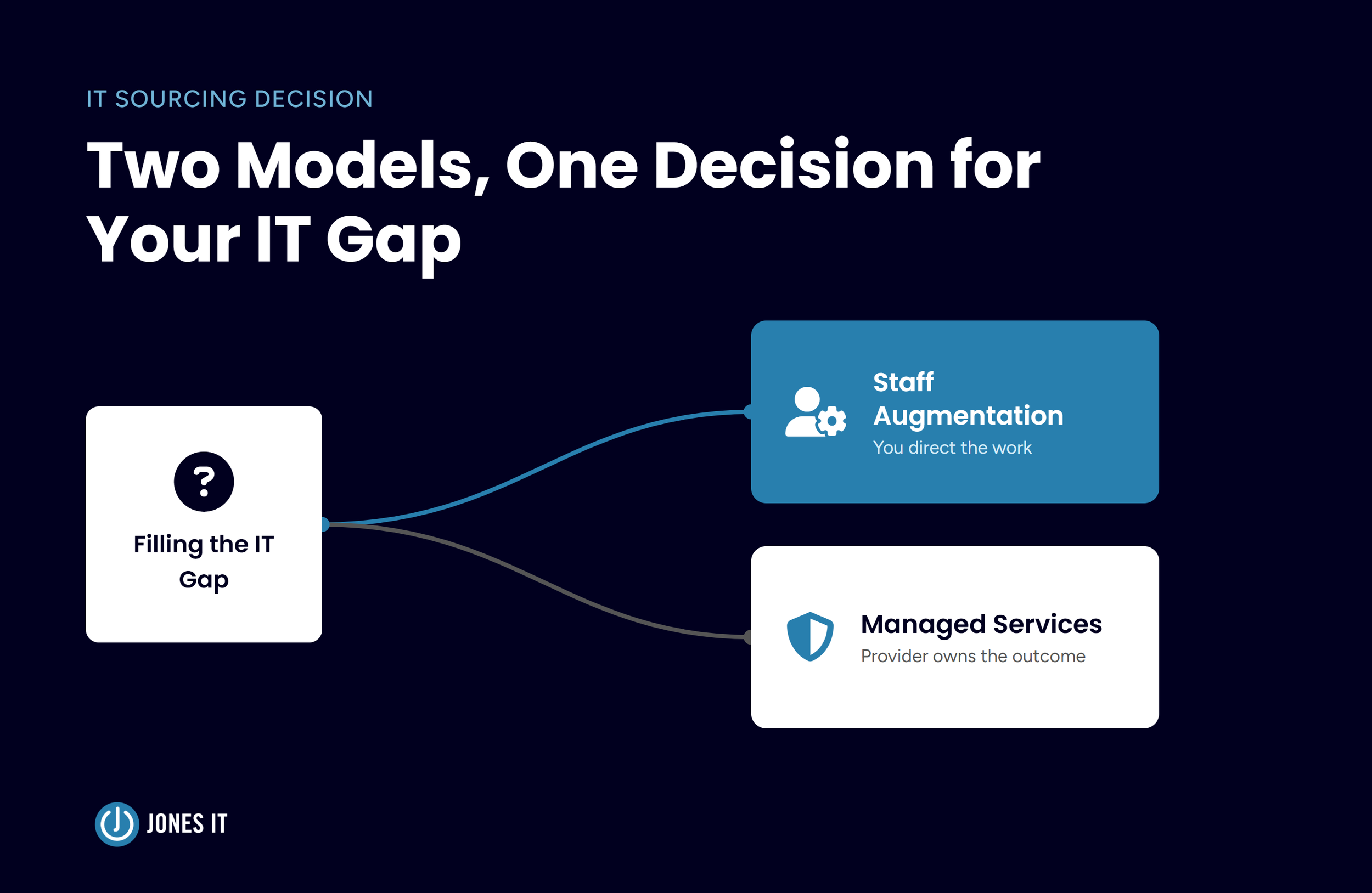
Whether to hire in-house IT staff, engage a managed IT provider, or combine both has the largest single impact on your IT budget from Series A onward. It’s worth understanding the cost structure before you hit the budget snapshots below.
In-House IT Costs
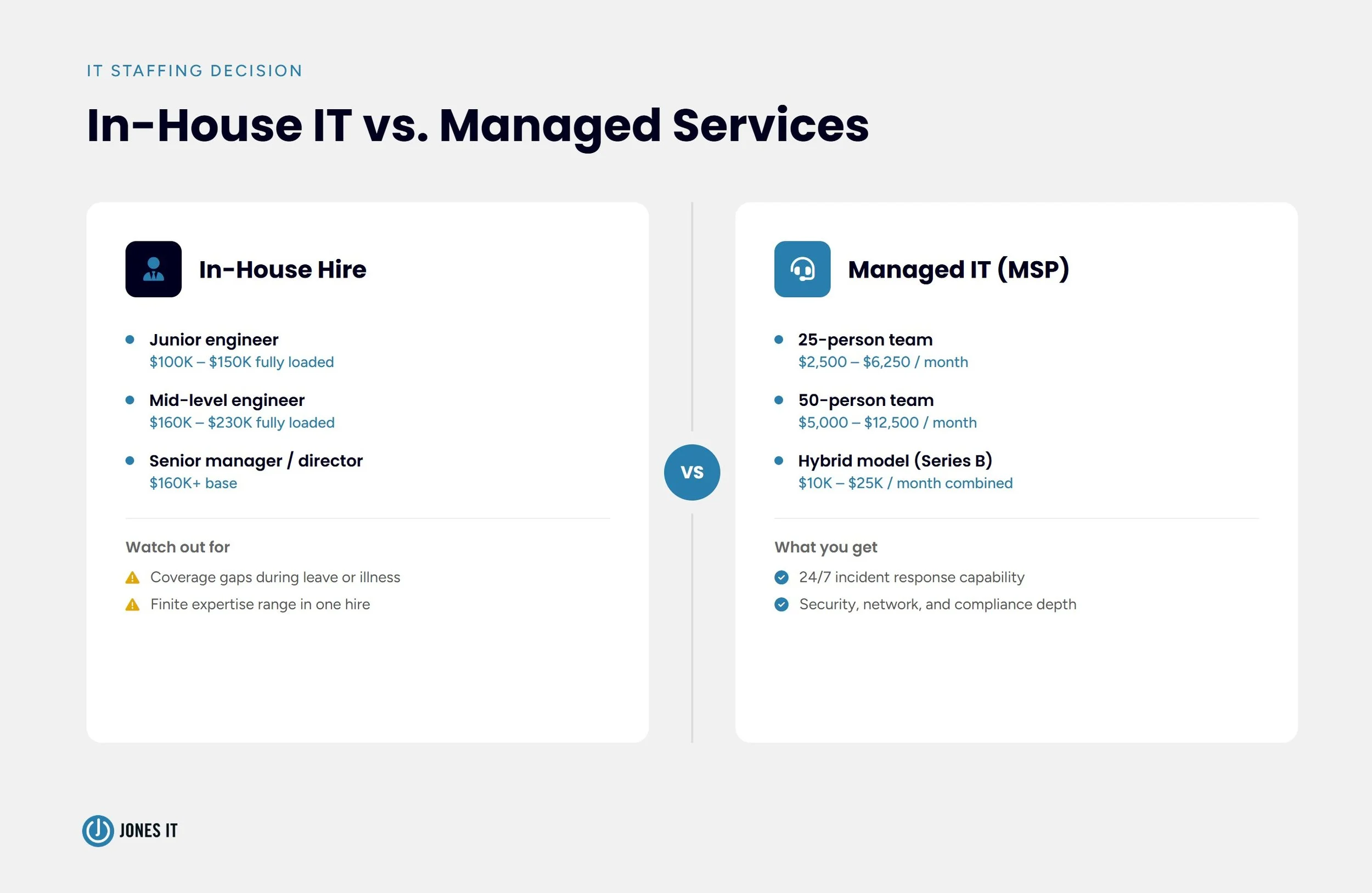
A junior IT support engineer in San Francisco earns $70,000 to $100,000 in base salary, or $100,000 to $150,000 fully loaded with benefits, taxes, and equity. A mid-level IT systems engineer runs $120,000 to $160,000 base ($160,000 to $230,000 fully loaded). A senior IT manager or director starts at $160,000. The in-house model also has coverage gaps: one person takes vacations, gets sick, and has a finite range of expertise. Deep security knowledge, network engineering, and compliance familiarity rarely coexist in a single generalist hire.
Managed IT Services Costs
An MSP specializing in San Francisco tech startups typically charges $100 to $250 per user per month for fully managed services. For a 25-person team, that’s $2,500 to $6,250 per month. For 50 people, $5,000 to $12,500. A well-scoped engagement covers help desk, device provisioning and management, security monitoring, vendor management, and IT strategy. Compliance platforms, cloud infrastructure, and network hardware are typically scoped separately.
The managed model provides the depth that a single in-house hire cannot. When a security incident happens at 11 pm on a Friday, you want a team with a defined incident response process, not one person who happens to be available. Most Series B startups land on a hybrid: one or two in-house staff for day-to-day operations and vendor relationships, backed by a managed provider for security operations and strategic depth. That combination typically runs $10,000 to $25,000 per month for a 60 to 100-person company.
Series A: When IT Becomes a Business Requirement
By Series A, you’re typically at $1 million to $4 million in ARR, growing fast, and hiring aggressively. The IT infrastructure that held together at five people starts to crack at 25. Onboarding takes longer, security policies are inconsistently applied, and enterprise customers are asking questions about your security posture you may not be able to answer confidently.
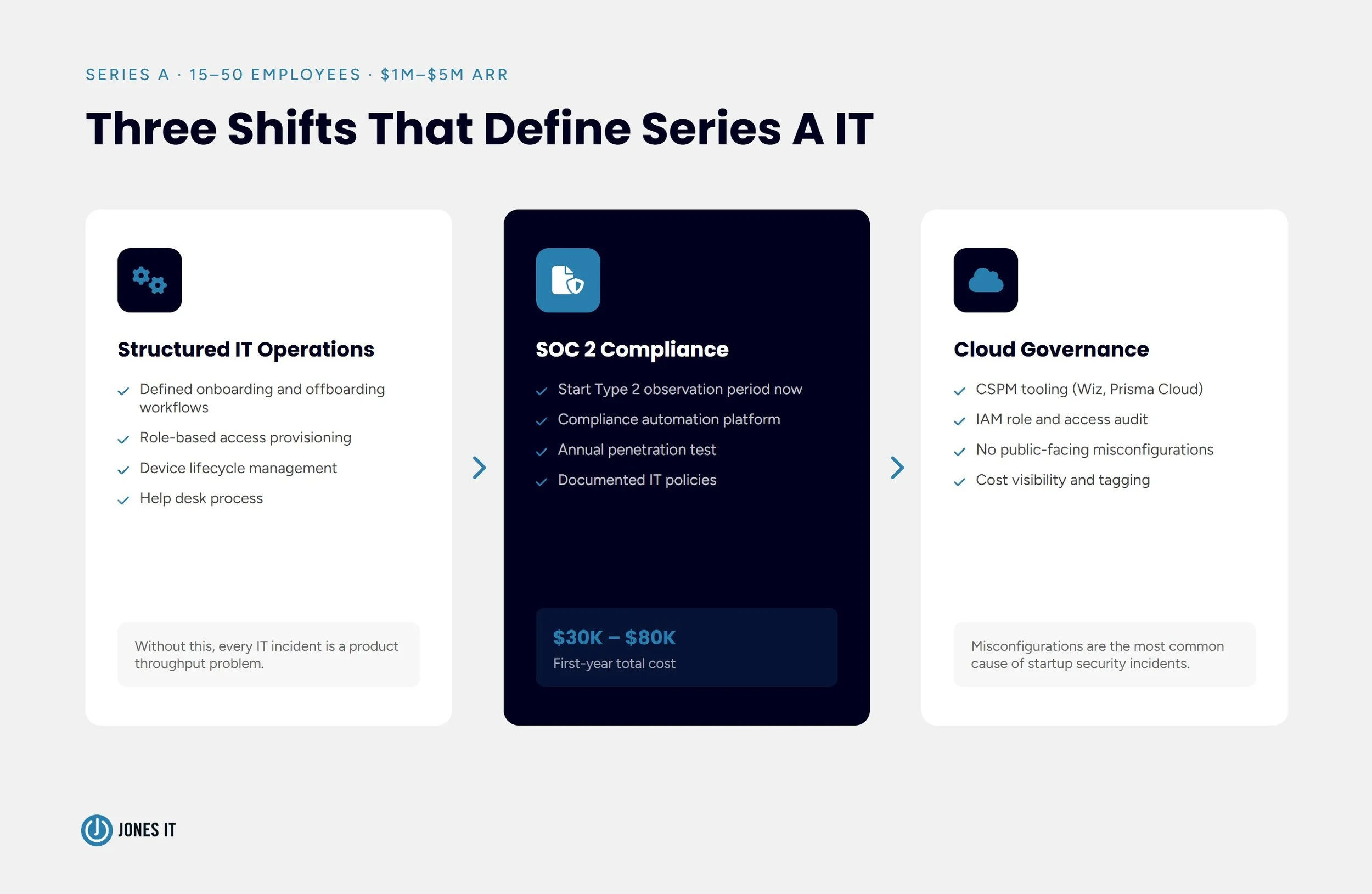
Three shifts define this stage: structured IT operations, the beginning of your compliance program, and a real decision about how IT gets managed.
Structured IT Operations
At Series A, you need formal IT processes: defined onboarding and offboarding workflows, documented access provisioning by role, a device lifecycle management program, and a help desk process. The cost of not having this is measurable. A mid-level engineer in San Francisco earns $150,000 to $200,000 per year, or roughly $75 to $100 per hour. An IT incident that costs that person two hours is worth $150 to $200. Multiply that across a 25-person engineering team, and you’re not looking at an IT problem; you’re looking at a product throughput problem. That’s what formalized IT operations actually buys you, and it’s also what makes the compliance program below easier to run without pulling engineers off the product.
Starting Your SOC 2 Compliance Program
The most important IT budget decision at Series A is when to start SOC 2. The answer is now.
SOC 2 is the security attestation standard developed by the AICPA that most enterprise customers require before signing a contract with a SaaS vendor. SOC 2 Type 1 evaluates whether your controls are designed correctly at a point in time. SOC 2 Type 2 evaluates whether those controls have operated consistently over six to twelve months.
Total first-year SOC 2 costs for a small startup typically fall between $30,000 and $80,000:
Auditor fees: $10,000 to $30,000 for boutique CPA firms that specialize in startups; $60,000 or more at Big Four firms.
Compliance automation platform (Vanta, Drata, Secureframe): $10,000 to $30,000 per year, which can reduce total compliance costs by 30 to 50 percent through automated evidence collection.
Security tooling gaps surfaced by readiness assessment: $5,000 to $50,000, including penetration testing at $5,000 to $15,000.
Internal staff time: 200 to 400 hours in year one, representing $20,000 to $50,000 in opportunity cost at Series A salaries.
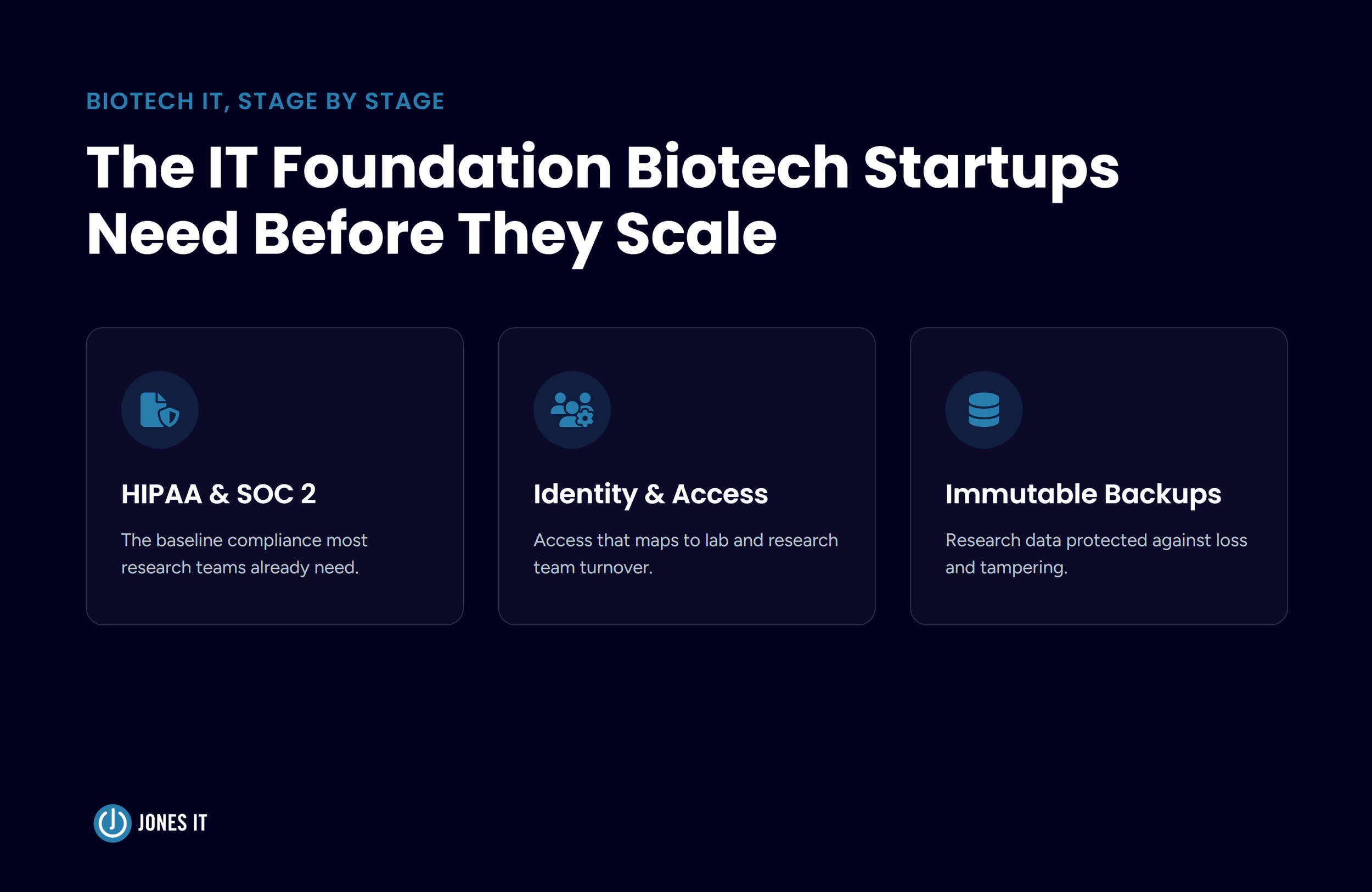
The reason to start at Series A rather than waiting is that the SOC 2 Type 2 observation period takes at least six months and cannot be compressed. If an enterprise deal comes in at Series B and you haven’t started your Type 2 clock, you’re six months away from a report you can’t rush. The founder in our opening story learned this the hard way. For regulated-industry startups, HIPAA compliance adds $15,000 to $50,000 in first-year costs, depending on scope.
Scaling Cloud Infrastructure
Most Series A startups are on AWS, GCP, or Azure. The question is whether anyone is actively managing cost, access, and configuration. Cloud infrastructure misconfigurations are among the most common sources of security incidents at startups: an S3 bucket left publicly accessible, an IAM role with overly broad permissions, a forgotten staging environment still exposed to the internet. Budget for a cloud security posture management (CSPM) tool if your cloud footprint is growing. Prisma Cloud and Wiz run $15,000 to $50,000 per year; AWS Security Hub provides a lower-cost starting point for smaller footprints.
Series A IT Budget Snapshot
For a team of 20 to 40 people, recurring costs run $8,000 to $25,000 per month, with significant one-time compliance costs in year one:
Managed IT services or internal IT staff: $5,000 to $15,000 per month.
Compliance automation platform: $800 to $2,500 per month.
Security tooling (EDR, MDM, SIEM): $2,000 to $6,000 per month.
Productivity suite and collaboration tools: $500 to $1,500 per month.
Hardware refresh and provisioning: $30,000 to $80,000 annually.
SOC 2 first-year program: $30,000 to $80,000 one-time.
Read more about managing growing pains post series a and avoiding blind spots between rounds in our blog post: IT Growing Pains Post-Series A: The Blind Spots Between Rounds.
Series B: IT as an Operational Capability
By Series B, most startups are at $8 million to $15 million in ARR with 50 to 150 employees. IT is no longer about keeping the lights on. It’s about enabling the organizational velocity that justifies the round. The systems and processes that held together at 30 people start generating friction at 80. This is where IT either becomes an accelerant or a bottleneck.
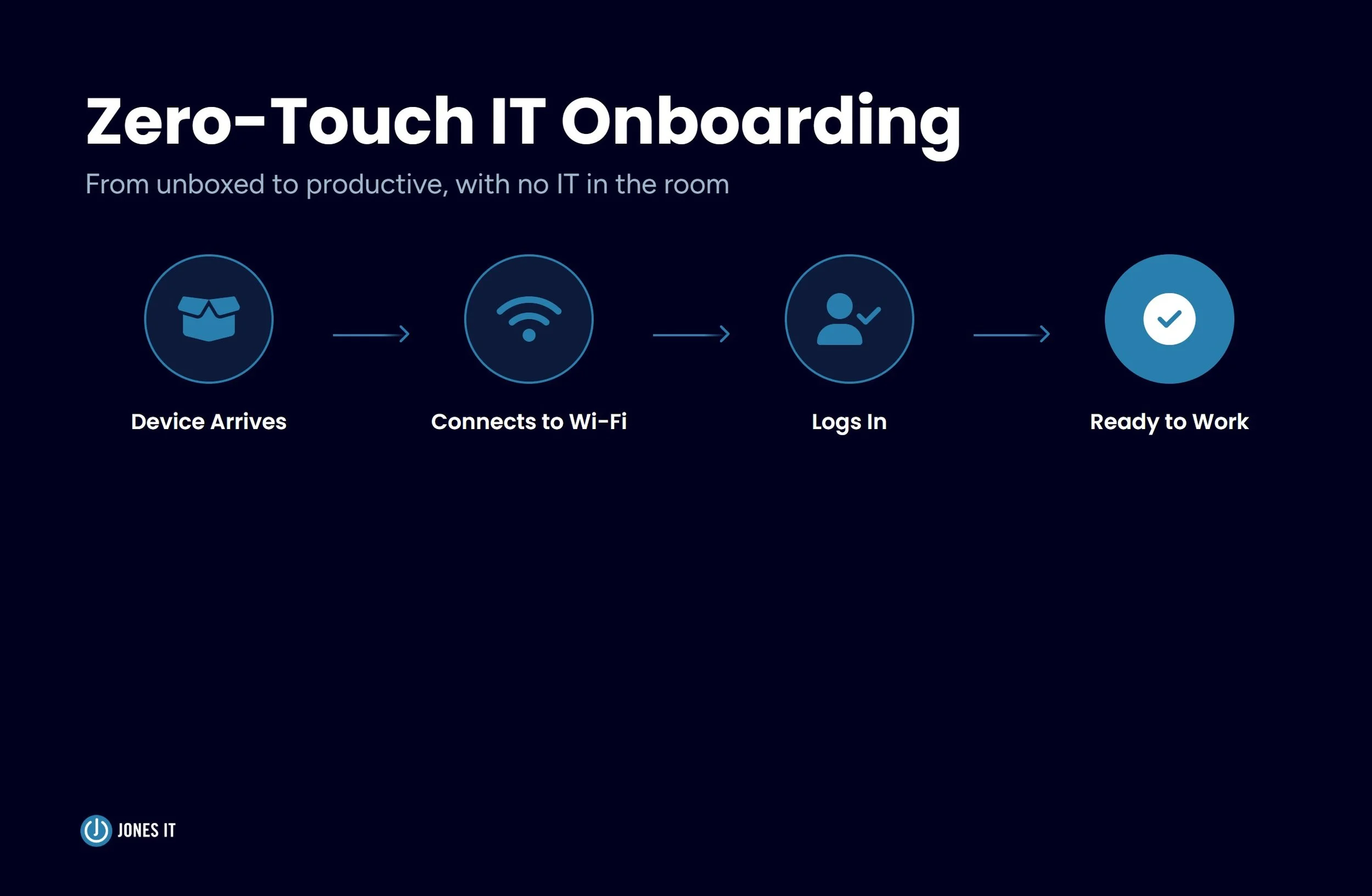
The defining Series B IT investments are automation and compliance maintenance. Manual provisioning, spreadsheet-based hardware tracking, and hand-run onboarding checklists are expensive at this headcount. Automating device provisioning (Apple Business Manager, Windows Autopilot), software license management, and onboarding workflows frees IT capacity and reduces access provisioning errors, which matters directly for SOC 2 control evidence.
If you started SOC 2 at Series A, you likely have your Type 2 report by Series B. Annual maintenance runs $15,000 to $40,000 in recurring audit fees plus the ongoing compliance platform. Some Series B startups add ISO 27001 at this stage, particularly for European market entry, at $20,000 to $60,000 in first-year certification costs. Budget separately for an annual penetration test ($10,000 to $30,000) and internal time for security questionnaires, which run to dozens of hours per large enterprise deal.
Series B IT Budget Snapshot
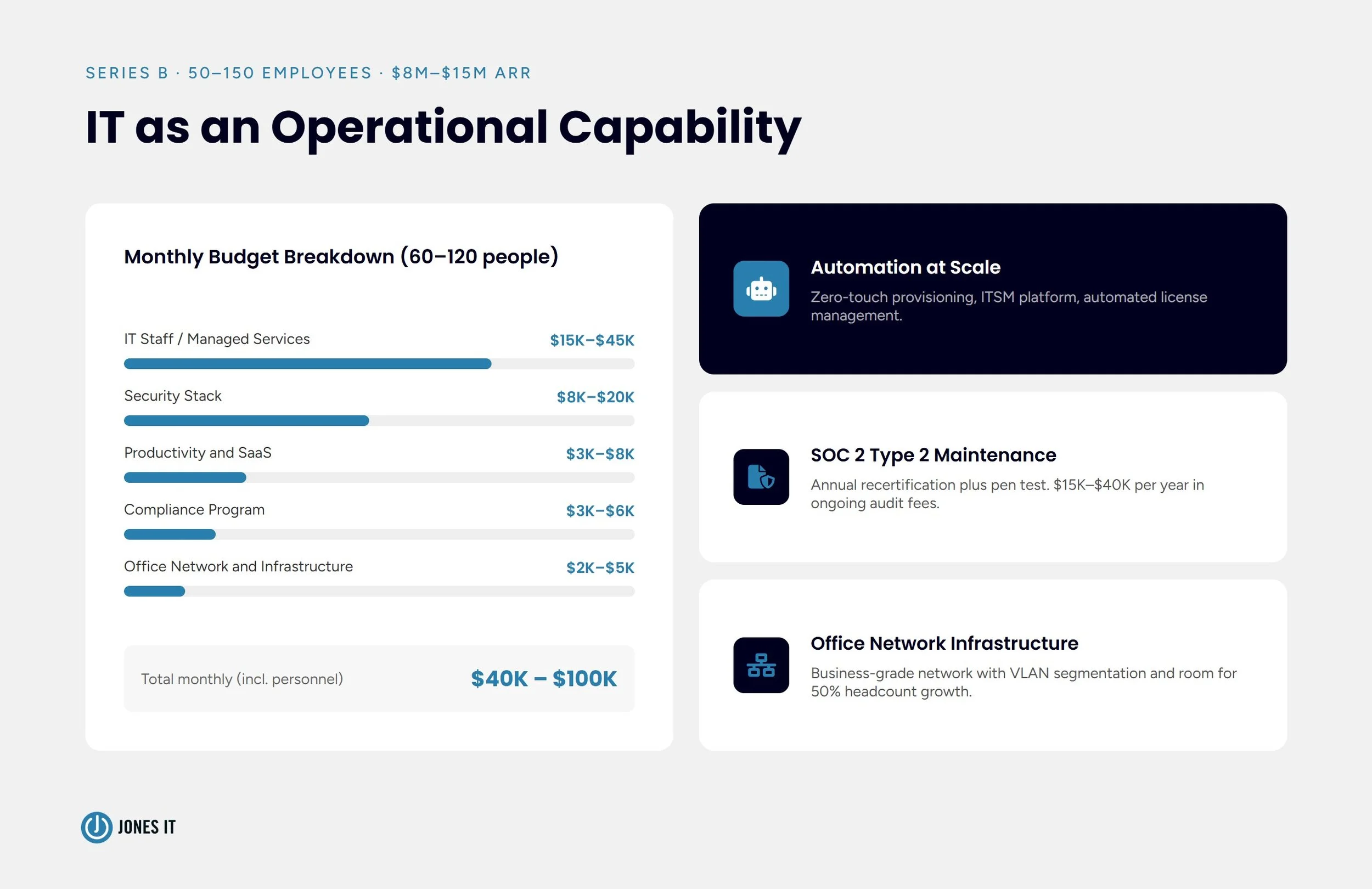
For a team of 60 to 120 people, total IT spend including personnel runs $40,000 to $100,000 per month:
IT staff (1 to 3 FTEs) or managed IT services: $15,000 to $45,000 per month.
Security stack (EDR, MDM, CSPM, SIEM, identity): $8,000 to $20,000 per month.
Productivity suite and SaaS portfolio: $3,000 to $8,000 per month.
Compliance program (SOC 2 maintenance, pen test): $3,000 to $6,000 per month averaged annually.
IT service management platform: $500 to $2,000 per month.
Hardware and device lifecycle: $60,000 to $150,000 annually.
Office network and infrastructure: $2,000 to $5,000 per month.
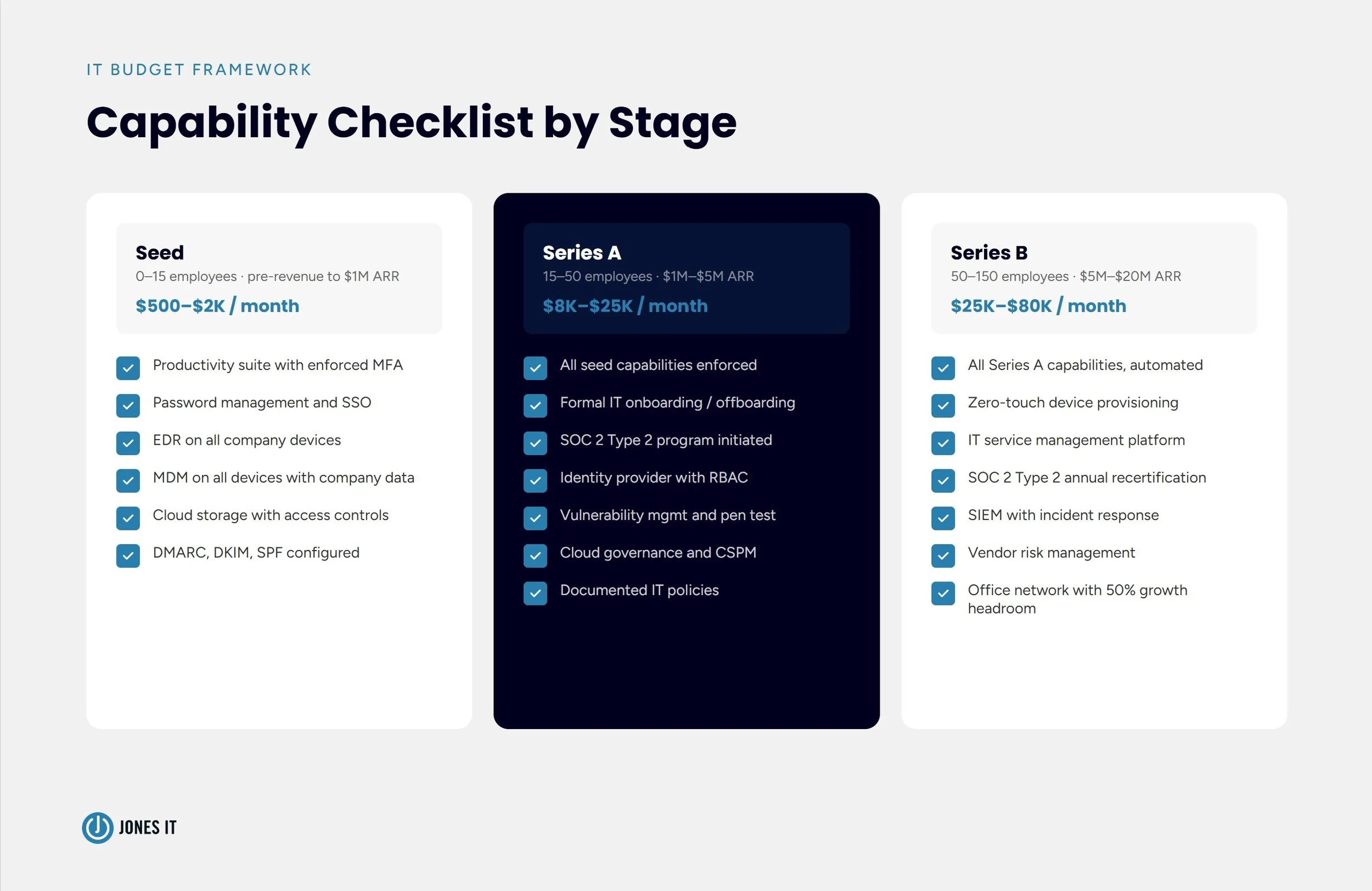
A Startup IT Budget Framework You Can Actually Use
Startup IT budget planning works best starting from a stage-appropriate capability checklist rather than a top-down percentage target. The 4 to 8 percent of revenue benchmarks published in industry surveys are drawn from companies with established revenue, which makes them nearly useless at seed and only marginally useful at Series A.
Stage 1: Seed (0 to 15 employees, pre-revenue to $1M ARR)
Standardized productivity suite with enforced MFA.
Password management and SSO across all critical SaaS tools.
EDR on all company devices.
MDM on all devices accessing company data.
Cloud storage with proper access controls and backup.
DMARC, DKIM, and SPF configured for your email domain.
Approximate monthly recurring cost: $500 to $2,000. One-time hardware: $7,500 to $20,000 if issuing company devices.
Stage 2: Series A (15 to 50 employees, $1M to $5M ARR)
All seed-stage capabilities, properly configured and enforced.
Formal IT onboarding and offboarding workflows.
Help desk process (internal or managed).
SOC 2 Type 2 program initiated.
Identity provider with role-based access controls.
Vulnerability management and annual penetration test.
Cloud infrastructure governance and CSPM tooling.
Documented IT policies (acceptable use, incident response, access control).
Approximate monthly recurring cost: $8,000 to $25,000. One-time first-year compliance costs: $30,000 to $80,000.
Stage 3: Series B (50 to 150 employees, $5M to $20M ARR)
All Series A capabilities at scale, with automation.
Zero-touch device provisioning and lifecycle management.
IT service management platform.
SOC 2 Type 2 maintained with annual recertification.
SIEM or equivalent security monitoring with incident response process.
Annual penetration test plus ongoing vulnerability scanning.
Vendor risk management program.
Dedicated IT staff or managed IT partnership.
Office network designed for current headcount plus 50 percent growth headroom.
Approximate monthly recurring cost: $25,000 to $80,000 including personnel.
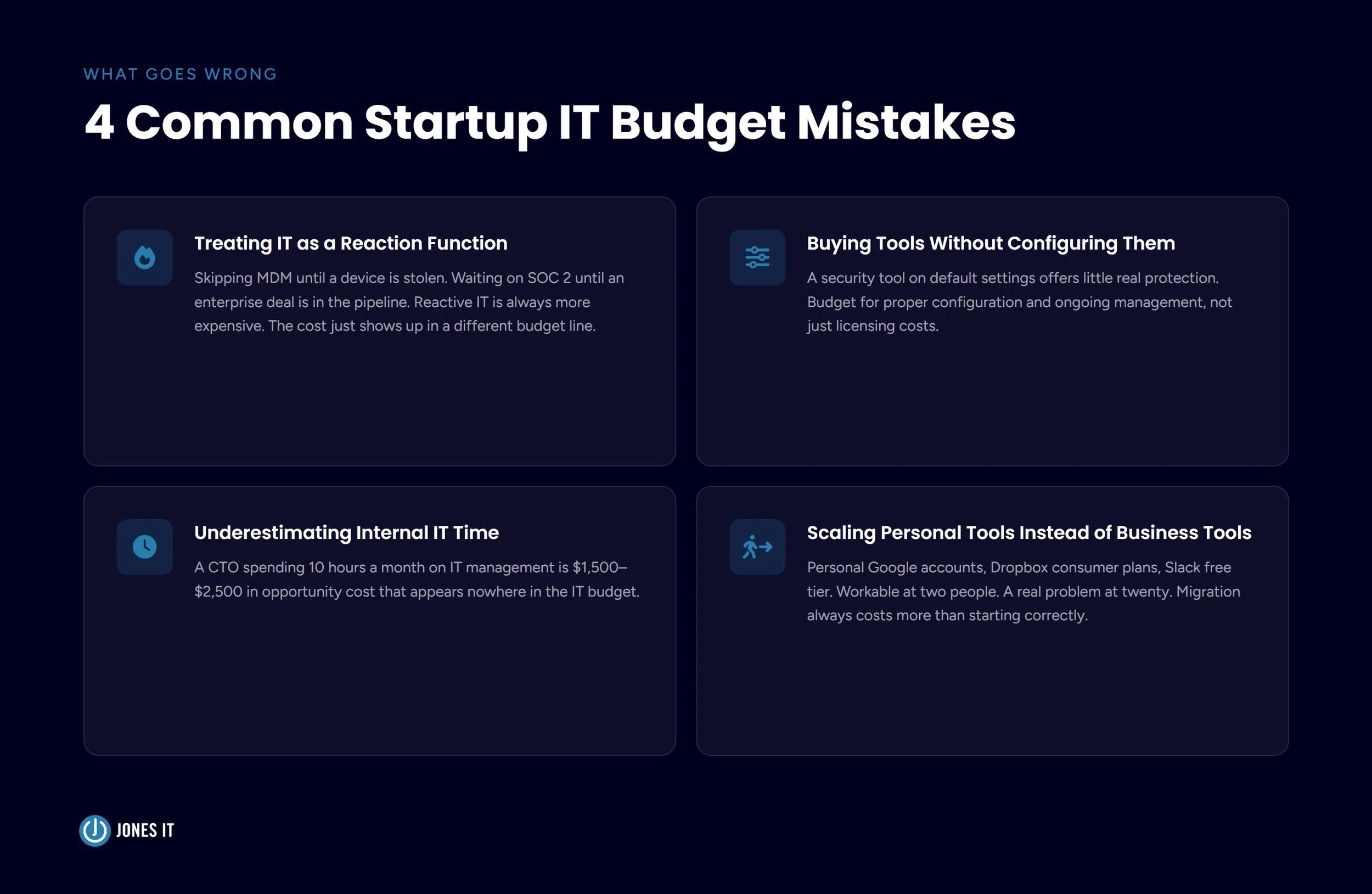
Common Startup IT Budget Mistakes
These are the patterns we see most in startups that come to us after something has gone wrong.
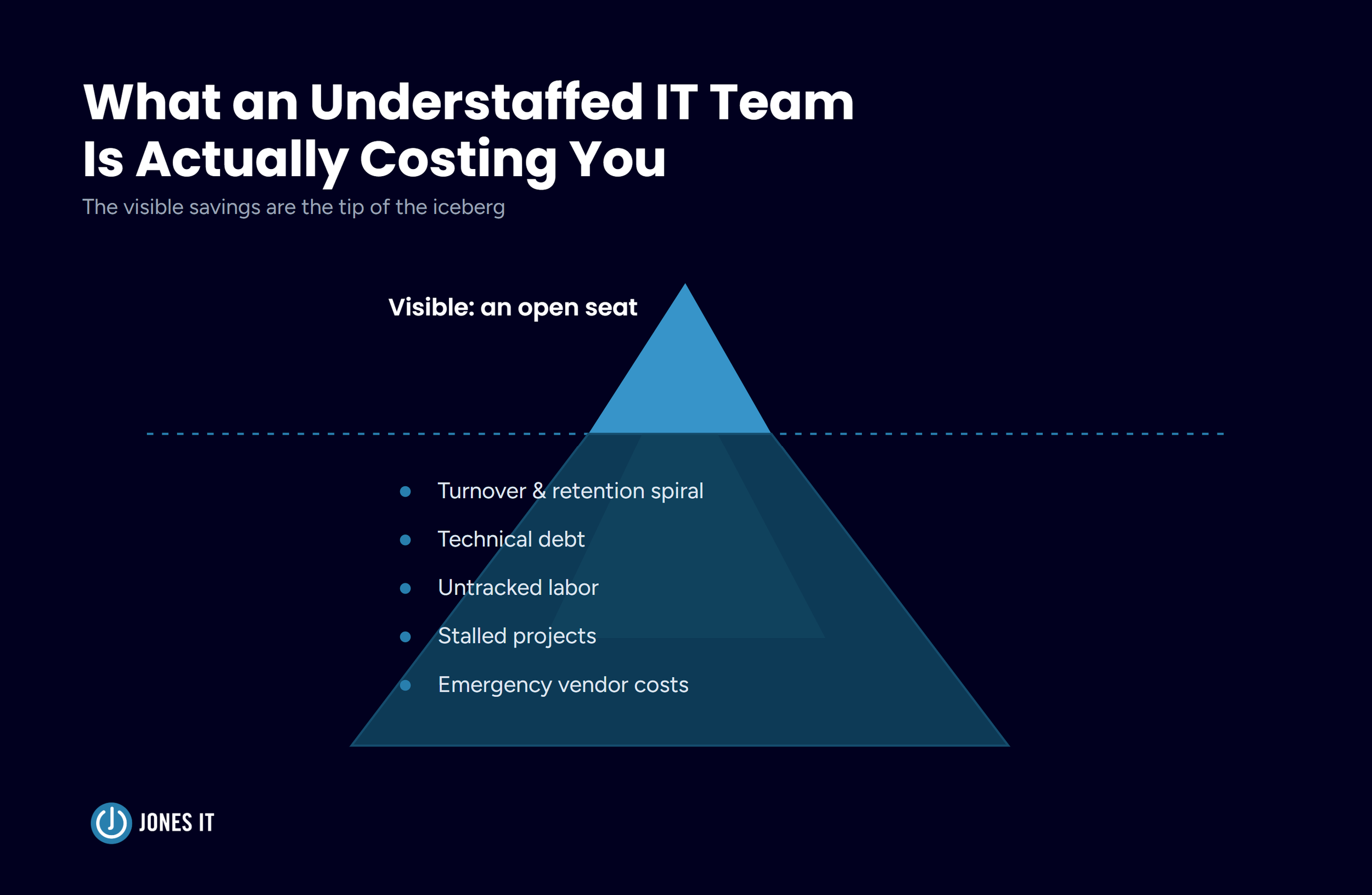
Treating IT as a reaction function. The seed-stage founder who skips MDM because nobody demanded it, then spends $50,000 on incident response when a device is stolen. The Series A startup that waits on SOC 2 until an enterprise deal is in the pipeline, then loses the deal because the Type 2 report is six months away. Reactive IT is always more expensive than proactive IT. The cost just shows up in a different budget line.
Buying tools without configuring them. A security tool on default settings offers little real protection. The value comes from the policies you enforce, the alerts you tune, the access controls you implement. Budget for proper configuration and ongoing management, not just licensing costs.
Underestimating internal IT time. Compliance programs and security incidents consume engineering hours that never appear in the IT budget. If your CTO is spending ten hours a month on IT management, that’s $1,500 to $2,500 per month in opportunity cost that shows up nowhere in your numbers.
Scaling personal tools instead of business tools. Personal Google accounts for business email, Dropbox consumer plans for company files, Slack free tier with 90-day message history. These are workable at two people and a real problem at twenty. The cost of migrating and reestablishing proper controls is always higher than starting correctly.
Conclusion
Startup IT budget planning is mostly about making bets on what you’ll need before you’re forced to scramble for it. The seed-stage investments in identity management and endpoint protection protect you from incidents that could end the company early. The Series A investment in SOC 2 opens the enterprise revenue channel that funds the Series B. The Series B investment in IT operations and automation enables the headcount growth that turns a startup into a thriving enterprise.
Skipping any of these has a cost that compounds quietly until you’re sitting across from a prospective customer explaining why you don’t have the security report they need to sign the contract.
Jones IT works with seed-through-Series-B startups across San Francisco. If you want a clear picture of where your IT infrastructure stands today and what it should look like at your next stage, an IT assessment is the right starting point. We’ll map your current gaps, prioritize what actually needs fixing, and give you a budget framework that matches where you’re headed.
For the full mechanics of IT budget planning, see our Guide to IT Budget Planning. For Bay Area cost benchmarks by headcount, see IT Cost Per Employee: 2026 Benchmarks for San Francisco Businesses.
Ready to get a clear picture of your IT infrastructure? Schedule an IT assessment with Jones IT and we’ll tell you exactly what you need at your stage.

About The Author

Evan JonesFounder and CEO of Jones IT
With over two decades of IT experience in San Francisco, Evan guides Jones IT's long-term strategy, finances, and culture, with a vision of building the city's highest-rated IT services firm. Outside of work, you'll find him on the golf course or running Bay Area Warriors, his non-profit connecting Bay Area kids to college through basketball.
Discover how to build a 3-year rolling IT roadmap for startups. Turn lumpy tech expenses into a predictable budget your CFO can plan against.