
The IT Tools Every Startup Needs (And When to Add Them)
I have had some version of the same conversation hundreds of times over the past twenty years. A founder calls, usually a few weeks before a fundraise or the morning after a security incident. The product is working. The team is good.And then they describe their IT setup, and I realize it was assembled the same way most early startup IT gets assembled: fast, cheap, and good enough for right now. Someone signed up for Google Workspace. The CTO provisioned laptops. A password manager got mentioned in Slack and maybe half the team set it up. Nobody made a plan.
The consequences are predictable, because I have watched them play out hundreds of times. A stolen laptop two weeks before a board meeting. A SOC 2 audit that surfaces three years of access control gaps. A new enterprise customer who sends over a security questionnaire your team cannot answer. None of these are catastrophic. All of them are expensive, and none of them had to happen.
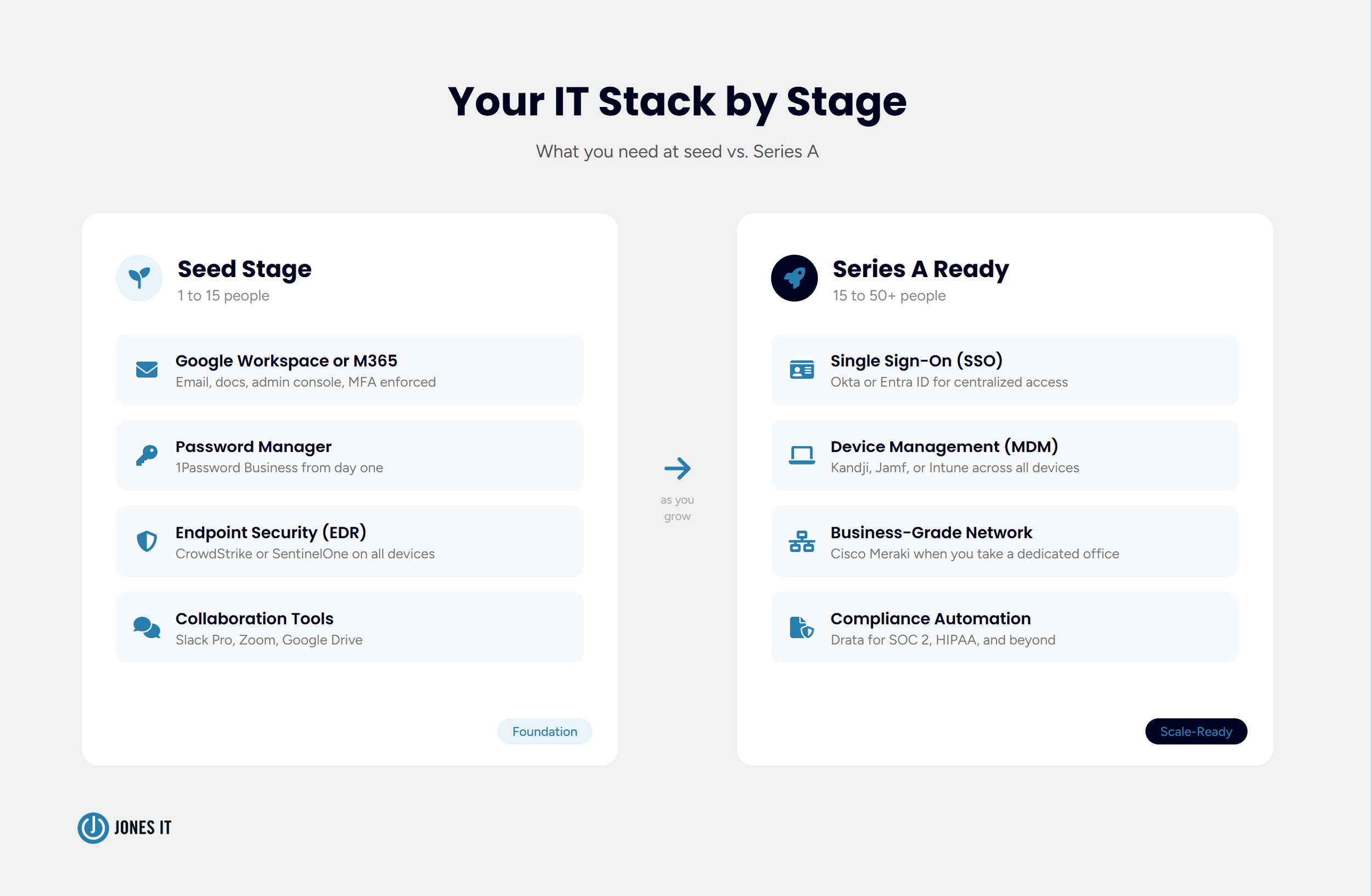
If you are building a startup right now and want to avoid that call to your IT provider, this is the stack we put in front of every client before problems show up. Seven categories, in the order they actually matter.
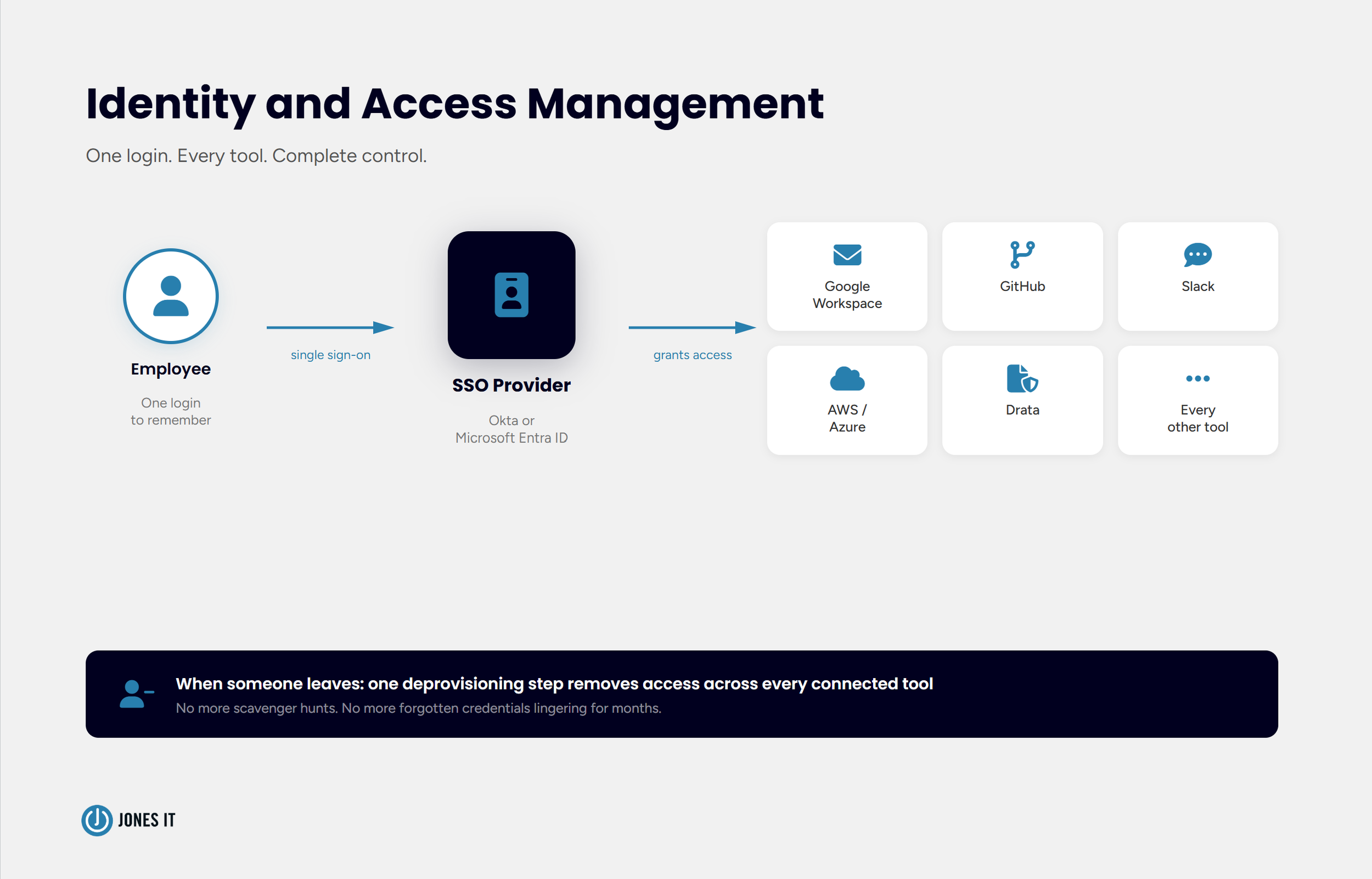
Identity and Access Management: Get This Wrong and Everything Else Is Exposed
If I had to pick one category that matters more than all the others at the early stage, it would be identity and access management. Not because it is the most exciting thing to set up, but because every other security decision you make either reinforces it or undermines it. Who has access to what, under what conditions, and what happens the moment they leave.
Google Workspace or Microsoft 365
Most Bay Area startups have already made this choice before they think of it as a decision. The team signs up for Gmail, Google Workspace becomes the platform, and that is fine. It works well. For seed and early-stage companies, Google Workspace tends to win because it sets up fast, plays well with the modern SaaS tools startups actually use, and the collaboration layer is genuinely good. Microsoft 365 makes more sense if your team lives in Excel and Word, or if you are selling to enterprise buyers who run on the Microsoft stack.
The part that matters more than which one you pick is that someone is actually administering it. Set up the admin console. Enforce MFA from day one. Know where your data lives and who can see it. A Google Workspace account where nobody has looked at the admin settings since the founder signed up is not a productivity platform. It is a shared inbox with no policies attached.
Single Sign-On (SSO)
Around fifteen to twenty people, SSO starts earning its keep. Okta or Microsoft Entra ID (formerly Azure AD) lets you manage all your application access from one place: one provisioning step when someone joins, one deprovisioning step when they leave. Without SSO, offboarding is a scavenger hunt across a dozen tools. Somebody always gets missed. I have seen contractors with active credentials six months after their engagement ended. That is not a security posture. It is an assumption that nothing will go wrong.
SSO is also one of the rare tools where the security benefit and the usability benefit point in the same direction. Employees stop juggling fifteen passwords. Admins stop guessing which tools a departing employee had access to. It is a good deal on both ends.
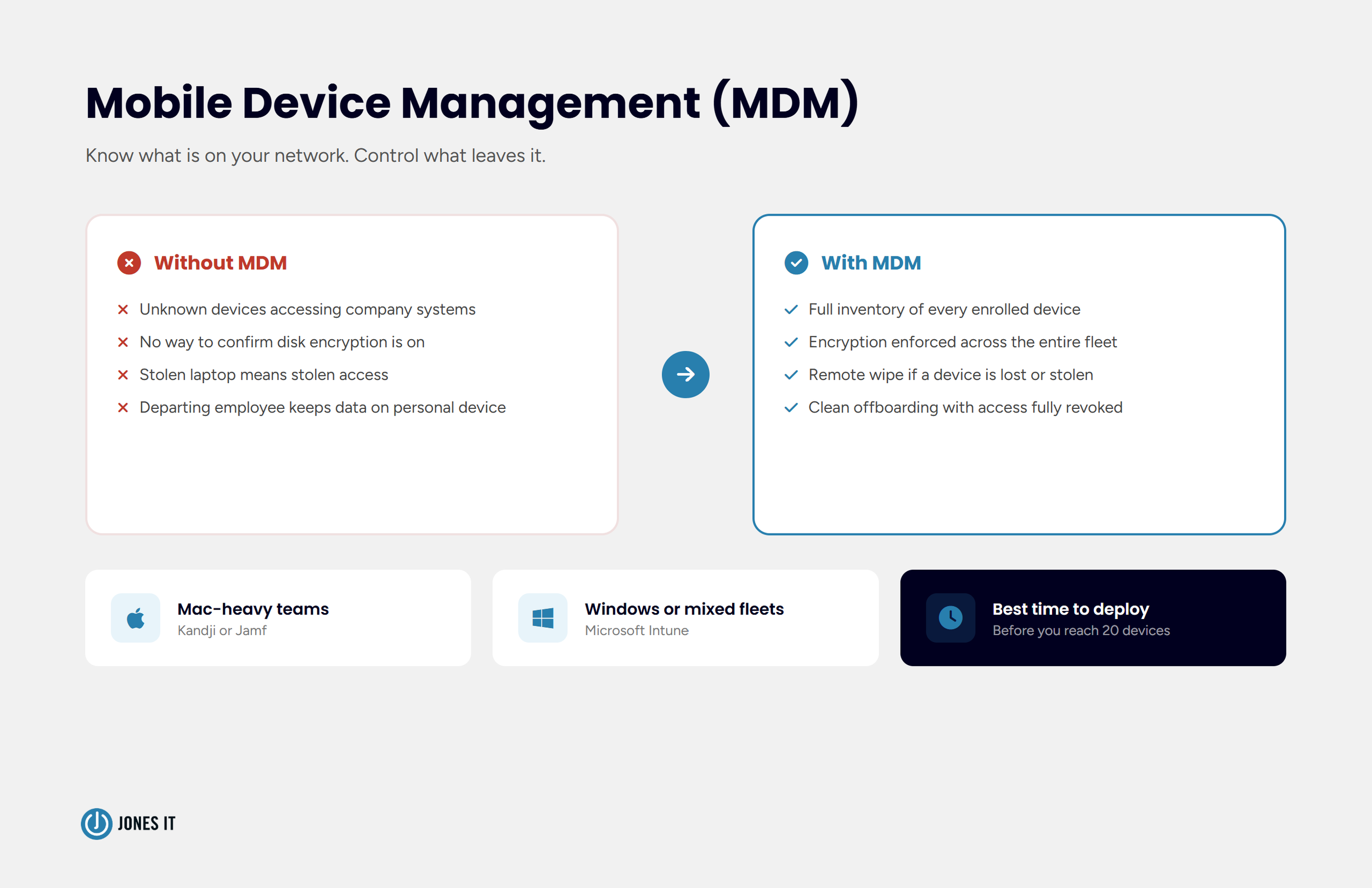
MDM: You Cannot Secure Devices You Cannot See
The thing about device management is that nobody thinks they need it until they do, and the moment they do is always the worst possible time. A laptop goes missing two days before a fundraise close. An engineer leaves under difficult circumstances and nobody is sure what data was on their personal machine. A SOC 2 auditor asks which devices have access to production systems and the answer is effectively "we think most of them." These are not edge cases. We see them regularly.
A Mobile Device Management (MDM) system closes that gap. For Mac-heavy teams, which describes most of the startups we work with in San Francisco, we recommend Iru (Kandji) or Jamf. For Windows environments or mixed fleets, Microsoft Intune is the standard. These tools let you enforce disk encryption across every device, push security policies remotely, and wipe a device if it goes missing or someone leaves under difficult circumstances.
The time to put MDM in place is before you need it. Getting it deployed at fifteen people is a half-day project. Retrofitting it onto a fifty-person team that has been running without it, while also managing onboarding, a compliance program, and everything else that comes with fast growth, is genuinely painful. I have watched teams go through it. Do it early.
If you want to know specifically what investors look for in device management during a Series A technical audit, the IT Infrastructure Checklist for Series A Startups covers that in detail.
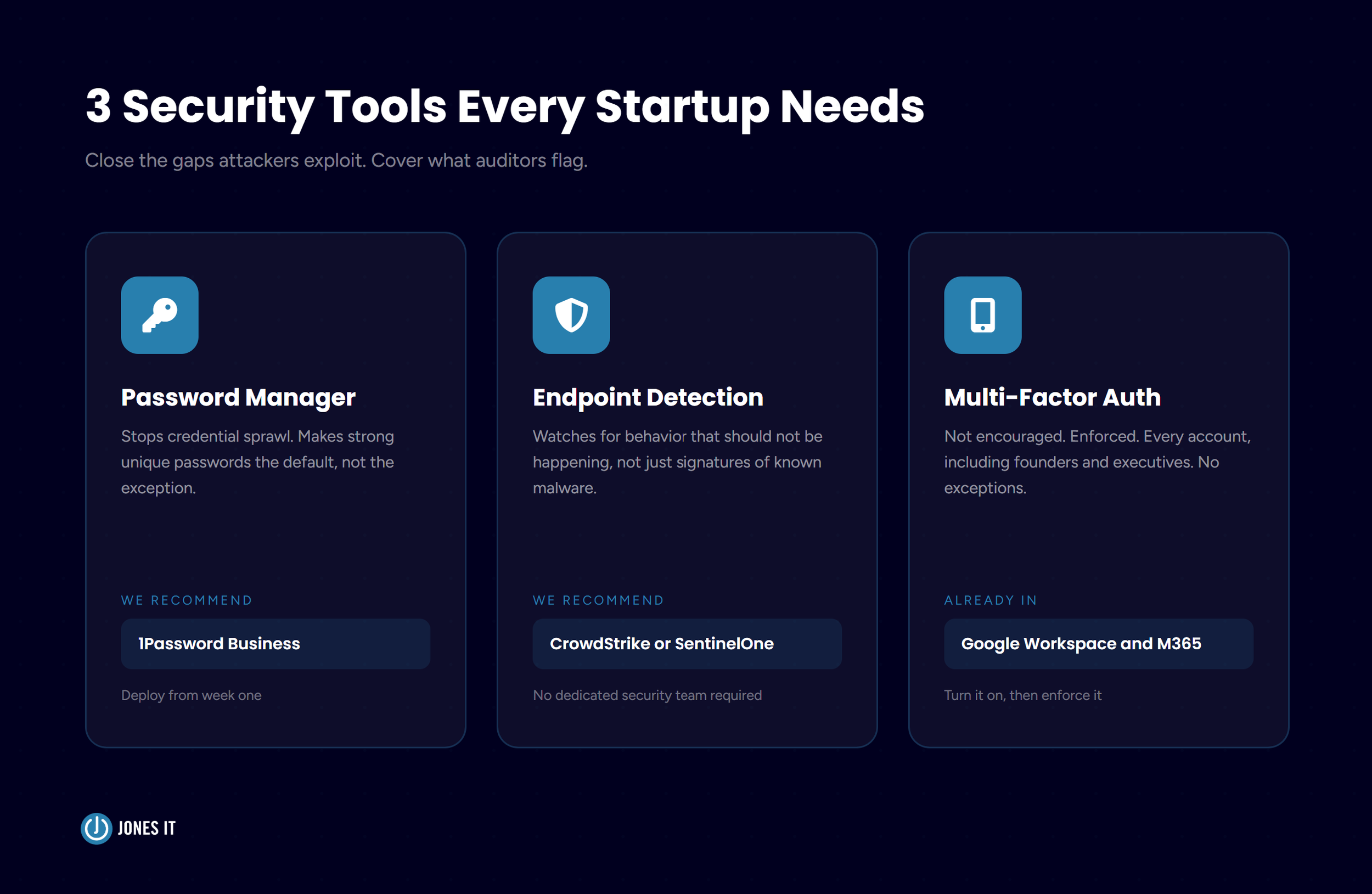
The Security Tools Startups Actually Need (And Nothing More)
Security is the category where I see the most expensive mistakes. Not because founders are careless, but because it is easy to defer, easy to underestimate, and the cost shows up all at once rather than gradually. The goal at the early stage is not to build an enterprise security stack. It is to close the gaps that attackers actually exploit and that auditors actually flag.
Password Manager
This one should be in place from week one, no exceptions. 1Password Business is what we recommend to most clients. It removes credential sprawl, makes strong unique passwords the default rather than the exception, and gives administrators visibility into which accounts are shared and who has access to what. If your team is still passing passwords around in Slack, stop. That is not a security practice. It is an incident waiting to be dated.
Endpoint Detection and Response (EDR)
Traditional antivirus software looks for known threats. EDR watches for behavior that should not be happening: a PDF reader trying to modify system files, an application calling out to a server it has no reason to contact. The distinction matters because the attacks that get through today do not look like the attacks that the old tools were built to catch. We recommend CrowdStrike Falcon or SentinelOne for most clients. Both have plans that work at startup scale and do not require a dedicated security team to operate.
Multi-Factor Authentication (MFA)
If you are running Google Workspace or Microsoft 365 and MFA is not enforced organization-wide, that is the first thing to fix. Not recommended. Enforced. Every account, including yours and every other founder's. The most common pushback I hear is that MFA is inconvenient. It is. So is explaining to your board why a phishing attack succeeded because one executive account did not have it turned on.
Network Infrastructure: The Decision That Pays Off for Years or Costs You for Months
The most common networking mistake we see is not a bad decision. It is a deferred one. A startup takes its first dedicated office, buys a consumer-grade router because it is cheap and familiar, and it works fine for the first six months. Then headcount crosses thirty, the all-hands video calls start dropping, engineers complain that the Wi-Fi is slow near the conference rooms, and someone spends three weeks trying to fix it before calling us.
By the time we arrive, the problem is not just the router. The network was never designed for the load it is carrying. There is no segmentation, so guest devices and IoT hardware sit on the same network as the machines that touch production systems. The access points are in the wrong places. The cabling was run without accounting for where people actually sit. Starting over at that point costs significantly more than getting it right the first time would have.
For networking hardware, we consistently recommend Cisco Meraki, which is cloud-managed Wi-Fi, routing, and security in one platform. It costs more upfront than the consumer alternatives. It also costs far less than the retrofit conversation that happens when underpowered equipment meets a forty-person team in the middle of a product sprint. Meraki also makes network segmentation straightforward to configure, so your guest devices and IoT equipment stay isolated from anything that touches production data or financial systems.
For a detailed guide to office network design, including access points, switches, firewall requirements, and cable management, see the Business WiFi Infrastructure guide our team put together.
Collaboration and Productivity Tools
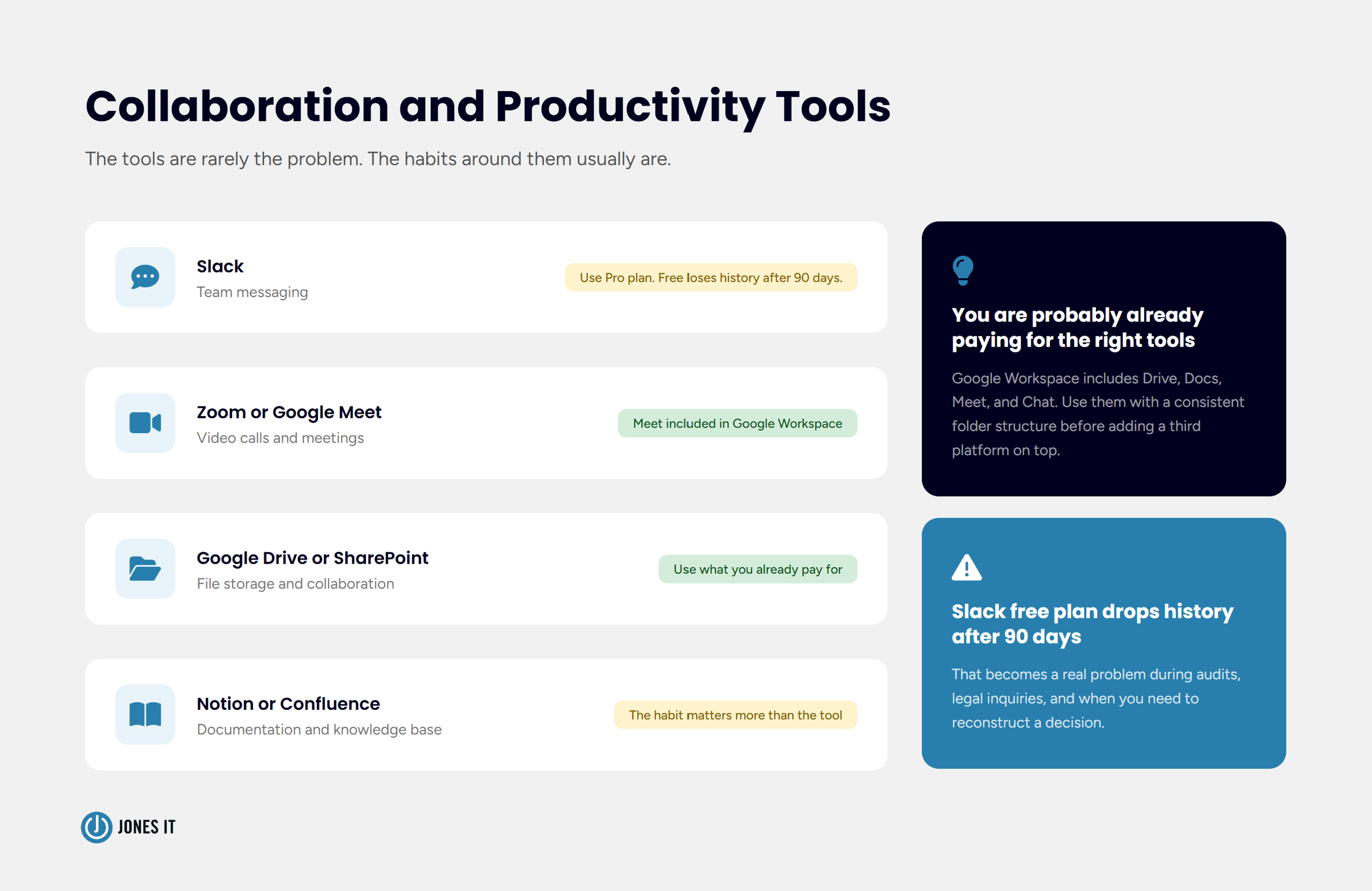
This is the category startups usually have figured out before they call us. Slack for messaging, Zoom or Google Meet for video, Notion or Confluence for documentation. The tools are rarely the problem. The habits around them usually are.
A few things worth flagging from experience. Slack's free plan drops message history after 90 days, which becomes a real problem when you are trying to reconstruct a decision, respond to a legal inquiry, or audit a conversation. The Pro plan is inexpensive and worth having early. And if you are already paying for Google Workspace, you are paying for Drive and Docs. Using those tools with a consistent folder structure and sensible access controls is worth more than adding a third document platform on top of them.
Compliance Tooling: Start Before It Feels Necessary.
This is the recommendation that gets the most resistance from early-stage founders. SOC 2, HIPAA, ISO 27001 all feel like enterprise concerns. And they are, right up until the enterprise customer you have been working to close for six months sends over a security questionnaire and asks for your compliance documentation.
I have watched this play out more times than I can count. A startup is weeks from closing a significant contract. The customer's security team asks for evidence of access controls, audit logs, and a formal security program. The startup does not have it. The deal does not die, but it slips three months while they scramble to build something. Three months, at that stage, is not a small number.
If you are targeting enterprise customers, or operating in a regulated industry like fintech, healthcare, or defense tech, start your compliance program before it feels urgent. We recommend Drata for compliance automation. It connects to the tools you are already running, monitors your controls continuously, and generates audit evidence automatically instead of requiring months of manual collection every time an auditor shows up.
If you are not sure where you sit on the compliance readiness spectrum, the Compliance Kickstarter Program is how we help startups get from zero to audit-ready in a structured, predictable way.
IT Support: When To Transition from Informal Technical Support
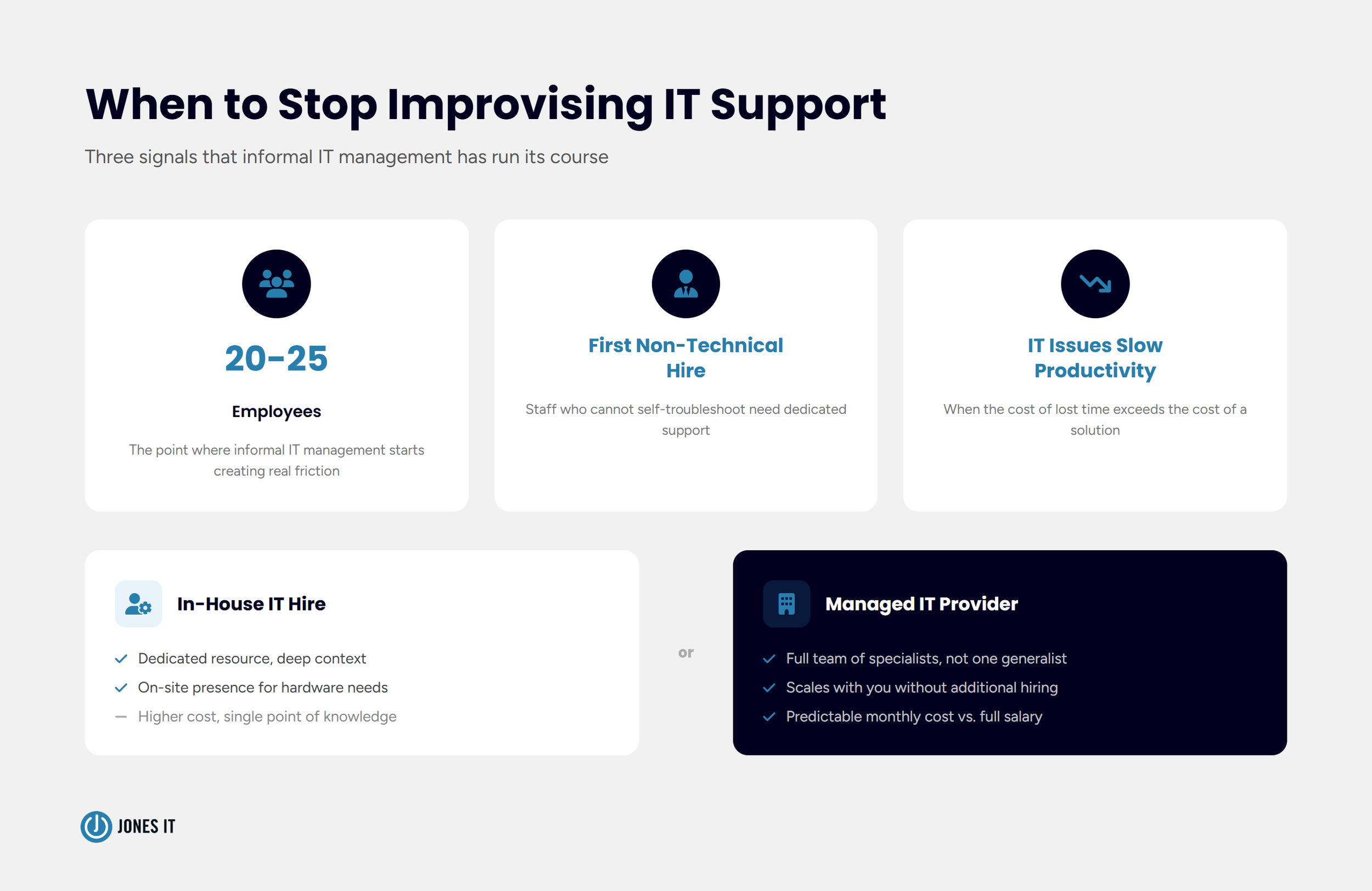
At ten people, IT support is not really a function. Someone technical handles the occasional laptop setup or access issue, and that is fine. The trigger to get more intentional about it is usually one of three things: you cross twenty to twenty-five employees, you hire your first non-technical staff who cannot self-troubleshoot, or IT problems start eating into productivity in a way that is hard to ignore.
At that point the question is whether to hire an in-house IT person or work with a managed IT provider. It mostly comes down to cost, scale, and what kind of coverage you actually need. We wrote a full breakdown of the tradeoffs in When Does a Startup Need a Managed IT Provider? if you are at that crossroads right now.
Build Your IT Infrastructure Intentionally
Twenty years of supporting Bay Area startups has given me a fairly clear picture of what the accidental IT stack costs. Not in any one dramatic incident, though those happen too, but in the slow accumulation of deferred decisions that become expensive all at once. The founders who avoid that cost are not the ones with the biggest IT budgets. They are the ones who built the stack intentionally, early, before any single piece of it became urgent.
Here is the priority order I would suggest for a startup building it from scratch:
Google Workspace or Microsoft 365, properly administered with MFA enforced from day one.
Password manager immediately (1Password Business).
MDM before you reach 20 devices (Kandji, Jamf, or Intune).
EDR on all endpoints (CrowdStrike or SentinelOne).
SSO at 15 to 20 people (Okta or Entra ID).
Business-grade networking when you take a dedicated office (Cisco Meraki).
Compliance program earlier than feels necessary (Drata).
Every startup we work with has at least one item on that list that is further behind than they realized. If you are not sure which one is yours, we can help you find out before an auditor or a security incident does it for you.
If your most pressing need is compliance readiness ahead of an enterprise deal or a fundraise, the Compliance Kickstarter Program is the fastest path from zero to audit-ready. If you want a broader look at your IT setup, talk to us about Fully Managed IT. Either way, it is a better conversation to have now than three months from now.

About The Author

Evan JonesFounder and CEO of Jones IT
With over two decades of IT experience in San Francisco, Evan guides Jones IT's long-term strategy, finances, and culture, with a vision of building the city's highest-rated IT services firm. Outside of work, you'll find him on the golf course or running Bay Area Warriors, his non-profit connecting Bay Area kids to college through basketball.
Switching MSPs mid-contract? Learn how to weigh exit fees against the cost of staying, review your contract, secure your data, and transition without downtime.