
IT Cost Per Employee: 2026 Benchmarks for San Francisco Businesses
The IT cost per employee for San Francisco businesses in 2026 ranges from $3,000 at the seed stage to more than $20,000 at the enterprise level, with every number in between shaped by factors that national benchmarks tend to ignore entirely.
And those factors matter. San Francisco engineering salaries sit 30% to 50% above the national median. The San Francisco Health Care Security Ordinance adds mandatory health care expenditure obligations that most budget models undercount. Moreover, remote and hybrid workforces, which are the norm rather than the exception in the Bay Area, carry IT costs nearly three times higher per employee than their in-office counterparts. None of that shows up in the generic spend-7%-of-revenue rule of thumb you'll find in most industry reports.
This post pulls together 2026 benchmarks by company stage, industry, and operating model, with the SF-specific cost factors laid out plainly. If you're building a budget, planning a hiring push, or just trying to figure out whether your current IT spend makes sense, this is where to start.

IT Cost Per Employee Benchmarks by Company Stage
The numbers below cover total annual IT spend per employee, including hardware, software, cloud infrastructure, security tooling, support, and personnel. Not just the laptop and a Slack subscription.
Seed-Stage Startups: $3,000 to $8,000 per Employee
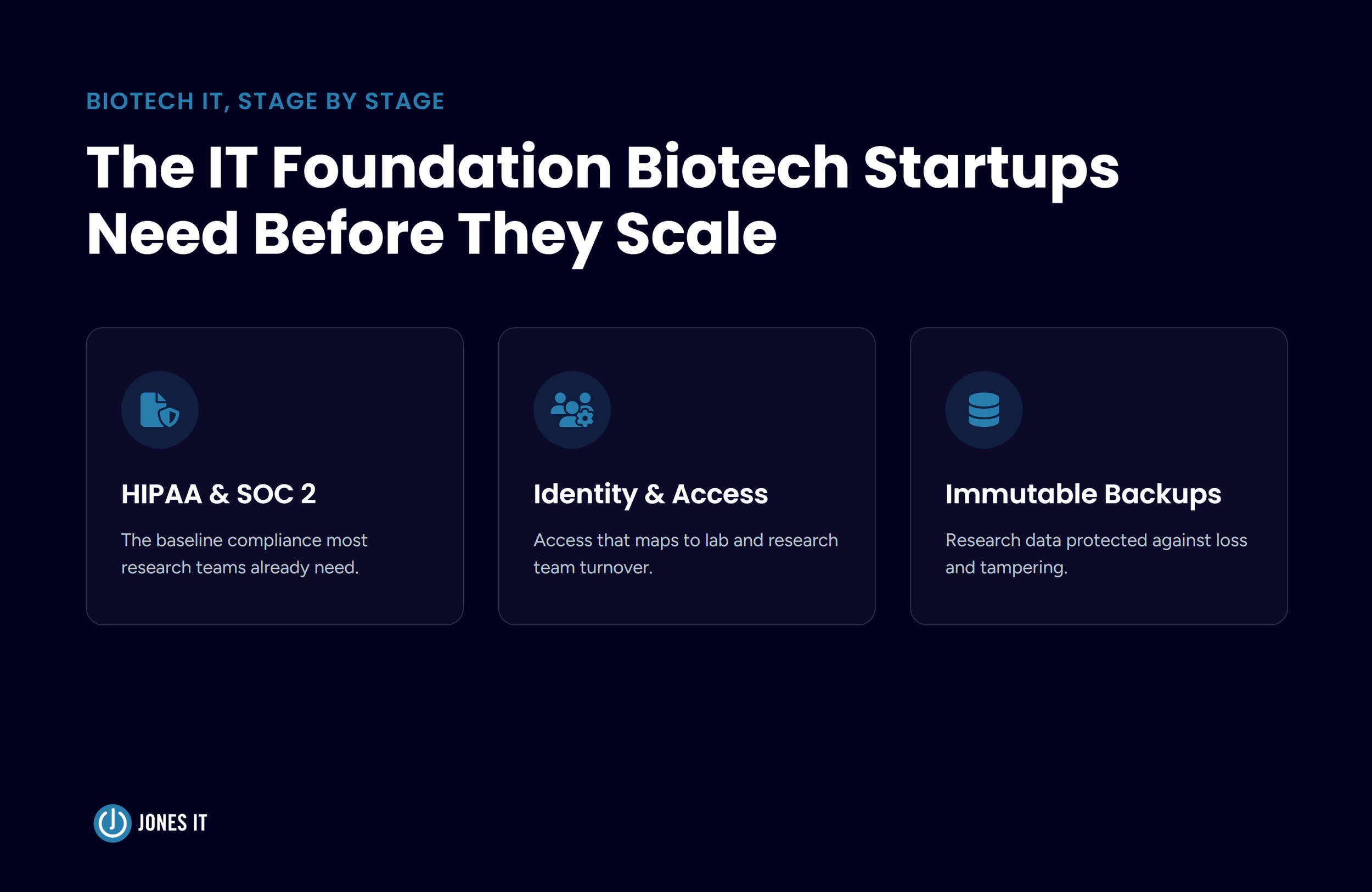
At the earliest stage, IT is usually lean by necessity. Cloud tools, a basic MDM setup, maybe a firewall if someone on the team thought to set one up. Personnel costs consume 60% to 70% of the engineering budget at this stage, leaving limited room for everything else. Such a barebones IT setup is fine until it isn't. We see a lot of seed-stage companies hit their Series A due diligence process and only then discover that their IT posture falls far short of what investors want to see.
Mid-Market Companies: $8,000 to $13,000 per Employee
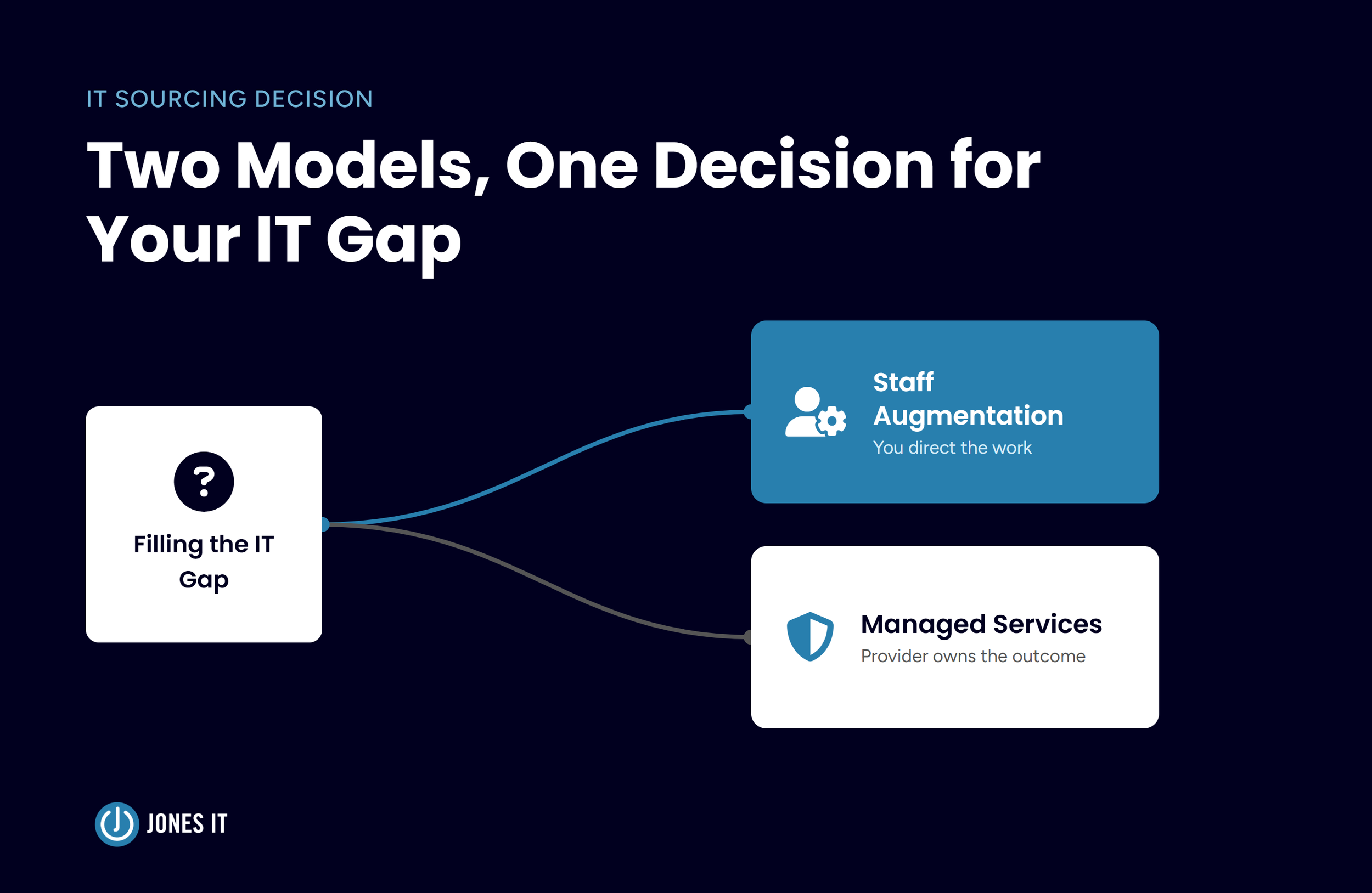
This is the range where most of the interesting decisions happen. Series A and B companies are adding headcount fast, building compliance programs, and figuring out whether to hire IT staff or to outsource. High-growth companies in this range often double the investment to stay ahead of the curve. The choices made here: what to outsource, what to build in-house, whether to add a compliance layer now or later, tend to set the cost structure for several years.
One pattern we see consistently is that companies with active compliance requirements, SOC 2, HIPAA, etc., need roughly double the IT work of equivalently sized companies without compliance needs. If a compliance program is on your near-term roadmap, build that into your per-employee cost model before you hit the milestone, not after. For a stage-by-stage breakdown of exactly what that spend covers, from seed through Series B, see Startup IT Budget Planning: How Much to Spend at Every Stage.
Enterprise Firms: $13,000 to $20,000 or More per Employee
By the time companies hit maturity, they typically have a dedicated IT department, sophisticated security stacks, complex compliance programs, and the accumulated weight of a lot of legacy tooling. The upper end of this range is not unusual for financial services firms or companies running significant on-premise infrastructure alongside their cloud environment.
IT Cost Per Employee by Industry
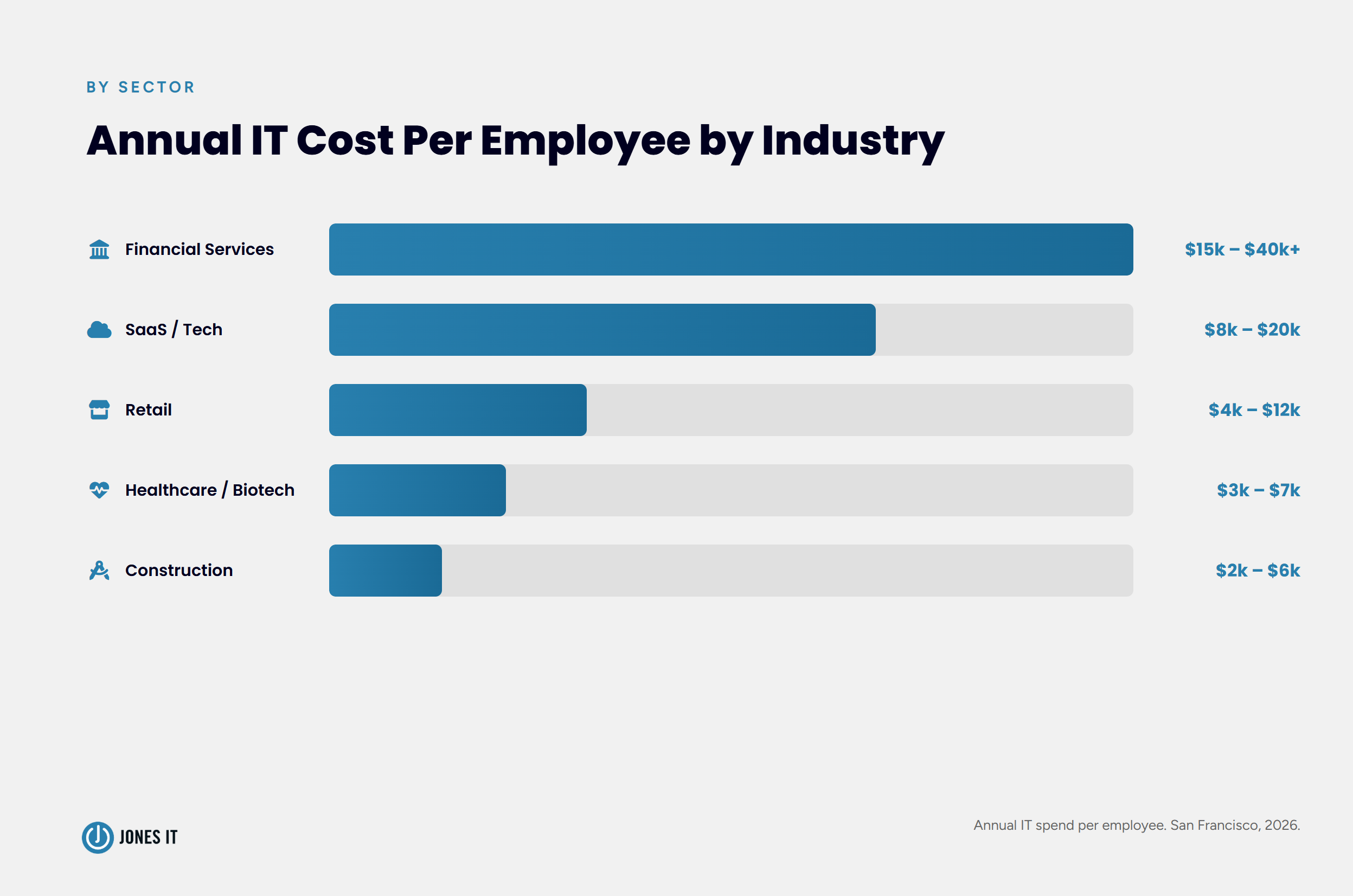
Industry often determines IT spending more than company size does. A 50-person fintech firm and a 50-person construction company operate in completely different cost environments.
Financial services: $15,000 to $25,000 per employee, reaching $40,000 or more for digital leaders. Secure trading infrastructure, analytics platforms, and regulatory compliance requirements are the primary cost drivers.
SaaS and tech: Generally in the mid-market to enterprise range. Cloud infrastructure is the second-largest expense after payroll, and AI and machine learning workloads are a growing contributor, accounting for roughly 22% of total cloud costs.
Healthcare and biotech: $3,000 to $7,000 per employee. The per-capita figure stays lower because many clinical and lab staff do not use dedicated IT systems continuously.
Retail: $4,000 to $12,000 per employee, with a wide spread depending on whether the business is primarily brick-and-mortar or e-commerce.
Construction: $2,000 to $6,000 per employee, reflecting a largely field-based workforce with limited individual IT system needs.
For most of the companies we work with across SoMa, Mission Bay, and the Financial District, the fintech and SaaS benchmarks are the relevant ones. Both industries run IT-heavy operations almost by design.
What National IT Cost Benchmarks Miss: The San Francisco Premium
Here is where the generic IT Cost Per Employee benchmarks fall apart. National figures treat payroll as a roughly consistent input. In San Francisco, payroll is the single largest IT expense, and it is categorically different from the national mean. If your budget model is using national salary data, you are building on a number that is already off before you factor in anything else.
San Francisco Engineering Salaries and Fully Loaded Costs
A junior engineer in San Francisco earns $100,000 to $135,000 in base salary. A senior engineer commands $140,000 to $185,000. These are not outlier figures; they reflect what the Bay Area market consistently sustains.
Moreover, base salary is only the start. Benefits, payroll taxes, equipment, and overhead push total employee expenses 25% to 30% higher for startups and 35% to 45% higher for enterprise firms. A senior engineer with a $140,000 base salary will realistically cost your startup between $175,000 and $182,000 annually once everything is included. We ran this math in detail in our post on the actual costs of DIY IT management, and the numbers hold up.
San Francisco HCSO Requirements: Health Care Costs Most Budget Models Skip
San Francisco businesses with 20 or more employees worldwide are subject to the San Francisco Health Care Security Ordinance (HCSO), which requires mandatory quarterly health care expenditures for covered employees working in the city. The 2026 rates:
Large businesses (100 or more employees worldwide): $4.11 per hour worked, up to $706.92 per month per covered employee.
Medium businesses (20 to 99 employees worldwide): $2.74 per hour worked, up to $471.28 per month per covered employee.
Managers and supervisors earning more than $128,861 annually ($61.95 per hour) are exempt.
For a 50-person company with most employees working full-time in San Francisco, the HCSO obligation adds up to real money, real fast. We see it missing from IT budget models constantly. Controllers sometimes have it in a separate HR line, which is fine for accounting, but it needs to be factored into any honest per-employee IT cost calculation.
Remote vs. In-Office: A $10,000 Per Employee Difference
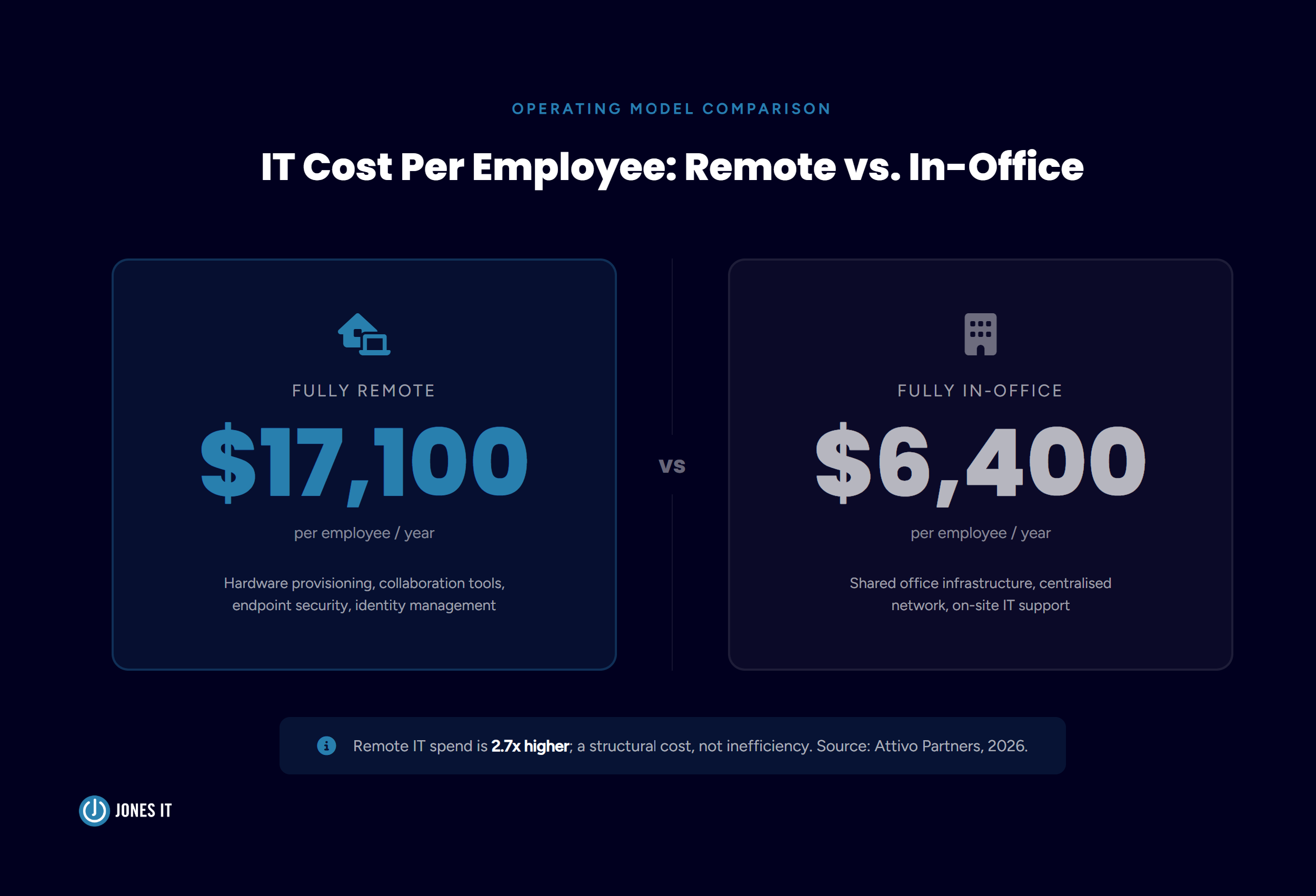
Fully remote companies spend approximately $17,100 per employee annually on IT and equipment. Fully in-office companies average around $6,400. That gap, roughly $10,700 per person, surprises a lot of people when they see it as a hard number rather than a vague sense that remote is more expensive. The figures come from Attivo Partners' benchmarking analysis of more than 240 early-stage companies. We find these figures hold across company sizes.
The reason is structural. A remote company has to provision and ship hardware to every employee, needs more robust collaboration tools, stronger endpoint security, and an identity management infrastructure that goes well beyond what a single-office network requires. Every remote employee is effectively a satellite office that the IT function has to support. We think of this per-employee overhead as the digital headquarters cost; i.e., the investment required to make a distributed team operate as a coherent unit rather than a collection of people working from their kitchen tables.
Hybrid models sit in between, but the calculation is less clean. The right approach is to estimate what percentage of your workforce is primarily remote and weight accordingly. A company that is 60% remote and 40% in-office should not be budgeting at either extreme.
It is worth noting that higher remote IT spend is not a sign of waste, but the actual cost of the operating model. The mistake is budgeting for an in-office environment while running a remote one.
Other Major IT Cost Drivers Worth Tracking
A few IT cost line items tend to be underweighted in San Francisco per-employee budget calculations:
Cloud Infrastructure: The Second-Largest IT Cost After Payroll
After payroll, cloud hosting is the second-largest IT expense for mid-market and enterprise companies, consuming roughly 10% of revenue. For Bay Area SaaS and AI companies, that figure is often higher. AI and machine learning workloads alone account for approximately 22% of total cloud costs, according to benchmarking data published by AllConsultingFirms, which is a meaningful shift from even two years ago. If your company added AI tooling to its product or internal stack in the last year, that cloud line deserves a fresh look.
IT Recruitment and Training Costs: $8,000 to $25,000 per Hire
Hiring a new IT professional costs between $8,000 and $25,000 when you account for recruiting fees, onboarding time, and the productivity gap during ramp-up, based on what we consistently see across our Bay Area client base. Annual training and certifications add another $4,000 to $12,000 per person. These costs rarely appear in the IT budget line, but they belong there. If you are budgeting on the assumption that your current IT staff is a fixed cost with no turnover risk, that assumption will eventually be tested.
How to Calculate IT Cost Per Employee for Your San Francisco Business
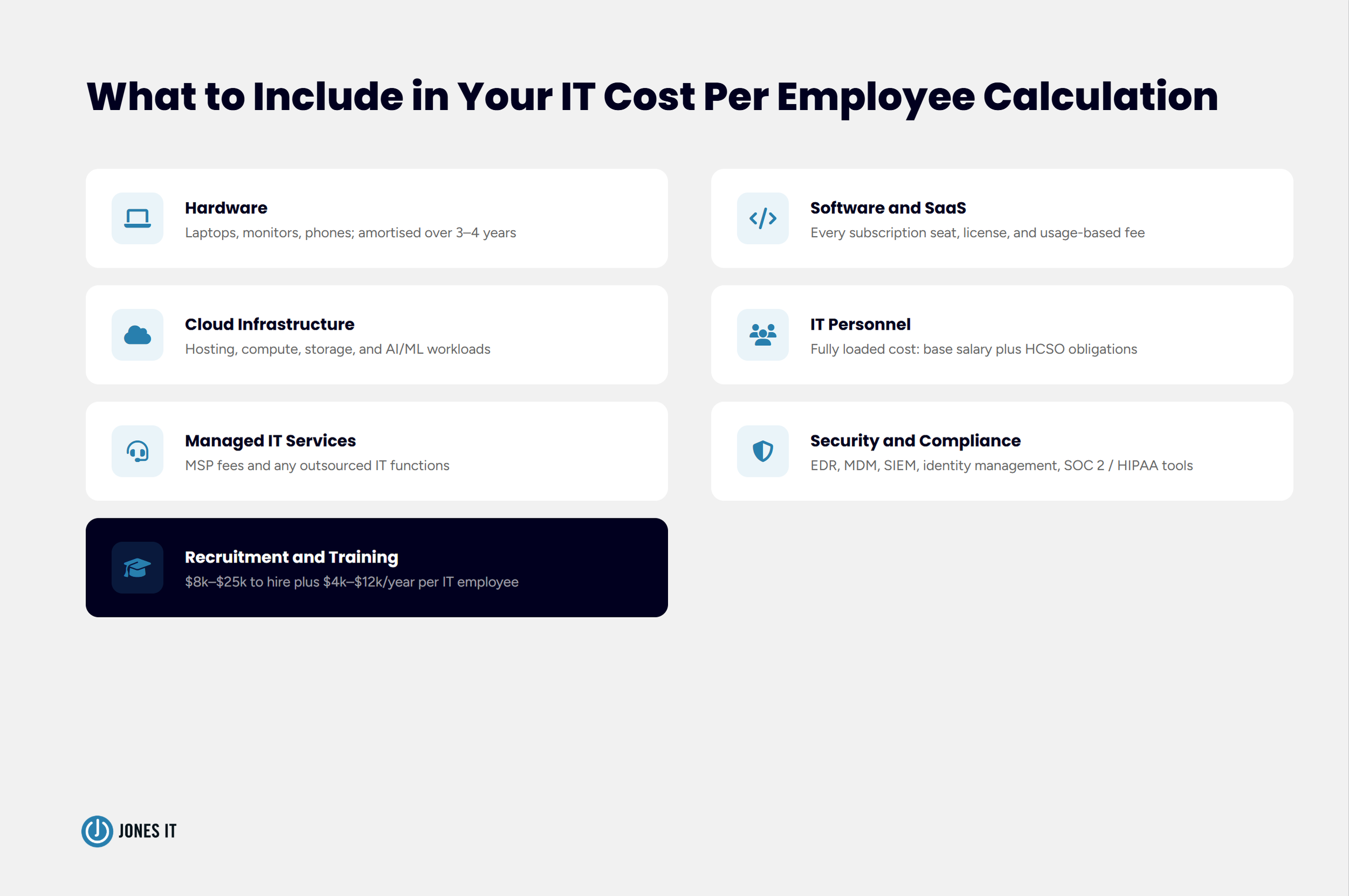
The formula is not complicated. Our post on the actual costs of DIY IT management walks through the full calculation, including the lost-time and opportunity-cost math that per-employee estimates like this one build on. For 2026 planning, the components to include are:
Hardware: Laptops, monitors, phones, and peripherals, amortized over a 3-to-4-year replacement cycle.
Software and SaaS: Every subscription seat, license, and usage-based fee.
Cloud infrastructure: Hosting, storage, compute, and AI/ML workloads.
IT personnel: Fully loaded cost, including HCSO obligations, not just base salary.
Managed IT services: If you outsource any IT function, include those fees.
Security and compliance tooling: EDR, MDM, SIEM, identity management, and any compliance program costs.
Recruitment and training: Annual investment per IT employee.
Add those up, divide by headcount, and compare the result against the benchmarks for your stage and industry. If you are coming in well below the benchmark, ask whether IT is genuinely efficient or just underfunded. The two can feel similar for a while until something breaks.
Four Questions to Ask Before You Finalize Your IT Budget
These IT cost per employee benchmarks are most useful when they prompt the right planning questions. Here are the ones we work through with clients most often during annual planning:
Are You Using Fully Loaded Headcount Costs?
Running the IT cost-per-employee calculation against base salaries rather than total compensation is the most common mistake we see. In San Francisco, the gap between those two numbers is wide enough to meaningfully skew your results.
Does Your Operating Model Match Your Budget Model?
If you are remote-first but budgeting at in-office IT spend levels, you are setting up a shortfall. The $10,700 per-employee gap between remote and in-office IT spend is not a rounding error.
Are Compliance Costs in the Right Budget Bucket?
SOC 2, HIPAA, and CCPA compliance programs incur real IT costs: tooling, access controls, documentation, and ongoing monitoring. These often live outside the IT budget, even though they belong inside it.
Are You Planning for Where You Will Be in 18 Months?
Network equipment, security licensing, and cloud architecture all have scale implications. Building for your future headcount is usually cheaper than retrofitting after you get there. Not always, but usually.
Get Your IT Budget Right for 2026
We work with startups and SMEs across San Francisco, from SoMa and the Financial District to Mission Bay and South San Francisco. One of the things we do regularly is help leadership teams build IT budgets that reflect actual costs rather than national averages or last year's spend with a percentage added on top.
If your IT budget is built on assumptions that have not been tested against 2026 San Francisco benchmarks, or if you are planning a hiring push and want to understand what each new employee will realistically cost from an IT standpoint, we would be glad to work through the numbers with you.


About The Author

Evan JonesFounder and CEO of Jones IT
With over two decades of IT experience in San Francisco, Evan guides Jones IT's long-term strategy, finances, and culture, with a vision of building the city's highest-rated IT services firm. Outside of work, you'll find him on the golf course or running Bay Area Warriors, his non-profit connecting Bay Area kids to college through basketball.
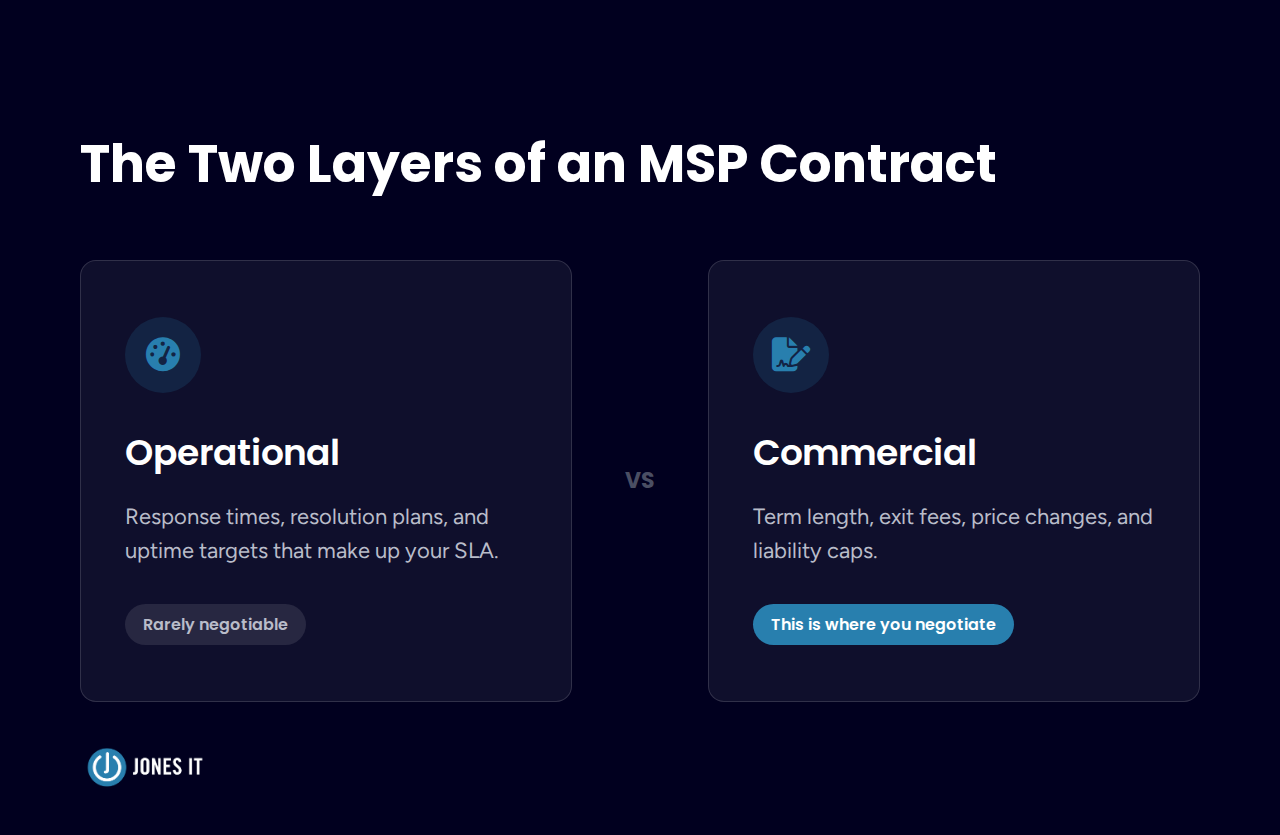
Discover what "not a traditional MSP" really means. Evaluate managed IT services with our guide to contract terms, pricing, and 4 essential questions.