
Switching MSPs Mid-Contract: What It Actually Costs to Leave Early
A founder I met with this spring runs a twenty-two-person fintech company in the East Bay, six months away from a SOC 2 audit her investors were tracking closely. Her MSP (Managed Services Provider) had missed three response-time commitments that quarter; the worst was a four-hour wait during a payments outage her engineering team ended up fixing themselves. She wanted out. Her ops lead pulled the contract, found an early termination clause worth a little over $40,000, and the conversation stalled for over six weeks as everyone debated whether the fee made leaving too expensive to justify.
Once we ran the actual comparison with her, the math flipped, showing how switching MSPs mid-contract was going to cost less than staying. She didn't know that until someone walked her through the math, and most founders in her position rarely get that far. They see a five-figure exit fee, assume the door is closed, and go back to tolerating a provider they no longer trust.
If you need to leave your MSP before the contract ends, the fee, though a real pain, is rarely the deciding factor. This piece assumes you already have a new provider in mind and know you want out. If you're still building that shortlist, our guide on IT Services Vendor Evaluation and Selection covers that groundwork first.
TL;DR
Look beyond the exit fee: Don't let a termination fee keep you locked into an underperforming MSP; the hidden costs of staying: downtime, lost productivity, and security risks, are often far higher.
Audit for "for-cause" leverage: Before you give notice, document all SLA breaches and missed response times; if your MSP isn't delivering, you may have grounds to terminate for cause without paying a penalty.
Secure your infrastructure first: Ensure your team holds independent administrative access to your core systems (M365, DNS, backups) before signaling your intent to leave, preventing your current provider from using access as leverage.

Switching MSPs Mid-Contract: Exit Fee vs. Cost of Staying
Every mid-contract exit conversation starts in the wrong place. Founders and IT leads open the contract, find the termination clause, and treat that number as the full price of leaving. However, that’s just part of the picture. The complete picture emerges when you compare the exit fee against the ongoing cost of staying with a provider that's already failing you and that cost of staying is almost always larger than it appears. It’s the kind of pattern we've covered in Signs Your IT Provider Is Underperforming.
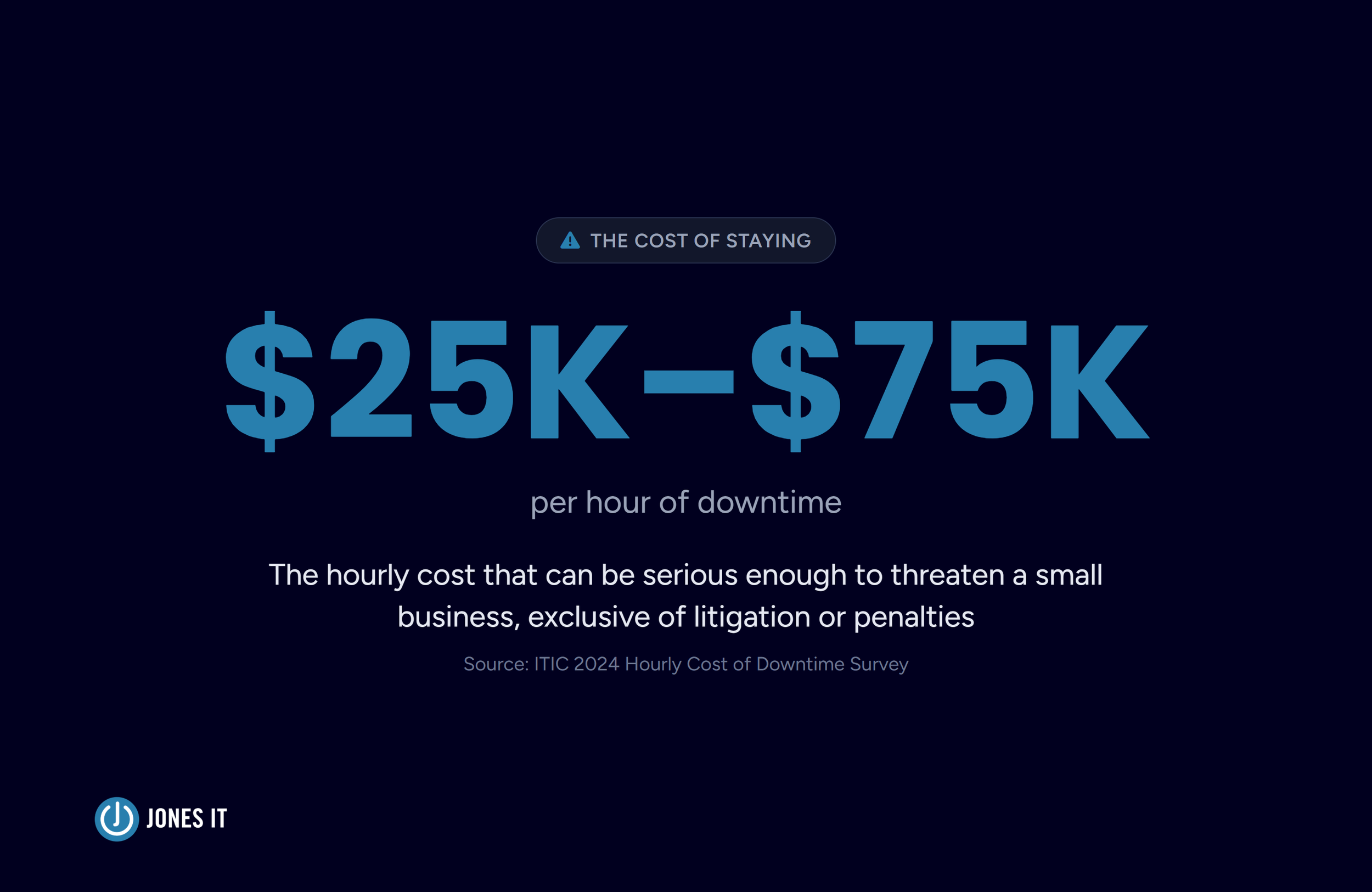
ITIC's 2024 downtime survey put a figure on this that's actually scaled for our fintech company's size, rather than the enterprise numbers that dominate most of the coverage on this topic. For a small business, the survey found that an hourly outage cost of $25,000 to $75,000 can be serious enough to threaten the company's survival. That's not a Forbes Global 2000 statistic, but a number built around businesses closer to twenty or fifty employees, and it tracks with what we see in practice. The cost is not explicit: a provider who's already missing SLAs isn't costing you money in one clean, visible line item. It shows up as engineering time spent working around a problem the MSP should have caught, or as a compliance deadline that slips because nobody trusted the provider to fix the underlying issue.
A one-time exit fee is a known number you can put in a budget line and move past. A provider you can't rely on results in an unknown, compounding number you pay every month you stay, and it rarely shows up as a single dramatic outage. Research from Splunk and Oxford Economics, covering large global enterprises, found that the costs organizations feel most acutely after an incident aren't the direct ones. They're the slower ones, like the customer support burden and the trust that takes months to rebuild. That remains true for any company size, even if the dollar figures involved are smaller.
For an apples-to-apples comparison, put the exit fee and a realistic six-month cost of staying side by side before you decide anything else.
Reading Your MSP Contract Exit Clause Before You Signal Intent
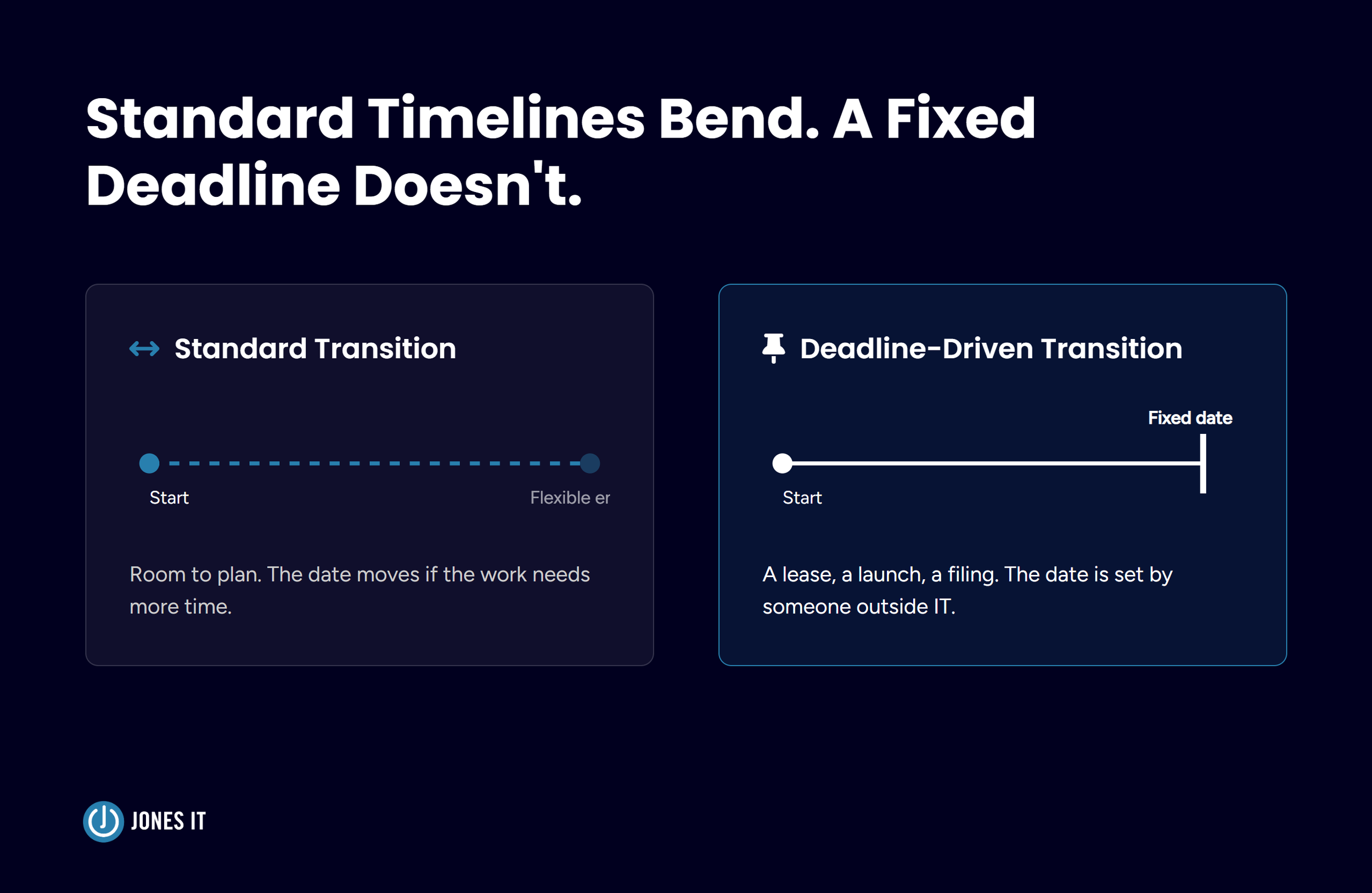
Before you initiate any conversations with your provider, you must first decipher the specific mechanics of your exit. Understanding how your contract calculates early termination fees, identifies sunset provisions, and dictates notice requirements is the only way to determine your true leverage and avoid costly administrative pitfalls like accidental auto-renewals.
Don't rely on assumptions: Before speaking to your provider, read the contract to understand how the termination fee is calculated and whether it sunsets after the initial term.
Evaluate the standard: Industry-standard exit fees typically represent 50% to 100% of the remaining contract value; fees significantly higher (e.g., 300%) may be flagged as punitive and potentially unenforceable.
Watch for auto-renewal: Confirm the required notice period and delivery method. Missing a notification window can result in an automatic contract extension.
Negotiate for flexibility: Aim for a contract with a short initial term (e.g., six months) that converts to month-to-month, which effectively eliminates the exit-fee calculation entirely once the initial term ends.

When You Can Terminate Your Managed IT Services Contract Without Penalty
Not all contract terminations are treated equally, and understanding the vital distinction between terminating 'for convenience' versus 'for cause' can be the difference between paying a heavy penalty and walking away clean. Before you build your exit strategy, clarify if your current service performance qualifies as a 'material breach' under your agreement, and ensure you have properly documented the evidence required to support a penalty-free departure.
Distinguish "For Convenience" vs. "For Cause": Leaving because you found a better provider (convenience) typically triggers a fee, while terminating due to a material breach (cause) often does not.
Define "Material Breach": Most contracts define SLA targets as goals, not guarantees. You must verify if your contract explicitly allows termination for persistent SLA failures.
Document the pattern: A single missed ticket is insufficient. Build a formal record including dates, ticket numbers, and a comparison of the contract’s SLA against actual performance.
Honor the "Cure Period": Some agreements require you to formally notify the provider and allow a specific window to fix the issues. Failing to provide this opportunity can invalidate a "for-cause" termination, forcing you to pay the fee.
Leverage month-to-month terms: If your contract has converted to a month-to-month arrangement, you can simply provide 30 days' notice to avoid termination fees regardless of the reason.
Own Your Infrastructure Before You Give Notice
Owning your infrastructure isn't a step reserved for the moment you decide to leave. It's baseline IT hygiene that protects you regardless of whether you ever switch providers, and it happens to matter most in exactly this situation.
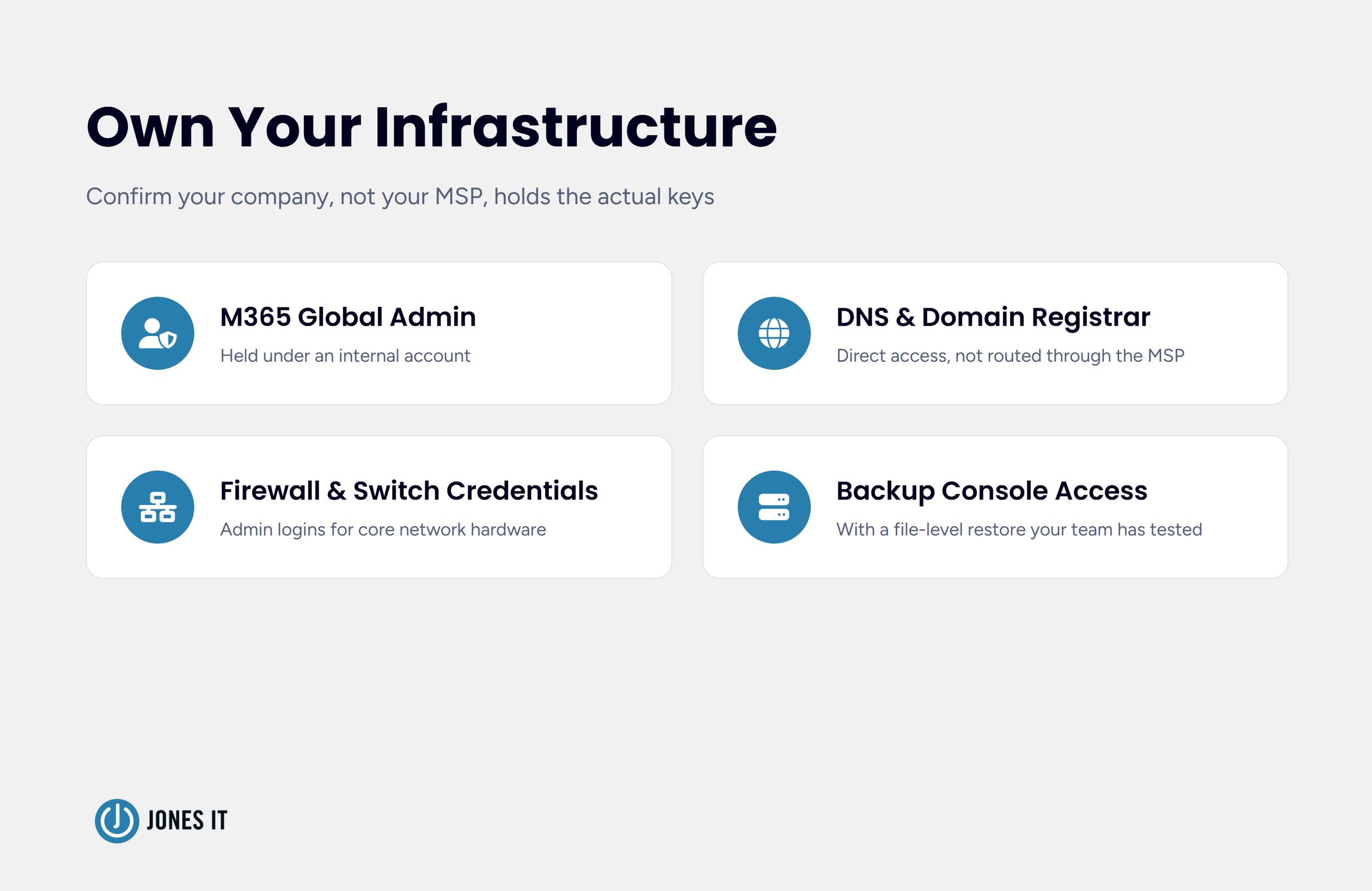
Confirm your company, not your MSP, holds the actual keys to key accounts, such as Global Administrator access to Microsoft 365 under an internal account, direct access to your domain registrar and DNS hosting, admin credentials for your firewalls and core switches, and independent access to your backup console with a file-level restore your own team has actually tested. If your MSP is the only party who can log into any of these systems, you don't own your infrastructure. You're renting it back from them.
Companies that treat this as a standing practice, reviewed regardless of provider satisfaction, never find themselves negotiating from a position of dependency. If you're doing this audit for the first time because you're already planning to leave, do it now, and do it as a routine access review rather than waiting until after you've given notice. Once notice is served, a provider's cooperation often shifts from contractual obligation to goodwill, and goodwill is a worse position to negotiate from.
Key Takeaway: Your company; not the MSP, must hold the master credentials to all key accounts (Global Admin for M365, DNS/Registrar, Firewall/Switch admin, and independent Backup console access).
Running Two Providers at Once: The Parallel Run
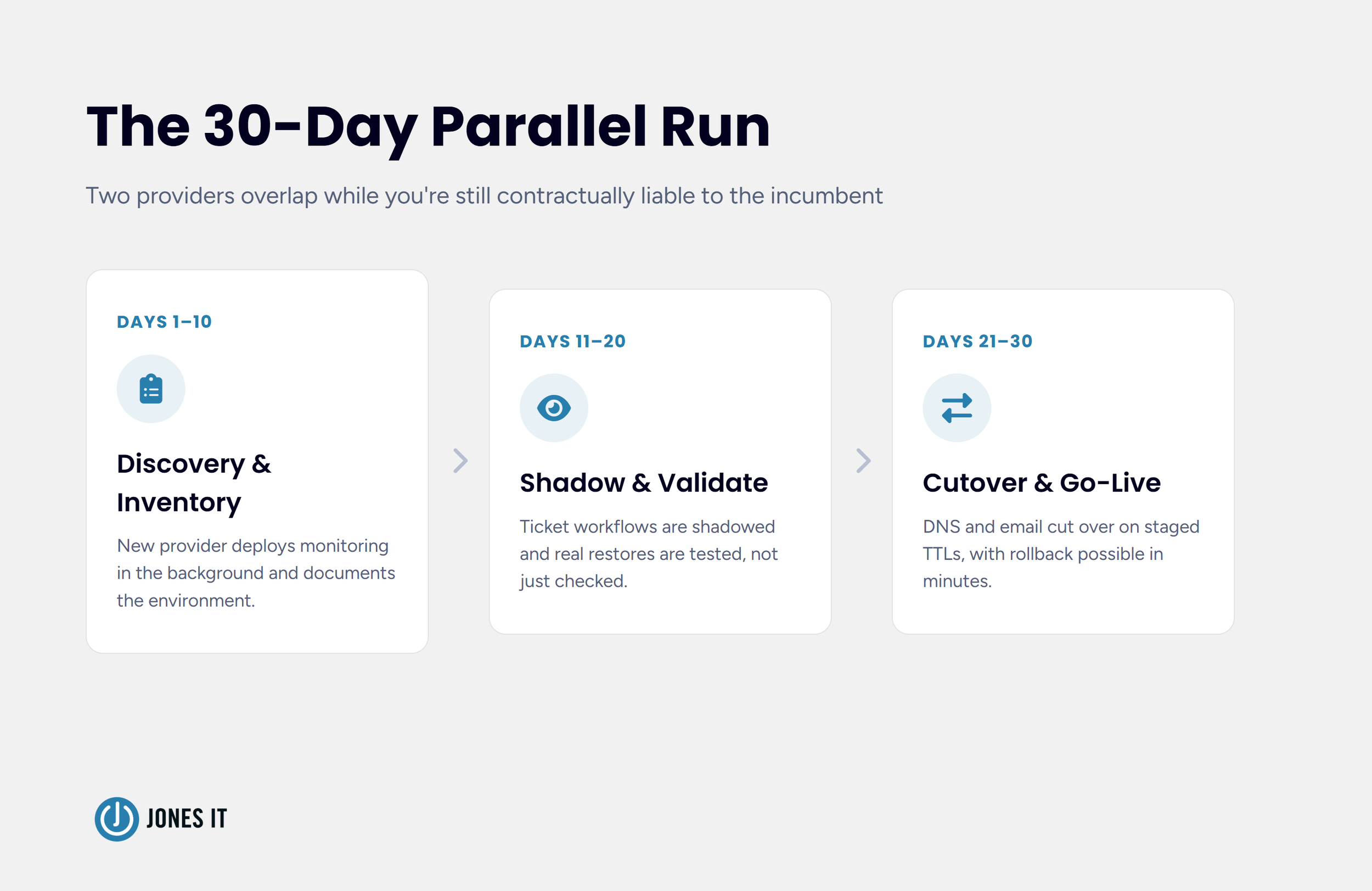
A clean cutover on a single day sounds appealing, but almost never survives contact with reality. The stronger approach is a parallel run, roughly 30 days where your incoming and outgoing providers overlap, and it requires more planning when you're still contractually liable to the incumbent than it does in a standard end-of-term switch.
In the first stretch, your new provider deploys monitoring and endpoint tools in the background while building a full written inventory of your environment. In the middle stretch, they shadow your existing ticket workflows and test real restores rather than just confirming a backup dashboard shows green. Only once that's validated does the new provider take over primary support, with DNS and email cutovers staged and TTL values lowered to a few minutes so a rollback stays possible if something breaks.
Set the formal termination date to land after this validation, not before. Ending the incumbent relationship too early leaves you without a safety net if the new provider hits something unexpected in week two.
The First 90 Days With Your New Provider
The transition isn't finished when the new provider takes over. Use the first 90 days to confirm the switch solved the underlying issues that triggered the transition.
At day 30, review response times and ticket resolution against what your contract promises, and against the pattern that pushed you to leave in the first place. At day 60, run a vulnerability scan validation pass. It's common to find outdated firmware and unpatched systems that a struggling provider let sit for longer than anyone realized. By day 90, move into a regular cadence of quarterly business reviews, and confirm every credential and access point tied to your old provider has been formally revoked, not just disabled.
What to Confirm Before You Give Notice
Before you formally initiate the exit process, ensure you have verified these critical items to protect your operations and leverage your negotiation position. Confirming these details in advance helps you avoid common pitfalls, such as accidental auto-renewals or unexpected service gaps during the transition.
The exit fee calculation method, and whether it's a flat number or open-ended.
Whether a for-cause exit applies based on a documented SLA failure pattern.
Any required cure period, and whether you've satisfied it.
That your company holds admin access, DNS, and backup credentials independently.
A written transition plan with your new provider, including a validated parallel-run timeline.
The formal termination date, set after cutover validation, not before it.
Leaving on Your Own Terms
The founder from the story above ended up leaving eight weeks after that first conversation. She paid a reduced exit fee once her ops lead documented the SLA pattern and her outgoing provider agreed a for-cause argument would likely hold up if it went further. Her new provider walked her through the SOC 2 audit on schedule, and the relationship has held every response-time commitment since. She told me afterward that the fee had never really been the obstacle. Not knowing whether she had grounds to challenge it was.
Founders in her position often stop at the exit fee and never get to the second half of the comparison. If you're weighing this decision right now, put the fee next to the real cost of staying before you decide anything else. Read the clause and get your infrastructure access in order before you say anything to your current provider. If you want a second set of eyes on your specific contract and situation, reach out to Jones IT and we'll walk you through what a mid-contract transition would actually look like for your environment.


About The Author

Evan JonesFounder and CEO of Jones IT
With over two decades of IT experience in San Francisco, Evan guides Jones IT's long-term strategy, finances, and culture, with a vision of building the city's highest-rated IT services firm. Outside of work, you'll find him on the golf course or running Bay Area Warriors, his non-profit connecting Bay Area kids to college through basketball.
Switching MSPs mid-contract? Learn how to weigh exit fees against the cost of staying, review your contract, secure your data, and transition without downtime.