
The IDF (Intermediate Distribution Frame) closet listed on the floor plan turned out to be a converted janitor closet with no dedicated circuit, no cooling, and a mop sink still bolted to the wall. The startup had signed the lease three weeks before we walked the space with them, and by then, the tenant improvement budget was locked, and the move date was already on the calendar. That closet became the server room for a growing SaaS company, and we spent the next six weeks retrofitting a room that was never built to hold networking equipment.
We've since put together a checklist we walk through with founders before they get anywhere near a signature, not after. A pre-lease IT infrastructure checklist covers fiber availability, cabling condition, server room adequacy, power capacity, and whatever network equipment the last tenant left behind. Here's what we look for at every Bay Area building we survey, and what it costs a company to skip these questions.
ISP and Fiber Availability by Building
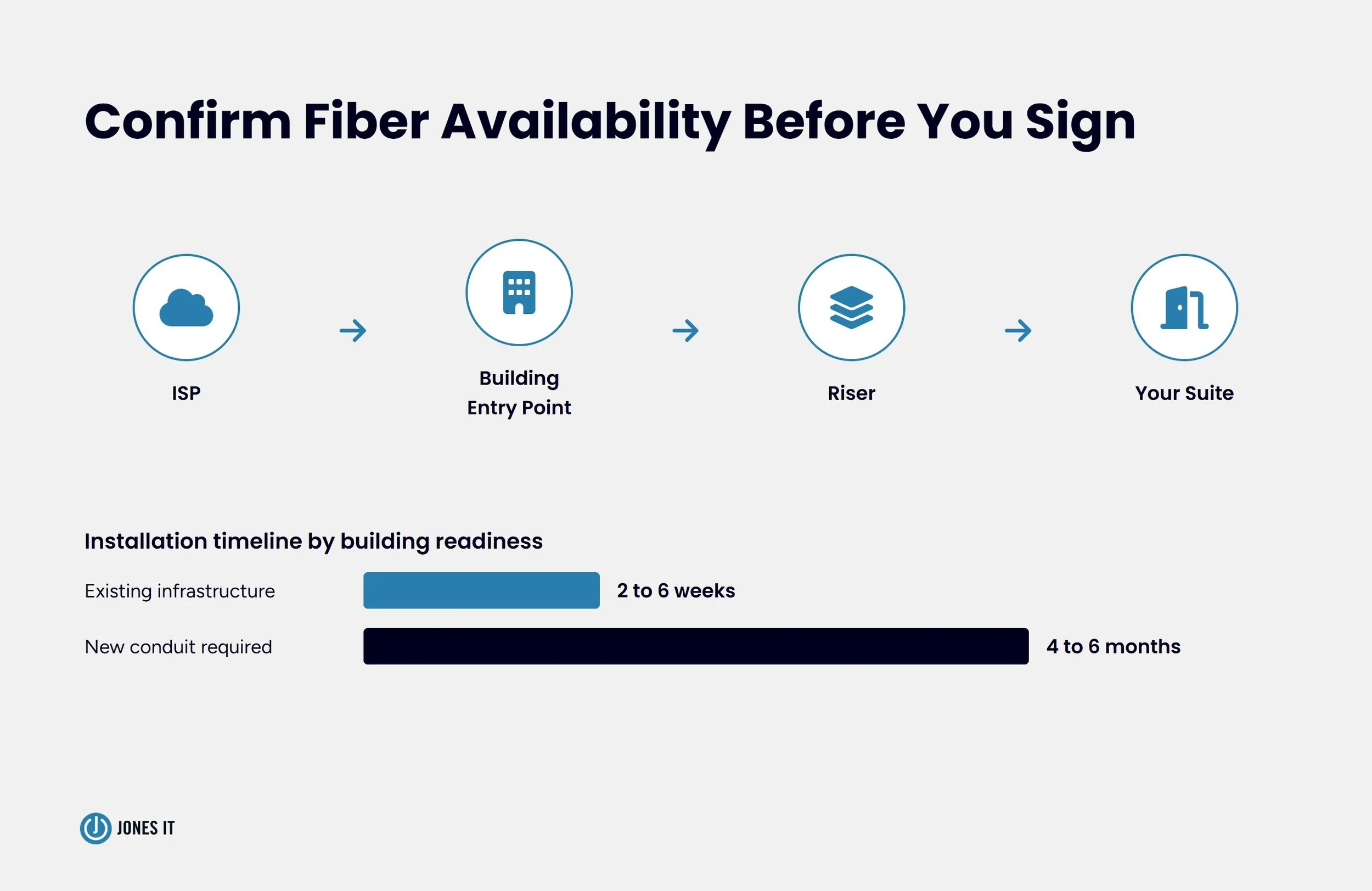
Fiber availability varies by building, sometimes even within the same block, and confirming it before you sign saves months of delay. A leasing broker telling you “the neighborhood has fiber” is not the same as an ISP (Internet Service Provider) confirming service to your specific suite.
Ask the property manager for the building's existing telecom infrastructure diagram before you tour. You want to know which ISPs already have equipment in the building's main point of entry, because an ISP with existing infrastructure can usually activate its service in weeks. An ISP with no presence in the building may need to run new conduit from the street, and that process can take four to six months, depending on permitting and construction schedules in the area where the building sits.
Request a Letter of Agency from your preferred ISP and have them confirm serviceability to the suite, not just the address. We've seen buildings where one ISP serves floors two through five and a different ISP serves the top floor, because of how risers were built out over time. Don't assume uniform coverage across a building just because the leasing agent says the building is “fiber-ready.”
If dedicated fiber (a Dedicated Internet Access or DIA connection with symmetric upload and download speeds) isn't available on your target move-in date, ask what temporary connectivity options exist. Fixed wireless or a bonded cable connection can bridge the gap while a fiber install is pending, but you need to know that going in, rather than discovering it after your team shows up on day one with no internet.
I've sat in on enough of these ISP calls to know the timeline quoted at the start rarely survives contact with the building's actual permitting history. An ISP rep will tell you six weeks because that's the standard estimate for a building with clean existing risers. The building you're touring might not be that building, and the only way to know is to ask the property manager directly whether any tenant has installed new fiber service in the last two years, and how long it actually took.
Structured Cabling: What “Included” Actually Means
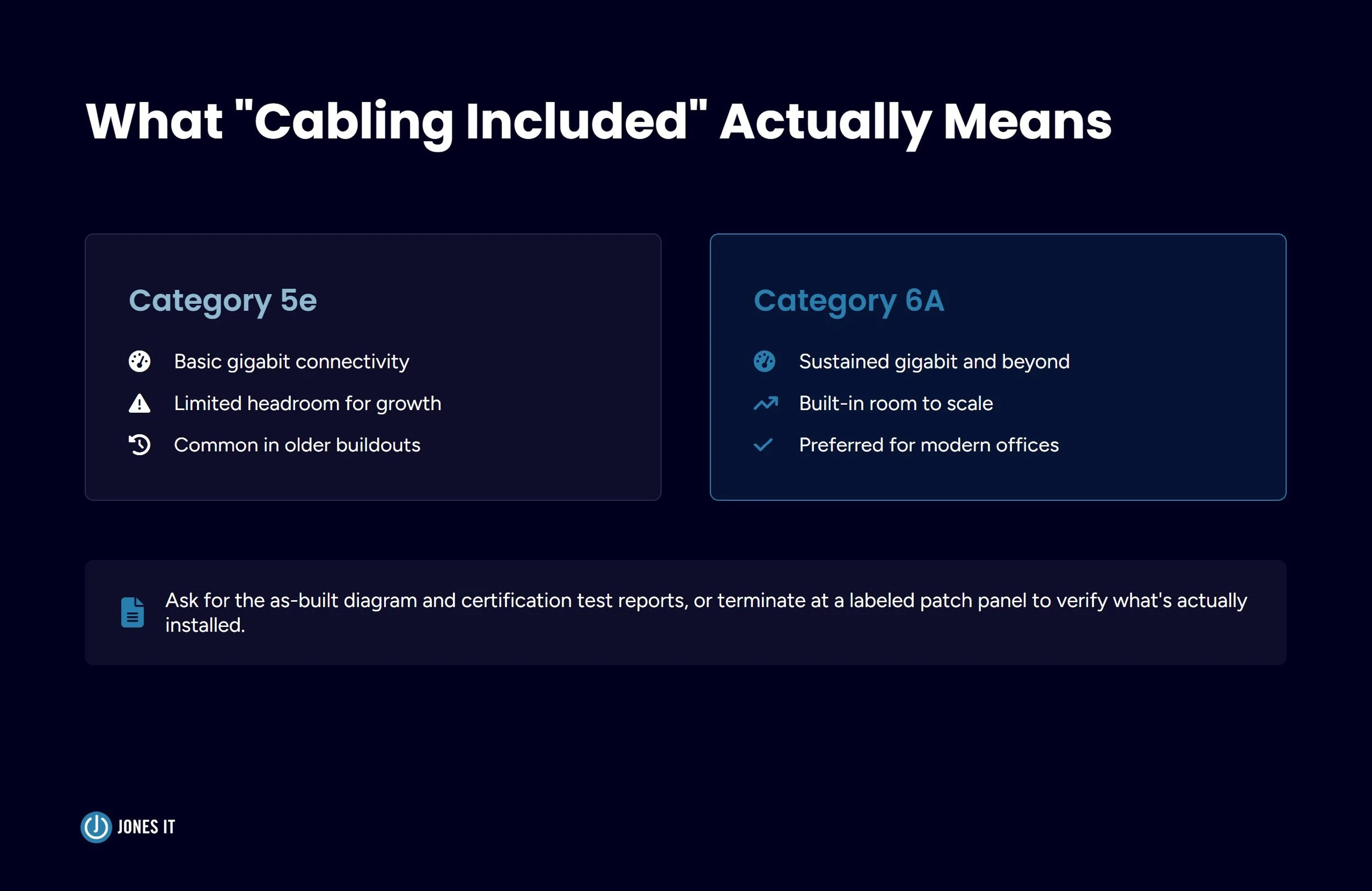
A landlord telling you the suite is “wired” or comes with “cabling included” tells you almost nothing about what you're actually getting. Cabling condition varies from a fully certified Category 6A plant terminated at a labeled patch panel to loose Category 5 runs left over from a tenant that moved out a decade ago.
The commercial cabling standard that matters here is ANSI/TIA-568, which defines how structured cabling should be planned, terminated, and tested in commercial buildings. Ask for the as-built cabling diagram and any certification test reports from the last installation. If neither exists, assume you're starting from close to zero and budget accordingly, regardless of what the listing says.
For network and cabling fundamentals, refer to our guide to building a computer network.
Two questions settle most of the ambiguity fast. First, what category of cable is actually in the walls, since Category 5e supports basic connectivity but falls short of what most modern offices need for sustained gigabit performance. Second, does the cabling terminate at a patch panel in a dedicated space, or does it dead-end somewhere you'd need to trace and re-terminate? A suite with no cabling at all is often a cleaner starting point than one with an undocumented mess someone left behind.
Server Room and IDF Closet Adequacy
A server room or IDF closet needs to function as equipment infrastructure, not as whatever leftover space happened to have a door on it. That's where the converted janitor closet comes back into the conversation.
Cooling and Dedicated Circuits
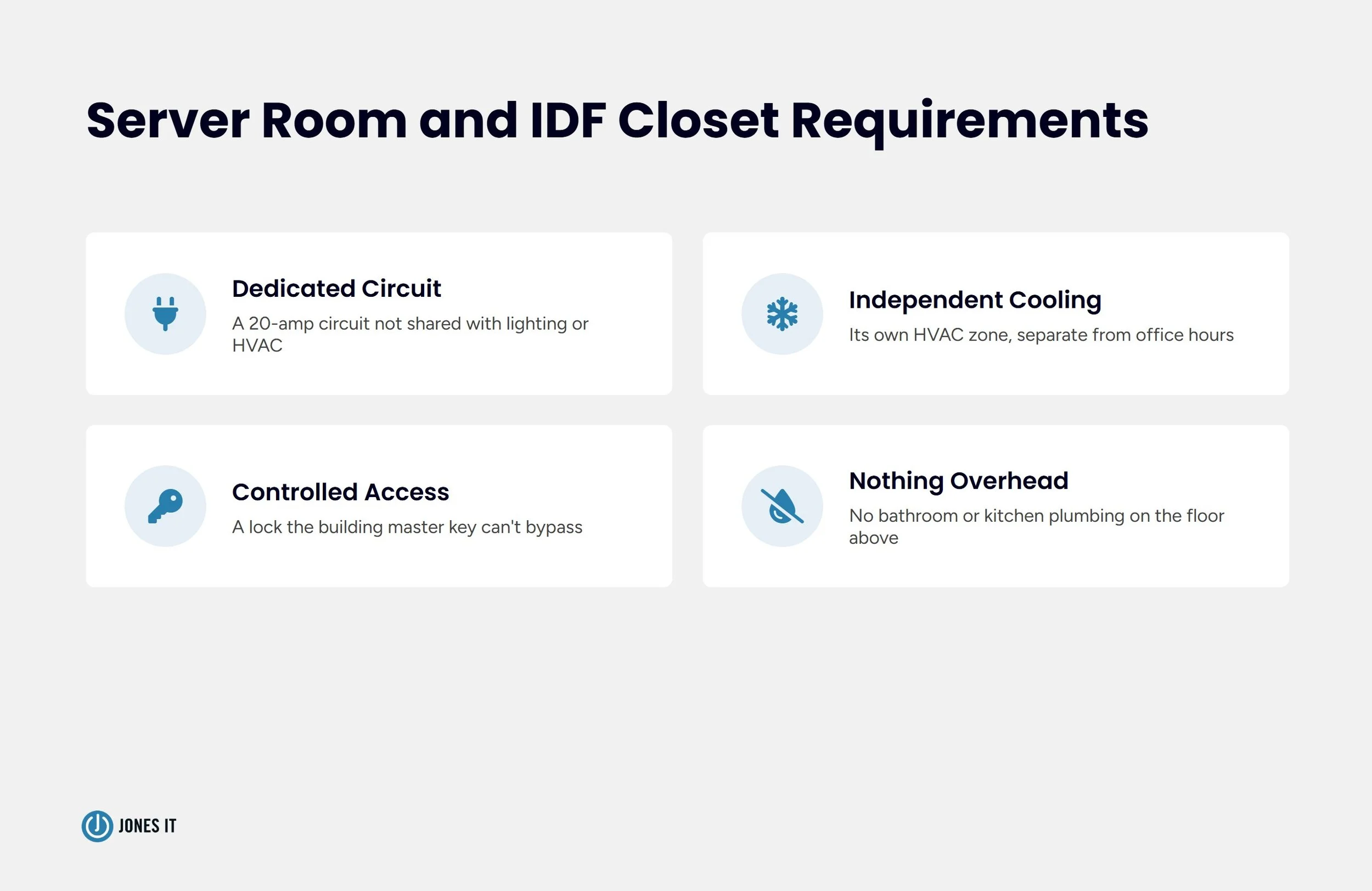
Networking equipment generates heat continuously, and a closet with no independent cooling risks shortening the life of switches, routers, and any on-premise servers you're still running. Ask whether the space has its own HVAC zone or supplemental cooling, separate from the general office system that shuts off on nights and weekends.
Power matters just as much. The space needs a dedicated 20-amp circuit that isn't shared with lighting, HVAC, or anything else in the suite. We've walked into more than one “server room” running off the same circuit as the break room refrigerator. That becomes a problem the moment someone plugs in a microwave during a deployment.
Physical Security and Access
Check who has keyed access to the space before you sign. In many buildings, maintenance staff hold a master key that opens every closet on the floor, including the one housing your network equipment. If that's the case, ask about installing a separate lock that the building engineer can't bypass, and get that request in writing rather than as a verbal assurance from the leasing agent.
Also, check what's directly above the room. A server closet sitting under a bathroom or kitchen on the floor above is a real risk if a pipe fails, and it's the kind of detail nobody points out during a walkthrough unless you ask. We now ask to see the floor plan for the level above every suite we evaluate, and it's surprising how often the answer changes the conversation entirely.
Power and UPS Requirements
Calculate your expected equipment load before you tour, not after you've signed. Add up the draw from switches, servers, access points, and any specialized equipment your team runs, then confirm the suite's electrical panel has capacity for that load plus room to grow. A panel already running near capacity from the previous tenant's buildout leaves you little room for expansion eighteen months in.
Ask whether the building has backup generator power reaching your suite, or whether you're solely responsible for UPS coverage. A building-wide generator that only serves elevators and emergency lighting won't help your network stay up during an outage. If you're on your own for backup power, size your UPS to the load you calculated, with enough runtime to get through a short outage or shut equipment down cleanly during a longer one.
Redundant circuits from separate panels are worth negotiating for if your business can't tolerate downtime. It's an easier ask during lease negotiation than after you've moved in, when the electrical work means tearing into finished space. We generally recommend sizing a UPS for at least fifteen to thirty minutes of runtime at full load, enough to ride out a short blip or trigger a clean shutdown sequence if the outage runs longer, and confirming that number against your actual equipment inventory rather than a generic estimate.
Evaluating Pre-Existing WiFi Infrastructure
Previous tenants often leave wireless access points mounted and cabled, and landlords sometimes present this as a selling point. Treat it as a starting point to evaluate, not a feature to take at face value.
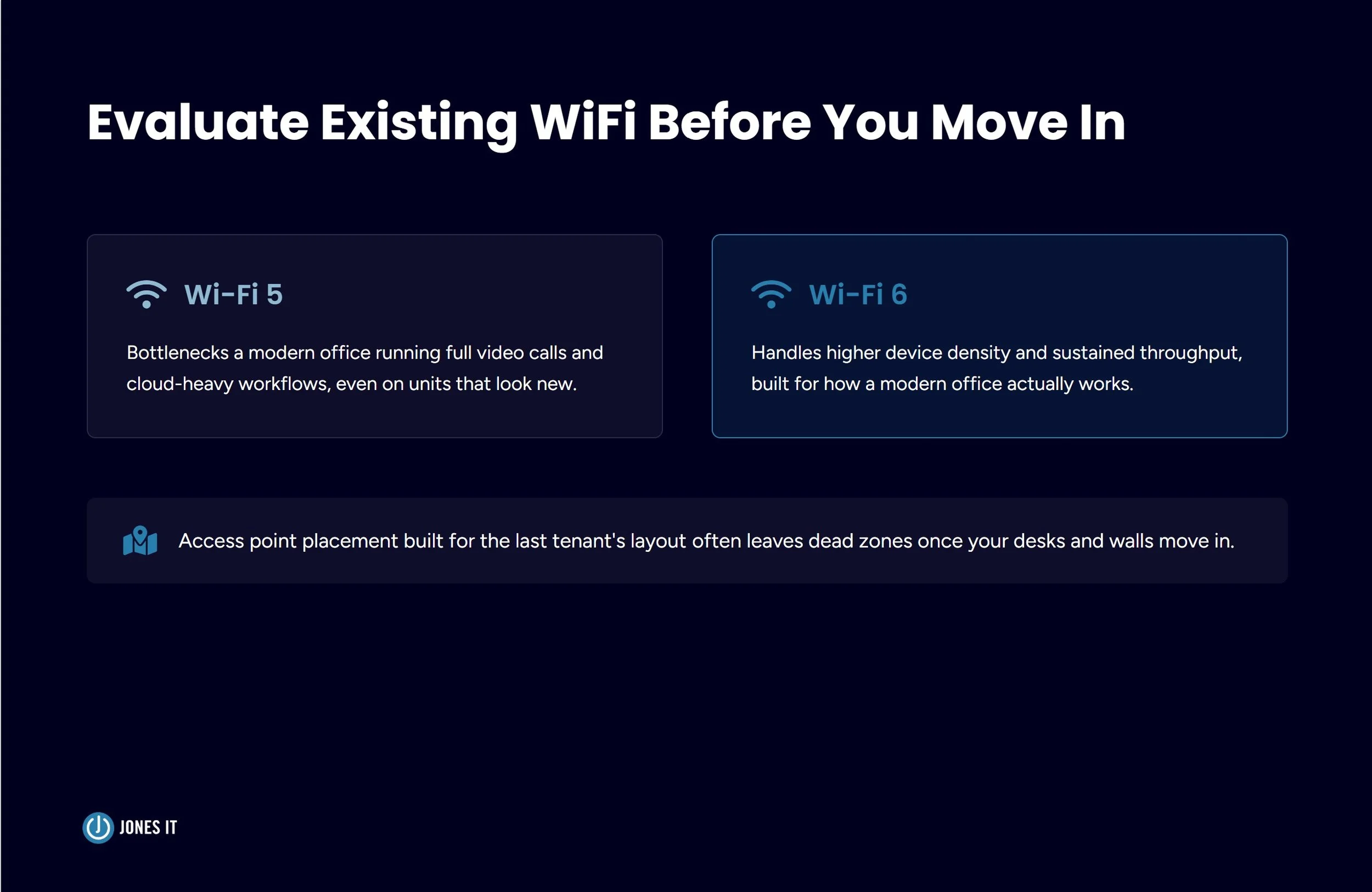
Check the standard the equipment supports. Access points still running Wi-Fi 5 will bottleneck a modern office full of laptops, phones, and video conferencing equipment, even if the units look new. Check placement against your actual floor plan too, since access points positioned for a previous tenant's layout may leave dead zones once you've moved in your own desks and walls.
If the landlord claims the equipment comes with the space, get that in writing as part of the lease, not as a spoken assurance during the tour. We've had clients told verbally that equipment was included, only to find it stripped out during the walk-through inspection before move-in. For a deeper look at planning and upgrading office WiFi once you're in the space, our guide to business WiFi infrastructure covers the full evaluation process.
What to Negotiate in Your Commercial Lease
Tenant improvement (TI) allowances can often cover IT buildout costs, including cabling, electrical work for a server room, and even ISP installation fees, but only if you negotiate that explicitly. Landlords default to applying TI dollars toward paint and carpet unless you specify otherwise in the lease.
Push for language that assigns responsibility for existing infrastructure defects. If the cabling turns out to be unusable or the electrical panel can't support your load, you want it clear upfront whether that's a landlord cost or a tenant cost, rather than a conflict you have after signing.
Timeline contingencies matter more than most founders expect. Don't commit to a move-in date before you've confirmed fiber installation timing with your ISP of choice. A 90-day lease commencement clause is meaningless if the ISP needs 4 months to run a new conduit to the building.
Finally, ask for a walk-through contingency that lets your IT team, whether that's an internal hire or an MSP like ours, inspect the space before the lease is final. A single technical walkthrough before signing catches most of what this checklist covers, and it costs a lot less than discovering it after the ink is dry.
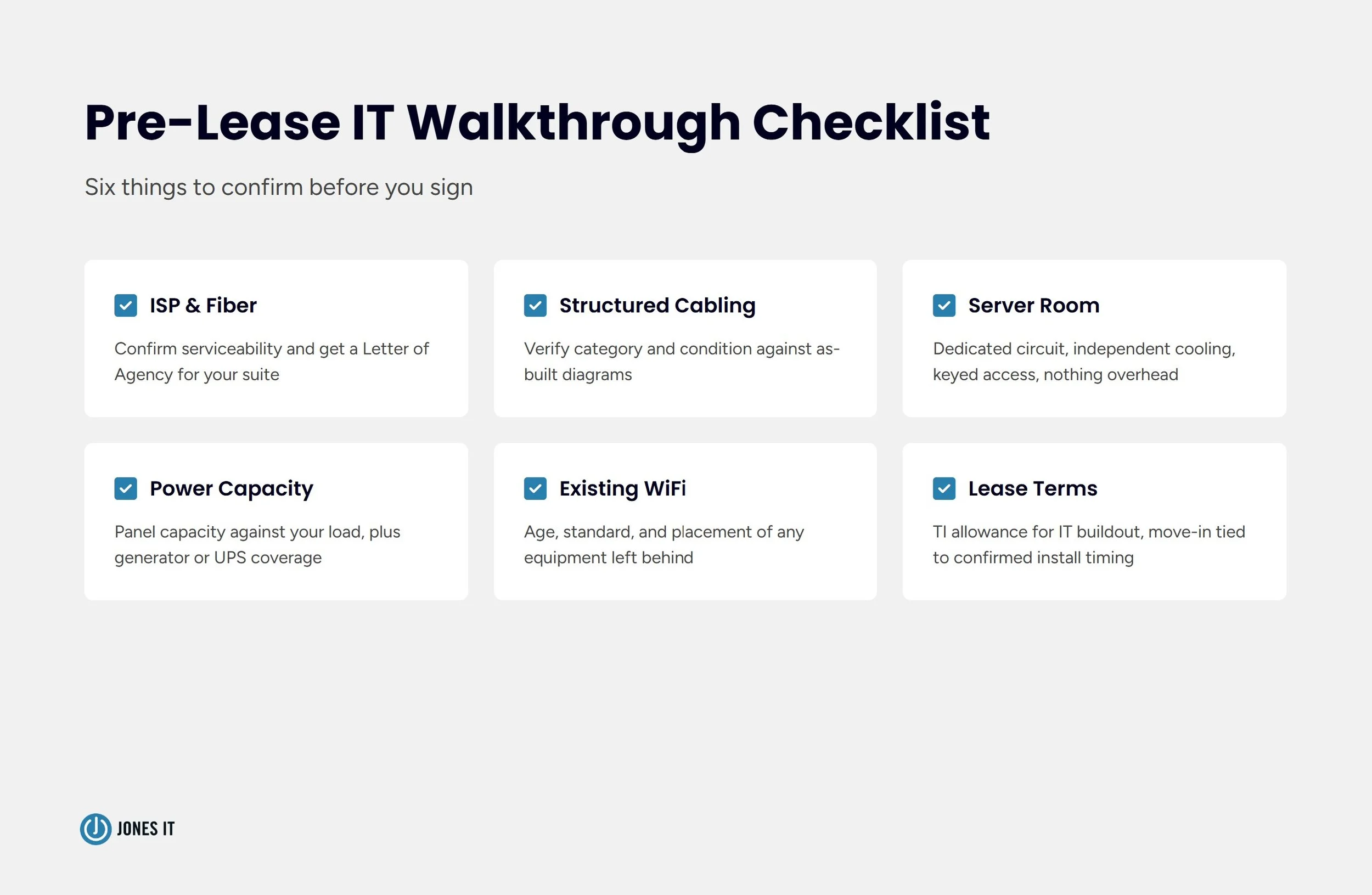
Pre-Lease IT Walkthrough Checklist
Before you sign, confirm:
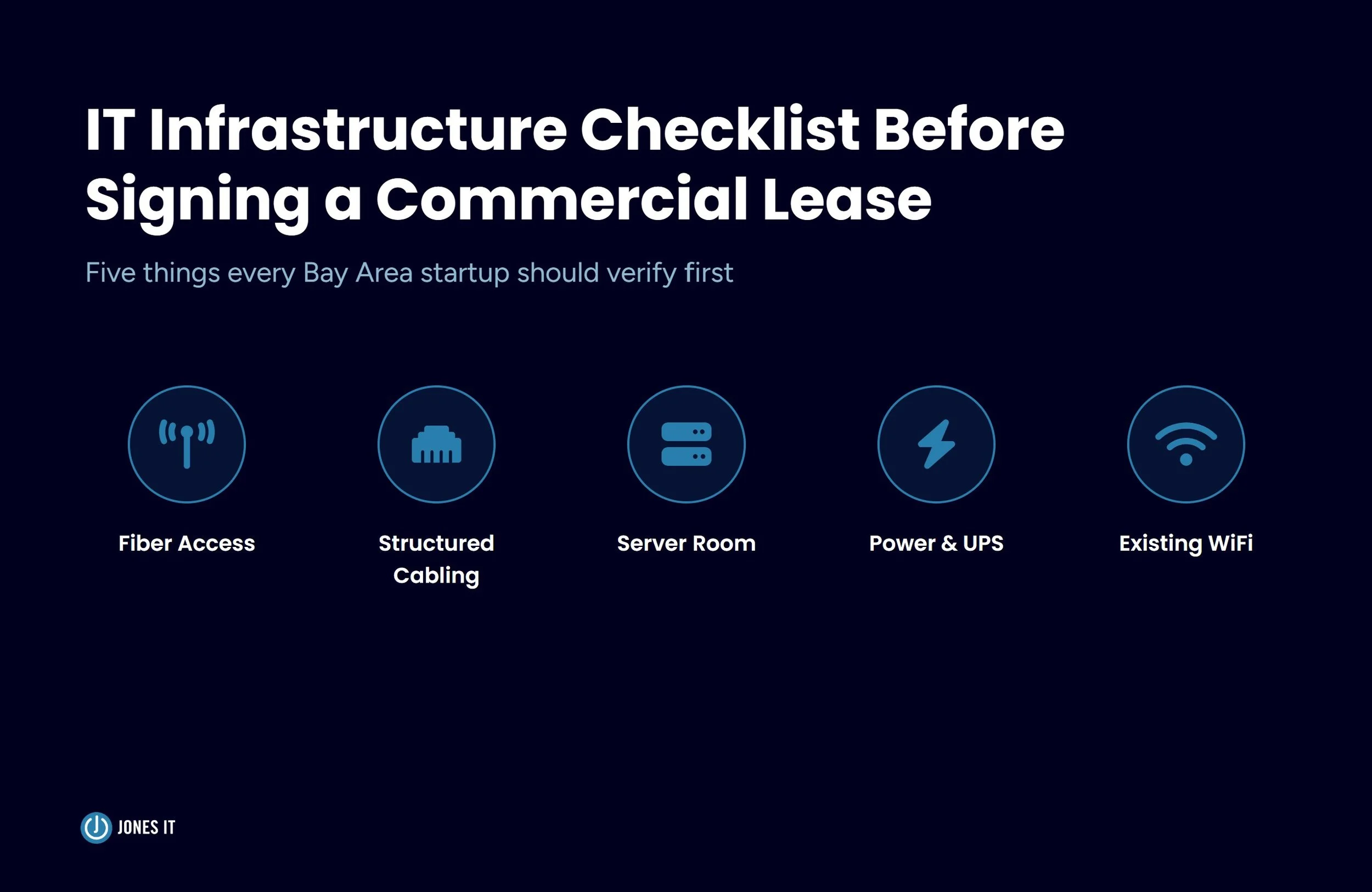
Which ISPs have existing infrastructure in the building, and get a Letter of Agency confirming serviceability to your specific suite.
The category and condition of existing structured cabling, backed by as-built diagrams or certification reports.
Whether the server room or IDF closet has independent cooling and a dedicated 20-amp circuit.
Who holds keyed access to the server room, and whether a separate lock is possible.
What's directly above the server room on the floor above?
The building's electrical panel capacity against your calculated equipment load.
Whether backup generator power reaches your suite, or whether UPS coverage is entirely on you.
The age, standard, and placement of any WiFi equipment left by the previous tenant, and whether it's written into the lease as included.
Whether your TI allowance can be applied to IT buildout costs.
A move-in date contingent on confirmed ISP installation timing.
Get IT Involved Before You Sign
Most of the infrastructure problems we've fixed after a move started as questions nobody asked before the lease was signed. Bringing an IT walkthrough into your leasing timeline costs a few hours and usually surfaces exactly the kind of detail that turns into a six-week retrofit if it's missed.
Once you've signed and you're ready to plan the actual move, our guides to new office IT setup and keeping employees productive on day one cover what comes next. If you'd like a second set of eyes on a space before you commit to it, reach out to us. We'll survey it with you.


About The Author

Sarang JoshiCTO at Jones IT
Sarang Joshi leads and mentors the engineering team at Jones IT. With a Master's in Computer Engineering from San Jose State and over a decade of hands-on experience, he's the person we call when the toughest infrastructure problems show up. Cisco, Meraki, AWS, Azure, you name it, Sarang has probably debugged it at 2 am and still made it to standup.
Learn how IT support for VC firms works best as a shared baseline. Protect your portfolio companies without adding a central help desk operational burden.