
Guide to Managed IT Services SLA: How to Get a Contract That Actually Protects You
A fintech startup in SoMa called us in a panic last year. Their core banking integration went down at 4 pm on a Friday, and their existing IT provider's support line pointed them to a ticket queue with no timeline attached. When the founder pulled up the contract to check what the provider owed them, the language read "best effort support during business hours." It named no response time, no plan for when she'd hear back with a fix, and no target for when the integration would be back up.
That phrase, best effort, is doing a lot of quiet damage across managed IT services contracts right now. It sounds reasonable in a sales call, but it means almost nothing once something breaks. A managed IT services SLA is the contract that turns a provider's promises about uptime, response time, and security into enforceable, measurable commitments, not a formality to skim before signing.
I've sat across the table from enough Bay Area founders reviewing MSP contracts to know where this goes wrong. The problem isn't usually that a provider is lying about what they'll do. It's that the contract never forced them to define it in numbers.
If you're still comparing providers and haven't signed anything yet, our Guide To IT Services Vendor Evaluation and Selection walks through that earlier step. This post assumes you're past that stage and looking at a contract that needs to hold up when something breaks.
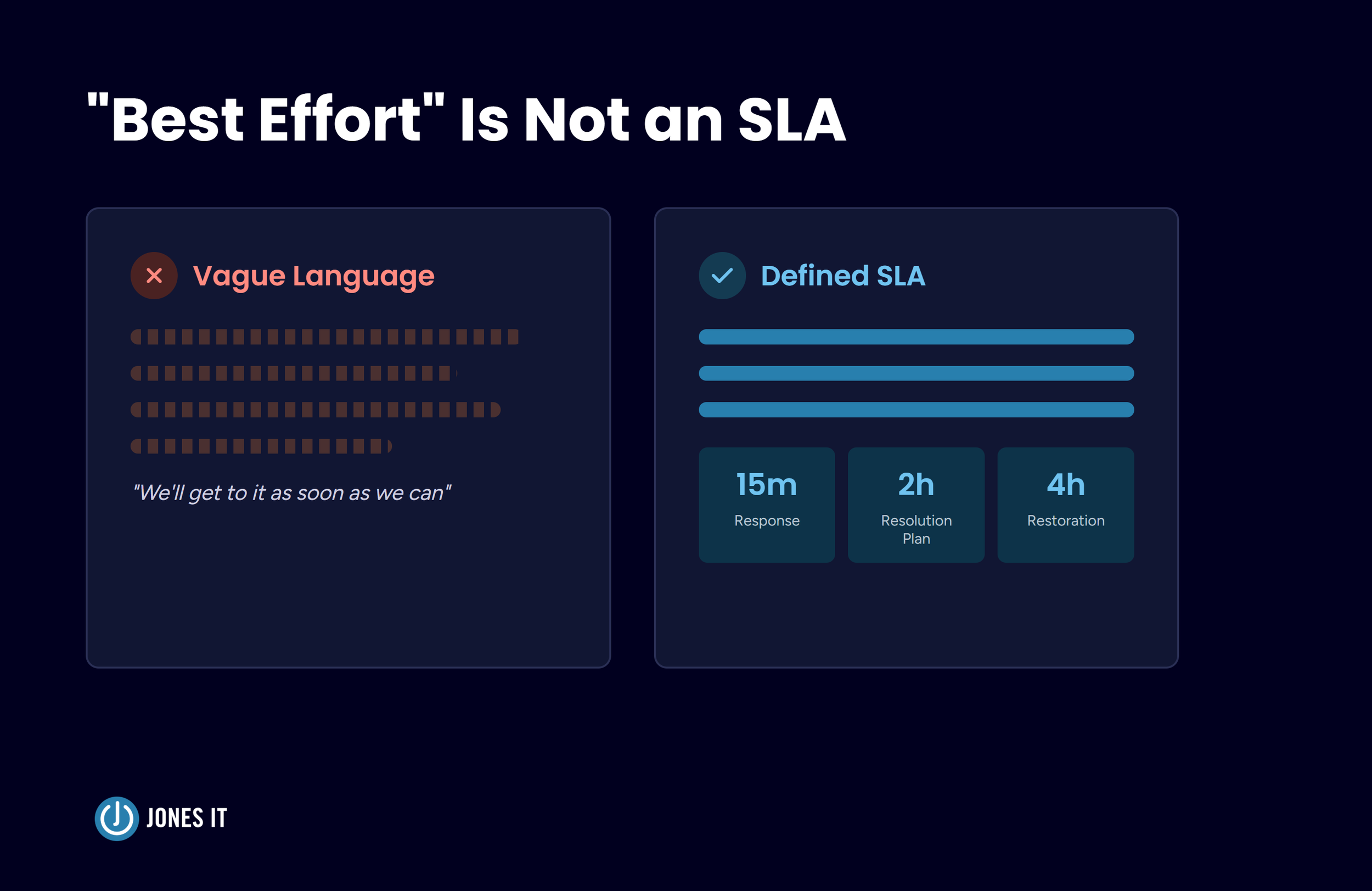
The Problem With "Best Effort" Language
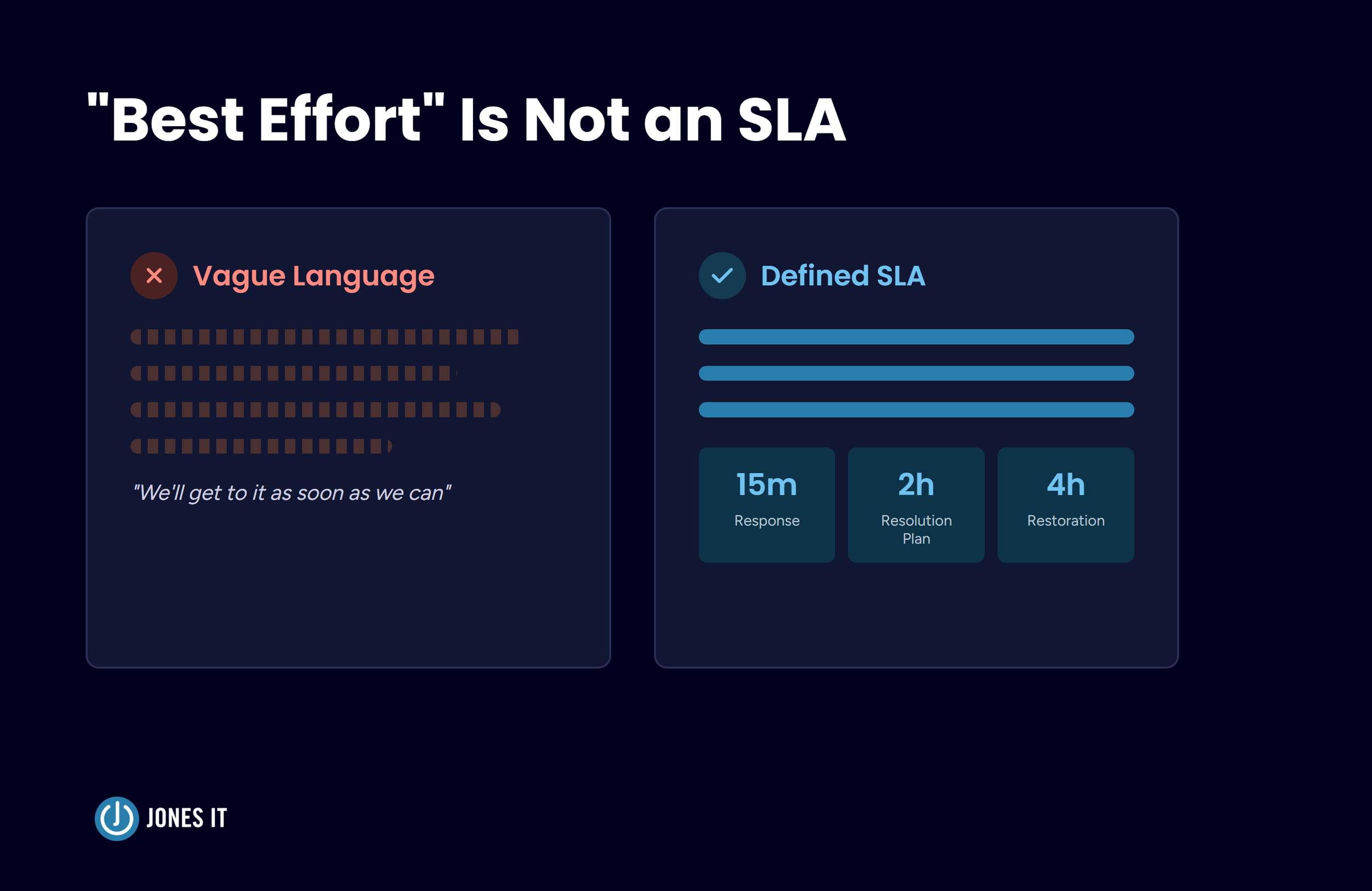
Vague service language survives in contracts because it costs providers nothing to offer and protects clients from nothing when it matters. "We'll get to it as soon as we can" and "critical issues resolved within 4 hours" describe two very different businesses, but only one of them gives you a number to hold anyone to.
The SoMa fintech founder's outage lasted eleven hours. Her provider wasn't in breach of anything, because there was nothing written down to breach. A managed IT services SLA replaces that ambiguity with defined terms: what counts as an outage, how fast someone responds, how fast the issue gets fixed, and what happens if they miss.
What a Managed IT Services SLA Has to Define
A strong SLA reads like an operations plan, not a marketing brochure. It should spell out the scope of what's covered (and just as importantly, what isn't, to prevent scope creep and surprise invoices later), along with specific commitments across a few categories.
Response Time, Resolution Plan, and Restoration Target
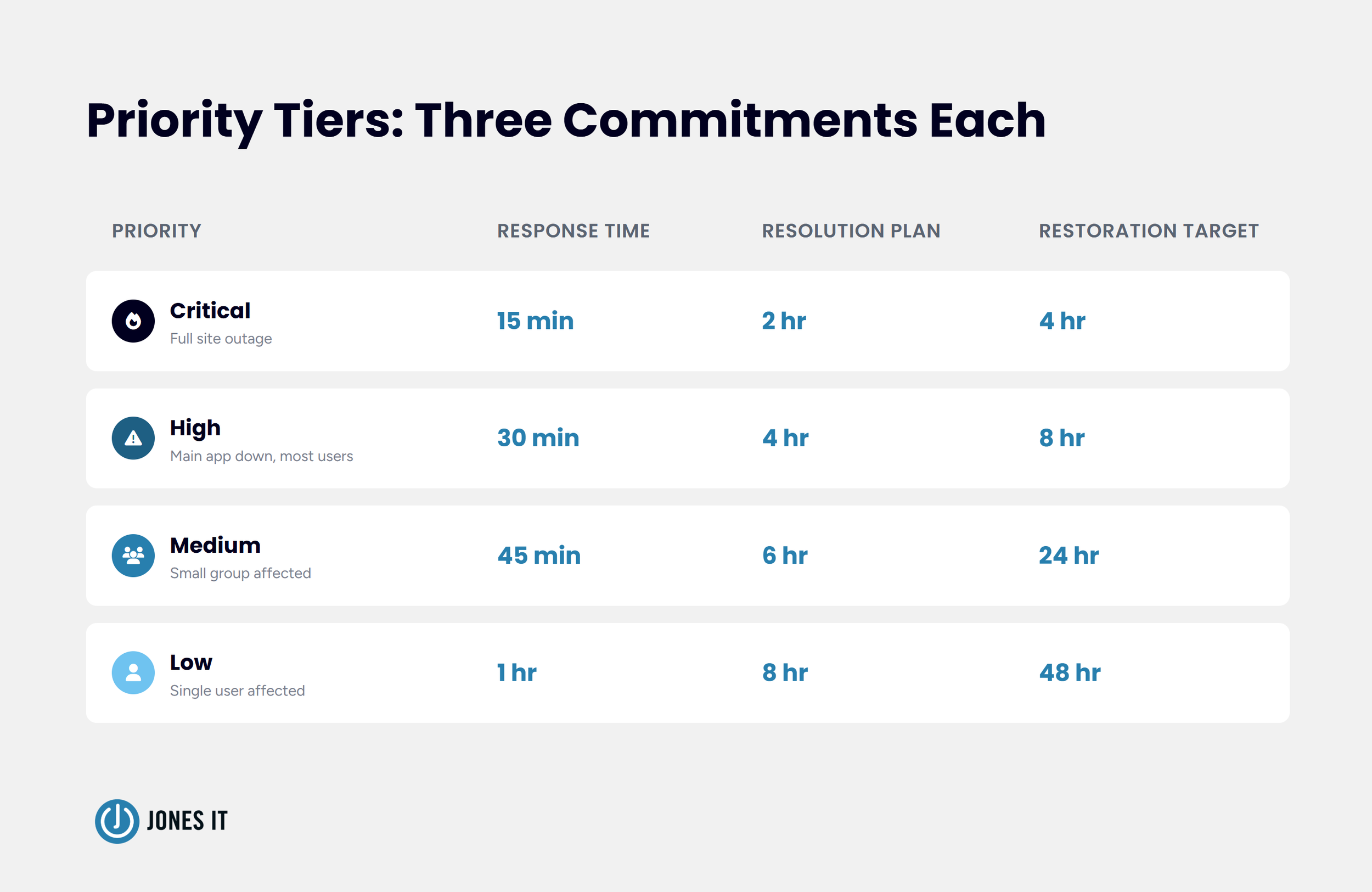
Not every issue deserves the same clock, and a single response time doesn't tell you enough on its own. The strongest SLAs track three distinct commitments for each priority tier, rather than conflating them into a single metric:
Response time is how fast someone acknowledges the ticket and assigns it to a person.
Resolution plan is how fast you get a clear plan back: what's being done, by whom, and roughly when.
Target service restoration is the provider's stated target for when service is meaningfully back up. This is appropriately framed as a target rather than an absolute guarantee, since full restoration sometimes depends on factors outside the provider's control, such as a third-party outage or a failed piece of hardware. What matters is that a specific number is attached to it, not the word "target" standing in for one.
A typical structure, categorized by priority, might look like this:
Critical (a full site outage): 15-minute response, 2-hour resolution plan, 4-hour restoration target.
High (the main business application down, or most users affected): 30-minute response, 4-hour resolution plan, 8-hour restoration target.
Medium (a small group of users affected): 45-minute response, 6-hour resolution plan, 24-hour restoration target.
Low (a single user affected): 1-hour response, 8-hour resolution plan, 48-hour restoration target.
A provider can respond in five minutes and still leave you waiting days for a plan or a fix. The gap between those two outcomes is exactly what a lot of contracts leave undefined.
Uptime and Availability Guarantees
Uptime commitments should be stated as a specific percentage, most commonly 99.9% (which translates to roughly 8.76 hours of downtime allowed per year) or 99.99% for systems your business can't survive without. The SLA also needs to define what counts as excluded downtime, such as scheduled maintenance windows, so a provider can't quietly reclassify an outage after the fact.
Security and Compliance Commitments
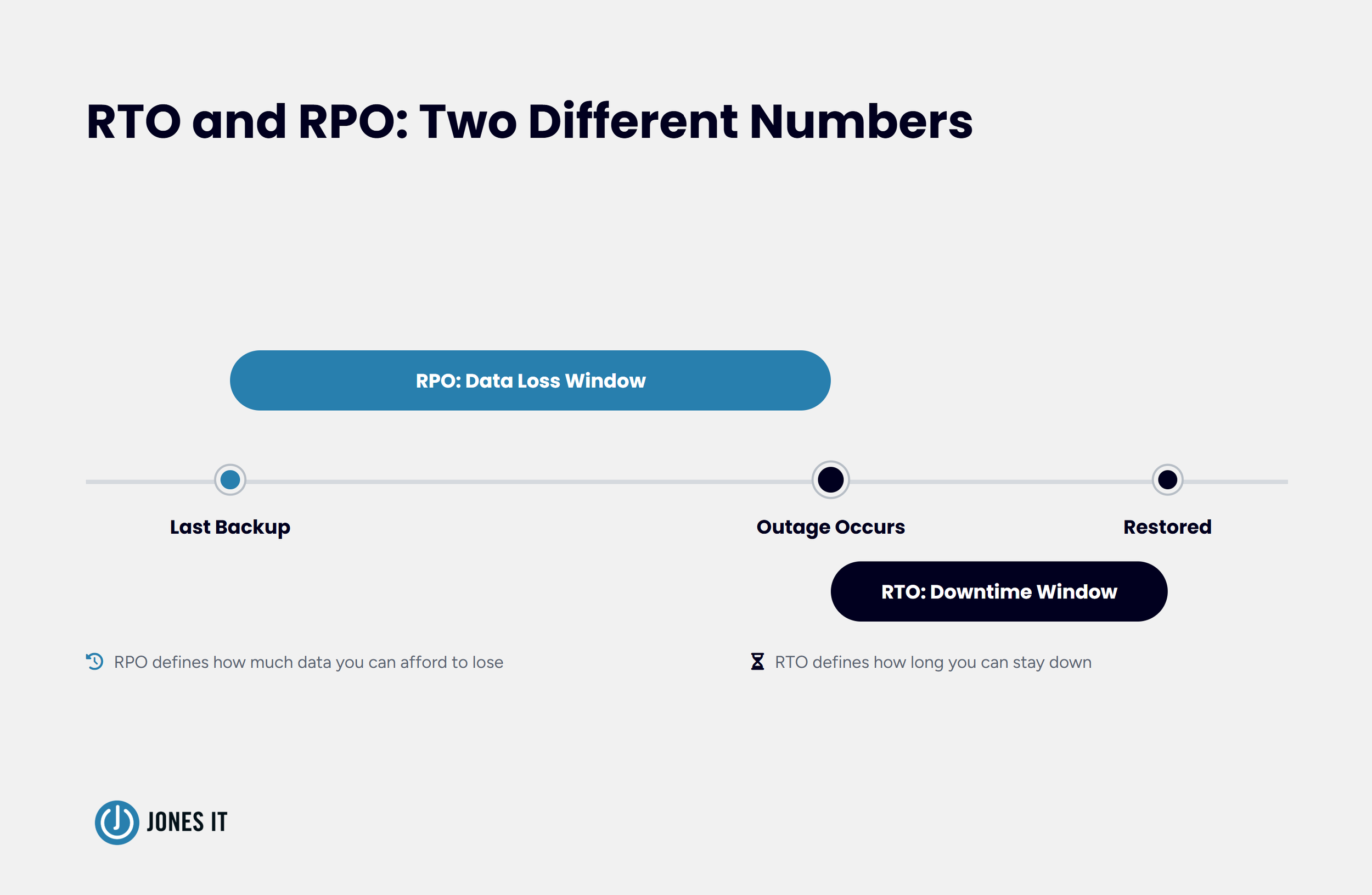
For startups carrying SOC 2, HIPAA, ISO 27001, or similar obligations, security language in an SLA needs actual numbers attached. For example, how quickly critical patches get applied (7 days is a common benchmark), how often backups run, and specific Recovery Time Objective (RTO) and Recovery Point Objective (RPO) targets. NIST Special Publication 800-34 defines RTO as the maximum time a system can stay unavailable before the impact becomes unacceptable, and RPO as how much data loss the business can tolerate. If your SLA doesn't name these numbers, your provider hasn't committed to anything measurable on the recovery side.
I understand why a provider might hesitate to commit to a 7-day patch window across every system. Legacy environments and vendor-locked hardware sometimes can't move that fast without breaking something else. That hesitation is fine, as long as it shows up as a named, documented exception in the SLA rather than a blank space where a number should be.
The Clauses With Teeth: Service Credits and Escalation
Every SLA clause described so far only matters if there's a consequence attached when the provider misses. This is where most SLAs end up toothless in practice.
Service Credit Formulas
A service credit is the financial compensation you're owed when the provider falls short of a performance target, typically structured as a percentage off that month's fee. Dropping below a 99% uptime guarantee, for example, might trigger a 5% to 10% credit.
Credit structures fall on a spectrum. Automatic credits tied to a stated formula sit at the strong end, since they don't require you to catch the breach yourself. Discretionary credits sit in the middle, and plenty of reputable providers use them instead of a standing formula. That middle ground still works if the trigger conditions are spelled out and you keep a real off-ramp, such as a termination right, if shortfalls become a pattern rather than a one-off. What doesn't work is a credit clause with no defined trigger at all and no path out if the provider simply declines to issue one.
Escalation Paths That Escalate
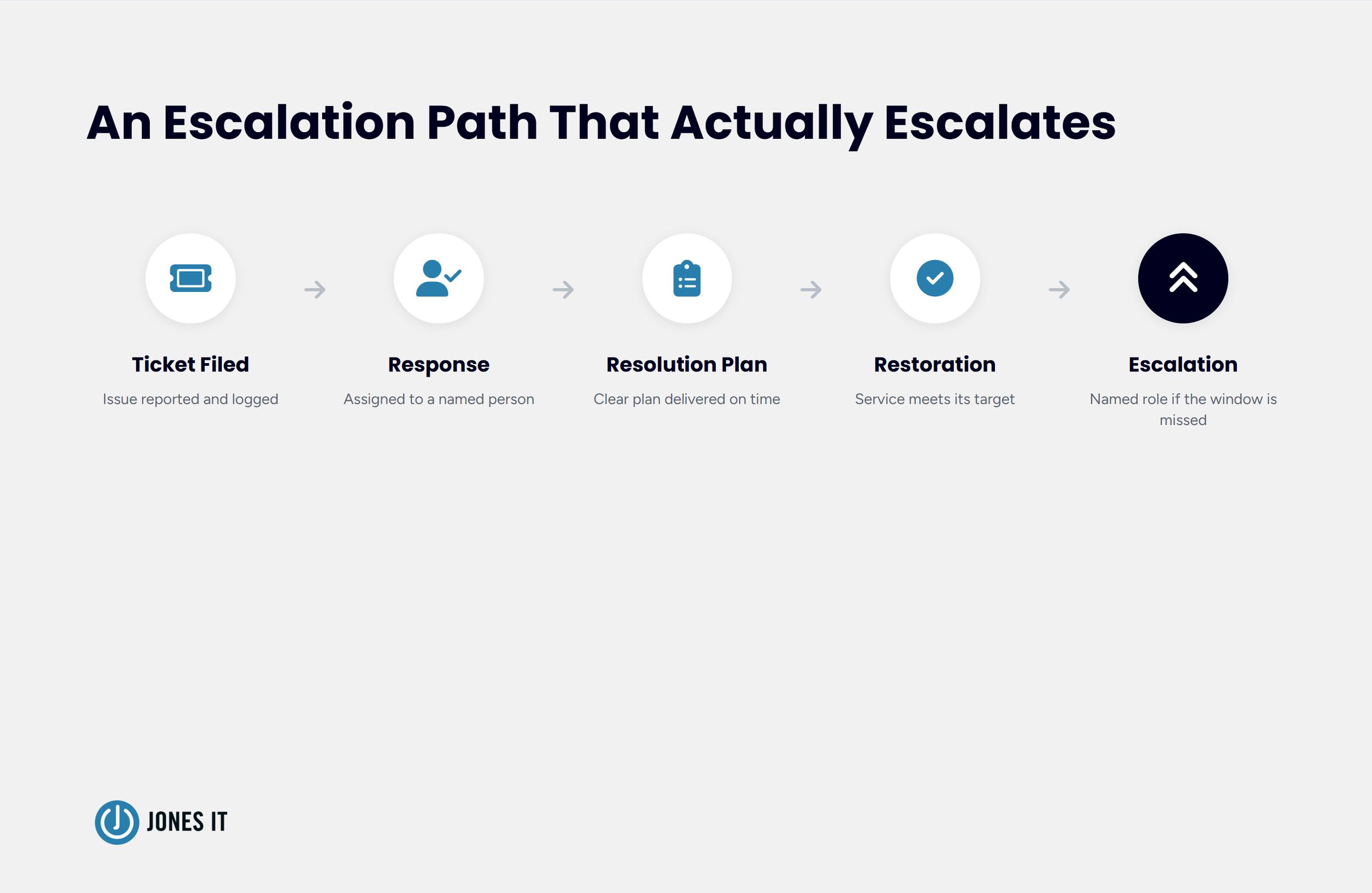
Your SLA should spell out exactly how to contact the provider, who your points of contact are, how you'll receive status updates, and what happens if a ticket blows past its resolution window. A real escalation path names a specific person or role at each stage, not "management will be notified."
Transferability
Another detail worth building in from day one is transferability. IT provider consolidation happens, and if your business or your provider goes through a merger or acquisition, your SLA should say plainly that the commitments survive the transition. An agreement that lapses the moment ownership changes hands isn't protecting you at all.
| Term | Full Name | What It Defines |
|---|---|---|
| SLA | Service Level Agreement | The client-facing document defining measurable targets like uptime and response time. Can be customer-based, service-based, or multi-level. |
| MSA | Master Service Agreement | The overarching legal contract covering general terms, payment conditions, and liability limits. |
| SOW | Scope of Work | A separate agreement for project-based work rather than ongoing managed services, such as a one-time office move or a compliance audit sprint. |
| OLA | Operational Level Agreement | An internal document the provider uses to coordinate between their own teams, such as network admins and helpdesk staff, so they can meet the commitments in your SLA. |
| UC | Underpinning Contract | The agreement between the provider and their own third-party vendors, whose performance supports the provider's ability to hit their numbers. |
SLA, MSA, SOW, OLA: Knowing What You're Signing
Founders reviewing their first IT contract often assume the SLA is the whole agreement. It's usually one indicator among several, each doing a different job:
Service Level Agreement (SLA): The client-facing document defining measurable targets like uptime and response time. SLAs can be customer-based (built for your business specifically), service-based (standardized across a provider's client base), or multi-level (segmented across corporate, customer, and service layers).
Master Service Agreement (MSA): The overarching legal contract covering general terms, payment conditions, and liability limits.
Scope of Work (SOW): A separate agreement for project-based work rather than ongoing managed services, such as a one-time office move or a compliance audit sprint.
Operational Level Agreement (OLA): An internal document your provider uses to coordinate between their own teams, such as network admins and helpdesk staff, so they can meet the commitments in your SLA.
Underpinning Contract (UC): The agreement between your provider and their own third-party vendors, whose performance supports your provider's ability to hit their numbers.
Knowing which document you're negotiating matters. Asking your provider to add uptime language to an MSA when it belongs in the SLA is a good way to get a polite non-answer.
Red Flags in an SLA
A few patterns in an SLA are worth walking away from outright:
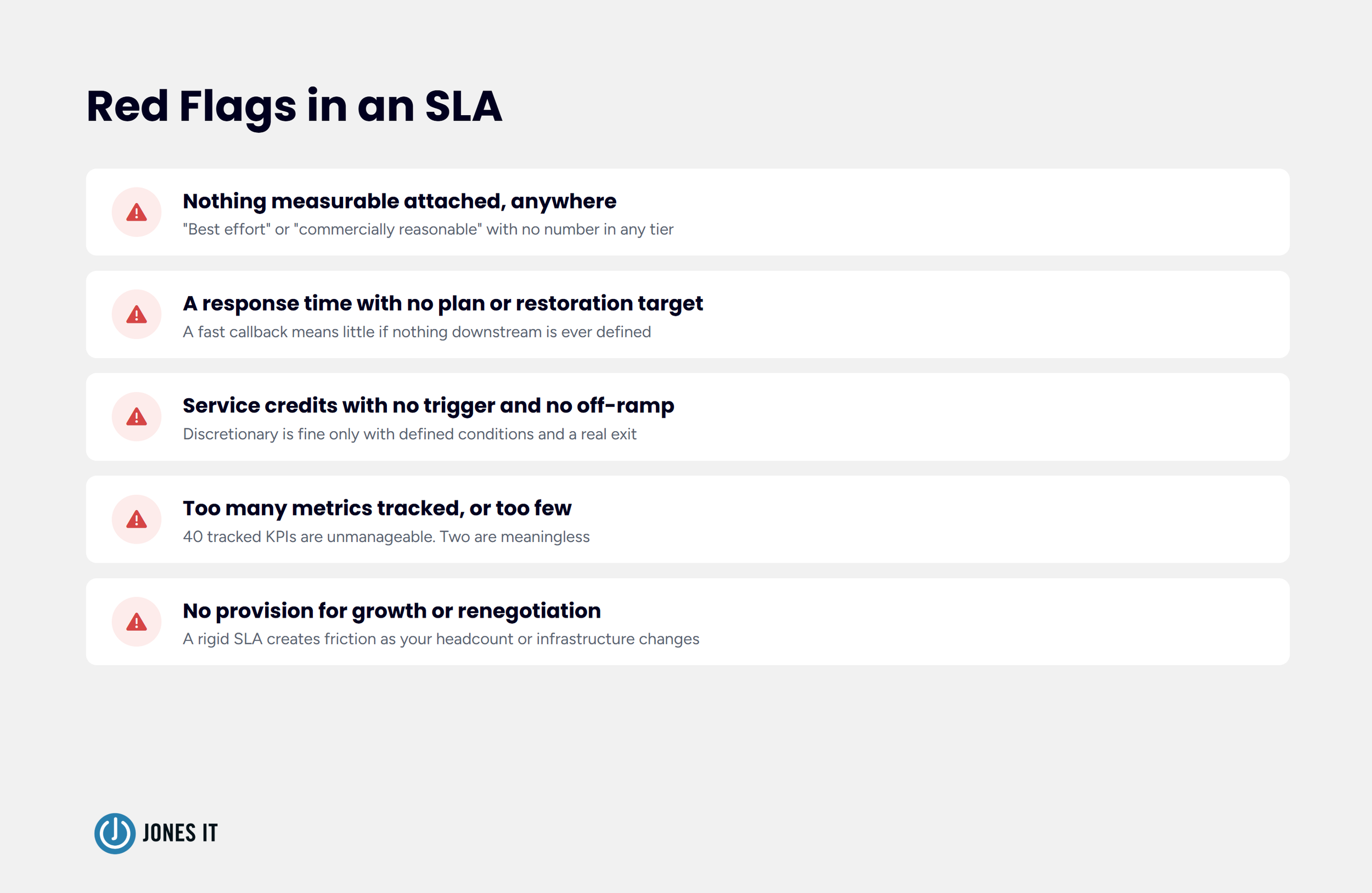
Vague language with nothing measurable attached anywhere. "Best effort" or "commercially reasonable" paired with a defined priority tier and a stated target time is common and workable. The same phrase with no number attached to it at all, in any tier, is the real problem.
A response time with no resolution plan or restoration target of any kind. A fast callback means little if nothing downstream of it is ever defined.
Discretionary service credits with no stated trigger and no off-ramp. Discretion alone isn't disqualifying if the conditions for a credit are spelled out and you retain a real right to leave if performance doesn't improve. The red flag is discretion with nothing defined and no exit.
Too many metrics tracked, or too few. An SLA with 40 tracked KPIs becomes impossible to monitor. One with two becomes meaningless.
No provision for growth or renegotiation. A rigid SLA that can't flex as your headcount or infrastructure changes tends to create friction within a year.
These patterns are specific to the SLA itself. For the broader set of questions worth asking a provider before you get to contract language, our Managed IT Service Evaluation: What to Ask Before You Sign covers that ground.
A Practical Checklist Before You Sign
Before you sign a managed IT services SLA, confirm:
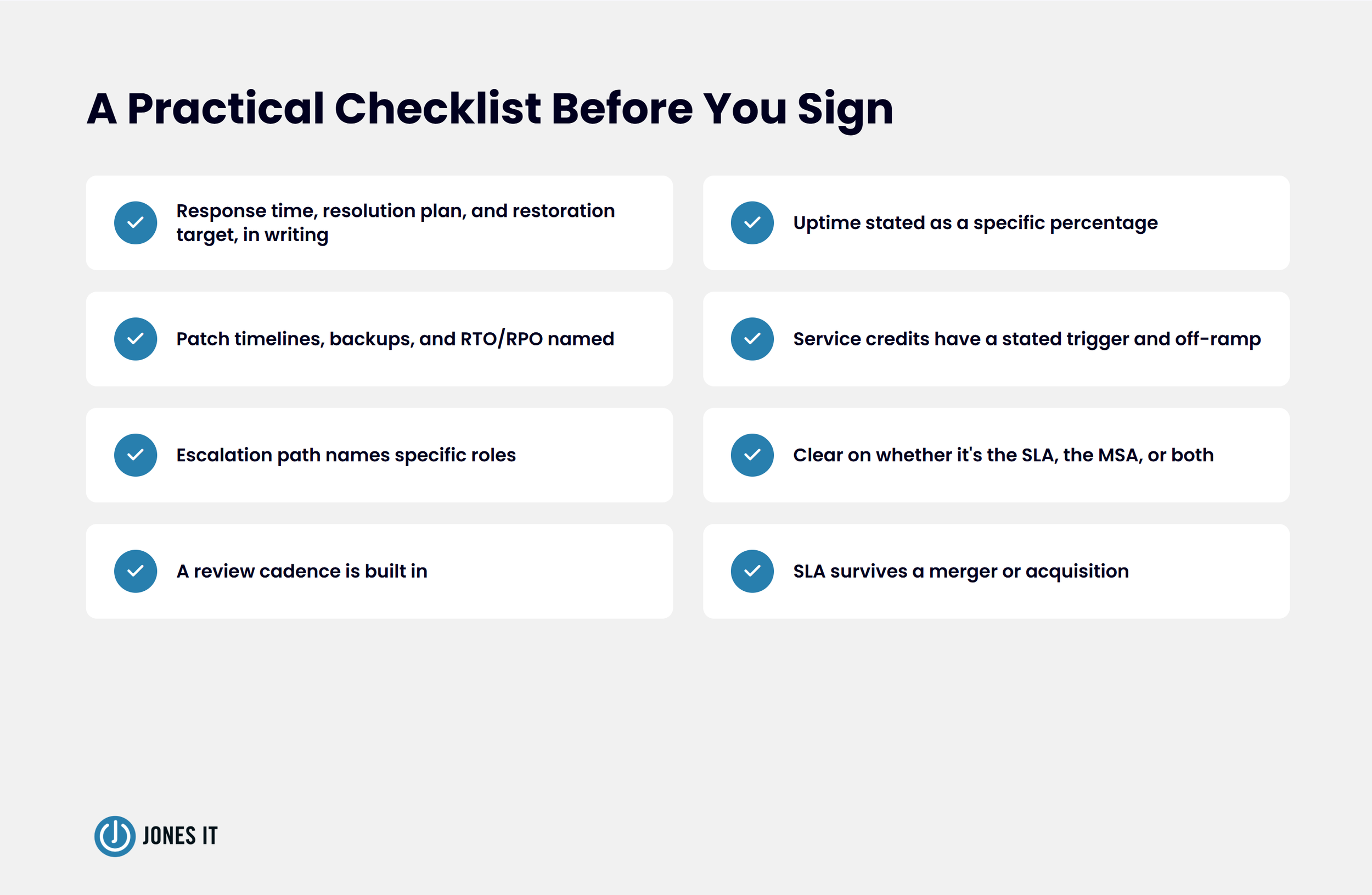
Every priority tier has a response time, a resolution plan deadline, and a restoration target, in writing.
Uptime is stated as a specific percentage, with excluded downtime defined.
Patch timelines, backup frequency, and RTO/RPO targets are named.
Service credits, automatic or discretionary, have a stated trigger and a real off-ramp if shortfalls continue.
The escalation path names specific roles, not just "management".
You understand whether you're negotiating the SLA, the MSA, or both.
A review cadence is built in (we recommend monthly dashboard reviews and a deeper quarterly check-in).
The SLA remains valid if your business or your provider goes through a merger or acquisition.
Building a Contract That Holds Up
The SoMa startup's eleven-hour outage became the reason they switched providers, and the SLA we wrote for them specified exact response times, resolution plan deadlines, and restoration targets for every priority tier, with clearly defined service credits if we fall short. I'd rather have that spelled out in a contract than a sales promise sitting in someone's memory.
A managed IT services SLA isn't paperwork you file away after signing. It's the document you should be able to hand your CTO during an outage and know exactly what happens next. If you're reviewing a contract right now and can't find a number attached to a promise, that's the question to ask before you sign anything. If you've already signed and are starting to notice the cracks, 8 Signs Your IT Provider Is Underperforming is worth reading next.
We review these kinds of contracts regularly for startups navigating SOC 2, HIPAA, and SOX requirements, and we’ve seen where the common pitfalls hide. If you want to ensure your SLA is built to protect your business rather than just satisfy a compliance checklist, let’s take a look together.


About The Author

Evan JonesFounder and CEO of Jones IT
With over two decades of IT experience in San Francisco, Evan guides Jones IT's long-term strategy, finances, and culture, with a vision of building the city's highest-rated IT services firm. Outside of work, you'll find him on the golf course or running Bay Area Warriors, his non-profit connecting Bay Area kids to college through basketball.
Most managed IT contract terms are fixed, but exit fees, term lengths, and liability caps are negotiable. Learn what to push back on before signing.