
Updated: July 10, 2026
A fintech startup in Dogpatch called us last spring convinced they needed something close to a data center. They had grown to eight employees, their shared drive kept dropping mid-video call, and years of client files were sitting on a desktop tower someone had repurposed back when the company was three people. When we walked through what they actually needed, an entry-level tower server covered the next three to four years of growth without anyone touching a rack or a data center contract.
Picking a server is harder than it should be. Manufacturer spec sheets are written for people who already know what they're buying, and most small business owners are comparing socket counts and PCIe lanes for the first time. Overspend and you've bought capacity nobody will touch for years. Underspend and the server chokes the moment you hire a fifth employee or add a new application.
That's the real question behind any search for the best servers for small and medium businesses: what fits your workload today, and what gives you enough runway for the next three or four years without paying for capacity you don't need yet. Below are the five servers we recommend most often to Bay Area startups and growing businesses, along with what each one is actually built for.
How We Pick the Best Servers for Small and Medium Businesses
Before we get to specific models, it's worth being clear about what actually determines the right server. Budget matters, but so does the type of workload. A company running file sharing and a shared printer needs something completely different from a company running five virtual machines or a database the whole product depends on. Physical space matters too. Not every office has a server room, and a tower server that sits quietly in a closet is a very different proposition from a rack server that needs proper cooling and a dedicated space. Do you need one machine handling the basics, or are you running enough separate workloads that virtualization changes the math? That question alone rules out about half the options on any spec sheet.
Growth timeline matters as much as anything else. Server hardware has a realistic useful life of three to four years before it becomes a genuine bottleneck, not because it stops working, but because the workloads running on it outgrow what it was built for. Buying for where your business will be in a year, not just where it is today, is the biggest factor in whether a server purchase feels smart in hindsight or premature. For startups working toward SOC 2 or HIPAA compliance, it's also worth checking that whatever you buy supports hardware-level security features like a silicon root of trust and TPM 2.0, since those show up in audit conversations later even though nobody thinks about them at purchase time.
Total cost of ownership matters more than the sticker price on the box. A cheaper server that needs more frequent replacement, lacks remote management, or can't run your hypervisor ends up costing more over three years than a slightly pricier one that gets configured correctly the first time. We usually walk clients through the full picture, hardware, warranty coverage, setup labor, and ongoing patching, before recommending a specific model, because the box itself is rarely the biggest line item once everything is accounted for.
If you are starting from scratch, our guide to servers for small businesses gives you an excellent starting point.
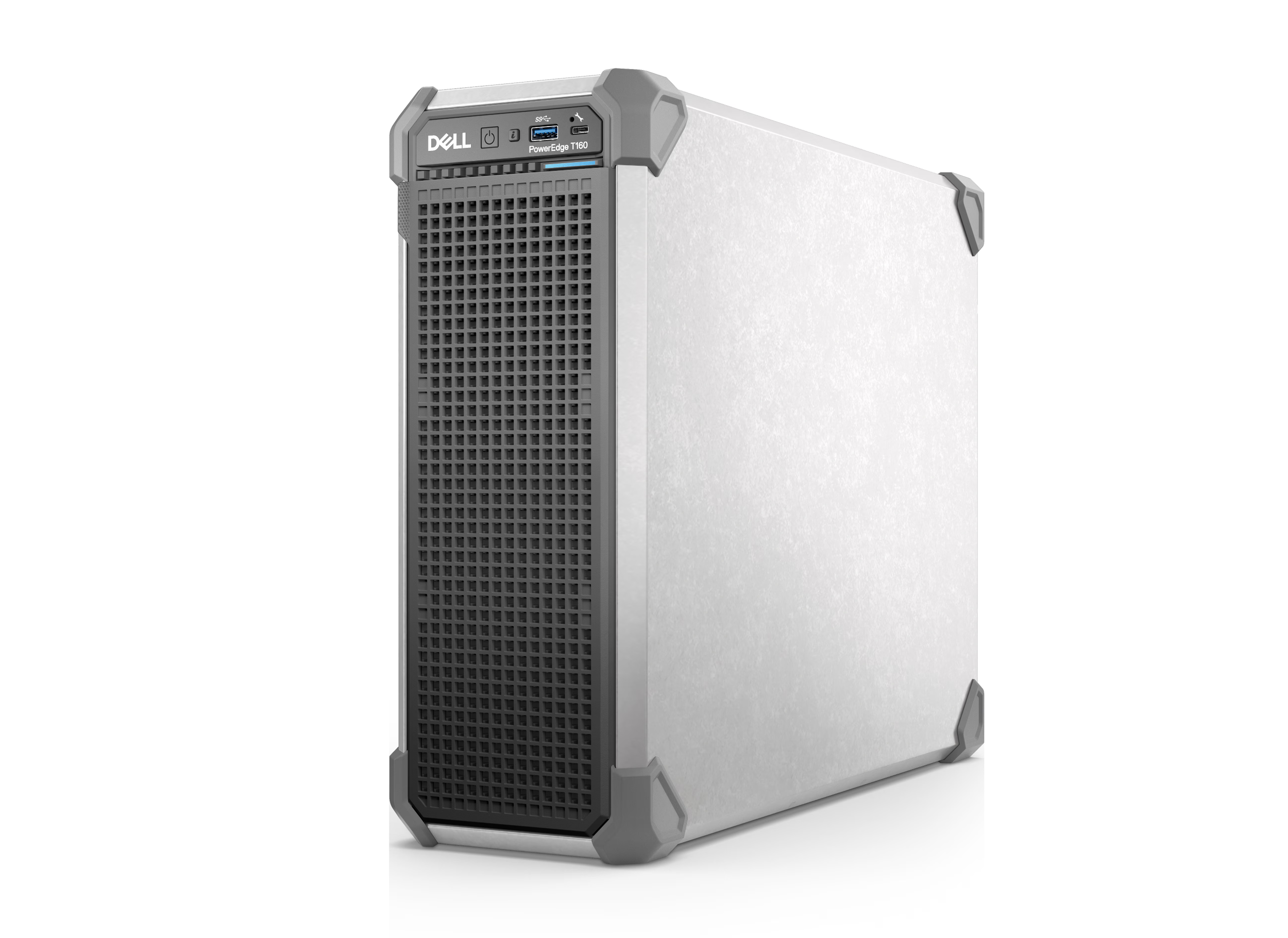
Dell PowerEdge T160
Dell PowerEdge T160: The Budget-Friendly Entry Point
The Dell PowerEdge T160 is the current entry point in Dell's 16th generation PowerEdge tower lineup, and it's where we usually start the conversation for businesses buying their first real server. It runs a single Intel Xeon E-2400 series processor, enough horsepower for file sharing, a shared printer, and light virtualization without asking a small business to pay for capacity it won't use for years. It comes with Dell's iDRAC remote management built in, so an IT provider can monitor and patch it without a site visit for every routine task. If your current "server" is a repurposed desktop sitting under someone's desk, this is usually the upgrade that makes sense, and it's a common fit for early-stage teams of five to fifteen people working out of a shared office in SoMa or the Mission.
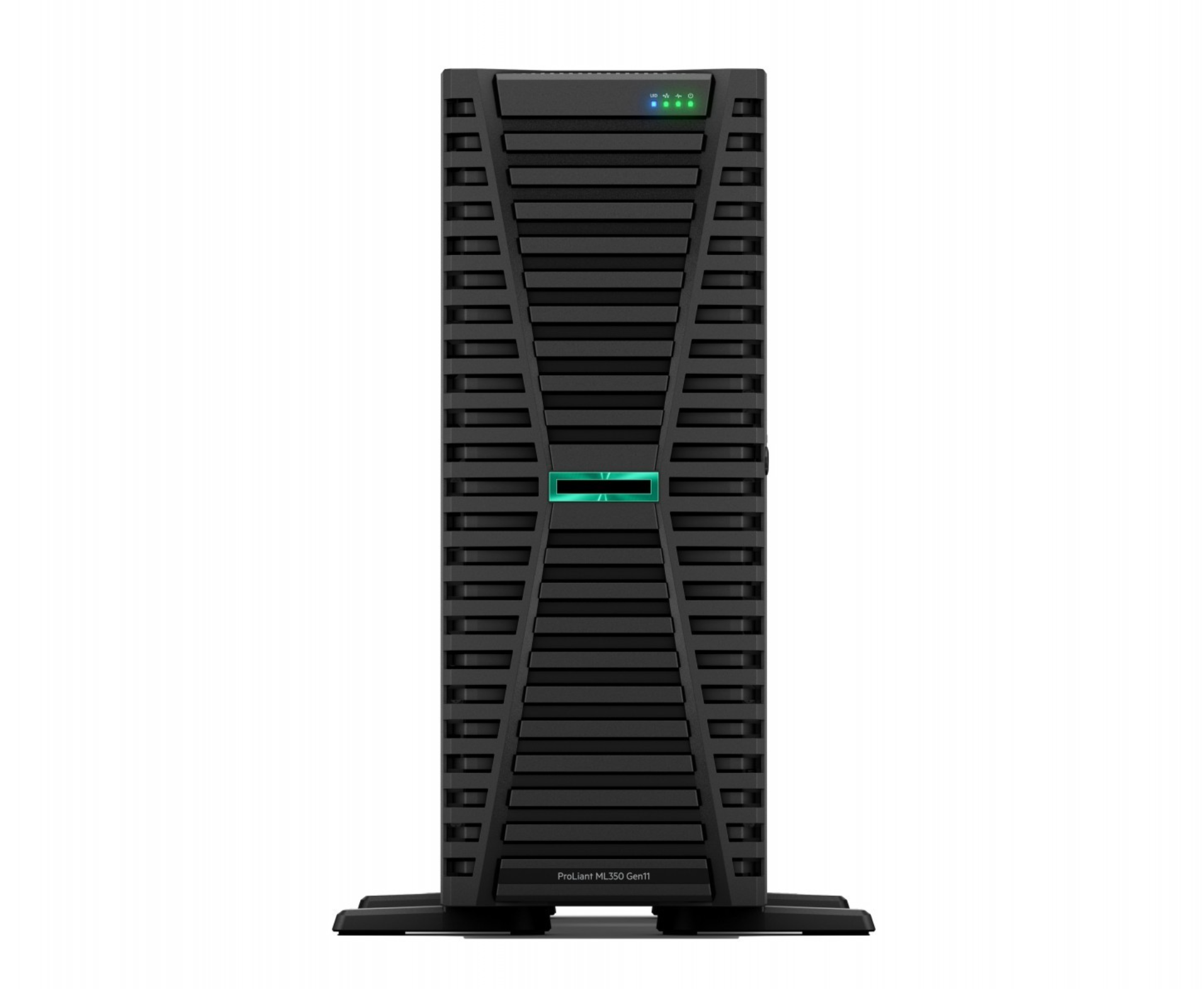
HPE ProLiant ML350 Gen11
HPE ProLiant ML350 Gen11: The Flexible All-Rounder
The HPE ProLiant ML350 Gen11 is the server we point to most often for businesses running a genuine mix of workloads. It supports two 4th or 5th generation Intel Xeon Scalable processors, DDR5 memory that scales up to 8TB, and PCIe Gen5 expansion slots, which gives it real headroom for file storage, a handful of virtual machines, and a database running at the same time. It also leaves room to add GPU capability down the line without replacing the whole machine, which matters if your business is even loosely considering AI-adjacent tools in the next few years. HPE's iLO 6 management and silicon root of trust security come standard, so the server verifies its own firmware before it boots, a detail that comes up more often than you'd expect during SOC 2 readiness work.
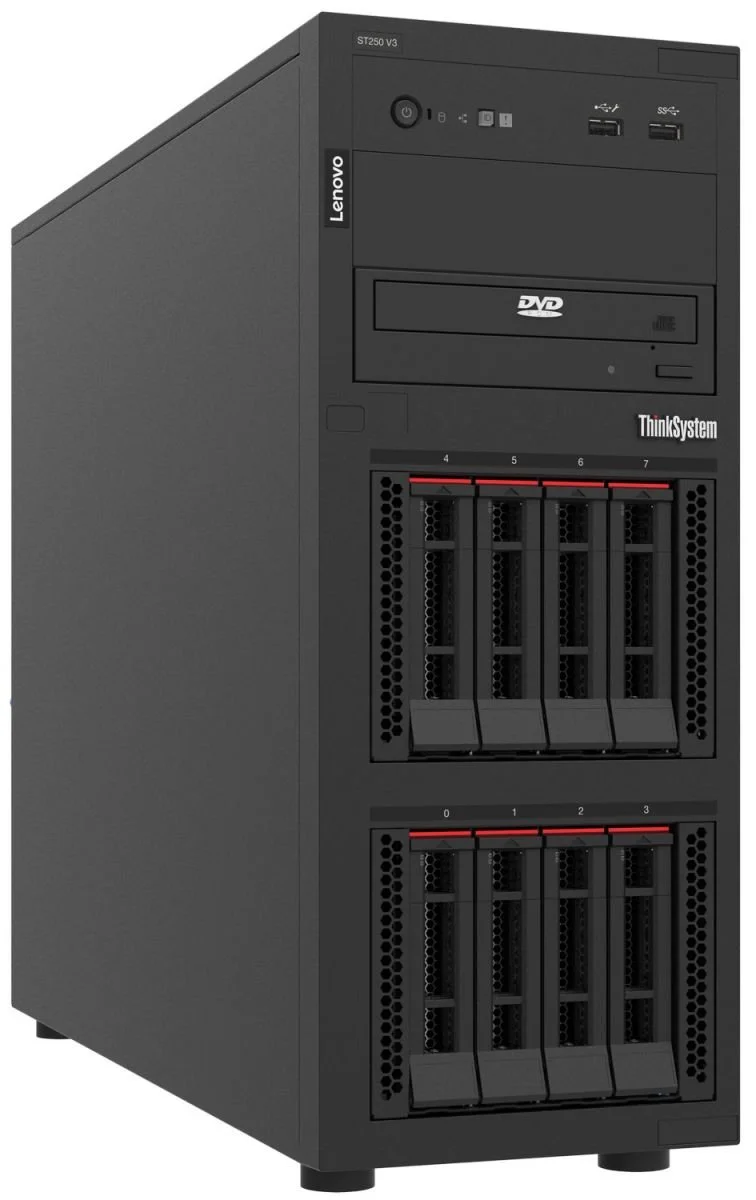
Lenovo ThinkSystem ST250 V3
Lenovo ThinkSystem ST250 V3: The Compact Choice for Tight Office Space
The Lenovo ThinkSystem ST250 V3 is our answer for businesses working with a small footprint. Not every office has room for a full-size tower. It runs a single Intel Xeon E-2400 or Xeon 6300 series processor, supports up to 128GB of DDR5 memory, and includes a PCIe Gen5 slot that can host a GPU for light AI or machine learning work if you need it. It also converts between tower and rack mount configurations, so it adapts if your office setup changes later. Lenovo's XClarity management handles remote monitoring and firmware updates the same way iDRAC and iLO do on the Dell and HPE options above, which keeps the day-to-day management experience consistent even if you end up running hardware from more than one vendor.
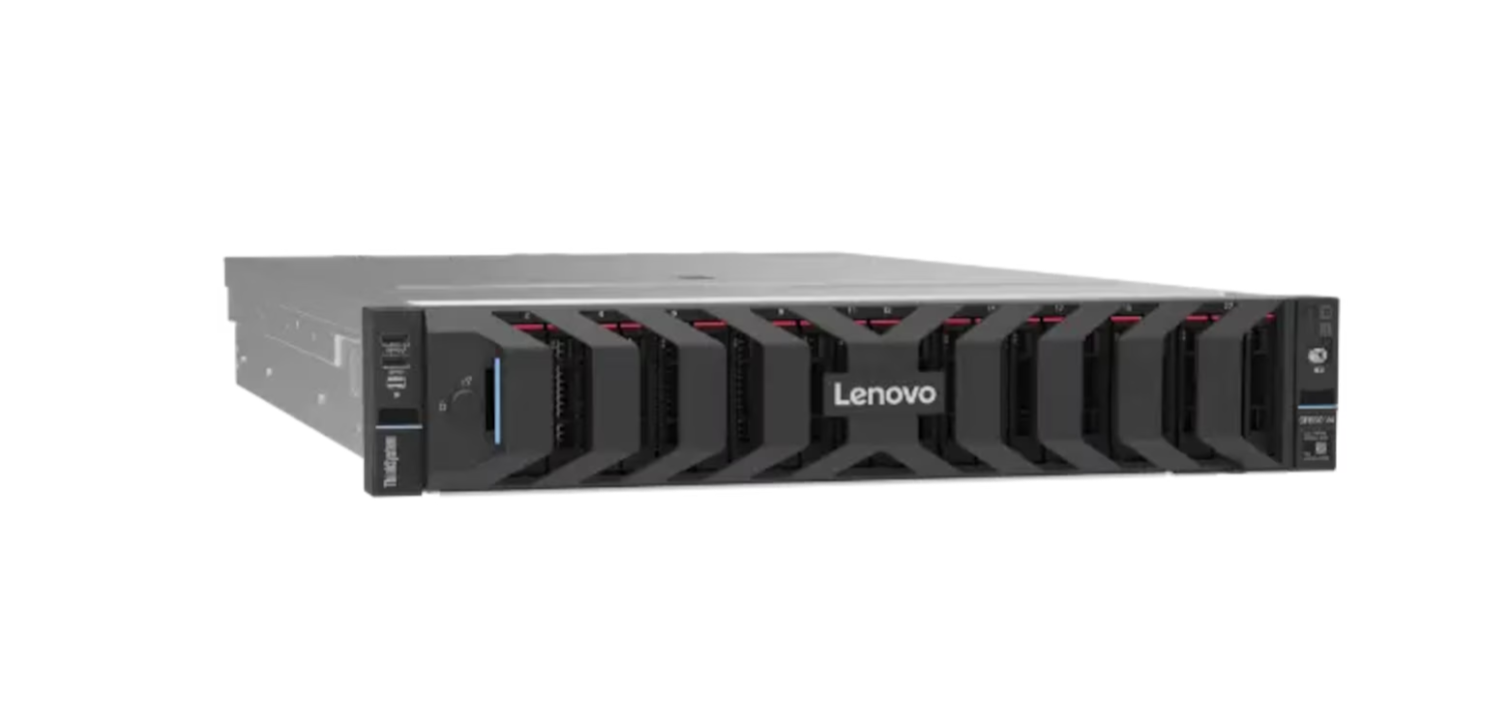
Lenovo ThinkSystem SR650 V4
Lenovo ThinkSystem SR650 V4: For Businesses Outgrowing a Single Tower
Once a business has outgrown a single tower server, whether because of headcount, the number of applications running, or both, the Lenovo ThinkSystem SR650 V4 is usually the next step. It's a 2U rack server built around Intel's Xeon 6700 and 6500 series processors, with DDR5 memory scaling to 8TB across 32 slots and up to 36 NVMe drive bays for businesses that need real storage density. This is the tier where virtualization, database hosting, and virtual desktop infrastructure make real sense, but it also assumes you have a proper rack, cooling, and a dedicated space to put it. If you're not there yet, this is more server than you need, and the ML350 above will likely carry you further than expected.
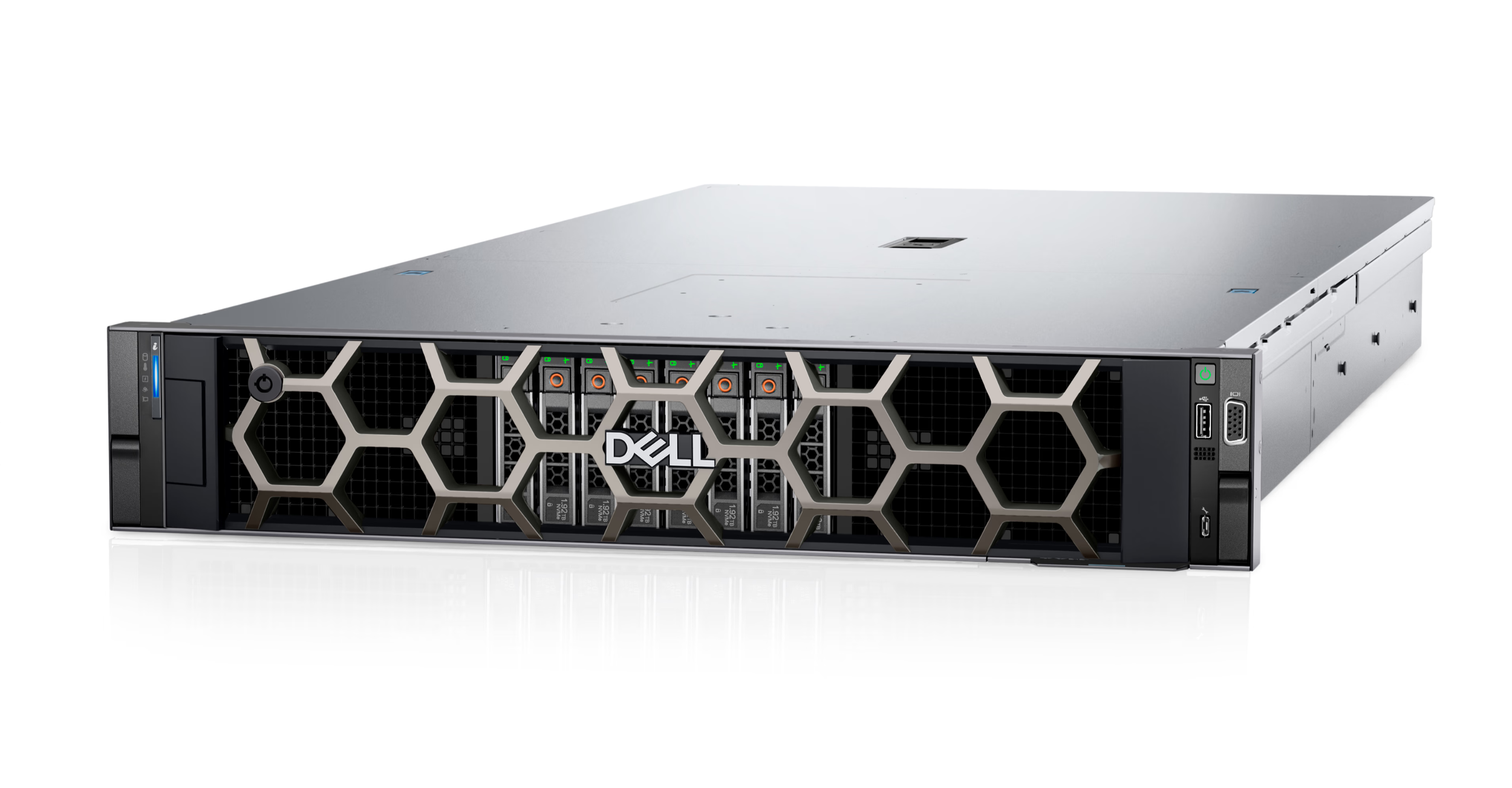
Dell PowerEdge R760xa
Dell PowerEdge R760xa: For Data-Intensive and AI-Adjacent Workloads
We don't recommend this one often. Most small businesses we work with don't need this kind of horsepower, and buying it before you need it is one of the more common ways companies waste money on hardware.
But the Dell PowerEdge R760xa exists for the handful of clients running truly data-intensive work in-house, machine learning inference, large-scale analytics, or model training. It's a 2U rack server built for GPU acceleration, supporting up to four double-wide GPUs alongside dual Intel Xeon processors with up to 64 cores each. If your business has an actual data science team building models on local hardware rather than through a cloud API, this is the tier worth knowing exists. A configured R760xa commonly starts well north of $30,000 depending on GPU count and memory, which is exactly why it's the last option on this list rather than the first. For nearly everyone else, one of the servers above will do the job for a fraction of the cost.
Tower or Rack: What Actually Decides It
Tower servers work in an office corner. They don't need dedicated cooling, they're quiet enough to sit near people working, and they don't require anyone to build out a server room. Rack servers need a proper space, with airflow, often supplemental cooling, and usually professional installation. The tradeoff is capacity and density. A rack server lets you run more compute and more storage in a smaller physical footprint, and it's the format that makes sense once you're running multiple servers or need enterprise-grade redundancy. Most businesses under twenty or so employees are well served by a tower. Past that, the math starts to shift toward a rack, particularly if you're already paying for a dedicated network closet or server room.
What to Check Before You Buy
Confirm remote management support (iDRAC, iLO, or XClarity depending on the vendor) so your IT provider can monitor and patch the server without a site visit for every routine task.
Check the warranty and support terms. Most business-grade servers ship with three years of parts, labor, and next business day onsite support, and it's worth confirming that upfront rather than discovering the gap during a failure.
Match memory and storage to your workload today, not a hypothetical future. Every server on this list has room to expand later, so there's rarely a reason to overbuy on day one.
Confirm your applications and hypervisor are certified to run on the hardware you're considering, especially if you're running specialized software tied to a compliance framework.
Budget for setup and configuration, not just the hardware. How the server is configured on day one, from user accounts to network settings to backups, shapes most of what happens over its working life.
Plan for power and cooling before the server arrives, especially with rack hardware. A 2U rack server pulling significant wattage in a closet with no airflow plan will run hot and shorten the life of the equipment around it.
Buying the Server Is Only Half the Job
Picking the right hardware solves one problem. What happens after you unbox it determines whether the purchase pays off. User accounts, network settings, security hardening, and backups all matter more to how the server performs over its life than which sticker is on the front of the machine.
We've written a full walkthrough of that process in our guide to configuring a network server.
If you're still weighing whether a physical server, a NAS device, or the cloud is the right call for your business in the first place, we've covered that decision in our comparison of NAS, server, and cloud storage. And once the server is running, our server security best practices post covers the baseline hardening steps worth doing on day one.
Reach out to us if you'd like a second opinion before you buy. We can look at your workload, your growth plans, and your budget, and tell you plainly whether you need the server you're about to order, something smaller, or something with real room to grow.

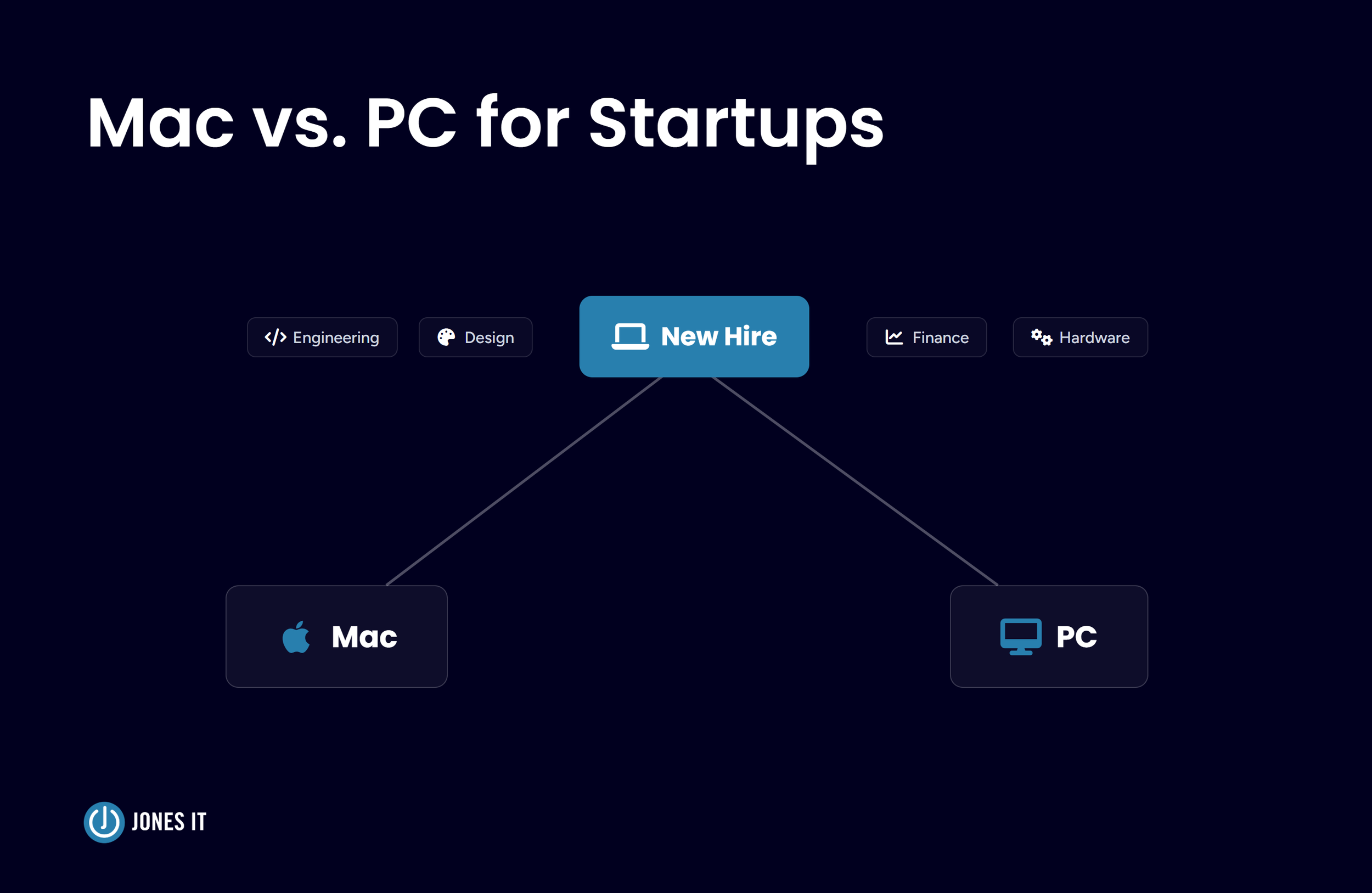



Master the device reassignment process. Learn how to securely reset, verify, and reissue Mac and Windows company laptops while meeting compliance standards.