
On the Monday that a new engineer was due to start, the IT lead at a 40-person SaaS company in the Bay Area took a MacBook off the supply shelf, wiped it, and started Setup Assistant to confirm it was ready. The laptop had come back from an employee who had left three months earlier and had sat in a closet since. Setup stopped at a screen asking for the previous owner's personal Apple ID, an account nobody at the company could reach. So, the new hire spent the first morning on a borrowed machine while the IT lead worked through the Apple Business Manager console.
By the time the Activation Lock cleared, a second problem surfaced. The laptop was several macOS updates behind, and the MDM (mobile device management, the software that configures and monitors company laptops) had no record of a check-in since the day the employee left. Each problem had an ordinary cause: the wipe happened before anyone looked at the device's history, and the asset record said only "in storage." What the company lacked was a robust device reassignment process.
To prevent these annoying but largely preventable bottlenecks and secure your hardware fleet, IT teams need a repeatable framework that covers every stage of the transition.
Device Reassignment Process: Why the Gap Between Two Employees Is the Risk
A device reassignment process is the set of steps a company laptop goes through on its way from one employee to another. Typically, this includes verifying that the previous user's data is gone and the device's security state is known, then reissuing the laptop under the same baseline as the rest of the fleet. The process spans the interval between one person's last day and the next person's first, and its quality depends on what happened to the laptop before it came back.
We build every part of the process around the idea that you can only safely reassign a device whose state you can prove. A laptop that was patched, encrypted, and monitored while it was in service can be reset and reissued in an afternoon because its history is on record. A laptop that drifted unmanaged for months has to be investigated before anyone trusts it, and the investigation costs more than the maintenance would have.
The laptop deployment process is covered in our guide to remote IT onboarding and offboarding and zero-touch onboarding, and the inventory behind both is covered in our IT asset management guide. This post picks up from when the device is returned or retrieved.
Keep Devices in a Known State While They Are in Service
Maintenance is the part of device reassignment that continually happens before anyone even resigns, and it determines whether the second part is routine or a rescue.
Group Devices and Set a Patch Cadence
NIST SP 800-40 Rev. 4, published in April 2022, phrases patching as preventive maintenance and recommends sorting assets into maintenance groups with similar characteristics. For a startup fleet, a workable grouping follows platform and role: Macs and Windows laptops form separate groups, and engineers who run local development environments get a longer deferral window than sales staff whose laptops run a browser and a CRM. Each group needs a written standard; for example, critical security updates are applied within 14 days and routine OS updates within 30, with the MDM enforcing the deadline instead of relying on reminder emails.
Watch for Drift and for Devices That Go Quiet
Configuration drift is the gradual gap between a device and its baseline: for example, an update deferral extended three times, an unapproved local admin account, or an endpoint protection agent that stopped reporting. The MDM dashboard should surface such exceptions by device, because a fleet-wide compliance percentage hides the handful of laptops that are out of compliance.
Check-in age needs the same attention. Remote commands sent to an offline device will wait in the queue until the device next connects. So, a laptop that has been silent for 30 days is a laptop you cannot patch, lock, or wipe on demand. Open a ticket on any device that passes your threshold, and keep the ticket open until the device reports or is returned to IT.

Confirm Encryption and Endpoint Protection Report Healthy
Disk encryption (FileVault on Macs, BitLocker on Windows) and the endpoint protection agent should each report status to the MDM, and the recovery key for every encrypted laptop should be escrowed where an administrator can retrieve it. Confirm the key is retrievable while the employee is still on the team, because chasing a missing key after they leave is slower than checking it in advance. Our guide on how to encrypt your computer and phone covers the basics for teams starting from zero.
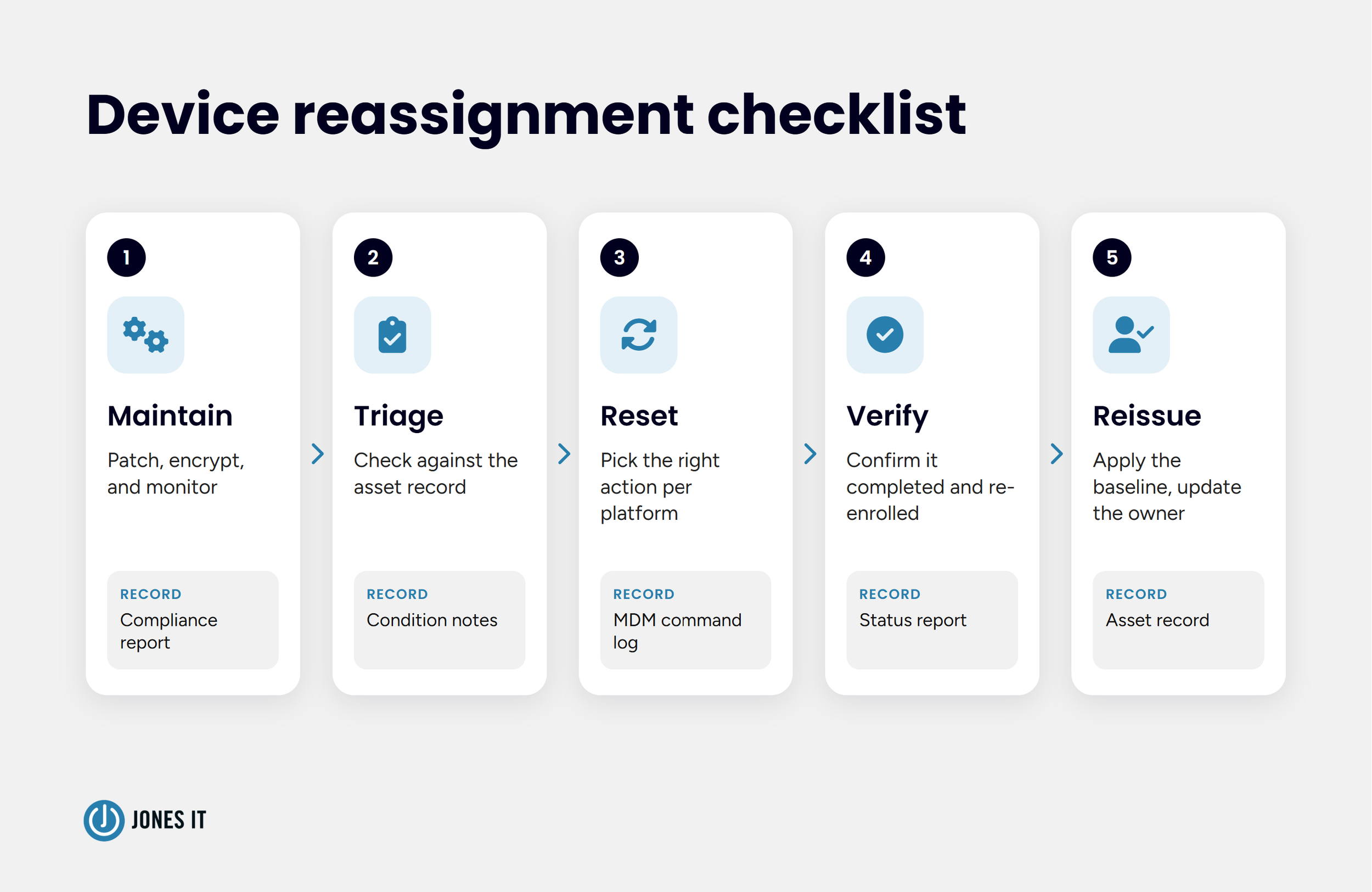
Record produced: a per-device compliance report showing OS version, encryption state, and last check-in.
Triage the Laptop Before You Reset It
Before a laptop is wiped, confirm what the record says about it. Compare the returned device against the asset record: serial number, assigned user, last known state, and last check-in. Note the physical condition, accessories, and charger, and photograph any damage while the departing employee is still reachable. Mark the device "pending reset" in the asset record so that nobody reissues it from the shelf by accident.
When the laptop has not come back yet, use the MDM's lock or Lost Mode action to keep the device unusable while shipping is arranged. A pre-paid return label and a deadline, tied to the HR offboarding checklist, shorten that window.
Record produced: return date, condition notes, and a status change in the asset record.
Choose the Right Reset for the Platform
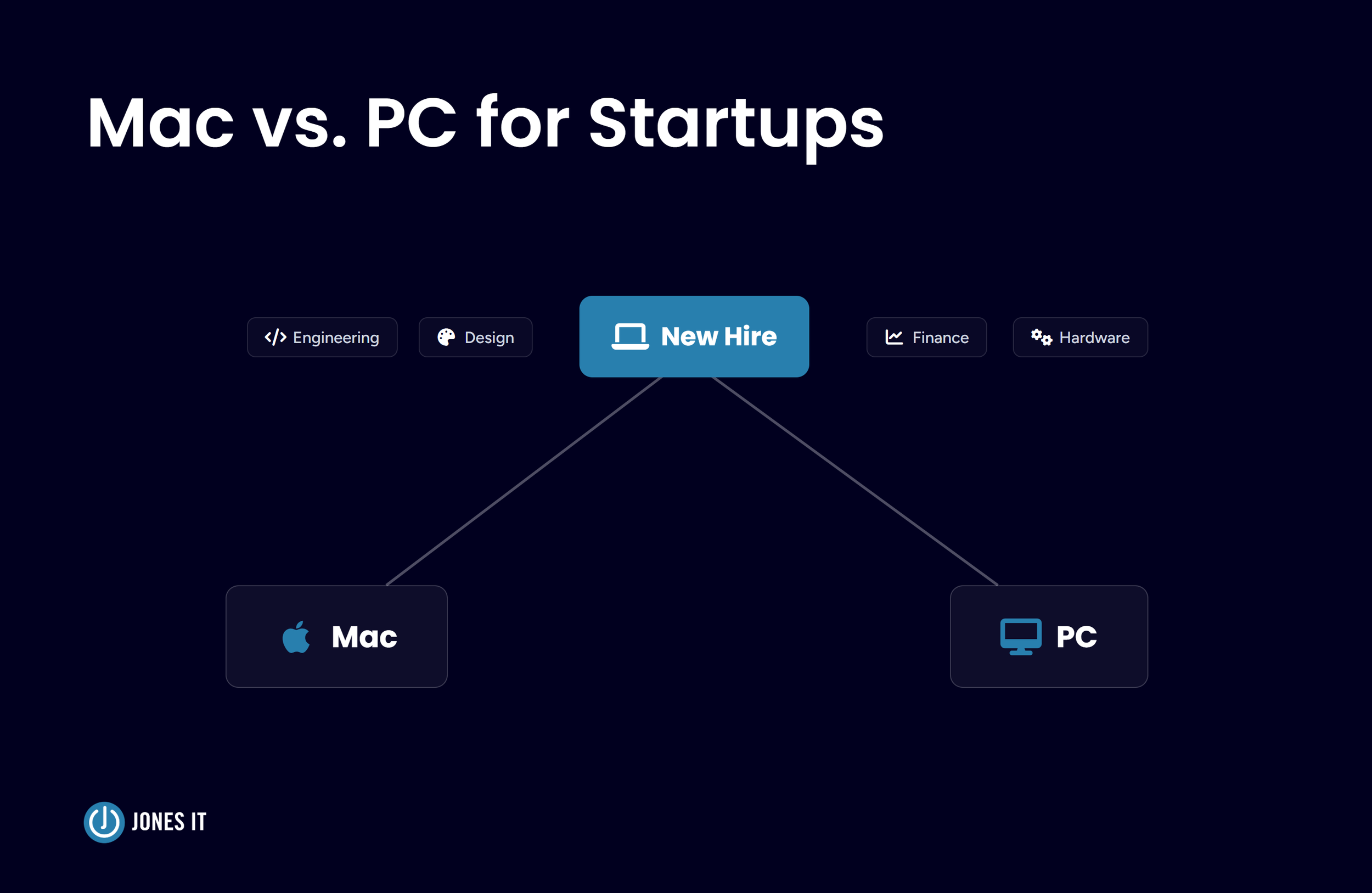
A reset means different things on different platforms, and the wrong choice leaves the next user with locks, stale management records, or data nobody confirmed was gone. Companies running both Macs and Windows laptops need both halves of the table below, and our Mac vs. PC decision framework explains how mixed fleets tend to form.
| Platform and action | What it does | Use it when |
|---|---|---|
| Mac and iPhone: Erase All Content and Settings, or the MDM erase command | Returns the device to a clean state while keeping it enrollable | Reassigning a company device inside the fleet |
| Mac and iPhone: Turn off Activation Lock in Apple Business Manager | Clears a lock tied to an employee's personal Apple ID without their credentials | The device was added to Apple Business Manager and never released |
| Mac and iPhone: Release from Apple Business Manager | Removes the device from the organization permanently, and the action cannot be undone | The device is leaving the company, such as a sale or donation |
| Windows (Intune): Autopilot reset | Removes user files, apps, and settings while keeping the Microsoft Entra join and Intune enrollment | Reissuing a working device inside the fleet |
| Windows (Intune): Wipe | Returns the device to factory settings, with an option to keep the enrollment state and user account | A lost device, or a full clean start |
| Windows (Intune): Fresh start | Reinstalls Windows and removes manufacturer apps | A device weighed down by accumulated software |
| Windows (Intune): Retire | Removes company data, apps, and management while leaving personal files in place | A personal (BYOD) device |
| Windows (Intune): Delete | Removes the Intune record only and leaves the device untouched | Cleaning up records after the device has already been reset |
Activation Lock is the part of Apple's tooling I have the most mixed feelings about. The protection is exactly right when a laptop is stolen and an obstacle when it ties a company-owned laptop to an employee's personal Apple ID. Apple Business Manager resolves this for organization-owned devices: an administrator with Manage Device privileges can turn off Activation Lock for any device that was added to Apple Business Manager and never released. And the release is permanent.
After a device is released, it can no longer be assigned to an MDM server, and Activation Lock can no longer be managed from Apple Business Manager, so release belongs at the end of a device's life with the company and not at the end of an employee's tenure. Apple also advises against releasing a device that is being sent in for repair.
Reuse inside the fleet and retirement outside it call for different levels of assurance. NIST SP 800-88 Rev. 2 shifts the emphasis from device-specific techniques to running a media sanitization program, keeps cryptographic erase (destroying the encryption key so stored data cannot be read) for encrypted media, and points to IEEE 2883 for other techniques.
For a device that stays in the fleet, we recommend documenting the erase method and verifying the result. For a device that leaves the company, write the sanitization method into the retirement record and require a certificate from the recycler.
Record produced: the reset action taken, the person who triggered it, and the timestamp from the MDM log.

Verify That the Reset Worked
A reset command that was sent has not necessarily been completed, and a device that looks clean on the shelf can still carry a lock or a stale management record. We recommend five checks before a laptop goes back into stock:
The MDM shows the reset command as completed, not pending. A wipe sent to an offline laptop runs at its next check-in, so a pending status means the device is not clean yet.
Setup Assistant (Mac) or the out-of-box screen (Windows) appears with no credential prompt from the previous user, so Activation Lock and account locks are clear.
The device re-enrolls in the MDM automatically through Apple Business Manager's automated device enrollment or Windows Autopilot.
Disk encryption is on again, and a new recovery key is escrowed.
The previous user's association is removed from the MDM, the identity provider, and the asset record.
Order matters on the cleanup. Deleting a device record in Intune removes the record and does nothing to the device itself, so reset first and delete stale records afterward, and confirm the recovery key is escrowed before any record disappears.
Record produced: a post-reset status report from the MDM, with the date and the name of the person who verified it.
Reissue the Device Under the Baseline
Reissuing starts with enrollment. Apple Business Manager's automated device enrollment or Windows Autopilot applies the standard build when the new user powers on the laptop. The flow matches the one a brand-new device follows, and our zero-touch onboarding guide covers the setup in detail.
Before handover, check the laptop against the baseline, which should include the current OS, encryption status, endpoint protection reporting, and the right role template applied. Then update the asset record with the new owner, the date, and an "in service" status, and tie the change to the HR trigger described in our guide to employee IT lifecycle management so the owner in the record matches the org chart.
Record produced: an updated asset record with the new owner, the date, and the device's status.
Reset a Whole Fleet Without Losing Track of It
Fleet resets happen at hardware refreshes, after acquisitions, during MDM migrations, and when a compliance finding calls for a fresh baseline. Wipe commands sent to sixty laptops on a Friday afternoon leave offline devices that run the command whenever their users next open them, and a wipe destroys whatever the user had not backed up.
Work in waves instead: IT's own devices first, then a small pilot group, then the rest in batches, with notice and a confirmed backup for each user before their laptop is touched. Track completion per device in the MDM report, and chase any laptop still pending after a week.
The Records Device Reassignment Produces
Each step above leaves a record, and the same records are what auditors ask for when they want to know how a company handles device reuse.
| Step | Record produced | Where it applies |
|---|---|---|
| Maintenance | Per-device compliance report with OS version, encryption state, and last check-in | Evidence of ongoing device management in SOC 2 and ISO 27001 reviews |
| Reset | MDM command log with the action, the approver, and a timestamp | HIPAA media re-use, 45 CFR 164.310(d)(2)(ii) |
| Verification | Post-reset status report | SOC 2 CC6.5 and ISO 27001:2022 Annex A 7.14 (secure disposal or re-use of equipment) |
| Reissue | Updated asset record with the new owner | ISO 27001:2022 Annex A 5.9 (inventory of assets) |
Mapping these records to control language in full is a larger subject. Our post on employee offboarding compliance covers the departure side across SOC 2, HIPAA, and ISO 27001.
Device Reassignment Checklist
Confirm each of the following before a laptop goes back into service:
Devices are grouped for maintenance, with a written patch standard for each group.
The MDM flags devices that have not checked in within your threshold, and each flag opens a ticket.
Encryption and endpoint protection status are reported to the MDM, and recovery keys are escrowed.
Returned laptops are checked against the asset record and marked "pending reset."
The reset action comes from a written decision table for each platform, and Activation Lock is turned off in Apple Business Manager before reissue.
The MDM shows the reset as completed, and the device as re-enrolled, and stale records are removed after the reset, never before it.
The asset record shows the new owner, the date, and the status.
Making Device Reassignment Routine
The IT lead from the opening scenario would have saved the new hire's morning with two lines in a runbook: turn off Activation Lock when the laptop comes back, and check its last check-in before it goes on the shelf.
If your team reassigns laptops from memory or from a shared spreadsheet, we are glad to walk through your current process and show what a documented one looks like for a Mac, Windows, or mixed fleet. Our fully managed IT services cover MDM administration and device lifecycle work for growing teams.
Device Reassignment FAQ
What is the difference between wiping and retiring a device in Intune?
A ‘wipe’ returns the device to factory settings and removes everything on it. A ‘retire’ removes company data, apps, and management but leaves personal files untouched, so ‘retire’ is more relevant for personal devices and ‘wipe’ for company-owned laptops.
Can a Mac that is locked to a former employee's Apple ID be reassigned?
Yes, if the Mac belongs to the company and was added to Apple Business Manager without being released. An administrator with Manage Device privileges can turn off Activation Lock there, and many MDM platforms also store an Activation Lock bypass code for enrolled devices. If you don’t have either, Apple Support can help if the company can prove ownership.
How often should company laptops be patched?
Set the cadence for each maintenance group and write it into policy. Teams commonly give critical security updates a shorter window than routine OS updates.


About The Author

Michael LeMayIT Systems Engineering Manager at Jones IT
Michael LeMay has spent over seven years at Jones IT, growing from consultant to team lead. Before getting into IT, he spent nearly seven years as an F-16 and C-17 jet engine mechanic in the United States Air Force. He brings that same precision and discipline to troubleshooting complex systems today.
Master the device reassignment process. Learn how to securely reset, verify, and reissue Mac and Windows company laptops while meeting compliance standards.