
Co-Managed IT Help Desk: How to Hand Off Level 1 Support Without Losing Control
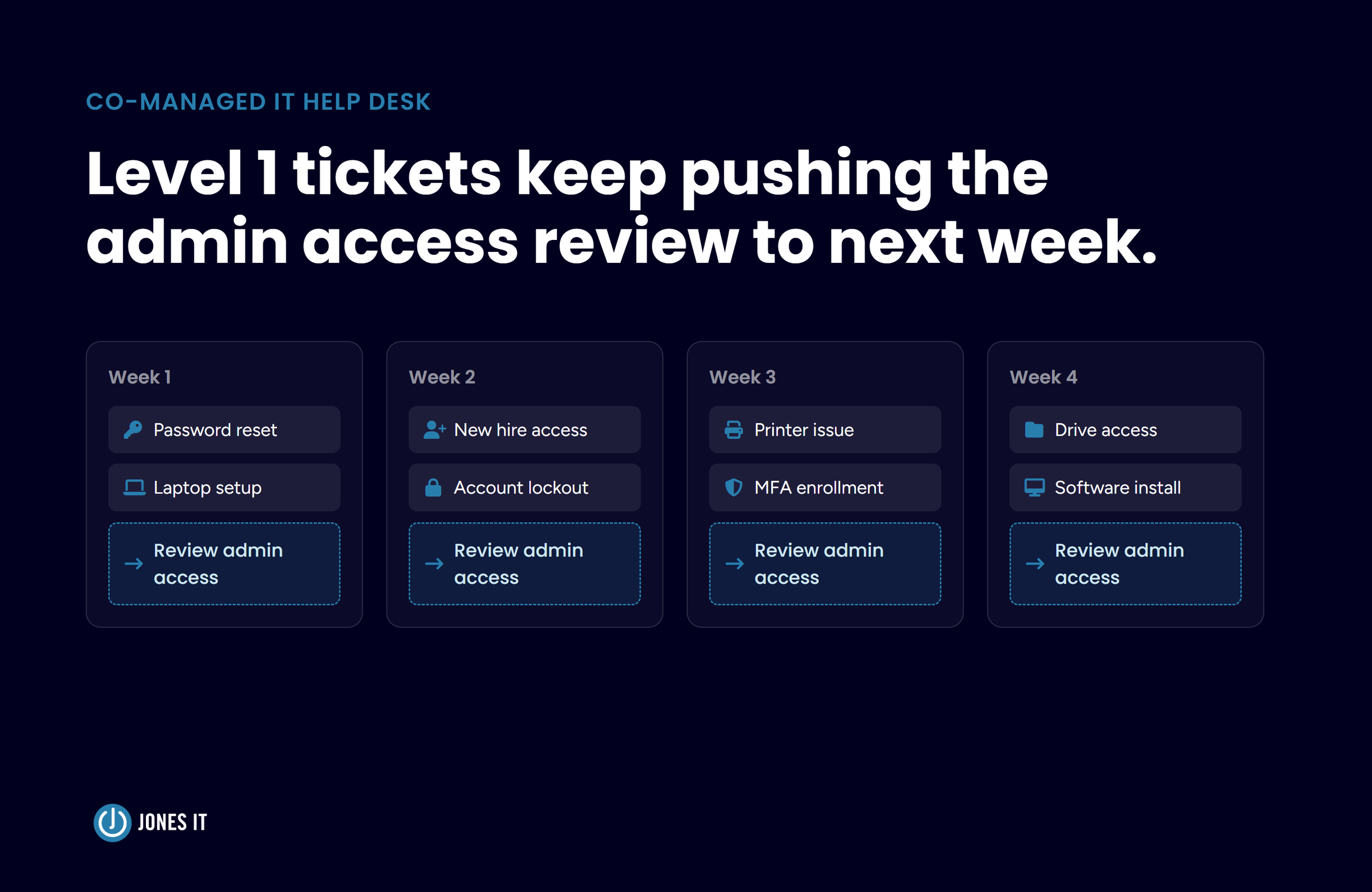
An internal IT lead at a growing company keeps an entry on the calendar called "Review admin access," and it has been pushed to next week for most of a quarter. The days keep filling with password resets, laptops that have to be ready by the next day, and support requests from new hires who cannot open the shared drive. Each request takes ten minutes and none of them can wait, so together they consume the hours the access review was supposed to get.
Co-managed IT help desks are designed to relieve internal IT teams from such high-volume, low-complexity support requests. With the outside partner taking over the daily Level 1 queue, the internal team gets back those hours allotted to strategic tasks. The hesitation that prevents this collaboration is usually about control rather than cost, because handing off the queue can look like handing off the keys, and an IT lead who spent years earning the business's trust has good reason to be careful about that. So what would it take to hand the queue to someone else without handing over the keys?
What Level 1 Support Covers in a Co-Managed IT Help Desk
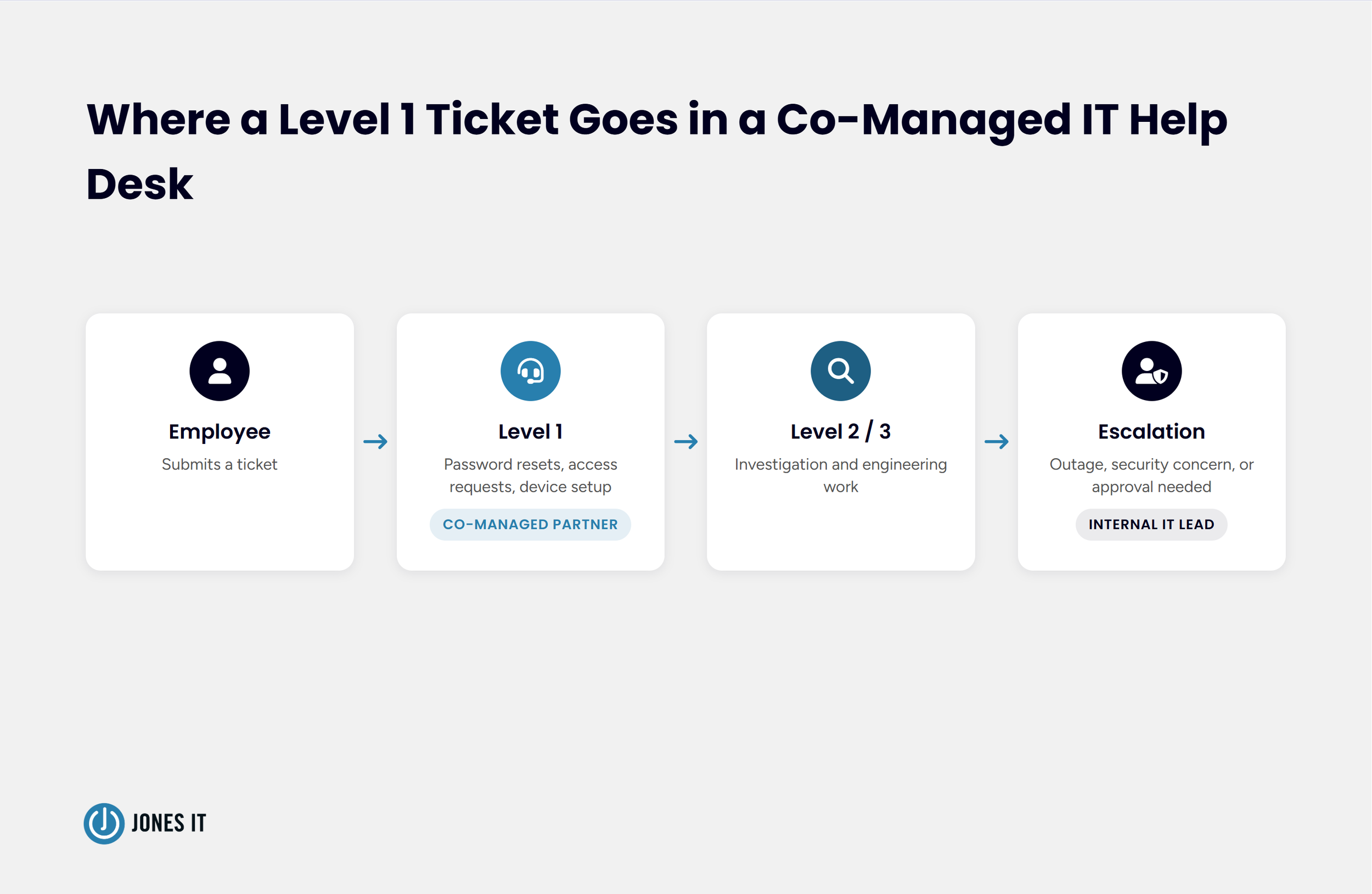
A co-managed IT help desk is an arrangement in which a managed service provider handles Level 1 support tickets, such as password resets, account lockouts, access requests, and device setup, while your internal IT team keeps ownership of admin access, escalation authority, change approval, and roadmap decisions.
Level 1 support, also called Tier 1 help desk support, is the first line of help, covering repeatable requests from employees that follow a known procedure and rarely depend on knowing how your company works. Level 2 support handles problems that need investigation, such as a sync failure affecting several accounts, and Level 3 covers engineering work such as changes to the network. Where the Level 2 line falls varies by company, and if you intend to outsource, it is worth deciding early.
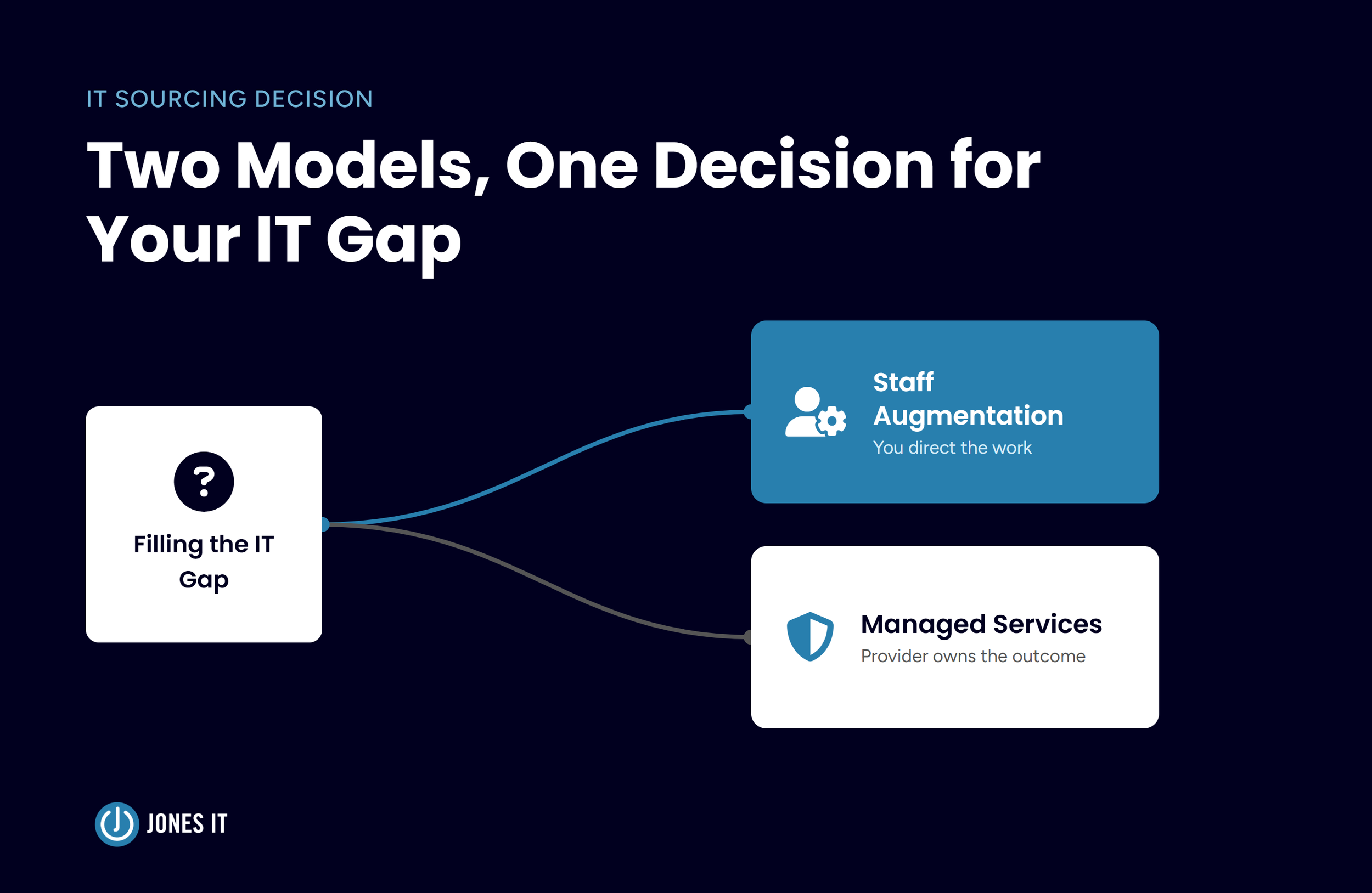
The co-managed part separates this from a fully managed arrangement, where the provider takes over the whole IT function and your role shrinks to vendor oversight. Since Level 1 work is high in volume and low in judgment, outsourcing Level 1 IT support is a common first step, and the co-managed structure keeps everything else in your hands. Our post on right-sizing IT to your growth stage compares the models in more detail, and our post on five signs your IT team is ready for co-managed IT covers whether the model fits at all.

Sorting Your Ticket Queue: What Moves, What Stays, What's Shared
Sorting a ticket queue for a co-managed IT help desk means placing every ticket category into one of three groups: tickets that move to your partner, tickets you share, and tickets that stay with you. Pull the last 90 days of tickets and group them by category, then decide where each category lands before anything is signed. Our post on stretched internal IT teams raised the routing questions (which tickets go to whom, and who owns what), and sorting your own queue provides data-backed answers to those questions.
Tickets That Move to Your Partner
Categories that follow a documented procedure and need no company-specific judgment are the easiest help desk tickets to offload: for example, password resets, account lockouts, multi-factor authentication (MFA) enrollment problems, standard software installs, printer and peripheral issues, and how-do-I questions about applications your company already uses. Tickets like these arrive daily and take minutes, yet each one of them interrupts the long stretches of focus that projects and reviews need.
Tickets You Share
Onboarding and offboarding sit in the middle. The partner can set up accounts and devices before day one and remove access on the last day, while your team or the hiring manager approves who gets which device, applications, and access. Our post on employee IT lifecycle management walks through those handoffs. Access requests for sensitive systems follow the same pattern, where the partner does the work once the approval arrives from someone on your side.
Tickets That Stay With You
Anything that depends on judgment about your business stays: for example, exceptions to access policy, requests from executives that touch security settings, requests that change how a core system is configured, and vendor disputes. The test is whether a correct answer depends on knowing your company. When it does, the ticket belongs to someone who does.

The Five Things You Keep When You Hand Off Level 1 Support
Handing off Level 1 support leaves you in control of your environment as long as five things stay under your ownership in writing. These include admin access, queue visibility, change approval, escalation authority, and roadmap decisions.
Admin Access and Account Ownership
Your company owns the accounts that hold everything else up, including the top-level administrator role in Microsoft 365 or Google Workspace, the domain registrar, your DNS hosting, and the credentials for your firewalls and backup consoles. The partner receives only that access which its tasks require, scoped to the work in the handoff, and you can see that access and revoke it if required. NIST SP 800-53 Rev. 5 lists account management (AC-2) as a control in its own right, and a co-managed IT support model is easier to govern when every privileged account has a named owner.
Visibility Into the Ticket Queue and Tools
You keep full visibility into the ticketing system and the tools your partner uses, so the queue is something you watch in real time rather than just review a report that arrives afterward.
I have mixed feelings about this part of the handoff. Level 1 tickets are also how an IT lead learns what is breaking inside the company, and handing them off can quietly remove that signal. A weekly look at the ticket data restores it, and I would keep that review on the calendar even in a busy week.
Change Approval
Anything that alters how a system is configured goes through you. NIST SP 800-53 Rev. 5 describes configuration change control (CM-3) as a cycle in which proposed changes are reviewed and then approved or disapproved, with the decision documented, and the same cycle works in a co-managed arrangement, where the partner proposes a change and you approve it, and the ticket keeps the record. If you carry SOC 2 obligations, an auditor will want to see who authorized a change and who had the access to make it.
Escalation Authority
You decide what escalates to you and how quickly it reaches you. A Level 1 ticket that turns out to involve a wider outage or a security concern routes to a named person on your side, and the handoff names a backup for that person so a vacation doesn’t become a gap.
Vendor and Roadmap Decisions
Vendor selection, renewals, budget, and the IT roadmap stay with you. A co-managed partner can advise on all of them, and the hours you reclaim from Level 1 are meant to go towards those key decisions. But if the roadmap stalls even after the handoff, it’s likely that the arrangement has moved the workload without freeing the person.
Writing the Handoff: Escalation Triggers and Response Expectations
A written handoff defines who owns each ticket category and when a ticket escalates, and it states how quickly each priority tier gets a response, a resolution plan, and a restoration target. The core document is a responsibility matrix, a table listing each task and who owns it, and it should exist before the first ticket moves. Failing to accurately define the handoff results in two teams each assuming the other has a task, and the responsibility matrix removes the room for that assumption. I would draft the matrix before signing anything, because the conversation it forces shows you how a partner thinks about your environment.
Escalation triggers deserve the same precision. Document the conditions that send a ticket up (more than one user affected, a business application down, a suspected security issue, or any request that needs an approval you hold) and name the person who receives it.
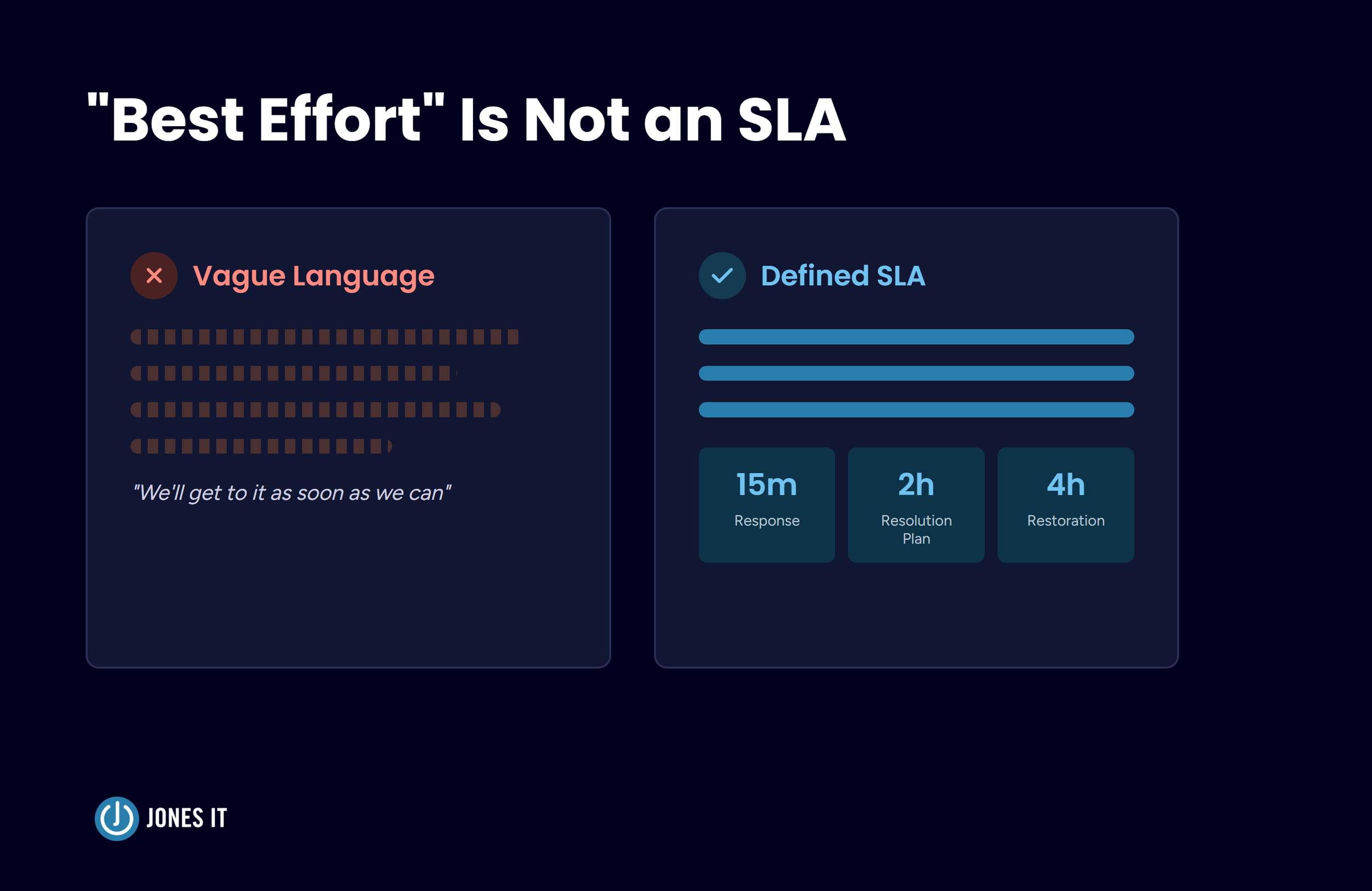
For response expectations, our SLA guide lays out a typical structure with four priority tiers. Each tier carries three commitments: response time (someone acknowledges the ticket and assigns it), resolution plan (a clear statement of what is being done and by whom, with a rough timeline), and target service restoration (the point at which service is meaningfully restored).
| Priority | Example | Response | Resolution plan | Restoration target |
|---|---|---|---|---|
| Critical | Full site outage | 15 minutes | 2 hours | 4 hours |
| High | Main business application down, or most users affected | 30 minutes | 4 hours | 8 hours |
| Medium | A small group of users affected | 45 minutes | 6 hours | 24 hours |
| Low | A single user affected | 1 hour | 8 hours | 48 hours |
Typical priority structure from our SLA guide
Level 1 work falls mostly in the Medium and Low tiers, with a typical response commitment of 45 minutes to an hour. A ticket classified as High or Critical is an escalation by definition and goes to the named person on your side the moment it is classified. Treat the figures as a starting point, and set the numbers in your own handoff based on what your business can tolerate.
The First 90 Days: How to Tell the Relief Is Real
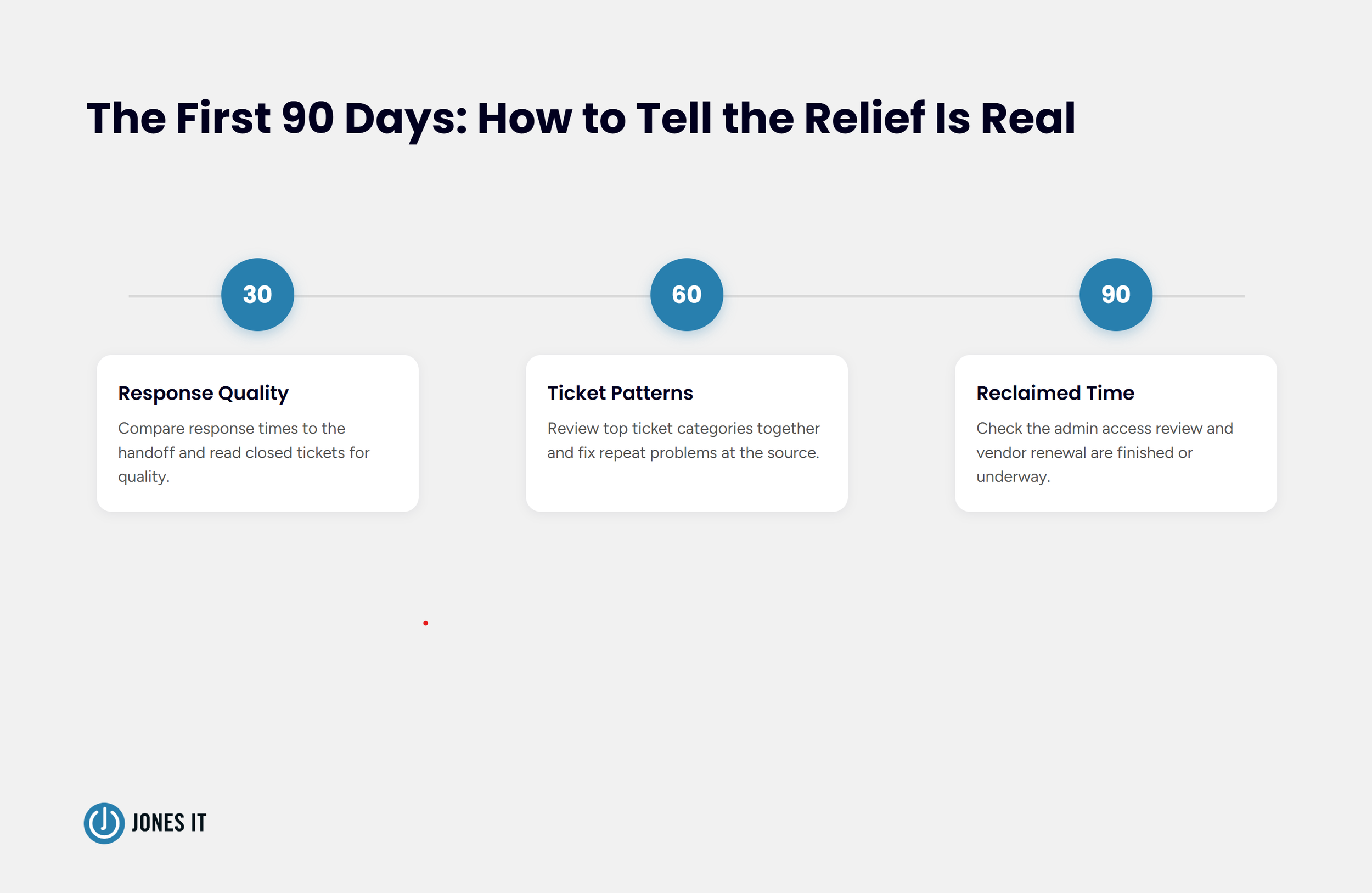
The co-managed partnership can be deemed successful only when the hours freed from your ticket queue show up on your IT roadmap, and three checkpoints in the first 90 days confirm it.
Day 30: Compare response times against the numbers in the handoff and read a sample of closed tickets for quality. The partner should be closing most Level 1 tickets without needing you.
Day 60: Review the top ticket categories together. Repeat tickets point to problems worth fixing at the source, such as a confusing MFA enrollment flow, and each fix shrinks the queue for good.
Day 90: Look at your own calendar. The admin access review and the vendor renewal you kept postponing should be finished or well under way. If they are not, the handoff moved the tickets, but left the load with you, and the matrix needs another review.
Before You Hand Off Level 1: A Checklist
Confirm each of the following before the first ticket moves:
Your last 90 days of tickets are grouped by category and sorted into move, share, and stay.
A responsibility matrix is signed by both sides.
Your company owns the top-level administrator accounts, and the partner's access is scoped and revocable.
The change approval path is defined, with approvals recorded in the ticket.
Escalation triggers are written down, with a named contact and a backup.
Response, resolution plan, and restoration numbers are stated for every priority tier.
A weekly review of top ticket categories is on the calendar.
Reviews at 30, 60, and 90 days are scheduled with the partner.
Getting Your Time Back Without Giving Up Control
The internal IT lead from the opening scene needs the admin access review to happen, and a co-managed IT help desk clears the calendar for it while every decision stays with that lead. Level 1 support takes the most attention for the least judgment, and the work is easy to write down, so it is a natural place to start a co-managed arrangement. I would rather see a company hand off the queue with a strong matrix than hand off everything with a vague one.
Reclaiming your time doesn't have to mean relinquishing control. By establishing a clear responsibility matrix, maintaining administrative ownership, and setting rigorous SLAs, you can successfully offload Level 1 support and refocus your internal team on the roadmap projects that drive real business growth.
If you would like help evaluating your ticket queue or structuring your handoff, we are happy to work through it with you.
Frequently Asked Questions About Co-Managed IT Help Desk Support
What is the difference between fully managed IT and a co-managed IT support model?
In a fully managed IT model, an outside provider assumes total responsibility for all IT functions, strategy, and administration, effectively replacing or acting as the entire IT department. In contrast, a co-managed IT support model pairs your existing internal IT team with an external partner. Your internal team retains administrator credentials, strategic decisions, and authority, while the external partner assists with specific operational workloads such as high-volume ticket queues.
Why should a company consider outsourcing Level 1 IT support?
Outsourcing Level 1 IT support relieves internal staff from constant, low-complexity interruptions like password resets, basic software troubleshooting, and account unlock requests. Offloading these routine tasks allows internal engineers and IT leads to dedicate uninterrupted time to core infrastructure, strategic projects, security posture, and business growth.
How does IT help desk outsourcing preserve internal administrative control?
Effective IT help desk outsourcing establishes clear boundaries through a responsibilities matrix and strict role-based access. External technicians only receive scoped permissions necessary for standard Level 1 troubleshooting. Your internal team maintains master administrator accounts, change management approval authority, and oversight of all queue activity in real time.

About The Author

Evan JonesFounder and CEO of Jones IT
With over two decades of IT experience in San Francisco, Evan guides Jones IT's long-term strategy, finances, and culture, with a vision of building the city's highest-rated IT services firm. Outside of work, you'll find him on the golf course or running Bay Area Warriors, his non-profit connecting Bay Area kids to college through basketball.
Learn how to hand off Level 1 support to a co-managed IT help desk without losing control or dip in quality, and free up your team for strategic IT projects.