
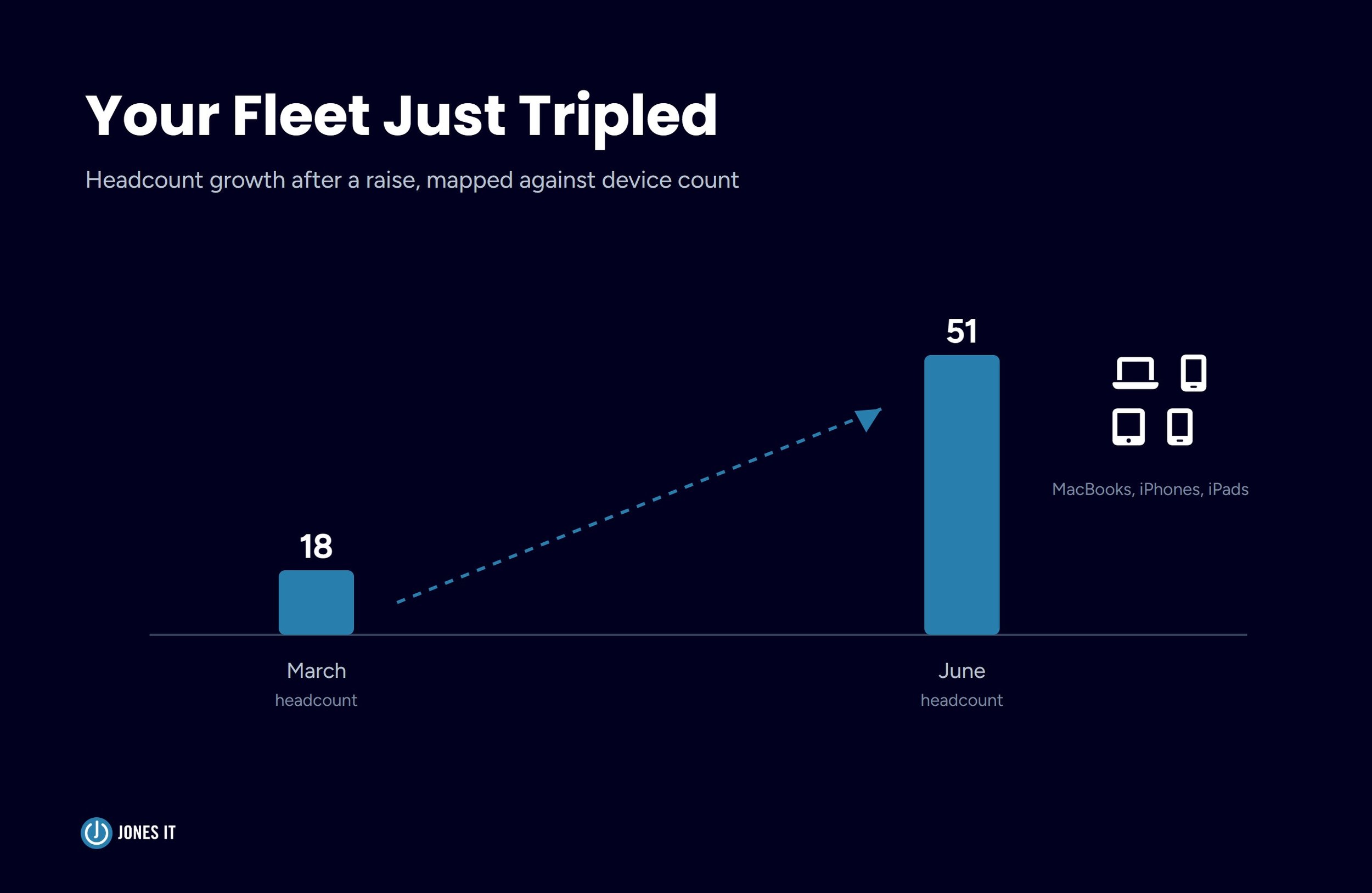
A client of ours closed their Series B in March. By June, headcount had gone from eighteen to fifty-one. Most of the new hires were engineers, and most of them got a MacBook, an iPhone for on-call rotation, and, in a few cases, an iPad for the design team. The fleet that had been small enough to track in a spreadsheet six months earlier was now sprawling across three offices and a dozen home networks.
Their SOC 2 Type II observation period started in July. The auditor's first round of evidence requests included a question nobody on the team had thought hard about before: how does the organization control network access for company devices, and can you show it? The honest answer was a shared WiFi password that had been rotated twice in two years, and no meaningful segmentation between a laptop running production credentials and a guest's phone. That answer did not satisfy the control.
We helped them fix it before fieldwork wrapped, and the fix is the subject of this post. If your fleet just grew the way theirs did, the network-level side of device access control is worth getting ahead of before your auditor asks about it.
If you're earlier in your own compliance journey and want the fuller picture of what needs to be in place before an observation period starts, our SOC 2 compliance roadmap for startups walks through it month by month.
Why Fleet Growth Creates a Gap You Didn't Have Before
A ten-person team on a shared WiFi password is a manageable risk. A fifty-person team on the same shared password, spread across multiple locations, with contractors and guests cycling through the same network, is a different risk profile entirely, regardless of whether the fleet is company-owned, BYOD, or a mix, a distinction we cover in our guide on deploying and managing Apple devices in enterprise environments. The network password regularly gets shared in onboarding docs, forwarded in old emails, and eventually posted somewhere it shouldn't be. Nobody decided this was acceptable; it just happens. And the risk continues to accumulate, the same way most compliance gaps do.
We've written before about the minimum viable SOC 2 tool stack, and centralized device management sits near the top of that list. If your team is already running an MDM platform with encryption and endpoint protection enforced, you have the foundation an auditor expects to see. What that post doesn't cover is the network layer sitting underneath the device layer, and that's where fleet growth tends to expose gaps. If your network access controls are just one piece of a broader post-raise buildout, our IT infrastructure checklist for Series A startups covers the rest of that scope.
What SOC 2 Actually Expects for Device-Level Access Control
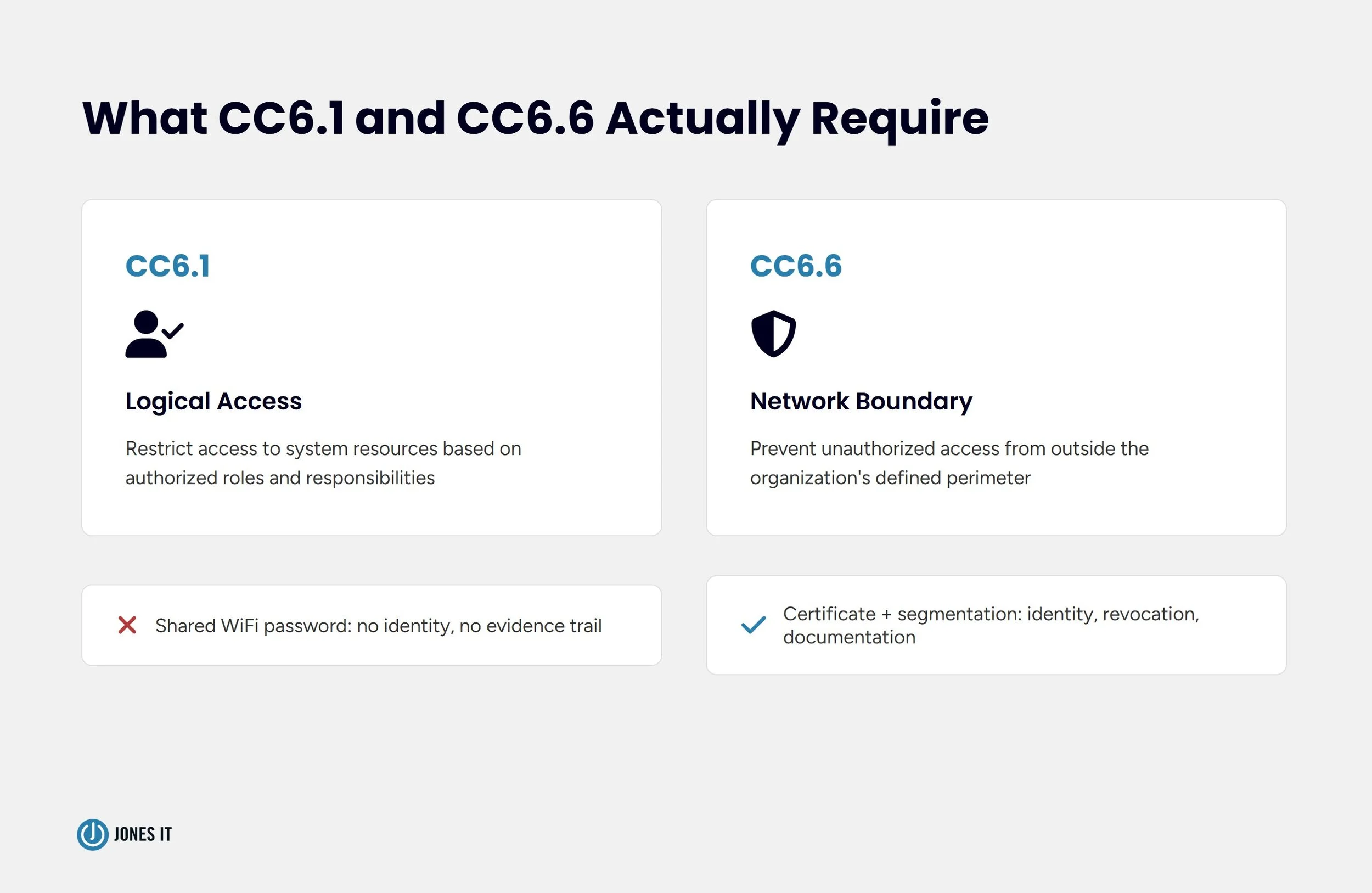
SOC 2's Trust Services Criteria address this under the Common Criteria series, specifically CC6.1 and CC6.6. CC6.1 requires the organization to implement logical access controls that restrict access to system resources based on authorized roles and responsibilities. CC6.6 extends this to the boundary of the network itself (the criterion we see cited most often when a network-level gap turns up during fieldwork). It requires controls that prevent unauthorized access from outside the organization's defined perimeter.
A shared WiFi password technically restricts access, in the sense that you need to know the password. It does not restrict access based on identity, and it provides no way to revoke access for a single device without changing the password for everyone. “We rotate it every quarter” is not the same claim as “we know exactly who was authorized and when,” and auditors know the difference even when the first answer sounds reassuring in the room. Auditors read this correctly as a shared credential rather than an access control. The distinction matters because shared credentials cannot produce the kind of evidence CC6.1 asks for, like a record of who or what was authorized, and when that authorization can be traced back to an individual device or user.
The gap between a shared credential and a real access control is what certificate-based authentication and network segmentation close.
Certificate-Based Authentication for Apple Fleets: Moving Off Shared WiFi Passwords
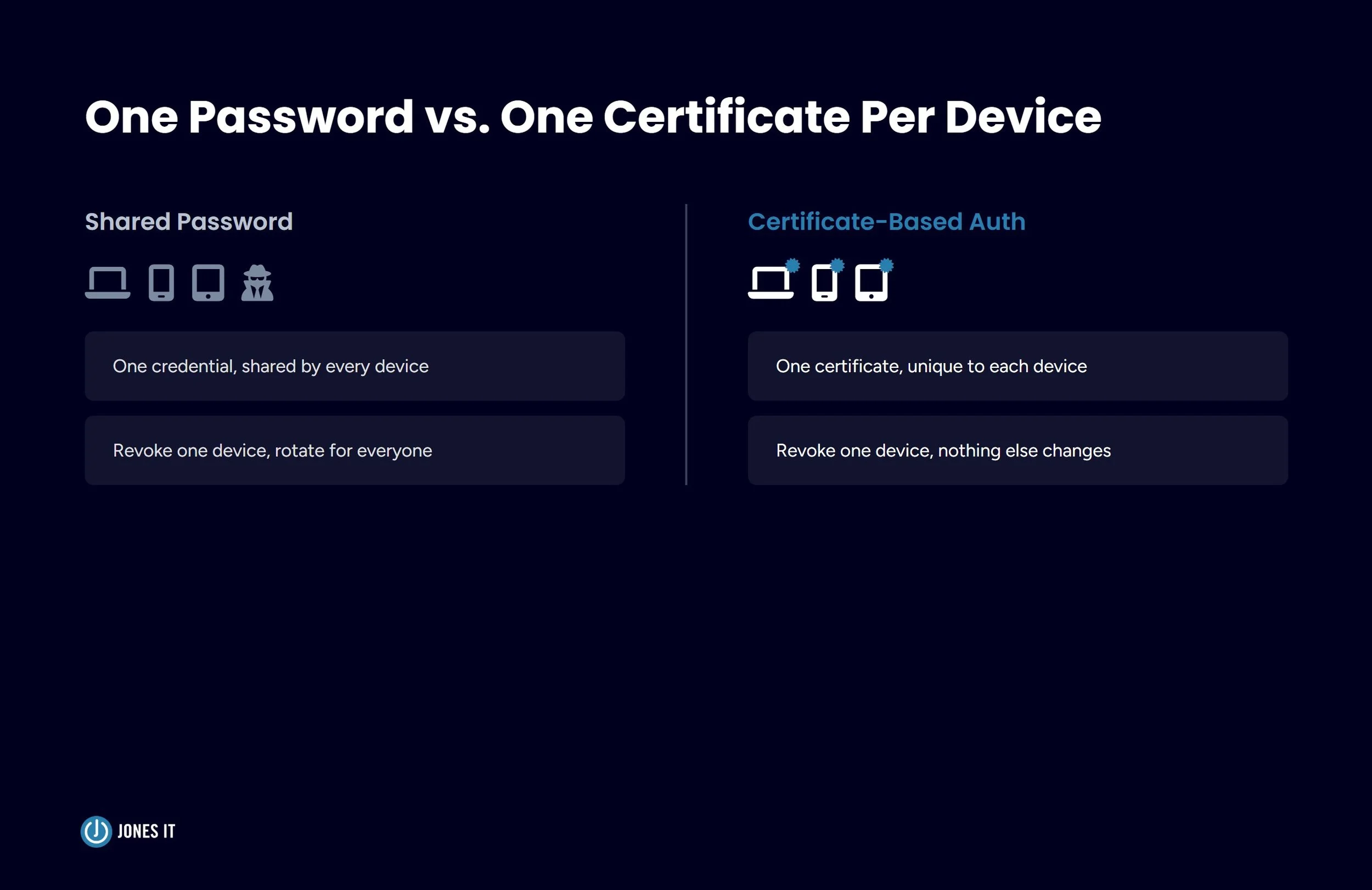
Certificate-based WiFi authentication, using the 802.1X standard with EAP-TLS, replaces the shared password with a unique digital certificate issued to each device. Instead of typing a password to join the network, the device presents its certificate, and a RADIUS server (the system that checks device credentials before letting anything onto the network) validates it before granting access. No two devices share a credential, and revoking a single device's access means revoking a single certificate rather than rotating a password for the entire company.
What Changes for Your Auditor's Evidence Request
When an auditor asks for evidence of network access control, a certificate-based system gives you something concrete to show: a list of issued certificates tied to specific devices, an expiration and renewal policy, and a revocation log for offboarded employees or lost hardware. That's a defensible answer to CC6.1. A shared password, rotated on an irregular schedule with no record of who had it at any given time, is not.
We won't pretend this is a five-minute configuration change. Implementing certificate-based authentication involves a RADIUS server, a certificate authority, and a way to push certificates to devices automatically rather than asking every employee to install one manually. We ran into this exact gap during our own SOC 2 Type II process, and fixing it before the observation period started was far less painful than fixing it mid-fieldwork with an auditor waiting on the evidence.
For most growth-stage teams, that last part runs through the MDM platform you already have in place. If you are using a cloud identity provider (like Okta or Google Workspace), it is common to use a Cloud RADIUS service (like SecureW2 or JumpCloud) rather than hosting your own physical RADIUS infrastructure.
How This Gets Deployed Through Your MDM
Both Jamf and Iru support pushing certificates to enrolled Apple devices through SCEP (Simple Certificate Enrollment Protocol) or ACME (Automated Certificate Management Environment) payloads, which handle the certificate request and installation without any action from the employee. The device generates a key pair, requests a certificate from your certificate authority, and installs it, and from that point forward, it authenticates to your WiFi automatically at every connection.
If you haven't yet connected Apple Business Manager to your MDM platform, our post on zero-touch IT onboarding covers that setup in detail. The certificate deployment mechanics themselves are documented by Apple's platform deployment guide and by your MDM vendor directly, so we won't rebuild that walkthrough here. What matters for compliance purposes is that once this is in place, the audit answer changes from “here's our WiFi password” to “here's our certificate issuance and revocation policy,” and that's the answer your auditor is actually looking for.
Network Segmentation as Access Control Evidence
Certificate-based authentication controls who gets on the network. Segmentation controls what they can reach once they're there, and auditors care about both.
Separating Corporate, Guest, and IoT Traffic
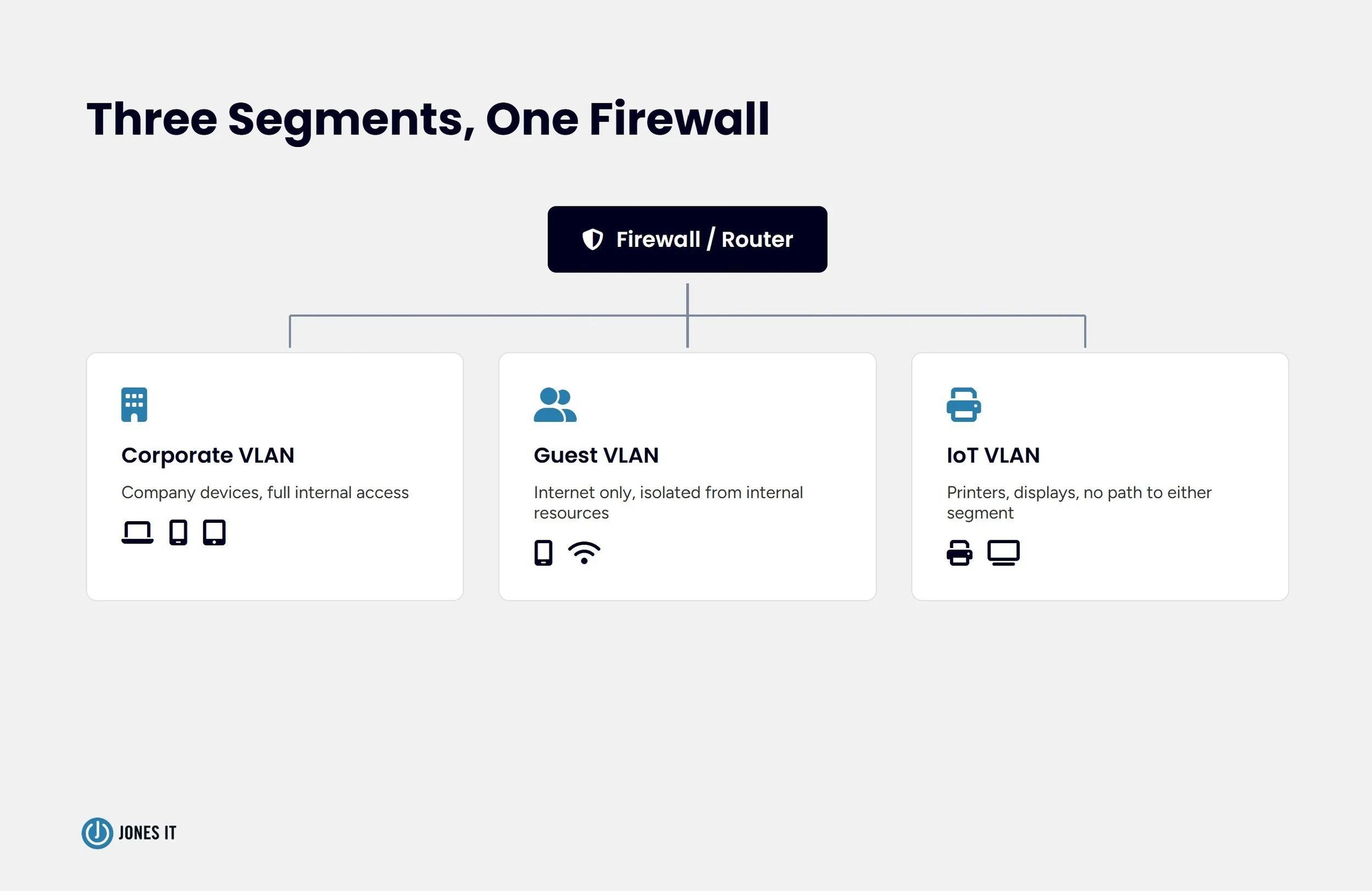
A flat network, where a guest's phone and a laptop with access to your production database sit on the same broadcast domain, is a common finding in early-stage startups that never had a reason to think about it. Segmentation splits traffic into separate VLANs, having corporate devices on one segment with access to internal resources, guest devices on an isolated segment with internet access only, and IoT devices like conference room displays or printers on a third segment that can't reach either. So a compromised guest device, or a compromised IoT device, has no path to anything sensitive.
What an Auditor Wants to See Documented
Segmentation configured correctly in your network hardware satisfies the technical control, but auditors also want documentation: a network diagram showing the segments, a written policy describing what each segment can and cannot access, and evidence that the configuration matches the documentation. We've seen companies configure segmentation correctly and still get a finding, because nothing on paper described what they'd built. Document the segments as you build them, not after the auditor asks.
Enterprise App Distribution and Why It Matters for Audit Scope
The third piece, and the one that's easy to overlook, is how applications get onto iPhones and iPads in your fleet. An employee who installs an app from the public App Store has installed software that your MDM has no visibility into and no ability to remove remotely. If that app has access to company data, whether through email, calendar, or a file-sharing integration, it's now inside your audit scope without your knowledge.
Managed vs. Unmanaged Apps on iPhone and iPad
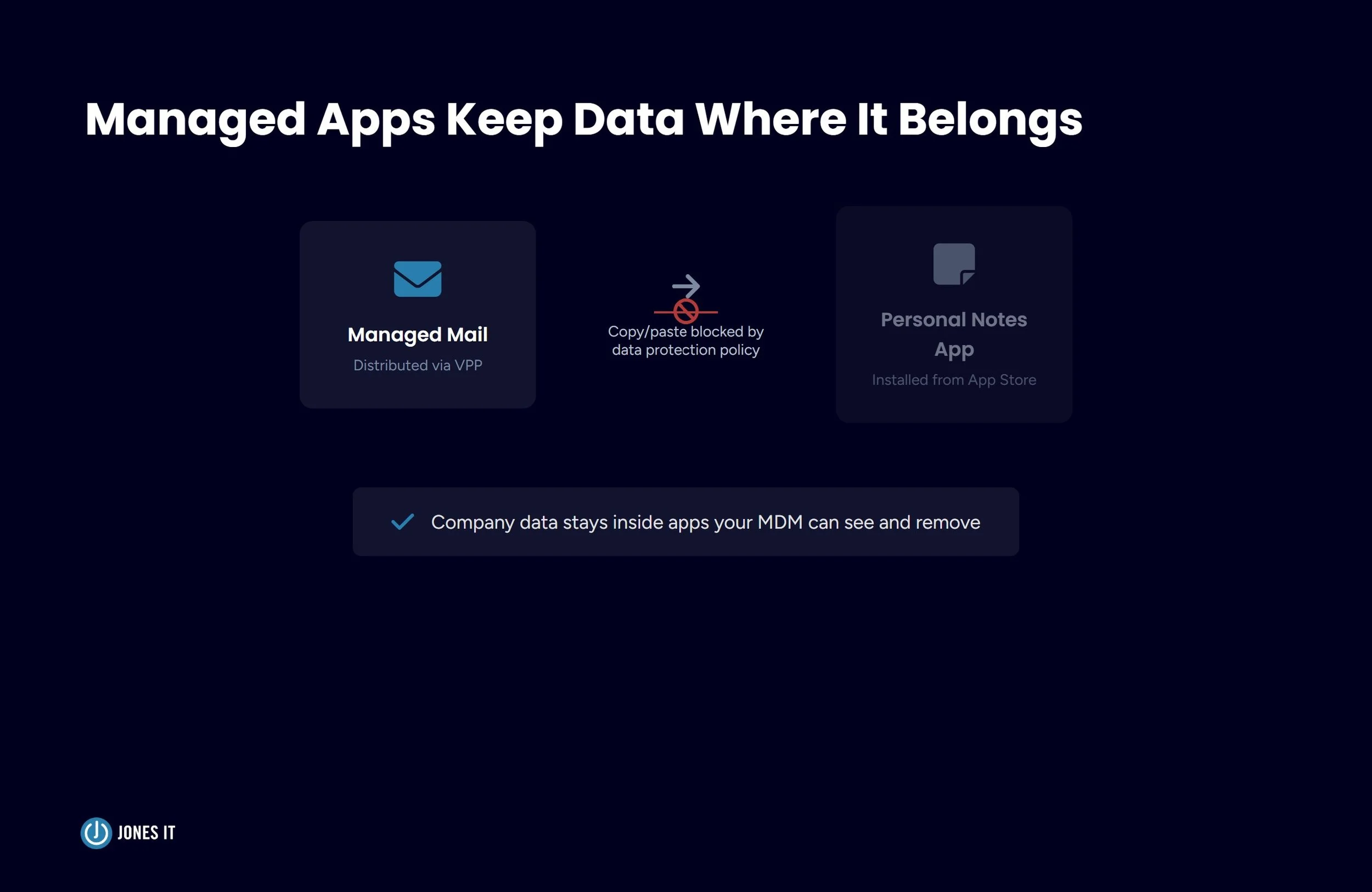
Apple Business Manager's Volume Purchase Program lets you distribute apps to enrolled devices as managed apps, which your MDM can install, configure, and remove without employee action. Managed apps can also be restricted from copying data into unmanaged apps, which closes a real gap, like an employee reading company email in a managed Mail client and then pasting content into an unmanaged personal note-taking app, which is a data flow that no policy prevents on its own. For a growing iPhone and iPad fleet, moving core apps to managed distribution and configuring that data protection is worth doing before the fleet grows so large that retrofitting it becomes a project of its own.
iPhone and iPad Compliance Readiness Checklist
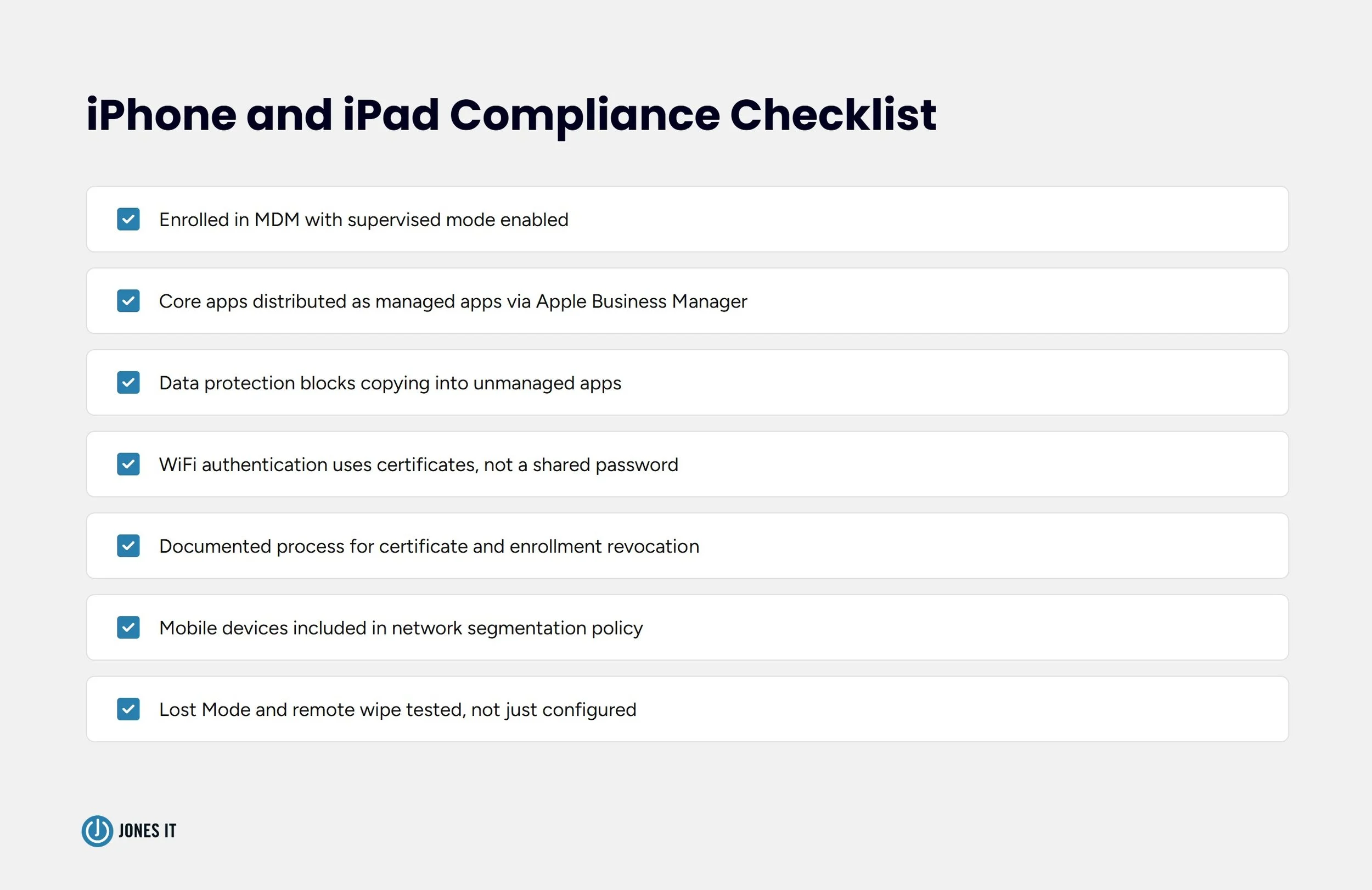
Before your next audit cycle, confirm the following for your mobile fleet specifically. Laptop-focused MDM checklists tend to skip these, and they're where we most often find gaps during a SOC 2 readiness review:
Every company-issued iPhone and iPad is enrolled in MDM with supervised mode enabled (the higher level of MDM control needed to enforce restrictions that the user can't override).
Core apps (email, calendar, file sharing) are distributed as managed apps through Apple Business Manager, not installed manually from the App Store.
Data protection is configured to prevent copying content from managed apps into unmanaged apps.
Devices authenticate to WiFi using certificates, not a shared password.
A documented process exists for revoking a device's certificate and MDM enrollment on offboarding or loss of a device.
Mobile devices are included in your network segmentation policy, not treated as an exception.
Lost Mode (remote lock and location tracking for a missing device) and remote wipe are tested and confirmed functional, not just configured.
When Is It Worth Bringing in an MSP for Fleet Management
A team with in-house network engineering expertise can build all of this internally. RADIUS servers, certificate authorities, and VLAN configuration are well-documented problems, and plenty of companies handle them without outside help.
Where we tend to get the call is when startups don’t have the expertise, or the compliance timeline and the engineering timeline are on a collision course. Setting up a certificate authority correctly, testing certificate revocation, and documenting segmentation to an auditor's satisfaction all take real time, and that's a lot to ask of a team that's already heads-down on a product roadmap and growing faster than its IT function. If you're evaluating whether that's a fit for your situation, our post on when startups need a managed IT provider walks through the decision in more detail.
The Bar Worth Setting
Back to the client from the start of this post. By the time their auditor's fieldwork wrapped, the answer to “how do you control network access for company devices” had gone from a shared password nobody could fully account for to a certificate issuance policy, a segmented network with documentation to match, and a fleet of iPhones and iPads running managed apps with data protection enforced. The finding never made it into the report.
That's the bar. Not perfect security for its own sake, but network access control you can actually document and defend when someone asks. If your fleet has grown since your last funding round and your network access controls haven't kept pace, we can help you close that gap before it shows up in an evidence request.
Reach out to us, and we'll walk through what your Apple fleet's network access controls look like against SOC 2 requirements, and what it would take to close any gaps.



Master the device reassignment process. Learn how to securely reset, verify, and reissue Mac and Windows company laptops while meeting compliance standards.